










Using Firmware 4
Talk to Rico (open forum for questions & feedback)
Rico’s Books at Rocky Nook – Fuji X Secrets Workshops – Rico’s Flickr Sets
—
Today, Fujifilm announced another major firmware revision for the X-T1: Version 4 introduces a new autofocus system with zones and object tracking based on pattern recognition. It’s also faster and more accurate, and it’s easier to use. Over the past weeks, I was able to gather practical experience with several work-in-progress versions of what’s coming in late June. I am happy to share these experiences in this article.
U.S. workshop is happening!
Before we begin, I’d like to respond to more than two dozen inquiries I have received regarding the proposed Fuji X Secrets workshops in Santa Barbara, CA. Here’s the deal: It’s happening! There will be a 2-day workshop on the weekend of July 18 and 19 at the offices of Rocky Nook (my publisher), and those of you who have already contacted me via email will get a heads-up to register before everyone else. For the best possible learning effect, only 8 places will be available, so if you haven’t already contacted me to express your interest, now is your last chance to do so. You can find out more about my workshops and my contact information here.
Minor and major improvements
Firmware 4 offers several improvements with regards to usability, such as exposure compensation in manual mode with Auto-ISO, expanding the T setting on the shutter dial to cover the full range of available shutter speeds (30s – 1/32000s), getting rid of the macro button (you may want to reassign the button to select the new AF modes), displaying finer gridlines that obscure less of the actual scene, or replacing the term Silent Mode with something we can actually understand.
However, the most significant innovation in firmware 4 is the new autofocus system: It includes improved single-point focussing, introduces new zone focussing and finally offers “real” subject tracking over the entire sensor area. Click here for an overview of what’s new in firmware 4.
If you have watched Fuji’s video presentation on the new autofocus modes and features, you’ll already have a good idea of what firmware 4 can do for you. If you haven’t, here’s the video on YouTube:
SINGLE-POINT AF
Let’s begin with what we already know: SINGLE-POINT AF. This is the mode we currently enjoy in our X-series cameras: It allows us to select one of 49 square-shaped AF frames and adjust its size in five steps. The nine central frames are PDAF-enabled and can use the camera’s faster phase detection autofocus. The 40 remaining outer frames are CDAF-only, meaning they can only work with the slower contrast detection autofocus method. You can read all about AF methods and the hybrid autofocus in my current books on the X-E2 and X-T1, so I’m not going to bore you with things you already know.
What you may not know it that single-point AF is now more accurate because thanks to the new firmware, the camera is dividing each selected AF frame into additional (invisible) subframes to ensure even better autofocus accuracy. In other words: The camera isn’t just focussing on anything with sufficient contrast covered by the selected AF frame, it’s trying to make a smarter decision about which part of what’s covered by the AF frame shall be in focus.
Here’s a quick video that illustrates single-point AF. Obviously, everything looks quite familiar:
Single-point AF works in concert with both AF-S and AF-C.
In AF-S mode, it simply locks onto a subject as you half-press the shutter button and keeps that distance until you refocus or adjust the focus with AF+MF. You can also use the “autofocus trick” to capture moving subjects in this mode by fully depressing the shutter button in a swift motion (also known as the “shutter mash” technique), skipping the half-press part of the action.
In AF-C mode, single-point AF employs predictive distance tracking to keep your subject in focus as it moves towards the camera (or away from it). As the camera is tracking the distance, it’s important that the selected AF frame always covers the portion of the subject that is supposed to be in focus.
To ensure maximum performance, it’s recommended to select one of the nine central PDAF-enabled AF points. Since PDAF sensitivity increases from 2.5 EV to 0.5 EV in firmware 4, the camera will now use the fast PDAF method almost exclusively even when the light is poor. No more focus hunting.

Single-point AF
ZONE AF
The new ZONE AF mode divides the image frame into 77 (11 x 7) instead of the previously known 49 (7 x 7) AF points, so the AF point coverage gets tighter, with less space between horizontal AF points. Within this 77 point area, you can define focus zones that cover areas of 3 x 3, 5 x 3 or 5 x 5 AF points.
This is how zone focussing looks like:
You can freely move your zone around the entire image area, just like you would move a single AF point. In the short video above, the zone’s size and position were set to match the PDAF-enabled sensor area, which is a reasonable choice. As soon as you select a zone area that covers an AF point that is not PDAF-enabled, it’s “game over” for the PDAF and the camera will switch to the slower CDAF focussing that involves more hunting.
Once again, ZONE AF is available in concert with AF-S and AF-C. Basically, you can think of a zone as a super-sized AF frame: The camera will always try to focus on what’s covered by the selected zone, analyzing its contents from the center to its edges. Zones allow you to more easily follow subjects with erratic and unpredictable movements, a task that used to be quite challenging with a single AF point. Zone focussing is also kind of smart, as it won’t immediately lose a subject when it temporarily exits the center of your selected zone.
Here’s a seagull that flew by in Istanbul (at a pretty fast speed, I must say), captured in AF-S with Zone AF (5 x 3, PDAF zone) and the “slow” 27mmF2.8 pancake lens using the “shutter mash” technique:

ZONE AF (5 x 3)
WIDE/TRACKING AF
The third AF mode in firmware 4 is called WIDE/TRACKING and covers the entire image sensor area. This means that this mode is basically CDAF-only. However, it still offers 3D subject tracking plus predictive autofocus along the time axis.
Here’s how it works:
In AF-S, WIDE pretty much works like MULTI autofocus in the X30, X100T, XQ2 and X-A2: It scans the full image area and automatically selects and confirms up to 9 green AF points that indicate which parts of the image are in focus.
In AF-C, WIDE/TRACKING uses pattern recognition to track a specific subject as it moves across the image area. It begins with the photographer selecting one of 77 available AF points and pointing it at the part of the scene he wants to track. Then, while half-pressing the shutter button, the camera will track this pattern as it moves across the screen (left/right, up/down) and also moves towards or away from the camera. All this is done with CDAF, so there’s some continuous pumping going on. By doing so, the camera can apply predictive AF tracking even in CDAF mode, as it keeps analyzing previous successful focus locks to calculate the speed and distance of the moving subject.
Here’s a little video that shows WIDE/TRACKING in action:
Video AF Improvements
The new firmware also improves AF performance in video mode. This is illustrated by another little Fuji video:
Face Recognition with Eye Detection
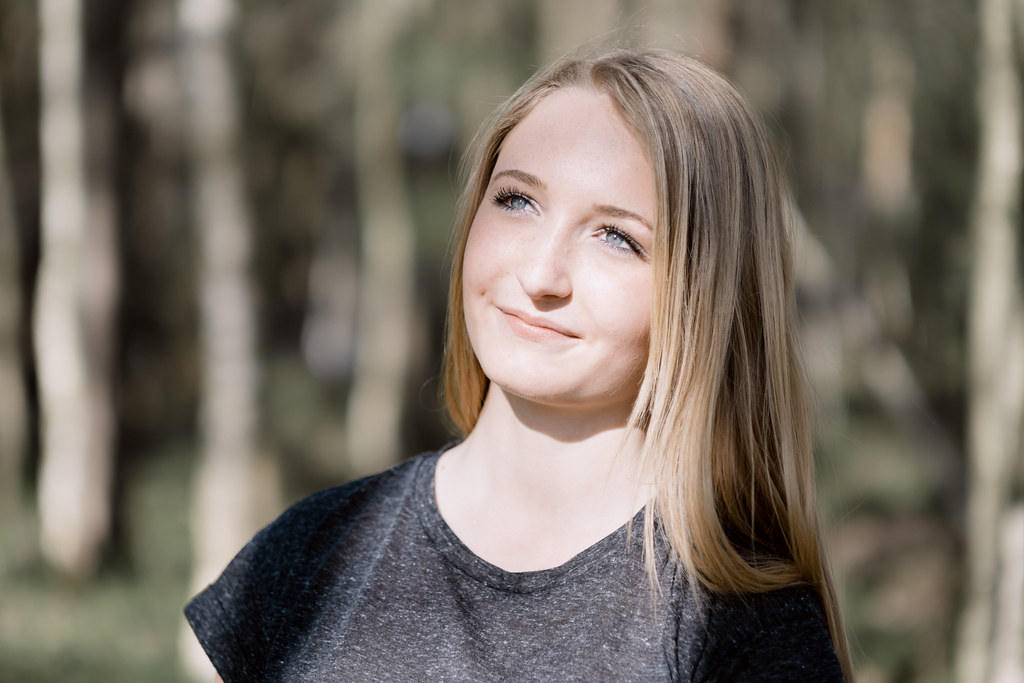
Firmware 4 also brings improved face recognition with eye detection to the X-T1. This isn’t really new, as this feature has already been introduced with the X-A2 in January. However, it’s pretty impressive, as it can better look through glasses and isn’t as easily distracted as the previous implementation.
Face Detection AF
A Few Hints
- As usual, when using Single-point AF, make the AF frame as large as possible and as small as necessary.
- In Zone AF, try to use zones that do not extend into the CDAF-only area of the sensor. Instead, keep the zone entirely within the central PDAF-enabled area to ensure maximum AF performance.
- In Wide/Tracking AF with AF-C, avoid abrupt/erratic camera movements that may cause the system lose the subject.
- Remember that Face Detection AF isn’t just an autofocus mode, it’s also an exposure metering mode and even affects auto white balance. In order to make sure that your exposure doesn’t unexpectedly change when faces are recognized or not recognized, use manual exposure mode (M). Also note that Face Detection only uses CDAF.
Firmware 4 will be available in June. As of now, it’s still a work in progress, but trust me: once you have tasted it, you don’t want to go back.
See you next week!
For your convenience, here’s a TOC with links to my previous X-PERT CORNER articles:
- First Look: XF16mmF1.4 R WR
- Film Simulations in RAW File Converter EX Version 2
- X-T1: Tethering with Adobe Lightroom and Fujifilm HS-V5
- First Look: Fujinon XF16-55mmF2.8 R LM WR
- XF 56mm APD vs. XF 56mm
- New Firmware Features (3): X-T1 Firmware Version 3.00
- New Firmware Features (2): Using Camera Remote
- New Firmware Features (1): Using AF+MF
- First Look: Fujinon XF 50-140mm F2.8 R LM OIS WR
- Using the Fujifilm X100T
- First Look: Fujifilm X30
- First Look: XF18-135mmF3.5-5.6 R LM OIS WR
- X-E2: Behind Firmware 2.00
- First Look: Fujifilm TCL-X100 Teleconverter for X100(S) Cameras
- First Look: Fujinon XF10-24mmF4 R OIS
- First Look: Fujifilm X-T1
- First Look: Fujinon XF56mmF1.2 R
- Exposing Right
- Using Auto-ISO
- Using Face Detection
- First Look: Fujifilm XQ1
- PDAF & LMO Lens Firmware Updates Coming in November
- First Look: Fujifilm X-E2
- How Fuji could save the X-M1
- X-A1 vs. X-M1: Photo Ninja Edition
- X-A1 vs. X-M1: the Shootout
- Using the Fujifilm X-A1 [& X-M1]
- First Look: Fujinon XF23mmF1.4 R
- RAW Converter Shootout Results
- Ultimate RAW Converter Shootout
- First Look: X-M1 with New Kit Zoom and Pancake Lens
- Zeiss Touit vs. Fujinon XF
- Remote Shutter Control for X Series Cameras
- Apple Camera RAW, X-Trans and EXR
- First Look: XF55-200mmF3.5-4.8 R LM OIS
- Studio X
- Using the X100S
- Using the X20
- X100S vs. X100
- X20 vs. X10
- RAW, JPEG, Silkypix and “Fuji Colors”
- Adapting Third-Party Lenses (updated with Speed Booster)
- RAW for JPEG Shooters…
- Tips for Updating your Firmware
- How to Clean the X-Trans Sensor
- Using the XF14mmF2.8 R
- Decoding XF18-55mmF2.8-4 R LM OIS
- Comparing RAW converters: JPEG vs. Lightroom, Capture One, Silkypix & RPP
- XF14mmF2.8 R appears to be almost distortion free
- How to Expand Dynamic Range
- How to Use Extended ISO
- EXR, anyone?
- Capture One – When the Going Gets Tough…
- Using Shooting Profiles and the Quick Menu
Rico Pfirstinger studied communications and has been working as journalist, publicist, and photographer since the mid-80s. He has written a number of books on topics as diverse as Adobe PageMaker and sled dogs, and produced a beautiful book of photographs titled Huskies in Action (German version). He has spent time working as the head of a department with the German Burda-Publishing Company and served as chief editor for a winter sports website. After eight years as a freelance film critic and entertainment writer in Los Angeles, Rico now lives in Germany and devotes his time to digital photography and compact camera systems. His new ebook The Fujifilm X-T1: 111 X-Pert Tips is available at Rocky Nook.
104 Responses
Rico, will there be a coming firmware update for X-E2?
Thanks for this article Rico. Seems a great upgrade.
Can you talk a little on how the user selects these modes? How easy it is to change between them, change zone size etc.?
Just use an Fn button or the Quick menu.
I had the same question, thanks for the precision!
Now that Macro mode isn’t necessary anymore we can simply replace it with the focus modes 🙂
I’m sure this is a stupid question but what is the little green EL indicator we see in the viewfinder on the video.
I see it in the manual but is says nothing about it.
Exposure Lock I think.
Like I said, stupid question 😉
Thanks Harry!!!!
You’re welcome. 🙂
Thanks Rico. I just have to ask this: do you have any idea as to why extended bracketing is still not being introduced. It seems like a fairly easy upgrade to make…
Thanks
No idea. They also refuse to implement a 24h time format. They know that I want better bracketing (not for me, I couldn’t care less, but for those users who keep demanding it), and they tell me that they agree that it would be useful. Maybe (probably) in the X-Pro2…
Thanks Rico for this straight-to-the-point explanation. Does this mean we will also get a new version of your X-T1 book?
Eventually, sure.
A 4.0 update ?
Pretty cool stuff… wish it all came to the X-E2 considering the same sensor is used, but I imagine the processing power might not be there. Look forward to all of this and more in the next Rangefinder style body.
Come and do a workshop in NYC!
I am always available for hire if folks want to set up something in their area.
There are plenty of fuji x photographers in NYC. If you set up a class and charged you would get plenty of people. If you want me to set it up, then I’d also get paid 🙂
Well, that’s the idea of being hired by someone who organizes those events in foreign countries. I’d never do such a thing w/o a local partner who takes care of all the “little things” that tend to become big if they aren’t taken care of.
I thought you were US based. my bad
No worries. Sadly, still Germany based (again).
Rico, weren’t you a Hollywood movie reviewer at one times in the states? I’m guessing you have plenty of family in Deutschland who would be Sad to see you leave again.
The weather is nicer in L.A.
Oh come on Rico give us the X-T10 and 90mm review – we won’t tell anyone! 😉
I’m dying for the 90mm!
It’s amazing, that’s for sure.
Ok Rico, now post that firmware on torrents!…
On a serious note, how do you like (supposedly) improved low contrast AF? Is it really 5x better? Will it focus on evenly lit sheet of plain paper (with no assist light, of course)?
It pretty much works in every normal situation.
Actually happens more than you’d think, an evenly lit plain surface. But of course ‘normally’ you would point at some kind of edge instead because you know the camera can’t do it.
The more sensitive AF is also pretty good with less ideal surfaces, but of course any skillful user will instinctively target patterns/contrasts/edges that help the AF. It becomes second nature, it’s a subconscious thing, you don’t think about it. Like driving your car.
Rico, are the zone AF modes available to users of back button focus?
I don’t think so.
Sh!t…
Rico, Thank you for your report!
Is the CDAF faster with this new firmware?
Probably, it’s more accurate and good at predictive tracking. CDAF really depends on the lens.
How so? My understanding is that it has to do with the processor and algorithms.
Some lens motors are faster than others, some lenses inherently have better contrast, deeper depth of field etc.
OK, so processor, algorithm, and a few lens properties. I would think the processor and algorithm are more important, though, since they have to do the bulk of the work and the lenses are very similar in the grand scheme of things.
You’ve never used the 60mm then 😉 Any algorithm is ultimately limited by the speed of the lens motor and sensor readout. If it takes a second to go from near focus to infinity the fastest you’ll ever be able to go from near to infinity focus is 1 second for example, no matter how amazing the algorithm.
I used the 60 for a while but have the 50mm zeiss right now. The 60 was slow, but not as slow as people said. But I can tell you the 60 was much faster on the X-E2 than X-E1 and I had it on both for months. Was that due to better hardware, better algorithms, or updated lens firmware?
Ah I’ve only used it on the X-E1. I imagine mostly better processor and the all important phase detect pixels on the X-E2.
How is the tracking at macro and closeup levels? Thinking of insects, butterflies, etc.
I have never tried to track a macro insect in my life, so I have no idea, sorry.
In short: if it’s even remotely close to good, it will mean revolution.
Probably, I haven’t heard of many insect macro action shooters using tracking AF. Many of them don’t use AF at all, but focus manually by shifting the distance between camera and subject. That said, let’s give it a try when the actual firmware is available.
I don’t do it often but certain fast moving insects like butterflies can test one’s patience to use MF.
Rico,
thanks a lot for this clear and concise presentation.
June will sure be a very long month 🙂
Indeed. 🙂
How would I know? 🙂 Personally, I somehow doubt it, as I see the rumored X-T10 as the actual successor to the X-E2. Technically, it should be possible to implement these features in the X100T and X30, possibly also in the X-E2.
> “X-T10 successor to the X-E2”
Are you sure? Have you got any info about it?
I hope that it isn’t true. I have a nose, I love rangefinder style of my X-E2.
According to the rumored feature set here on Patrick’s site, it looks very much like the class the X-E2 used to occupy.
Man, you’re going to cause a RIOT!!
Unlikely, as I am not involved in model decisions. That’s Fuji’s job, but I certainly may have my own opinion on such things. An X-E3 is certainly possible in my world, but it would have to be an X-Pro2 w/o hybrid viewfinder. So this is something to be considered a year from now at the earliest. However, by then, there may already be demand for an X-T20 to compliment an X-T2. So who knows? I don’t. One thing is pretty clear to me, though: The X-T1 line is the one that’s actually selling, not the X-Pro / rangefinder line.
Could be they follow each other every other year. X-TXX updates on the odd years, and X-EX updates on the even years. 🙂
We can hope.
YES WE CAN.
Understood. I wasn’t trying to throw you under the proverbial bus 🙂
+1
This would be more than a little disappointing frankly… There are a couple of improvements they could make to the X-E2 that are more than possible and low effort/cost (like fixing the view mode!). It’s a great little camera and one that I intended to keep as my backup for the X-Pro2 when it arrives. I love the functionality of the T1 (I own one) but MUCH prefer the RF style.
C’mon Fuji, make a small effort for a recent model that only needs a small amount of work to make it perfect!
Nice update Herr Rico. At some point I imagine technology reaching a plateau more or less, and Fuji will catch up with everyone. They will all have similar tech with no great advantage going to one or the other. Hopefully Fuji will continue making cameras with more soul that CaNikon’s ugly plastic dog plops.
Too bad my source was wrong about getting HSS added.
Hopefully in another update that still has to come.
However I am very glad about a totally new AF system for my X-T1
So how much faster is af-s ? or is it just more accurate?
on a personal note i am disappointed they didn’t give x-e2 fw upgrade, they could have even charge money for it.
my personal conclusion is that i should only buy the top model from fuji and not necessarily the one i objectively prefer.
The AF seems to have had a complete overhaul, i don’t think that would even be possible without also getting a little faster in general. The good kind of a necessary evil.
Just got the 16mm 1.4! Can’t wait for the new firmware!!
Sorry for the apparently naive question, but how do I know which points are PDAF enabled? is this documented somewhere?
Do we expect some of these features to leak into X100t or does it have the same face detection already?
I would hope so. I understand the older models not getting these features but the X100T should.
So not for X-E2?
And should my X-Pro 1 also get an update? Look, I get where you’re coming from. I would love for my XP1 to get an update, and the X-E2 is even newer! But I doubt they will keep updating older bodies to bring them closer to new ones. They want/need us to purchase the new bodies and bringing the older ones near to spec of the newer ones hurts that.
It’s not a matter of should. I hope that there will be a day that just like I can upgrade my old PC which shares no electronics (but does share standards) with a new PC to Windows 10, two cameras with the same exact brain (like X-E2 and X-T1) that were released a year apart can share a firmware. Or, alternatively, just like Microsoft builds Office for all OSs that matter, without acting from the narrow perspective of “if we have Office for iOS people will get less Windows” which is what the camera industry is deemed as doing. I think a part of it is about the fact that currently firmware is married to a very specific hardware profile. The firmware is not built to be modular and work on multiple hardware profiles. Fuji is better at that than other manufacturers but there’s still a way to go.
The 9 center points are. It’s in the manual and in Rico’s book and other places.
9 out of 49 in version 3.0.
With version 4.0 the total amount of AF points is 77, so amount of PDAF points are now 77/49 x 9 = 14 ?
Secondly, zone AF has maximum of 25 points (5×5). So the maximum zone is not completely covered with PDAF points ?
I think the 77 AF only refers to tracking mode, but we’ll see.
Nice!
Guys am I correct after reading the release notes and Rico’s notes that
1) I did not know that but it looks like XT1 PDAF points up until Firmware 4, would turn off if the light falls before +2.5EV. Which explans why it is not the best camera for low light. With Firmware 4, the PDAF points will turn off if the light goes below +0.5EV and you are back to contrast AF method. In terms of how low Fuji sensitivity of AF goes with contrast method, nobody knows, since unlike Panasonic, Nikon, Canon, and Sony, Fuji does not publish these figures.
2) I also did not know and it kind of came as a big surprise from reading Rico’s review, that if one uses face detection on Fuji, PDAF turns itself off completely. I had no idea!!! I will never use Face Detection at night now!!! This will not change with new firmware.
Phase detection is not the holy grail of AF.
This has been explained in my books, so it shouldn’t come as a surprise. It’s also somewhat logical, as FD uses the entire image area. Btw, CDAF goes down to at least -1 EV.
Rico, is this a published figure (-1EV), or did you measure it??? Because as you know many many manufactures publish it, like for eexample Sony A7s and Panasonic GX7 that have published (EV-4) Contrast AF method figures.
I said AT LEAST -1 EV, it’s probably way lower, because my cameras can focus in almost total darkness. I
Also it might be logical, however, other manufacturers (Sony A6000 comes to mind) employ both face detection and PDAF at the same time when shooting in continuous AF mode.
Of course, because the A6000 covers the full sensor with PDAF. Logical again!
In a way, PDAF can detect very quickly which way to go, that’s its party trick. While a CDAF system by itself doesn’t know this and has to look both ways, what you would call ‘hunting’ when it takes too long but mostly happens in an instant. So together, the PDAF shows the direction most of the way initially, followed by the CDAF refining it to achieve the very best contrast (focus) possible with utmost precision.
Focussing down to + 0.5EV for X-T1. Other competitors like Panasonic GH4 down to about -4.0EV ? Can I compare it this way ?
I agree. That’s not impressive when you compare it to the others!
Panasonic doesn’t even have PDAF, so their non-existing PDAF works down to -4 EV? That magical, indeed. 🙂
No but it doesn’t need it, it uses DFD instead which works very well indeed, but doesn’t tap out like PDAF does.
And that’s why I have recommended DFD to Fujifilm for their CDAF, as well. 🙂
good idea, but from the Interviews it looks like Fuji thinks phase detection is the way to go
Yes DFD is a really cool thing. But it is yet another thing that “destroys” µFT as a System
DFD only Pana body + Pana lens (there are other AF hickups with body/lens combos too)
then there are the different Stablilization models
Shutter shock, which gets worse with specific body+lens combos
Panasonic has the UV filter in the camera, while Oly has it in the lens. So using Oly body with Pana lens results in no UV filter (and some strange results)
Absolutely agree! It’s not a ‘system’ it’s a shared mount. Also there are digital corrections that don’t get applied cross brand etc etc. It’s quite a mess really.
I know. It’s a nice idea, but both Pana and Oly need to make money – in the end their are just competitors
What I hate about it is, that newbies are told, that they should get a µFT camera, because body and lenses of the manufacturers can easily be switched
It’s a nice idea – but right now it is just not working
Yeah pretty much. Looking to get rid of my remaining m43’s for this very reason.
Down to 0.5 EV with Phase Detection! (that’s the fast focus)
After that the contrast detection kicks in. Problem is, that one is slower
The GH4 has contrast detection only- no PDAF
Hi Rico, Thanks for great info! Does this new Auto focus system work with 18-55mm and the two XC Zoom lens?? They are not mentioned in the introduction video.
How much I envy you : D
For comparison reasons:
AF, cameras with Phase detection:
Fuji X-T1: 0.5EV
Sony A6000/A7: 0EV
Nikon D610: -1EV
D800: -2EV
5Diii: -2EV
6D: -3EV
That’s for Phase Detection only! The X-T1 has the contrast detection too. No official numbers but I’d say -1 at least, more like -2EV
On contrast detection Panasonic is “king of the hill” with -4EV (this is dark night with moon light), but don’t forget one thing:
The smaller the sensor, the greater the depth of field. Focus is not as critical with smaller sensors (the iPhone could probably do -5EV?!) – So the 6D is even more impressive!!
Sony A7s – also -4EV contrast AF. Full Frame.
Nikon D750 – 3EV standard Phase through mirror AF.
I think XT1 is at most -0.5EV for Contrast AF if that. What makes your think it is -2EV? I’ve tested multiple cameras I’ve owned in pitch darkness to see which one would focus in lowest light (Nikons, Canons, Sonys A850, A6000, A7r, A7, A7ii, Olympus EM5, Fuji XE1, XE2 and XT1). I think XT1 is average there. Sony A6000 is surprisingly one of the best to AF in very low light, I also believe PDAF on A6000 works until it gets really dark. A6000 clearly beats XT1 when it comes to finding focus in darkness (using 55FE lens at 1.8 on Sony, using 56 1.2 lens at either 1.2 or 1.8 on XT1, AF assist lamp off).
A6000 hunts quite a bit in AF-S in my experience with the FE55, but the AF-C actually works really well way way down in low light, well outside the usable shooting range of that camera. And yes, A7S is king of low light focussing (but not tracking).
Oh, please. There is no standard method of testing or evaluation so these numbers are mostly marketing fiction. File them with “World’s Fastest AF.” Comparing them is a waste of time.
Hi Rico, a question on button setup. I have the d-pad dedicated to changing the focus area. It seems from your presentation that I could use zone focusing in the pdaf area as my default, which would free up those four buttons for other things. With the new firmware on your X-T1, is zone AF your default mode now?
I have no default AF mode. I also need the dpad buttons for all 3 AF modes in order to move AF points, zones or tracking points.
Wow! It’s big, just as expected. Can’t wait to get mine!
Rico, concerning the face detection, did you find it faster than the current version on the X-T1? I love my fuji, but I find offerings from Panasonic and Olympus tend to offer better face detection, and I was hoping this update kind of match their products.
Awesome, please feel free to share what it can do on the http://www.fuji-x-forum.com/ once you’ve tried it out. 🙂
Has the blackout between frames been reduced?
Hi Rico,
Does the camera still blur the skin in high ISO JPEGs with the new firmware or did they finally get rid of this “feature”?
Thanks!
Hi Rico,
is there finally an option to make serial flash shots with an external flash?
Thank you