










 Exposing Right
Talk to Rico (open forum for questions & feedback) – Rico’s Flickr sets – Expanded XQ1 Sample Images Set – Expanded X-E2 Sample Images Set – X-E2 AF tracking samples – Mastering the Fujifilm X-Pro1 reading samples (65 free pages) – Get my NEW book (print or DRM-free eBook/PDF): Mastering the Fujifilm X-E1 and X-Pro1 (use code FUJIRUMORS to save 35%!)
Welcome to the X-Pert Corner Holiday Edition!
‘Tis the season of festive lights and crazy contrasts. Your X-series camera can master these challenging situations—but can you master your X-series camera? 😉
No worries! We are going to have a look at how Fuji’s latest firmware update can make your life easier, and we will also look into the DR expansion function of your camera. However, let’s start with the basics: ETTR, or “Expose To The Right”.
ETTR – “Expose To The Right”
ETTR is often misunderstood as “overexposing” an image, then correcting the exposure by “pulling the brightness back down” in an external RAW converter like Adobe Lightroom.
Well, that’s the theory. In reality, ETTR often means to perform quite the opposite: to underexpose an image in order to save important highlights from clipping, then “pushing” the shadows and midtones back up in an external RAW converter. You can read more about the background story of this method in my books, so let’s focus on the practical side of things.
Per definition, ETTR is best-suited for RAW-only shooters: They set the camera to DR100% and use the live histogram to settle with an exposure that won’t clip important highlights. All X-series photographers can use this method in P, A and S exposure modes. However, in order to also use it in M (manual exposure) mode, you need either an X-E2 or XQ1, or an X-E1, X-Pro1 or X100S with the latest 18DEC firmware update. Manual mode shooters should make sure that SETUP MENU > SCREEN SET-UP > PREVIEW EXP. IN MANUAL MODE is set to ON. This setting enables the WYSIWYG live view and the live histogram in manual exposure mode.
That said, here’s a quick ETTR example:
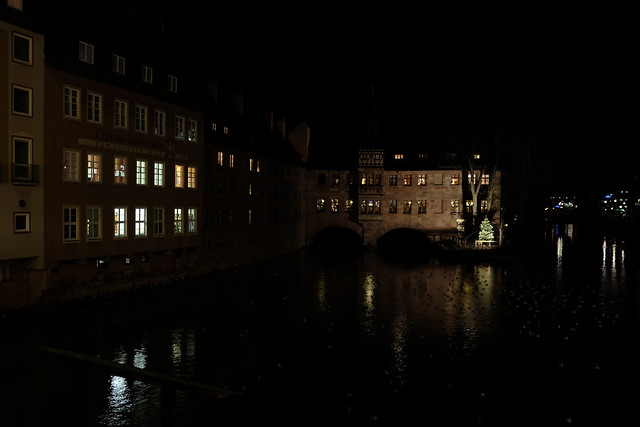
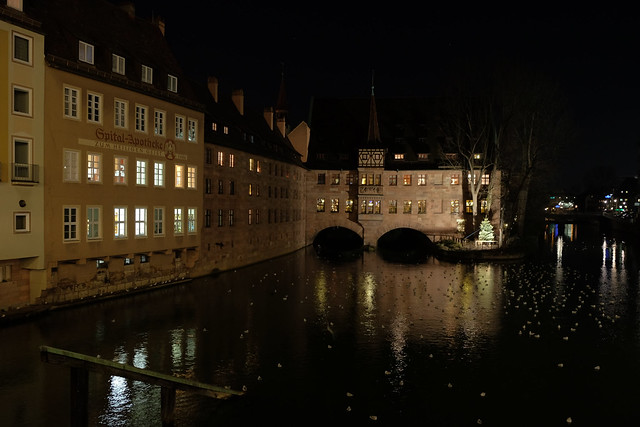
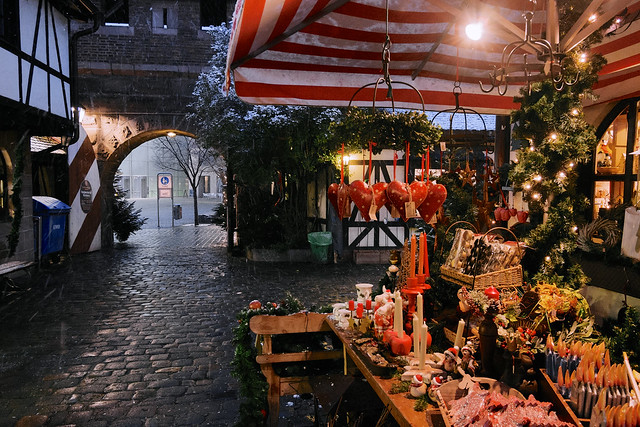
Using the 18-55mm kit zoom on an X-E2, I took this handheld shot at f/2.8 and 1/4s (yes, really!) using ISO 200. The exposure is right at the limit of not clipping important highlights like the christmas tree and the brightly lit rooms behind some windows.
You can click on the image for larger views and to access the EXIF data of this “straight out of camera” (SOOC) JPEG.
Preserving the highlights with ETTR has an obvious catch: The shadows and dark areas that make up most of this shot appear too dark. They are underexposed, but this can be fixed by moving the Exposure, White, Black, Highlights and Shadows sliders of your favorite RAW converter. Processing the RAW file in Adobe Lightroom and applying custom RGB curves in Apple Aperture, I came up with this result:
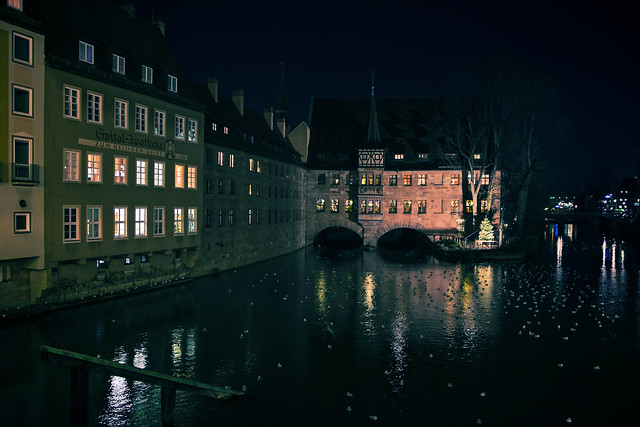
You may or may not agree that this version looks more interesting, but it certainly reveals more of the actual subject matter, as less parts of the image are literally “left in the dark”. Moving Lightroom’s Exposure slider to the right applies digital gain to the overall image, so you may have to move the White and Highlights sliders to the left in order to retain the highlight texture in the brightest image areas.
What can you do if you don’t want to use an external RAW converter? Well, you can always use the built-in RAW converter of your camera. This internal converter is a trademark feature of all X-series cameras, and it allows you to push (or pull) the overall exposure of your images, and to adjust the highlight and shadow contrast curves. Let’s have a look:
This is a reprocessed version of the original ETTR shot. To achieve a more balanced appearance, I opened the internal RAW converter (PLAYBACK MENU > RAW CONVERSION) and applied digital gain by pushing the RAW file up one stop (PUSH/PULL PROCESSING > +1 EV). I also reduced the shadow contrast by selecting SHADOW TONE > SOFT.
The result looks quite acceptable, but be careful: Pushing the overall image too far can lead to clipped highlights. While it’s true that the internal RAW converter will preserve (compress) highlights to a certain amount when digital gain is applied to an image, the in-camera converter lacks the more advanced tone-mapping features of external solutions like Adobe Lightroom. Don’t push it too far—literally!
In oder to get a pleasing JPEG of this scene directly from your camera (and save yourself the manual RAW processing), the easiest and most effective way would have been to set ISO 800 (2 stops more overall gain), DR400% (2 stops more highlight dynamic range to compensate for the added overall gain) and the exact same aperture and shutter speed (f/2.8, 1/4s) as in the ISO 200 ETTR example. That way, the camera would have exposed the shadows two stops brighter (ISO 800 vs. ISO 200), while the highlights (christmas tree, bright windows) would have remained at ISO 200 thanks to the specific tone curve of the camera’s DR400% mode. The DR function automatically performs the tone-mapping for you. It’s a care-free package, and the RAW files of both versions (“ISO 200, DR100%, f/2.8, 1/4s” vs. “ISO 800, DR400%, f/2.8, 1/4s”) would contain exactly the same image data. If you don’t know why this is the case, you may want to revisit my “How to Expand Dynamic Range” X-Pert Corner article or read the pretty extensive chapter on Dynamic Range Expansion in one of my books.
DR Modes and the ISOless APS-C Sensor
You may have heard that Fuji’s APS-C cameras are all based on modern “ISOless” Sony sensors. These sensors are used by several leading camera manufacturers, such as Sony (of course!), Nikon, Ricoh/Pentax, Leica and Fujifilm.
The “killer feature” of ISOless sensors is their ability to rely on digital gain (as opposed to analog amplification) for the most part of their operation. Digital gain can be applied anytime during your workflow—before and after the RAW file has been created. As a matter of fact, it’s better to apply digital gain after the fact—when the RAW in processed in a converter. This is also the reason why Fujifilm RAWs don’t go beyond ISO 1600. They remain the same—any further gain between ISO 1600 and ISO 6400 is applied digitally during RAW conversion.
This means that in high-ISO scenarios, achieving “perfect exposure” before you press the shutter button doesn’t really matter. You can just as well change the exposure later in the RAW processing phase—either in-camera, or with Lightroom (or with another RAW converter) in the comfort of your home. Click here to read a forum thread with a demonstration of this feature.
Between base ISO 200 and ISO 1600, “mixed” analog/digital amplification maintains a slight quality advantage over “pure” digital gain. That’s why your camera is still using at least some analog signal amplification up to ISO 1600. Enabling the DR function basically switches the mixed analog/digital process over to a pure digital gain (or tone-mapping) process for either one (DR200%) or two (DR400%) analog signal amplification stops.
Let me give you an example: Shooting an image at ISO 800, DR100% will result in an ISO 800 RAW file that’s based on an ISO 200 exposure with two stops of mixed analog/digital amplification/gain. Shooting the same image at ISO 800, DR400% will result in an ISO 200 RAW file with digital tone-mapping being applied during RAW conversion. This tone-mapping is pushing the result to ISO 800 in the shadows and midtones, while retaining bright highlights at ISO 200. You would have a hard time telling the “analog” from the “digital” ISO 800 result when looking at the shadows and midtones. You will however recognize that the digitally processed DR400% version offers two additional stops of highlight dynamic range. This is exactly what we want when shooting scenes with high DR, like christmas markets with festive lights and very strong contrasts.
In other words: Yes, sensors have a fixed dynamic range, but the actual dynamic range that can fit into your actual image file is not just determined by the sensor, but by the signal processing and by whatever happens during RAW processing. By applying “adaptive ISO” during RAW processing, you can expand the actual dynamic range of any image by 1, 2, 3 or even more stops. The sky’s the limit, but for practical reasons, there will always be quality considerations, since the application of digital gain results in a similar image degradation as raising ISO values the old-fashioned way.
ISO 3200 = ISO 200?!
The ability of your ISOless sensor to digitally push/pull the ISO of an image (or parts of it) during RAW processing means that the ISO values that are recorded in the EXIF data of your files are often pointless. They simply don’t say much, and they certainly don’t prove anything. Let me demonstrate this by showing you two SOOC JPEGs from my X-E2. Both shots were recording the exact same “scene” (my laptop screen) at f/11 and 1/30s, but one did so at ISO 200 and the other at ISO 3200. That’s a difference of four exposure values (EV), so you’d expect the ISO 3200 image to be much brighter than the ISO 200 shot. Right? Well…
ISO 200, f/11, 1/30s:
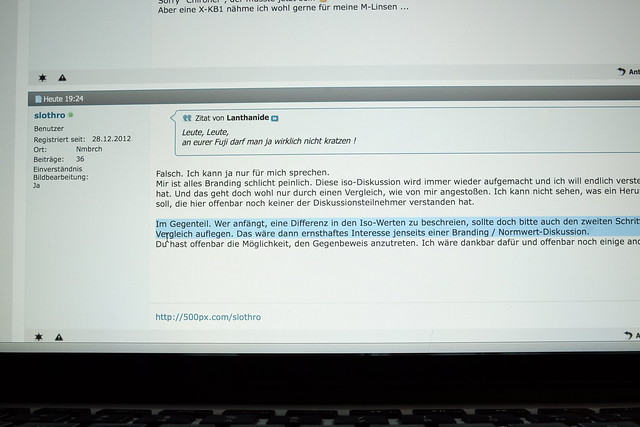
ISO 3200, f/11, 1/30s:
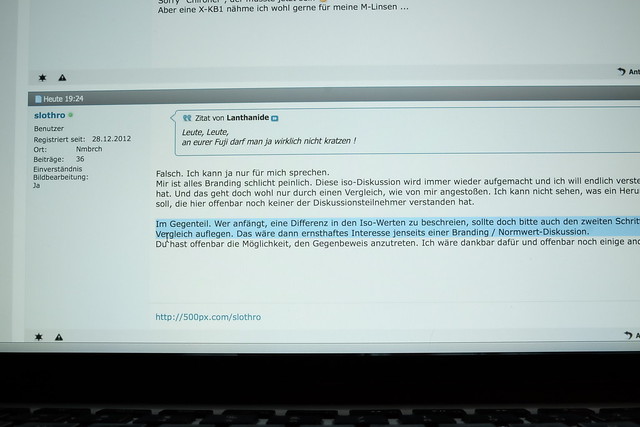
Oddly, the ISO 200 shot is actually brighter than the ISO 3200 shot! How can this be? Don’t overthink it! I simply pushed the ISO 200 sample up three stops in the internal RAW converter, and I pulled the ISO 3200 sample one stop down. The result is pretty much the same ISO 1600 image, even though the EXIF data tells a very different story.
Cameras and RAW converters do this all the time, they just don’t tell you, because they don’t want you to be “confused”. Remember that you cannot see an actual RAW file, you can only see processed results after the RAW data went through some kind of in-camera or external processing. You cannot see unprocessed RAW images! Here’s the catch: The RAW conversion/processing won’t change the ISO EXIF data of your shot, but it can certainly change the actual ISO of your image (or parts of it). So your ISO 200 shot can end up looking just as bright or even brighter than your ISO 3200 result. Amazing, huh?
Some people spend hours and days of their lives discussing “inflated” or “deflated” ISO settings of different camera models. I reckon their time would be better spent reading the Wikipedia article on this subject. They might be quite surprised to learn that in the digital realm, ISO calibration is a pretty arbitrary concept. And even if is wasn’t, ISO changes during RAW processing can (and often will) render even the most accurate ISO settings meaningless, often resulting in a large discrepancy between the ISO values in the EXIF data and the actual brightness of the final image.
Let’s Shoot, Already!
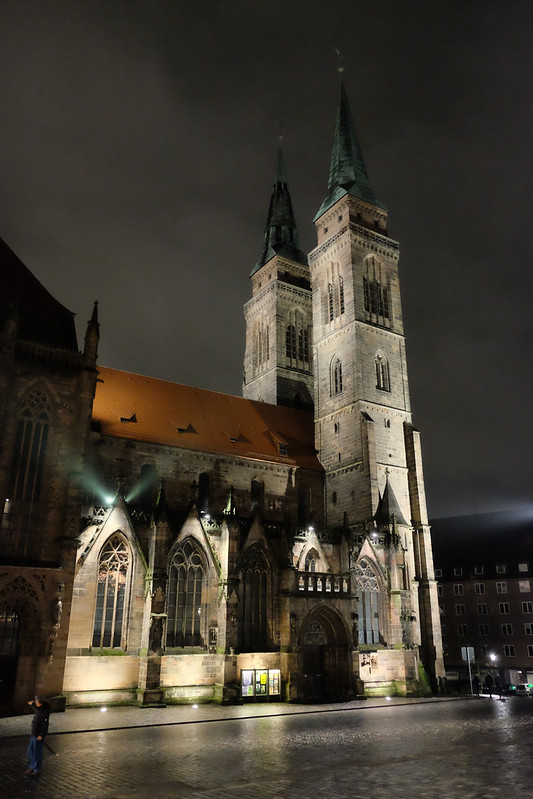
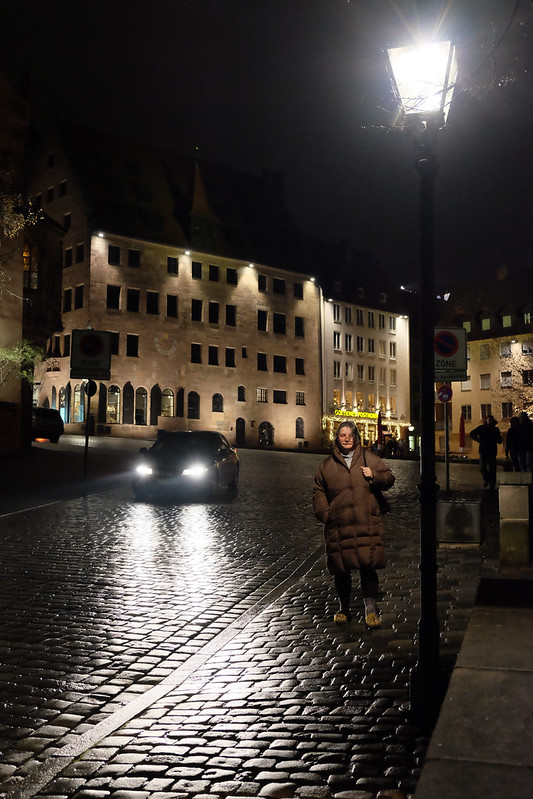
Okay, let’s get practical and shoot those festive lights. As a “RAW only” shooter, you could just take the ETTR approach that I described above. However, if you are also into pleasant JPEGs (you can still use the RAWs, no worries), you are better off with manually selecting DR400%. This should provide you with sufficient highlight headroom to preserve critical X-mas lights. At the same time, you can expose your image in a way that ensures that your main subjects (usually people, faces or objects) aren’t turning out too dark. We want to have it all, and thanks to Fuji’s ISOless sensor and our camera’s quite aggressive DR function we actually can have it all: textured shadows, pleasantly exposed faces and bright lights that do not clip. Yay!
Let’s have a look at a few practical handheld examples, all of them unedited JPEGs straight out of the built-in RAW converter of my trusted X-E2:
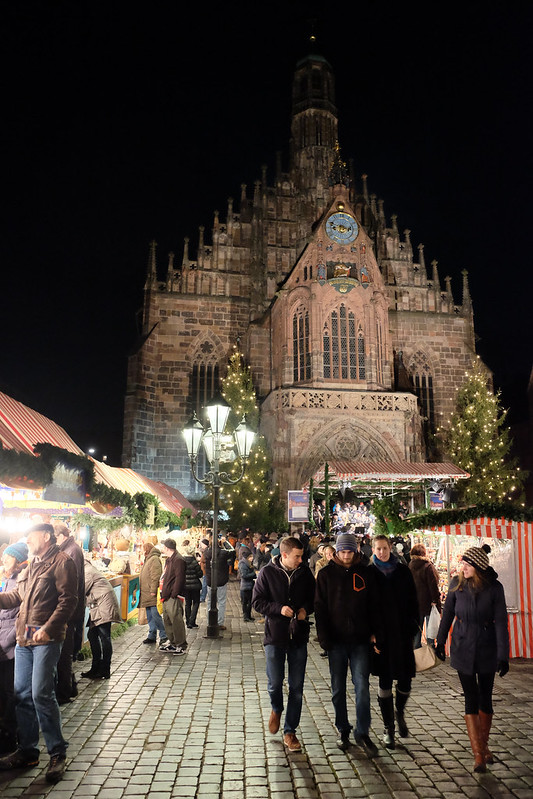

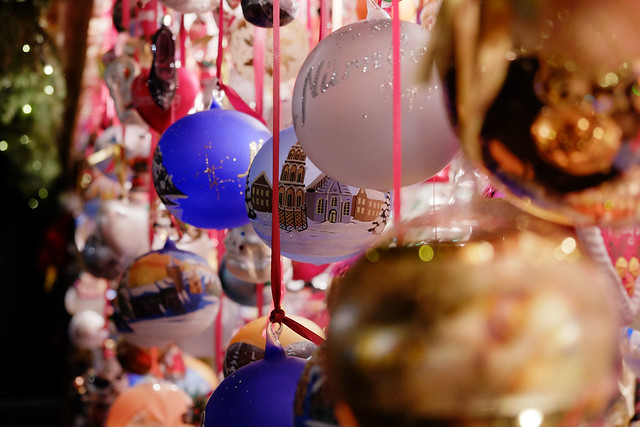
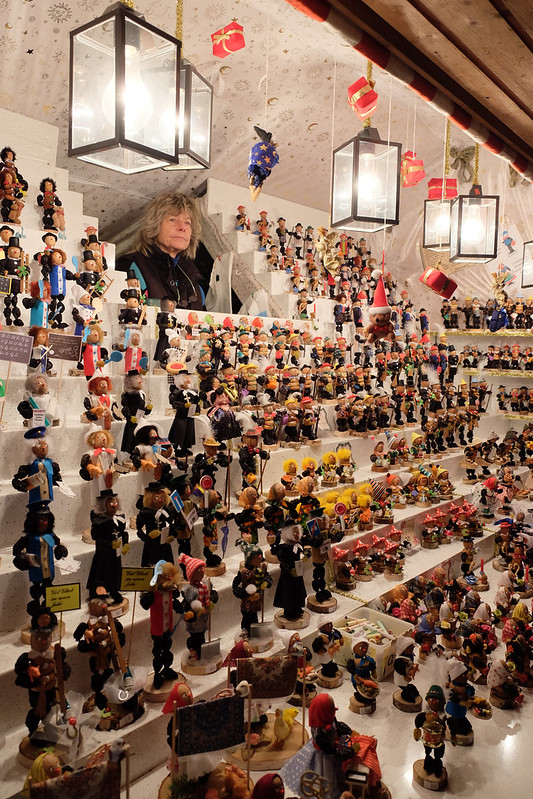
Are you a member of the RAW shooters’ club? Relax! You can still process DR400% RAWs in Lightroom/ACR, Capture One, Iridient Developer or Photo Ninja. That said, you would have a harder time processing such RAWs in Apple Aperture due to Apple’s failure to correctly interpret DR metadata.
Below are a few more DR400% samples that I processed in Lightroom (with final touches made in Aperture):
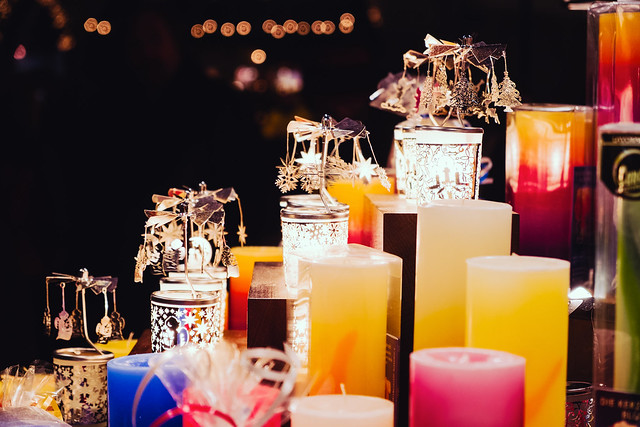
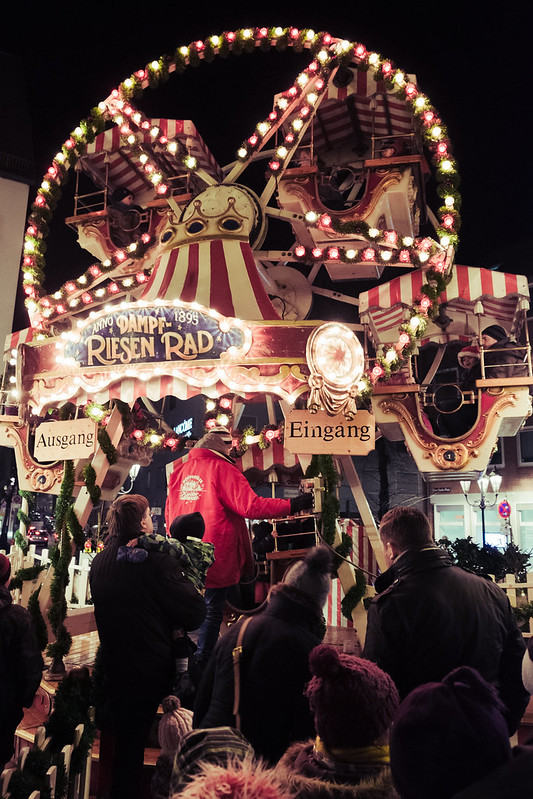
Please note that recent X cameras like the X-M1, X-A1, XQ1 and X-E2 won’t automatically choose DR400% when in DR-Auto mode, so you must set DR400% manually with these models.
If you want to browse through a bunch of old and new sample images from my X-E1, X-M1 and X-A1, please click on the links listed below:
Using the Exposure Preview in Manual Mode
Apart from the new Auto-ISO menus, WYSIWYG exposure preview in manual mode is the most important feature of last week’s major firmware update for the X-E1, X-Pro1 and X100S. It brings these older X-series cameras up to speed with the X-E2 and XQ1 by offering a usable live view and live histogram in manual exposure mode (M).
By choosing SETUP MENU > SCREEN SET-UP > PREVIEW EXP. IN MANUAL MODE > ON, manual exposure mode will behave just like the three other exposure modes (P, A and S): You can assess your overall exposure with the live histogram along with a what-you-see-is-what-you-get (WYSIWYG) representation of the final image on your LCD or EVF display.
I recommend using this “new” version of your camera’s manual mode in concert with manual ISO, so you better switch off Auto-ISO. I also recommend choosing spot metering. Spot metering allows you to measure a specific part of your image and immediately see how far off middle gray (or zone 5) the measured area is by looking at the light metering scale at the left of your display. This is the same scale that serves as an exposure compensation indicator in P, A and S modes. However, in manual mode, it serves a different purpose and shows you how far off middle gray your metered subject is at your current manual exposure settings.
Manual mode with Auto-ISO off and spot metering on gives you three different indicators to measure and set the right exposure of your shot:
- You can see the overall exposure of your image in the live view display
- You can gauge the overall exposure of your image with the live histogram (and use it to detect potential highlight clipping)
- You can measure the brightness of specific image parts with spot metering by pointing the center of the frame (2% coverage) at a specific part of the image and watching the indicator dot move along the the exposure compensation scale.
How can you find the correct exposure in full manual mode?
I propose setting the desired/required aperture and shutter speed first. When you are done, you can select the appropriate ISO setting. To quickly change the ISO setting, I recommend putting the ISO function on a Fn button. In full manual mode, the ISO selection (up and down arrow buttons) basically replaces your exposure compensation dial. As you cycle through different ISO settings in the ISO pop-up menu, you will see how your live view image turns brighter or darker.
Please note that this improved functionality is not (yet) available in the X-M1, X-A1, X100, X20, X10, X-S1 and XF1. These cameras offer no exposure preview in manual mode, they always operate in manual “studio mode”. Studio mode is great for shooting with studio flash units, because the camera will always display a bright live view image, no matter what (high) aperture or shutter speed values have been set to lock out ambient light in favor of the flash setup.
What’s Next?
Look out for new product announcements in January! Plus, I am currently preparing my next book, the first eBook of our new “Beyond the Manual” series. I hope you’re going to like it.
Happy holidays and have a great 2014!
PS: The following sample pic is for those 96% who don’t consider Silkypix their favorite X-Trans RAW processor… 😉
For your convenience, here’s a TOC with links to my previous X-PERT CORNER articles:
- Using Auto-ISO
- Using Face Detection
- First Look: Fujifilm XQ1
- PDAF & LMO Lens Firmware Updates Coming in November
- First Look: Fujifilm X-E2
- How Fuji could save the X-M1
- X-A1 vs. X-M1: Photo Ninja Edition
- X-A1 vs. X-M1: the Shootout
- Using the Fujifilm X-A1 [& X-M1]
- First Look: Fujinon XF23mmF1.4 R
- RAW Converter Shootout Results
- Ultimate RAW Converter Shootout
- First Look: X-M1 with New Kit Zoom and Pancake Lens
- Zeiss Touit vs. Fujinon XF
- Remote Shutter Control for X Series Cameras
- Apple Camera RAW, X-Trans and EXR
- First Look: XF55-200mmF3.5-4.8 R LM OIS
- Studio X
- Using the X100S
- Using the X20
- X100S vs. X100
- X20 vs. X10
- RAW, JPEG, Silkypix and “Fuji Colors”
- Adapting Third-Party Lenses (updated with Speed Booster)
- RAW for JPEG Shooters…
- Tips for Updating your Firmware
- How to Clean the X-Trans Sensor
- Using the XF14mmF2.8 R
- Decoding XF18-55mmF2.8-4 R LM OIS
- Comparing RAW converters: JPEG vs. Lightroom, Capture One, Silkypix & RPP
- XF14mmF2.8 R appears to be almost distortion free
- How to Expand Dynamic Range
- How to Use Extended ISO
- EXR, anyone?
- Capture One – When the Going Gets Tough…
- Using Shooting Profiles and the Quick Menu
Rico Pfirstinger studied communications and has been working as journalist, publicist, and photographer since the mid-80s. He has written a number of books on topics as diverse as Adobe PageMaker and sled dogs, and produced a beautiful book of photographs titled Huskies in Action (German version). He has spent time working as the head of a department with the German Burda-Publishing Company and served as chief editor for a winter sports website. After eight years as a freelance film critic and entertainment writer in Los Angeles, Rico now lives in Germany and devotes his time to digital photography and compact camera systems. His book “Mastering the FUJIFILM X-Pro1” (Kindle Edition) (Apple iBook Store) (German version) is available on Amazon and offers a plethora of tips, secrets and background information on successfully using Fuji’s X-Pro1 and X-E1 system cameras, lenses and key accessories.
79 Responses
I should have read this article a few weeks back. I have the X-Pro 1 and the Sony A7r and struggled in studio with the latter one and couldn’t understand why it didn’t behave like the X-Pro. I found out about the studio and live exposure modes but failed a few photos since I couldn’t easily manually focus in studio with the Sony. I always shoot in M mode and have been able to expose correctly even when X-Pro only could work in studio mode. Spot-metering revealed the exposure for the chosen highlights. Very good article!
Johan: are you liking your A7r? I am considering to buy one as well
Yes I do, but I am glad owning both systems because they have their pros and cons.
It’s a new system, so one has to give it a year to mature. It took Fuji a year to come up with the X-E2, as well. Personally, I doubt that I have the time, motivation or even mental capability to master yet another system. Fuji X is complex enough, and as many of you know, I am also into Sigma’s Merrills. 🙂
I have heard that Sigma plans to introduce their own mirrorless camera system based on Foveon sensors, and I find this thought more interesting than potential “full frame” MILCs from Sony, Nikon, Canon or Fujifilm. The results from my cheap little DP1M can take it up with anything coming out of a A7R or D800E.
Hey Rico, I recently added the DP3M to my X-E1 & X100s. Absolutely adore the output and immense sharpness.
I don’t suppose you share your wisdom on the Merrill series any place that I might read?
Great article again btw. Cheers.
Nope, I haven’t written anything about the Merrill so far.
Thanks, glad to hear you liked it.
i have a Dp2s (non Merrill). As much as i love my X100, the picture quality and colors i get from the SIgma’s Foveon sensor is out of this world. I think Sigma is more film like than the Fuji even though it’s sensor is couple years old. I just wished their camera were so much faster. Beatiful IQ but annoying to use
Thanks Rico, looks like I’ll be shooting in full manual a lot more from now on. I’ve not finished studying your last book yet and I’m having fun learning about this X thing. Looking forward to your next book! Enjoy the holidays.
Thanks, will do. Still have to work, though.
wow, very useful and informative post(s) for a beginner like me. I will buy your book also if does not strictly cover my X-M1 gear. keep posting these gems
thanks, really!
There will be more in 2014!
Superb article Rico, thank you!
U r welcome!
Really good article. Thanks for explaining about the new live preview mode in manual – sounds like it’s gonna be useful in situations when it’s hard to judge exposure based on histogram only 🙂
That’s right. Example: Taking a picture of a person, you would typically want to put their face in exposure zone 6. While you do this, you may notice that the live histogram is piling up at the right side, suggesting plenty of clipped highlights. You can counter this clipping phenomenon by dialing in DR200% or DR400%—how much exactly depends on the amount of highlight clipping.
To find out how much DR expansion is required, simply dial back the exposure until the live histogram shows no more clipping of important highlights (half-press the shutter to get a more precise exposure reading). This is basically the classic ETTR approach. Once this ETTR exposure has been established, you can now correct it to put the face of your subject in the desired exposure zone (e.g. zone 6) using the camera’s spot meter. While doing so, count the number of 1/3 EV correction stops you have to apply until the face arrives in the desired exposure zone. If the positive correction isn’t bigger than +1 EV, DR200% is sufficient. If it’s more than +1 EV, you should pick DR400%.
HI Rico,
Thanks Rico for this great article !! I have 2 questions:
1/ I did not know that my camera was ISO Less starting from 1600 ISO ! Great to know. It means that there is no benefit to go beyond 1600 except that we take the risk to clip highlights ! In fact, as a raw shooter, I would like my camera to never go beyond ISO1600, am I right ? The problem is that if I set a maximum of 1600 ISO, my camera will try to compensate with other exposure setting, which I do not want.
2/ Is ISOLess a nice property ? I mean ISOLess can not benefit from raising ISO to decrease the read noise, which is not so good.
Thanks,
Christophe
1) Doesn’t matter if you go beyond 1600, the RAW stays the same, so you can always pull the shot back down if it’s overexposed. No need restrict the ISO setting.
2) Yep. It’s why Sony/Nikon sensors are considered superior to Canon sensors (which aren’t ISOless). Sony have A/D converters built right into the sensor. Actually, the analog amp stops somewhere between ISO 640 and 800, but since Fuji is using the sensor at base ISO 200 instead of ISO 100, it may be nominally higher.
Thanks for your answer.
In fact, for my second question, I was saying the opposite. An ISO less sensor may be not so good because it is unable to take advantage of higher ISOs. Other sensors succeed in decreasing the read noise beyond 1600 ISO. Is it so obvious that ISOLess is an advantage ??
Yes, it is. You may want to read the current (January) edition of DOCMA for an interesting article about ISOless sensors. It’s in German, though.
Hi Rico,
Thanks for your well written article.
I can understand why you suggest to use the DR modes in order to get better exposure, but I don’t really feel the need for Spot metering + Auto-ISO off in order to expose correctly.
Won’t you get the same results with DR Auto & Auto-ISO (set with a preferred shutter speed) in A mode? This way you can use the EC to expose correctly faces (judging by the EVF), and let the DR-mode to do it’s thing?
Thanks
Auto-DR doesn’t do DR400% in newer X cameras, but it’s certainly a good option.
Spot metering was suggested for manual exposure mode after the firmware update. In other modes, do as you please.
Problem with the live view (LCD and EVF) is that it can be pretty unreliable in bright surrounding light. I’d rather rely on metering in such conditions.
Until now, spot metering was a chore, as you had to fiddle with AE-L. With the new full manual exposure preview mode, it is much easier to use.
“Auto-DR doesn’t do DR400% in newer X camera”
uh, now I’m a bit confused. I thought that Auto stands for “the camera is free to select DR100% or DR200% or DR400%”
Do you mean that it can select only DR100% or DR200% when in auto mode? Could you please elaborate a bit more?
TIA
Yes, this was already mentioned in my articles on the X-E2 and XQ1. So make sure to select DR400% manually. 🙂
Thanks so much for helping us to understand how to use this system. I’ve read your book but I don’t think I really got it the first time. Eager to try this technique.
I can’t figure out how to get the histogram on my EVF, or is it only available on the LCD?
BTW, I’m enjoying seeing photos of Nurnberg where I did an exchange student program many years ago.
Nuremberg is pretty nice, indeed.
The histogram is available in all viewfinders, but you have to select custom display mode separately for each view mode (EVF or LCD) with the DISP button. This is also explained in the book, so no worries.
Hi Rico,
Thanks for the excellent article.
Is my understanding correct that DR doesn’t affect how the raw file is captured; it only comes into play during the raw to jpg conversion. If so, for those that want SOOC jpg, perhaps it is a good idea to always use DR400? How significant is the noise level differences between DR100 and DR400?
Also, how does the Auto DR mechanism that chooses between DR100, DR200 and DR400 work? What would cause it to choose the wrong DR?
No, don’t always shoot DR400%, the JPEG results could look rather dull if the scene isn’t contrasty. It wouldn’t matter for external converters like Lightroom, but you would basically give up 2 EV of noise floor.
The noise levels (of shadow areas) in DR mode are similar to the “normal” ISO equivalent.
If you can find the time, I recommend reading the FAQ regarding the DR function in my books, as it answers all the usual questions. After all, the DR function is often quite misunderstood.
Thanks from article!
Now just let’s hope that Fuji will implement Olympus like clipping indicators as overlay of the EVF. Much easier to figure out the right exposure than with histogram.
Yep, that would be nice. On the other hand, live view and histogram always work in DR100% mode, so once you choose a different DR setting, such blinky toys would become a rather pointless distraction. Fuji would first have to implement a live view that applies DR expansion in real-time. Wouldn’t that be nice?
Hi,
I think that clipping idicator in Olympus is actually dependent from current jpeg-settings:
http://www.pekkapotka.com/journal/tag/ettr
So of course what comes to Fuji clipping indigator would useful only if it matches to DR setting but also all other settings like filmsimulation and high/shadows level…
Also mode which matches to RAW output would be nice and I think that there really is no technical troubles to implement this… (Even Olympus do not have this possibility directly.)
Live view and histogram are honoring all JPEG settings (that’s how we came up with specific JPEG settings for RAW shooters), but not DR expansion. Since DR expansion affects the RAWs, the function isn’t really just a JPEG setting, anyway, but a simulation would still be nice.
Hi Rico,
As always your comments are soooo interesting. It’s a joy to read them.
After shooting over 30 years with Nikon, I bought myself a Fuji XE1 about 6 months ago. The learning curve has been quite steep and not easy at all. Sometime, my heart tells me to get the Nikon so I can start shooting without thinking, but, I remain wholehearted focused on mastering the system. Can’t take 30 lbs on my back anymore.
Your comment about not being sure about picking up a new system (Sony) because of the new stuff you would have to learn fully applies…
I just got myself a new Zeiss 12mm so I can play with super long exposures as well as super wide of moving clouds and of course the name Zeiss is always very attractive in terms of optics. I’ll reach to my own conclusions after some weeks.
Wanted to ask you two things, if you cared to share them.
The first one, do you have any particular settings on the C banks for quick access, if so, would you care to share them and more important explain to all of us, why those settings.
The second one, do you have any idea as to why Fuji would not have wireless TTL support on their small EF-X20 flash, it does not make any sense at all.
Finally, read your Xpro1 book, very nice, it helps a lot with the X-E1 as well.
Best Regards and Greeting from sunny Florida
Moises Faidengold
Thanks!
1) I actually follow my own advice and typically use some of the C settings I propose in my book, like a set of RAW shooter settings. I also have an action setting with a 1/500s MSS in Auto-ISO. All my settings only affect exposure, I don’t really care about JPEG settings before taking the shot, I change those settings later in the built-in RAW converter as appropriate.
2) I don’t know, Fuji seems to think that there is no demand, I told them otherwise. Maybe they listen, maybe not. I know a guy in the U.S. who is working on such products, I connected him with Tokyo, so let’s hope there will be wireless TTL products available next year.
As for picking up new systems: It took me about 2 years to fully understand the inner workings of the X system (and I am still learning new stuff), so I have no idea how it’s possible that there are people who are constantly switching between Olypmus, Sony, Nikon, Fuji, Panasonic etc., often 2 ore 3 times in a single year. I couldn’t do it, because I really want and need to know my camera. The amount of research, experimenting and reverse engineering would kill me.
*slow clap*
Thanks for the fantastic article, Rico.
Glad I could help!
Hi Rico,
I am seriously contemplating purchasing the XE1 or XE2 in order to get several lenses with discount before December 24th. Besides being weather sealed is there anything you can give away about the new camera? Perhaps you could describe the photographer who would prefer the new camera to the XE2 without breaking any secrets….
That’s easy: my kind of photographer! 🙂
Thank you, I learned a lot from this post and will do some experimentation!
Also looking forward to your book.
Good to hear!
One thing I didn’t see mentioned in the article (or maybe I missed it)- shooting ETTR makes sense at the lowest ISO the camera supports for RAW. Exposing to the right using higher iso’s is counter to getting the best of the data, it’s best to lower the ISO down.
This isn’t applicable when ETTR actually means underexposure to protect highlights.
It does apply to classic ETTR, though, and the fact you mention is indeed true and covered in my book.
At higher ISOs, classic ETTR is utterly pointless with an ISOless sensor, all you’d do is digitally push and then pull the data around. At lower ISOs, classic ETTR might offer a very slight advantage due to the fact that analog amplification offers a slightly better S/N ratio in this realm.
Thanks Rico,
It will take me a day or so to get this all to sink in. There is a lot of technical stuff to absorb here. I typically shoot raw, in manual & never touch the DR control leaving it 100%.
I bracket exposure if I think I am going to clip highlights and process from there. Sometimes blending two shots, but usually just adjust the shadows & mid tones of a single shot in post. I need to read all this again, not at 3AM and do some experiments.
Hi Rico,
Thanks for your information! I shoot exclusively RAW and reveal with Lightroom with an X-Pro1 and an X2. I understood in your two books that RAW shooters have no interest in using DR controls. If I understood well your last article, this is still true, isn’t it? Second, I always thought it was better to slightly over-expose non-important highlights to get a better detail in shadows (less noisy). Now I’m a little bit confused! Are these ISOless sensors showing no noise difference pushing up the shadows taken at ISO 200, for example? Should I avoid any over-exposure (even of non-important highlights) by under-exposing and I won’t get any quality degradation when recovering shadows?
As is stated in the article, the noise difference between digital push and analog push is minimal. Otherwise, DR400% wouldn’t really work that well.
Overexposing would only help at base ISO, but that’s just classic ETTR.
At higher ISOs, overexposing is simply raising the ISO, which is something we want to avoid using an ISOless sensor. We would rather push/pull the ISO during RAW conversion.
It is important to realize that analog amplification reduces the effective DR, while digital gain does not. That’s why we want to design sensors with a low analog amplification threshold. The less analog amplification we need, the more DR we can retain.
Actually, ISOless sensors offer increased DR at higher ISOs, because the digital push doesn’t have to be a simple signal multiplication, but smart tone-mapping that protects the highlights. You do in Lightroom all the time, and the camera does it with the DR function.
If you look at the ISO samples in my books, you can easily see that the DR of the JPEGs is the same as ISO 200 as at ISO 6400. This means that all this talk about “DR decreases with higher ISOs” is outdated. Sadly, it keeps being repeated by folks who haven’t done their homework. It may still be true for Canon and Samsung sensors, but not for ISOless sensors like those from Sony. Luckily, Fujifilm is using Sony sensors.
Sorry, Rico, but are you 100% sure XT1 uses a Sony sensor, and not a Toshiba sensor? Because many sources seem to suggest they do not use a Sony sensor.
Those “many sources” would be wrong.
Rico, a point you didn’t mention about the new firmware is LMO. I understand the system improves jpegs converted in the camera. But are the corrections written in the RAW metadata in order to have an effect on conversions made with external converters like Lightroom?
There is no LMO support in the new firmware.
You are right. Excuse me! This only affects the X2. Is LMO working with externally converted RAWs?
Nope. Maybe someday.
Rico,
Another great explanation for the X cameras. I use M Mode exclusively. I like the new Exposure Preview in the recent update. My question is simple, I hope. Is there a way to toggle this feature on/off without swimming in the Menu? I use the XP1 & XE1.
At times I want to be able to turn it off/on. My preference is off but hate going to the menu to toggle on.
Have a safe Merry Xmas…. thanks for your work….
don
Yeah, there is no shortcut. 🙁
Happy holidays to you, as well!
> Please note that this improved functionality is not (yet) available in the X-M1, X-A1, X100, X20, X10, X-S1 and XF1.
hm… does this mean that perhaps the X100 (which I dearly love) may get at some point also live exposure preview in manual exposure mode? that would be great! in fact, I would be happy if it would be exposure preview on “half-press” – like the X-M1.
Doubt it, but who knows?
Is anyone coming out with an X E2 book any time soon…………..Thanks
Amazon says March, I reckon.
Great article as always. I cannot wait for your book on the XE-2.
I have a quick question. Since the ISOless sensor has a base ISO of 200, when a higher ISO is used, the image at the sensor is underexposed and subjected to analog amplification and/or pushed during processing. Since the image is underexposed at the sensor, what causes highlights to be clipped? Is it just the analog amplification? If so, is there a way to turn off analog amplification other than using DR400? If I shoot just in RAW should I use DR400 to avoid having to worry about clipping?
Both cause clipping, as long as the result of the the push is burnt into the RAW. So you are right, you can prevent this by shooting in DR400%, or you can shoot ETTR, which may be more precise. As a RAW shooter, it is up to you, if you also like the camera’s JPEGs, the DR function is your friend.
Just read the article and the posts. VERY interesting and, a bit confusing. If you only shoot RAW and then go to lightroom for processing, then there’s no need to be concerned with DR function, correct? The DR issues only come to play when shooting in RAW and then using the in-camera JPEG converter, right so far?
If one shoots in JPEG (or RAW+Jpeg) should one create a custom (or ‘C’ function) with DR 400% and ISO 1600 and use these settings when in low light with danger of clipping? Yes?
Thank you.
Obviously, DR results in RAWs that are 1 or 2 EV darker to protect highlights, so you (or your camera) will (have to) apply the necessary digital gain in post processing, typically in the form of tone-mapping with the appropriate sliders and curves. The camera does this automatically during JPEG conversion. So does Silkypix. LR and C1 are simply pushing the RAW by 1 or 2 EV on import, while Aperture is messing up (especially DR400 RAWs). Iridient applies a push, as well, and Photo Ninja has its own adaptive lighting function, anyway. C1 and Iridient offer slliders to recover highlights after the push, Silkypix offers a highlight recovery palette and LR offers quite effective Highlights and White sliders. There are more converter options (like RPP) available, I can’t possibly cover them all. 🙂 If you know how to use your RAW converter, you know what to do, anyway.
As for using DR400% in situations with strong highlights (like street lamps) that you want to protect, yep, sounds like a good idea. That’s how I took pictures of the festive lights, and they turned out alright (instead of burned out badly). 😉 Have a nice transition to 2014!
Thanks, but help me understand two points.
First, When you say that : Obviously, DR results in RAWs that are 1 or 2 EV darker to protect highlights, so you (or your camera) will (have to) apply the necessary digital gain in post processing are you implying that, with the camera set to RAW, the files are still influenced by the DR function?
Second, In your original post you make the comment:
In oder to get a pleasing JPEG of this scene directly from your camera (and save yourself the manual RAW processing), the easiest and most effective way would have been to set ISO 800 (2 stops more overall gain), DR400% (2 stops more highlight dynamic range to compensate for the added overall gain) and the exact same aperture and shutter speed (f/2.8, 1/4s) as in the ISO 200 ETTR example.
Does this mean that you start with the camera in JPEG for capture? Do you need to take two meter readings to obtain the final result?
I was hoping that a JPEG created with DR at 400% and ISO 1600 (to obtain pure digital gain on manipulation) would be a good ‘quick’ solution for fast JPEGs in low light when concerned about clipping.
I am new to this blog and apologize if I am being too ‘simplistic’ and lengthy in my comments.
M
Exposing darker affects the RAWs, that’s for sure. Otherwise exposure would be irrelevant. 😉 But since exposure beyond base ISO is all about applying gain, it’s important to know that gain cannot only be applied by the camera’s analog/digital sensor signal amplification, but just as well by applying digital gain during RAW conversion. ISO values can become pretty much meaningless that way.
Please note that there are extensive explanations of the DR function in all my books and in my column about expanding dynamic range.
I always shoot FINE+RAW and didn’t really understand your other questions. I fear you might be overcomplicating things.
Thanks. I let my enthusiasm for your insights run away with me. I will take the time to explore more fully/carefully!
M
Please do so. And always keep in mind that in the digital age, ISO is a mere indicator that tells the camera and/or RAW converter how much (analog and/or digital) gain is required in order to achieve a result with correct brightness.
The amount of light that reaches the sensor never changes, no matter what ISO is set. The sensor doesn’t become less or more “sensitive”.
DR expansion is an important tool in order to achieve “correct brightness”, because in situations with high dynamic range, you want wo apply the gain in a partial way: to the shadows and midtones, but much less so to the highlights that you intend to protect.
Excellent explanation here. Very helpful thank you for sharing.
The sensor features, raw files usage, control over exposure all makes sense to me now(I use x pro 1). Really one of reasons x system has such great IQ.
thank you for another great article! start to understand my xe-2 – hurry up with your book- can´t wait until march 😉 and happy new year to everyone here
This is fantastic, Rico. Technical comprehension and clear writing do not often go hand in hand. More than the other 100+ articles I’ve been reading this week on how to operate my X-M1, this piece has been the best at explaining what is happening under the hood.
Alas, no good deed goes unpunished. The caption to your last photo in the article begs a question. You prefer Silkypix to other RAW converters for the X-series, I gather? I had been planning on upgrading my Photoshop CS3 so that I could run the appropriate ACR for the new toy. Opening up silkypix last night reinforced that desire, as I find the interface a bit clumsy in Mac. But you recommend it for squeezing the most out of the Fuji X-trans? I would be so grateful if you could elaborate briefly on what its advantages are over ACR or some other Raw converter I should be thinking about.
Thanks in advance!
Don
Princeton, NJ
Thanks, Don. I have no clear RAW converter preference, I am actually using 8 different converters. I basically use what’s available when I am testing the camera. All solutions have their pros and cons (as outlined in my RAW converter shootouts and comparisons), and there’s no clear preference among X-Pert Corner readers, either (look at the polls in my shootouts). So use whatever works best for you.
It’s a good article, but not complete. So strange that a lot go things ware written about post processing. Yes the DR function is mentioned but what to think about the S(shadow) and H(ighlight )function. If you use one of them or both properly you don’t have to post proces anymore. DR helps. DR400% is in some cases working great. But even DR400 is sometimes not enough and than you start using the S and H functions. + for darker shadows and brighter highlights and (-) for softer shadows and darker highlights.
Look at this function carefully. It’s why the Fuji camera is exceptional. Nikon an Canon can’t do this trick. In one frame extending your exposure options with DR and the S and H function.
The article is good but not complete. It’s not the whole story why the Fuji camera is so brilliant.
this article is getting pretty old…give us something new? I love this website but if you are going to do an expert corner, do an expert corner…not complaining…lusting for more!!! (great article by the way!)
Hi Rico,
I am about to buy your book “mastering the fuji xpro1” through amazon and was wondering if it comes with a PDF version for my iPad as well?
Thanks,
Harry
Sure, there is an eBook version of Mastering the X-E1 and X-Pro1. Buy it directly from the publisher rocky nook, and you will get it in various formats, including PDF. http://shop.oreilly.com/product/9781937538316.do
You don’t get the PDF version with amazon?
Of course not. On Amazon, you will get a DRM protected Kindle file only, like with all other Amazon Kindle store offers. At O’Reilly, you get several unprotected eBook formats (including iBook and Kindle) and an unprotected PDF.
Thanks. Any special promo codes I can apply then?
Along with my previous question do you recommend ‘mastering the fuji xpro1’ or your other book tilted ‘mastering the xe1 and xpro1’? What’s the difference other than the inclusion of the xe1?
The newer one.
I don’t know any promo code, sorry.