







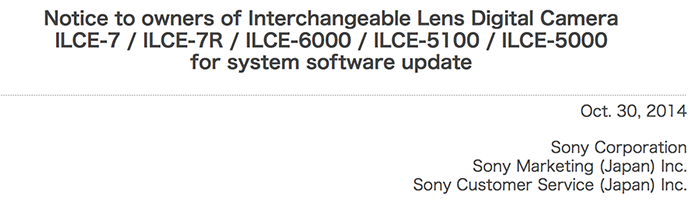
The official note from Sony Japan.
P.S.: I am continually updating this post with links and info (note that Sony hasn’t update all sites yet do it may takes 1-2 hours to have all download links!)
Sony just released the new firmware update for the A7,A7r, A6000, A5100 and A5000 (note only USA seems to have the new firmware yet!). The update is minor and Improves the power-on time after downloading the Smart Remote Control application of the PlayMemories Camera Apps™:
A7R firmware download:
Mac – Sony US, Sony Germany, Sony UK, Sony France, Sony Spain, Sony Italy, Sony Holland, Sony Belgium, Sony Austria, Sony Switzerland, Sony Finland, Sony Sweden, Sony Norway, Sony Portugal, Sony Australia
Windows – Sony US, Sony Germany, Sony UK, Sony France, Sony Spain, Sony Italy, Sony Holland, Sony Belgium, Sony Austria, Sony Switzerland, Sony Finland, Sony Sweden, Sony Norway, Sony Portugal, Sony Australia
A7 firmware download:
Mac – Sony US, Sony Germany, Sony UK, Sony France, Sony Spain, Sony Italy, Sony Holland, Sony Belgium, Sony Austria, Sony Switzerland, Sony Finland, Sony Sweden, Sony Norway, Sony Portugal, Sony Australia
Windows – Sony US, Sony Germany, Sony UK, Sony France, Sony Spain, Sony Italy, Sony Holland, Sony Belgium, Sony Austria, Sony Switzerland, Sony Finland, Sony Sweden, Sony Norway, Sony Portugal, Sony Australia
0 Responses
It doesn’t improve the image quality, that’s the list of updates that came with 1.02 in March. This one fixes nothing.
Fixed 🙂
The previous update has the image quality improvement listed, not this one. This one only improves power on time with play memory apps Smart Remote.
Fixed!!!
a600?
your constant typos make you look like an impecile.
It’s always nice to hear such positive critics 🙂
impecile, you mean Imbecile.
If you were sarcastic then touché otherwise you are the imbecile.
“impecile”.
Now THAT is a fail.
…
On a Mac with Yosemite, the updater failed three times saying an internal error ocurred and to start all over. So I went to a Windows 7 PC and it worked but it’s a strange procedure where halfway though you have to eject the camera using the Safely Remove Hardware feature before it continues. It does walk you through all of that but it’s a different procedure compared to most FW upgrade procedures.
Where’s my a77mII video update?
Admin
Any rumours on video codec update on A6000?
My understanding is that the internals is identical to the RX10, which got the update.
So no XAVC-S and 4K. There were rumors about those being introduced somewhere in the future right? Have you seen or heard anything about it SAR_Admin?
You expect 4K in a firmware update?
Why not? The hardware should be future proof, just like a77mII, I’m expecting some more improvement on the video.
don’t be naive….Sony will make you pay for 4K….not going to be a free upgrade! so obvious!
minipixels.net | Automotive Photography
I hate to admit, but most likely you’re right about this…
Sony better improves startup time althogether since the A7 is way slower than my A850.
Update doesn’t appear to work on Macs with the new Mac Yosemite OS. Older Mavericks OS should be fine.
Thanks for saving me some time (and trouble).
Yup, same experience here. Posted that earlier (below) 😉
Same here too. Also I can’t get RemoteCameraControl to run under Yosemite.
same here. had to use windows…. ugh.
AF Problem Solved??? Great news!!!
fer serious. Love my 7r…picking up a 7s soon. But to be perfectly honest the af system on the 7r is borked..in so much as to say that its not about how fast its acquiring right now but that despite what the camera thinks many shots are just not in focus. Sure you can check manually but that really shouldn’t be mandatory with native lens’s. Really hoping there is more to the update than the notes reveal as releasing a firmware update after all this time and having it be this is perplexing.
Hoping for more!
No XAVC-S for A7 & A6000 yet, what a shame.
sony be like
I guess you don’t own an RX10.
I cannot understand why they at all released this update.
Power-on time after downloading the Smart Remote Control? I do not understand what they mean but it sounds like something I do not need
Why? The smart remote was pushed as a big selling point. However, the included version is quite crippled and required the update to access the most useful features. Upon updating a bug was introduced that increased start up time so Sony pulled the update. This pissed off people who bought the cameras and didn’t have access to promised features. Makes sense to me.
I’ll wait until people discover what has been hidden this time before taking the plunge.
Sonyalpharumours needs some serious quality control. This article was originally titled saying that image quality and other features were improved. Admin, for crying out loud stop writing sensationalist headlines over false information.
Am I the only one with the automatic standby problem? That problem appeared on my A7r when I updated to the 1.02, I had big hopes this new firmware would fix it but it did not. Anybody have the same issue?
“Remote control on” (menu>suitcase>pg. 3) won’t allow the camera to sleep.
That’s good to know!! thanks for the info 🙂 I’ll try that tonight.
Tried and it worked! I can’t believe it was that simple, thanks for the info!!
that’s it!!!??? power-on time only? come on sony. this is stupid.
FYI the update also applies to the A7s
Are we ever getting XAVCS on A7?????? 🙁
Nothing exciting?
How about this footnote?
“Improves image quality”
What improvement?
That’s under the heading of “Benefits provided by previous updates and included in version 1.10”
Whatever that is, it was included in 1.02. There is no additional image quality improvement listed for 1.10.
Thanks for the clarification.
I should have worded that differently. I wanted to ask: “Hows does image quality improve from 1.00 -the firmware version a colleague has on his- and the current firmware/v1.02?”
I haven’t seen any samples of where the improvement lies…
I believe it was a tweak to some of the JPEG algorithms. There were no changes for RAW shooters.
http://www.sony.jp/products/overseas/contents/support/info/info_ilce-7_ilce-7r_ilce-6000_ilce-5100_ilce-5000_firmware_20141030.html
i had to run update 5 time before it worked, why sony can’t make an update that works like any other company on a memory card…
in any case it seams to turn on quicker now.. and not stuck at remote when you turn on the camera again…
“Smart Remote Control” has been suspended for download from PlayMemoriesCameraApps.com for quite a while. So this is simply a bug fix for Wi-Fi remote control, which has grown to serious option to rely on professionally. No need to complain about this at all.
This update has really messed up my A7. The menu now responds very slowly as button presses are massively delayed and the wheel remains unresponsive for a few seconds- it was NOT like this prior to the update…….I would recommend against this update!!!! (Warned!)
The A7 is also not turning off- the display stays lit and you have to remove the battery to shut down- this is a bad one!
Also I should mention the update failed the first time I tried it and it prompted me to retry- I really hope Sony fixes this- the camera is a real pain to work with now- it’s just unresponsive.
The a7 (firmware ILCE7V0110.exe) and a7r (firmware ILCE7RV0110.exe) are unique. It would appear you installed the incorrect firmware, ignoring the warnings (from the installer) to only install the firmware on the specific model.
So your saying, if I install the A7R firmware on my A7 it doesn’t make it 36MP?
I definitely did NOT use A7R firmware- I used correct FW for my A7.
This is the weirdest update…….after turning on the camera a few times and removing the battery- I got a message saying “Recovering Data, Please wait…” …….then after a few power cycles (turning cam on/off) the camera now works……so far it seems to be perfect again……this was definitely a weird update for my camera. (Mac w/Mavericks)
I’m in the “Recovering Data, Please Wait.” hell – after that message, did you power cycle the camera yourself, or did the camera do it to itself? And did you have to leave a lone more than 5 minutes?
Update refused to work on the OCX 10.10 had to run virtual machines and Win HP, then obnoalenie successfully. While I feel faster switching apparatus. sony A6000
The official esupport page neglects mentioning this update for the ILCE-6000: http://esupport.sony.com/US/p/model-home.pl?mdl=ILCE6000&template_id=1®ion_id=1&tab=download#/downloadTab
Considering what I use this camera for, the information in the release notes don’t merit an update but I’m suprised they didn’t enable XAVCS.
they really need to add XAVCS!
so, if i don’t have the Smart Remote Control app, there’s no reason to update?
you might need version 1.10 to update to, say, version 1.20 in the future
Where is the A77M2 firmware update?!? The flagship APS-C camera and the functionality is so fricken limited.
Boooo 🙁
THIS FIRMWARE UPDATE KILLS USB CHARGING ON THE A6000! I have tried multiple methods, chargers, etc. and my A6000 will not charge via USB after this update. I was able to charge the camera using the same exact cable and adapter as well as through my computer’s USB port just this morning prior to the update.
I cannot confirm this, mine still works absolutely fine after the update.
did you switch your USB mode back to Auto from mass storage?
I have updated A7r / A7 and A6000. All updates very smooth trough my MacBook Pro. All cams work 100% perfect.
I can’t report any “hiccups” in functionality of all of my above mention Sony cam models.
Are you using mavericks or yosemite? I couldn’t update my A7R with yosemite
Yosemite, Mavericks will NOT work.
You are right, update does not work with Yosemite. I had hard time with Yosemite, I made the update in a windows pc, good luck!
Question… the firmware is telling me I have to reset my A6000 so… this will reset all my settings ?! Any way to backup it?!
Umm they are up to version 1.10 on the A7s http://www.sony.com.au/support/download/596979/product/ilce-7s
And….
A7 update seems to be rich in features. Support for sel-70200 funcitons. Support for fast hybrid Af with 70-200. Dual AF support like A99 for tons of A mount lenses including the 1,8/135 legendary lens. So focus improvements this is not bad!
Actually verison 1.02 that is linked in this post refers to the March firmware update.
There seems to be a new oneon the Japan site but nowhere else.
there is no need to update the xavcs codec…the a6000 was for the pics anyway. also, if they did that, no one would buy the a5100…the great pricing on the a6000 is already a bargain. people should’ve already known that getting the a6000 was for stills anyway. the video is actually pretty incredible already anyway.
So… do you enjoy paying for having less features on all the things you buy?
Possibly dumb question:
Does one need to only use the file downloaded from his/her country’s website? Or, is the generic file from the English-language Sony Japan site linked above OK for all regions?
I ask because the filename does not indicate a language or region, only model and revision numbers. (And, as of now, there is no a6000 update on the US support site.)
U can download it from what ever legitimate source. by the way Sony site is listing these upgrades in English as well as other languages …
So, it’s the same file, regardless of region? Seems odd, as I know the JP region models only have menus in Japanese, and regions with PAL video, have PAL as default with a warning when it’s in NTSC mode. That’s the kind of stuff that made me wonder about a single global update file.
Updated a6000 and a7r on Mac OS X Yosemite with no problems. Follow the instructions to the letter and all should be fine. Do not do anything else on the computer while it is doing the update, move mouse to do not allow screen to go to sleep, do not open any other applications, do not switch to othe windows.
was you cam in factory mode after the update? or did the update stored your configuration?
It was as it was before the update, no actual reset of setting happened. I think that reset is meant to mean hard restart.
thanks! dont want to loose my settings 😉
As far as I read this, it contains two things, andrea.
a) A faster startup time. After downloading a new app? After applying the update? I don’t know
aaaand b) something great: The app “smart remote control”.
And this is a bigger thing, at least for me, because I couldn’t control aperture and everything from my phone, and the smart remote app hasn’t been in their app store for some time. So this fixes this problem I guess (will report in some minutes) and this is a great thing.
Okay, Update went smooth with Windows 8.1
Startup time is noticeably improved, that’s great!
No smart remote control to see anywhere, just the embedded one. Can’t set the aperture still.
wurden bei dir die kamera resettet ? oder macht das update ein backup der settings.
Die Einstellungen der Kamera blieben erhalten.
Danke, mich hat es nur gewundert das ich bevor ich update bestätigen muss die Kamera auf factory reset zu setzen….
Dann werde ich später das Update duchführen
Definitely noticed a much faster start up time, especially when the a7R has been off for a while. Wish we can get XAVCS codec, though. At least my RX10 has that, haha.
It is wired that even smart remote control is suspended by Sony. how can I try after downloading that app in my camera. I hope the new version of the app will release soon. It has been more than one month.
A7R Mac Sony Norway is the old 1.0.2. FW. Sony US is (of course 1.10). It looks like some of the other download links also go to 1.0.2.
I am using OS X Yosemite, the updater always showing that an error stopped the update process (when the app tries to configure my connected camera) and ask me to take the battrey off the camera, disconnect the AC Cable (USB Cable) then reboot the updater app. A
Any help with this problem?
Sony A6000
It’s not compatible with Yosemite. I’m experiencing the same problem and have seen similar reports all over the net.
guys, is the a7r really that difficult to get sharp images from?