










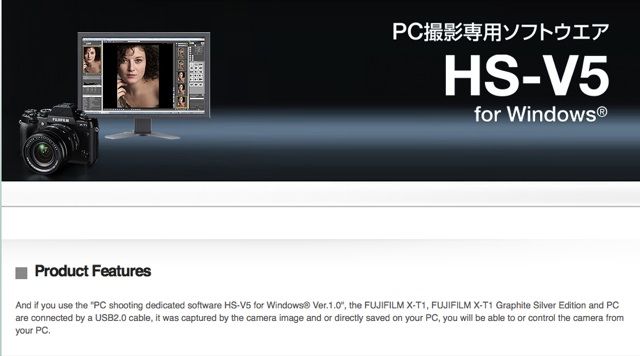
FR-reader John received his copy of the HS-V5 tethered shooting software (it’s available in Japan) and sends us his very first impressions after spending 20 minutes with it. A more detailed review will come soon.
Thanks a lot John… and here we go:
“Initial twenty minutes.
Having used the Canon dedicated software and Adobe Lightroom tethering solutions, I can say that Fuji is spot on.
I set the import folder in Fuji, to be the same as the one I normally use for my eye-fi card and used a dedicated usb male to micro usb 2.0 cable from “Tethertools”. This allowed me to use Adobe Lightroom and compare speeds. I loaded the software onto a Microsoft surface Pro 3 with a docking station by use of an old iomega external drive.
The CD comes in a hard case with instructions on how to quickly setup and use. It’s simple and easy. Fuji got it right first time. You must first set your X-T1 USB settings to PC Auto. I discovered this from a few minutes of trial and error, I wanted to see if a non techy could do this without extensive knowledge of tethering. After you open the Hyper Utility, which is really cool itself, you click on the dedicated tether icon, the simple instructions in the case tells you to do this. The software immediately recognizes the camera. I immediately chose the camera option and depressed the camera’s shutter, nearly instantaneously, the photo appears on the monitor.
I minimized the Fuji software, and yes it was sitting right there in Lightroom too. You can now use LR without that bothersome tether icon floating around. Adobe prefers that you have this software as a compliment to theirs. I can say to those that don’t have it, you will wish that you did. I will send you a more detail review after this weekend.
Your reader, John”
The HS-V5 has already been released in Japan and should be released elsewhere within February (that’s the information that came to me from a new source).
32 Responses
Could you ask John if it also allows for the images to be written to the SD card at the same time? And… can if shooting RAW+JPG can just the JPG be sent to the PC? Canon’s Utility software allows for both of these.
Now why do some people always want to go and complicate things? I’m sure someone will also be asking, “can it also add the photographer information and send it back to the RAW and JPF file on the SD card?” and on and on.
I just want the software to do one thing. As quickly as possible send a RAW image to the computer it’s tethered to with as little complication as possible.
I think we will get the answer after his more comprehensive test that should be ready in the next days
Yes, RAW + jpeg or either. You can send either or both while selecting what you want recorded to your SD card.
All fine and good but it sounds like they should have included simple directions for how to set up the X-T1 to be in a tethered state. Also there is no reason why this solution couldn’t work with the X-E2. Lastly, what is the price? I don’t think it should have a high price given its limited usefulness.
Bonus: A CD??? In this day it should be downloadable software. They’re limiting their market considerably as computers are shipping without CD/DVD players.
It would’ve made sense if that CD was shipped along with an accessory cover to securely hold a standard USB cable attached to the camera.
Well lets see what the competition is doing. Nikon Camera Control Pro 2 $149.95 http://www.bhphotovideo.com/bnh/controller/home?O=&sku=528268&Q=&is=REG&A=details
And how many do they actually sell. Besides CCP 2 is a 4-5 year old product with only minor updates (about the last 20) for OS compatibility. And when you see something like sofortbild doing it for free… And there are others that do it for $20 with more functionality.
Nikon? They’ve sold every copy that you see listed. Already. sofortbild? Do they manufacture imaging products and cameras world wide? Have they built a reputation equal to Fuji or Nikon as equipment manufacturers? Get outa here. That is hardly a software worth buying anyhow, its a clunky type of sofware and kinda ugly too. They should be giving it away.
Ok cool, there are people that do things for for free. Maybe they can’t make a profit yet. And there are others in the business of making moola $$$. Does every hardware manufacturer have to give away software, just because software Joe down the street does it? Oh wait, software Joe doesn’t even manufacture cameras at all. And, Canon has sofware bundled with some of their cameras. They didn’t give it to me for free! I paid for it along with the packaging and shipping. It’s marked up in the price of the cameras.
Did I say free? Check the record. I said it shouldn’t be a high price. Don’t put words in my mouth.
You don’t have a good argument. Sold every copy! What do you even mean by that? Regardless, camera makers have produced some of the worst software out there usually with late and lackluster support and updates.
And, yes, I’d rather have software made by people who know how to make a good software product than a hardware manufacturer who puts just enough to get it going and maintained and yet still charges a high price.
Yep, you surely infered it, by mentioning the freeware “Sofortbild” and you quoted that others do it for $20 too (basically free). There’s actually nothing to that sofware you mentioned “Sofortbild”. I wouldn’t really use it for anything serious. It only runs on Mac. Half of the Fuji software, yet to be completely released world wide, can run circles around it. Come up with some better examples. The HS-V3 portion of the Fuji software is cross platform Mac and windows. And is functional any many more areas.
$20 is basically free? Lol. You have a hard time handling the concept of examples. I’ve indulged your argumentative nature enough.
http://www.breezesys.com/purchase.htm
And here’s your list of the most used tether software. Some are merely plugins some are just tether, and a few a full blown multifunctional. you need to thouroughly analyse each program and its functionality. And yes, I would consider $20 (relatively) nothing in the budget of a professional or experianced photog that wire tethers. Your tether cable alone is $36. http://www.shop.tethertools.com/Tethering-Cables-Cable-Management_c12.htm
http://www.tethertools.com/plugging-in/software/
http://www.shop.tethertools.com/Tether-Tables-Accessories_c13.htm
http://www.shop.tethertools.com/Tethering-Cables-Cable-Management_c12.htm
Yeah, it does. include simple directions on how to set up the X-T1. Some things in electronics are intuitive 🙂 to some of us techies right? However, sometimes after a few minutes it becomes obvious to read the instructions. There are three setings, the universal MTP(PTP) protocol, PC Shoot Auto, and PC Shoot Manual. Hmm, lets see, I know what MTP means. Lets see what that does. Nada. Now lets read the instructions and slow down.
As a 20 year software developer I know how to work around most any technical barrier. But if they want this to be used by more than techies then the sentence “You must first set your X-T1 USB settings to PC Auto. I discovered this from a few minutes of trial and error” should never have to be put into a review.
Therein lies a lot of the problem with camera companies and the software they make: they’re usually obtuse and present un-needed barriers to workflow. It really should be a plug and play situation. Install the software, connect the camera, done.
What review are you talking about? It clearly states “First impressions”. Come on, don’t you not know what “First impressions” mean? You did read that didn’t you? Thats what I read. Keep it real.
Is it meant for a select amount of users, yes, absolutely. Are you here to bash camera companies or to be in formed? Every user doesn’t want “plug & play” for everything. It becomes too costly. Because your plug and play options become outdated way too fast. Modifications, revisions, and updates are easier & quicker. Software can’t keep up with hardware changes in a “one solution fits all” application. Will programmers ever stop trying to produce that super duper plug and play, never worry about it application? Rarely ever happens. DOD, DOT, NASA, aerospace. Always modifications & revisions and updates. You see, work flows vary, and demands change constantly. Interfaces and technology changes more rapidly than was ever imagined a decade ago. Give me version 1.0, let me try it out, then you take my suggestions and input. Then give me version 1.1. I like that approach better. No matter if its Fuji Canon, Rockwell, Cisco, or Raytheon, its quicker and less trouble to do it this way. What happens when the MTP protocol on cameras become USB 3.0?
Yes, I did read that and it shouldn’t need to be written in a first impression. You really don’t know what you’re talking about with modularization. Good API and standards development solves a lot of problems.
For someone who presumably doesn’t work for Fuji you get awfully worked up about my opinion on this.
You directed you comment to me right? And I replied.
Maybe I know persons that were employed with both Fuji, Canon and Adobe too. Does it really matter? Don’t assume what others don’t know. In dealing with hardware and system engineers, application programers and developers every day from various industries I understand the entire picture . Radar, automation, communication, T1 networks, navigation systems, fibre optic networks,Nexgen systems, imaging, TDWR weather radar systems, audio systems, telphone systems, video immaging systems, search radar systems, missile guidance systems etc, oceanographic immaging etc. From concept, design, to implementation installation and maintenance. You see I know about standards & development and QA, safety standards too. Work with software engineers and hardware developers and system engineers daily. I review what they do, and I often make implemental change suggestions to their future design, technical manuals, and maintenance procedures, Sometimes making in house local programming changes and modification to various system sofware and firmware too. Been doing it since 1979 🙂
Whatever
Right, exactly
But they are shipping with usb 2.0, usb 3.0, and thuderbolt connection?
For photogs that shoot product and children, or remote applications, I wouldn’t say it’s has limited usefulness. Just the oposite.
You just made my point. It’s limited usefulness in that it only has applications for a very particular niche of photography.
For a lot of professional photographers this is a worthwhile addition, for most enthusiasts it will not matter. Given that this is aimed at professional shooters though it is even more surprising that there is no Mac version…
I agree, needs a Mac version. You’d think, though, that they’d want to maximize the number of cameras (and users) who think they’d want this tool. Certainly the X-E2 should be in the list. Just looks sad to support only 1 camera even if it’s the popular one.
There is no long list of camera brands or models on the Adobe tether support list. Its rather tiny Just clic on Lightroom tether supported cameras. Then you will understand. Can’t vision them supporting every camera brand with tether support. Only 3 brands at this time. Only Canon, Nikon & Leica are supported by LR . And not all models. You would be creating a whole entire section of in-house or contract programmers. Dunno, if Fuji or Adobe keep their entire staff of image programers for each project (camera) or contract it out. Imagine having to support a setup for each camera. Its not as simple as connecting a cable to a camera and start programming in C+ on your spare time. Adobe has adobe labs, and sometimes releases beta versions.
And this is largely the fault of the camera makers. The problem can easily be solved with planning and care. I’ve been in software development (currently an architectural team lead) for over 20 years. I am quite familiar with what’s possible. And Fuji supporting the very similar X-E2 is not a stretch of software resources.
In any case, imagine if the camera makers made their cameras with the idea of modularity, programmer APIs, and consistency. It would likely stem the tide of smartphones. Instead we have a Balkanized proprietary setup that isn’t even consistent within a single manufacturer.
In the Help manual, Introduction:
“The sections which describe the Macintosh interface show HS-V3/Hyper-Utility
version 3.0 for Mac OS.
Different versions of Hyper-Utility 3 support
different cameras.”
This tells me that the Hyper-Utility 3 portion of the software is funcional with the Mac, and that the HS-V5 (tethering) portion is only complete up to the Windows 8.1 at this time. The two applications work side by side. The HS-V5 tethering window displays next to the HS-V3.
No Mac version BIG fail.
Most professionals that I know and use these kind of software also use a Mac.
And still no word on Mac support?
Most professionals that I know purchased Surface Pro 3s 🙂 to complement their Macs. However HS-V3 is Mac friendly. Its the software that runs along side of HS-V5. Its also on page 1 of the new software Help manual. I seem to remember that previous version of photoshop was not available for Mac OS X when released. I remember my friends having to run Rosetta emulation software. So this isn’t a new thing for Mac users to be waiting for their version.