










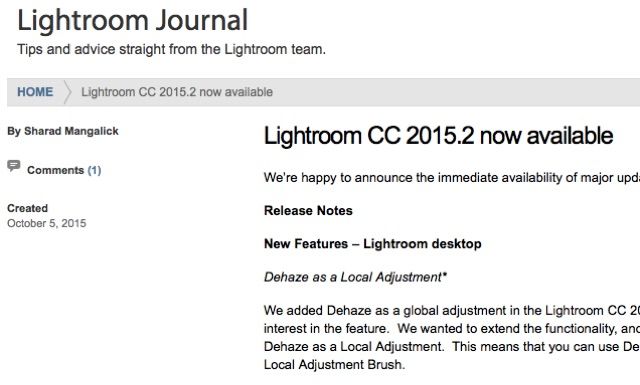
Lightroom CC 2015.2 and Camera Raw 9.2 are now available for download. Nothing Fujifilm specific this time. More at the lightroomjournal here.
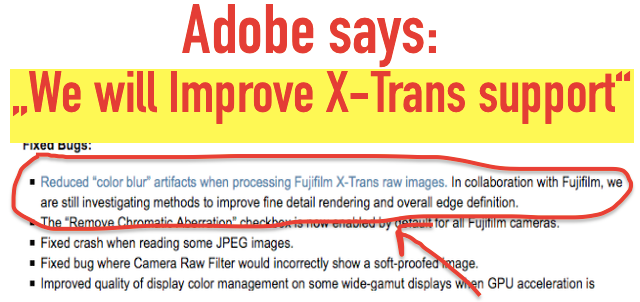
I remind you how Adobe said in the past, that they cooperate with Fujifilm to improve X-Trans support. Or, in Adobe’s words: “We will improve X-TRANS detail rendering and overall edge definition.””
The first steps already have been done with
11 Responses
I know I nitpick everytime you write this, but Adobe has made no promises. They’ve merely said that they’re looking into the situation.
ok. changed it and it now says that they cooperate with Fujifilm on the improved X-trans support.
But I’m optimisitc. Adobe made a public statement, so they must be pretty serious about the improved X-Trans support. In fact the first few steps have already been done.
I appreciate your positive outlook—and all your work. 🙂
Nothing to do with anything Fuji, but after I installed the update LR crashes upon launch. I can do nothing with it. Been in contact with Adobe support. They say they’re looking into it and will be back to me quickly (whatever that means). Glad I didn’t update my LR on my laptop!
Resetting your preferences might help (hold Option+Shift on Mac or Alt+Shift on Windows when launching the application if I remember correctly). Good luck with Adobe support…
Thanks for the suggestion, tried it, no luck. However I called Adobe this morning and got a call back from someone on the LR team. He had me restart LR and uncheck an option in the preferences pane. After that it worked ok. I wish these tech people were more understandable though. Frustrating to have to ask them to repeat what they say so often.
I have recently started using Lightroom since Apple dropped Development of Appeture. It does a pretty good job as does c1. C1 might have slightly better results as seen on my 5k Mac.
What about Lightroom 6.1 –> 6.2?
I’m going to sit on this one. Not only have many already found problems but the import seems to have lost a number of features in the interests of “simplicity”.
What a surprise. LR has been crap since I ‘upgraded’ to CC anyway, crashes all the time. Using C1 more and more, does a better job with X-Trans too.
Last year I was forced to step over to Lightroom. Several reasons, not only by Apple that made a big mistake to change from Aperture to this completely ridiculous icloud-driven Photos tool. So many months later, for the few things I can like in working with Lr, there are at least the twice the amount of issues I don’t like and in the background it becomes frequently apparent which problematic storage concept Lr has. This is in fact just evolved file & directory browser/viewer/convertor tool – an improved version from Adobe Bridge – storing away some metadata in a sidecar database. True versioning is cumbersome, you can’t even import pictures having the same name and the value of archiving the sidecar database only is not very interesting. I never liked the Lr import engine but the newest sibling shows me into which direction Adobe is heading. Over a few years, we’ll see all Adobe-software working from that fabulous creative cloud and we’in assumed to be storing all our pictures in that same cloud – whilst paying monthly fees for licenses and keeping your pictures there. That is the kind of stories now being sold to individuals and companies over and over these days, all developers have to tell their own cloud story. Once we’re fully over in those cloud stories we’ll be sanctioned year after year to pay more and more for a ‘stripped down/simplified’ kind of applications just doing what vendors wants us to do while in the background, small little clauses stipulate we won’t even remain the full owner of our work. What a great business model!