







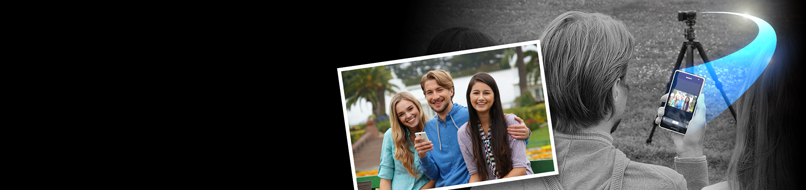
Sony just released an update for the Smart Remote Control APP (it’s an in NEX camera APP update!). There are many improvements:
•Added the following setting capabilities and made the app more useful for macro and portrait shooting.
•Added touch AF capability from smartphones and tablets for more intuitive operation.
•Able to change values for EV compensation as well as for the aperture, shutter speed, ISO, and white balance. Perfect for people who are particular about their shots.
•Supports MF Assist,*1 a useful function when focusing manually. The larger monitor on a tablet or smartphone makes it easier to fine-tune the focus than on the camera’s monitor, which is a great help for macro and portrait shots.
• You can check the focus of your shot immediately on your smartphone or tablet by magnifying the recorded image.
Sounds great if you own one of the supported NEX cameras!
35 Responses
No love for Alpha. 🙁
i have a feeling that they’re going to focus more heavily on NEX now
tough times for us A mount ppl
but i’ll wait it out, let the dust settle before i spend anymore $$
I guess they need to release some wifi enabled alphas and this will come in the bundle just out of the box.
I woudl expect it on every new alpha from now onwards.
Yep. That’s one of these very rare moments when Sony lags even behind Canon in DSLR technology level. Canon already has a Wi-Fi Full Frame with threading, Sony struggles even to add basic threading not to mention Wi-Fi.
You’re the one with no love for α, since E-Mount Photography IS α as well as A-Mount.
This Smart Remote Control Update is great news for NEX users. Why do you have to disturb this?
Shocking news. NEX cameras are alphas too. I guess you’re talking about SLT cameras.
Wake me up when they add RAW support. I don’t need it sent to my phone but it’d be nice to shoot RAW using the phone as a remote.
Not even Raw+Jpeg?
Supports RAW, CONFIRMED. It will save the raw to the sd card if you select raw+jpeg in the app.
The catch is that you have to select RAW +JPEG when you’re in the Smart Remote Control app. The settings you already have selected in the main shooting interface are ignored. For instance, right now I have Fine JPEG selected on the camera in general, but RAW + JPEG in the app.
I am an owner and user of NEX6 so no problems here. It’s just a pleasant surprise to discover that the camera can even be remotely controlled from an iPhone in the first place. I was not even aware of that. :-/
No update has shown up on Google Play yet.
There’s no update for the Android app – you need to update the app on the camera.
https://www.playmemoriescameraapps.com/portal/usbdetail.php?eid=IS9104-NPIA09014_00-F00002
Wowwwww just Wowww
Will this make the developer APIs or do we have to hack our way through?
This willbe so exciting if I can control my nex this much from an App. I will buy a 5t just for this one reason!
This is awesome level of control. Just please pretty pretty please add these things to the SDK
I believe their exposed as plain text web-services so it’s trivial to reverse engineer with tcp-dump etc. Some guy on a NEX hack project already did it.
You are right it is simple web service thing. I read the SDK but the SDK is very boring. There is not anythingf exciting there.
With the capabilities described in this update Time Lapse Nirvana app will be piece of cake.
I imagine lots of cool stuff. I am goign to read how to hack all the functions am buying a NEX and downloading the Android SDK
Sounds like a great project!
lol!
It would be sooo great if the remote app would support beeing able to record video.
Finally! Tired of that IR.
Is it so hard for a company like Sony to offer this to WINDOWS PHONE 8!!!
good news for the app upgrade, but i’m still waitin for a timelapse app for the rx100mkII 🙁
Hi Andrea! Thx for the intel! Why does Sony not support Windows Phone 8? Or have you heard about some future developments? thx
Windows support? This would be bizarre. Why not Symbian or BlackBerry or something less exotic.
GET sdk Android DIY
Quite. With the API, writing a WP app that is actually better than Sony’s is very doable.
you have to update the app on the camera, not the phone app. and there is a new firmware for the cam that is needed too.
still very laggy on nex 6.
It didn’t work for me using a NEX-6. I first made a firmware upgrade to 1.02 with the wireless home network. I then connected the camera to the computer with the USB cable and downloaded Smart Remote Control from the computer link:
https://www.playmemoriescameraapps.com/portal/usbdetail.php?eid=IS9104-NPIA09014_00-F00002
I then started the app from the camera and got the wireless code to input into my iPad.
The ipad accepted the connection with its check mark but the cameera kept on trying to connect indefinitely.
It worked O.K., I needed to open the playmemories app.
It works. just that it’s pretty laggy. Thus limit the usefulness.
OMG I’ve been waiting for this for such a long time I absolutely love this update. it’s such a huge thing for me and my work. now I’m ready to drop all the stupid remote control gear and just use a simple phone or tablet with all the controls I need. I’m so happy.
Still no video support
Crap! Useless crap!
The update is way better than before but performance is still poor. It lags big time. The quality of the live view image is poor. Image transfer is slow and the app can’t be used while you wait for the image to transfer. Worst of all, the camera and my phone have no data. Access while connected to the playmemories ad hoc wifi network so there is no way for me to automatically upload new photos to pc or web as they are captured. Why is there no windows pc app? It still will be useful in certain situations but reliance on wifi is a waste IMHO. USB tethering would be way more useful. I don’t know why they are holding back this one key feature. I don’t know why there isn’t a single compact ilc that supports usb tethering.
Could someone please tell me how I get this app to capture in RAW please?
The app seems the same as the basic built in version and none of the features mentioned above work. I have an NEX 5t and an android device.
This is pretty much a deal breaker for me, as I planned on using this for tripod work…
never mind… it was opening the wrong app when connecting with NFC…
very impressive update!