







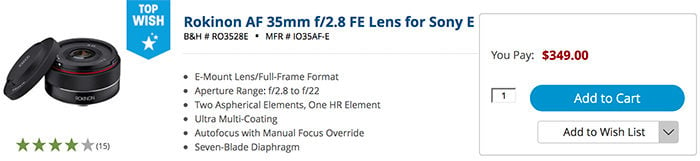
Samyang AF 35mm F2.8 FE Firmware Version 0.2 is now available for download. Improvements:
It fixes an issue where ‘Fast Hybrid AF’ is not working in 6 cameras models when the focus mode is
set to ‘AF-C’ and focus point is set to ‘Wide’ or ‘Zone’.
How to update:
1) Download the firmware on your computer
2) Download the Samyang Lens Manager software on your computer
3) Connect Samyang Lens Station to your computer with the lens attached
4) Firmware will be automatically updated
※ Guideline SAMYANG Lens Station for SONY
–
Current Samyang/Rokinon AF E-mount lenses:
50mm f/1.4 at BHphoto, Adorama, Amazon. Amazon DE, Amazon UK, Amazon FR, Amazon IT, Amazon ES.
14mm f/2.8 at BHphoto, Adorama, Amazon. Amazon DE, Amazon UK, Amazon FR, Amazon IT, Amazon ES.
35mm f/2.8 at BHphoto, Adorama. Amazon. Amazon DE, Amazon UK, Amazon FR, Amazon IT, Amazon ES.
35mm f/1.4 at BHphoto, Adorama. Amazon. Amazon DE, Amazon UK, Amazon FR, Amazon IT, Amazon ES.