







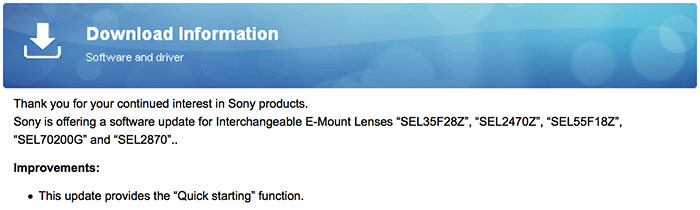
If you own the “SEL35F28Z”, “SEL2470Z”, “SEL55F18Z”, “SEL70200G” and “SEL2870” lenses you can download the new firmware update at:
http://www.sony-asia.com/support/download/602218/product/sel55f18z
New lens and converter preorders:
In USA at:
Zeiss 35mm f/1.4 FE at Amazon, Adorama, BHphoto.
Sony 90mm f/2.8 FE at Amazon, Adorama, BHphoto.
Sony 24-240mm FE at Amazon, Adorama, BHphoto.
Sony 28mm f/2.0 FE at Amazon, Adorama, BHphoto.
Sony Fisheye Conversion Lens for FE 28mm F/2 at Amazon, Adorama, BHphoto.
Sony Ultra-Wide Conversion Lens for FE 28mm F/2 at Amazon, Adorama, BHphoto.
Sony Fisheye Converter for E 16mm F/2.8 and E 20mm F/2.8 at Amazon, Adorama, BHphoto.
Sony Ultra-Wide Converter for E 16mm F2.8 and E 20mm F2.8 at Amazon, Adorama, BHphoto.
In Europe at:
Zeiss 35mm f/1.4 FE at Sony Germany, UK, FR, IT, ES, NL, BE, AT, CH, SE, FI, NO, PT.
Sony 90mm f/2.8 FE at Sony Germany, UK, FR, IT, ES, NL, BE, AT, CH, SE, FI, NO, PT.
Sony 24-240mm FE at Sony Germany, UK, FR, IT, ES, NL, BE, AT, CH, SE, FI, NO, PT.
Sony 28mm f/2.0 FE at Sony Germany, UK, FR, IT, ES, NL, BE, AT, CH, SE, FI, NO, PT.
Wide Angle converter at Sony Germany, UK, FR, IT, ES, NL, BE, AT, CH, SE, FI, NO, PT.
Fisheye converter at Sony Germany, UK, FR, IT, ES, NL, BE, AT, CH, SE, FI, NO, PT.
Wide angle converter for 16 and 20mm lenses at Sony DE, UK, FR, IT, ES, NL, BE, AT, CH, SE, FI, NO, PT.
Fisheye converter for 16 and 20mm lenses at Sony DE, UK, FR, IT, ES, NL, BE, AT, CH, SE, FI, NO, PT.
65 Responses
Chance log?
Download the new firmware…. because?!?
To add one more f-stop… 😛
Yes all 4.0 zooms will be F2.8 after update.
Right over you head that one went………….
Because, we can actually find it dumbass!
Windows only.
LOOK HARDER……….or are you purposefully acting numb?
Just go one step back on the page link and choose system. Up to OS 10.10.
Working fine. 🙂
Here is the link:
http://www.sony-asia.com/support/product/sel55f18z
Thank you, Admin…
This is an example of terrible communication. Nowhere does the page explain what it really does. “Provides the quick starting function”. Yeah, thank you. What kind of “function” is that exactly?
yes it start fasterererer
A firmware update for several lenses that is only available on the 55mm lens page, of which the filename refers to the 55mm lens and where the described change is gibberish. I am not going to try this one on my SEL1670Z until some more info is available.
Change the URL to your lens designation, there you can download it with the correct filename. here: http://www.sony-asia.com/support/download/602218/product/sel1670z
I suppose we have to get used to the idea that software drives everything, but it’s still slightly unsettling when lenses require firmware updates. Where is it going to end?
While the issue of updating a lens doesn’t bother me much it’s that the only issues they’ve address since last year this time has been start up issues. Sooo many other fish which need to be fried. Although, with the a9 around the corner I suppose that’s the real, ‘fix.’
What on earth is a quick start function?
It’s not the slow start function?
Window only? Thanks for being short-sighted, Sony!
Go back to the FE 55 page and start the process. You can then choose up to Mac OS X 10.10.
Excellent, thanks!
Since updating the lenses to this new firmware I’ve noticed my green autofocus boxes have disappeared??
Nope, they’re still there..
Any idea why they’d disappear? Should I factory reset the camera?
no idea..they should stll be there..i tested on all my lenses..all still there..nothing has changed really..try just power off and removing the lens and battery
Thanks that worked! I needed to pull the battery out and take the lens off.
The take the battery out part is the key 🙂 It was mentioned when you updated the lens at the end..
Yeah I think I forgot to do that when I did the 70200G my fault but did it on the other lenses!
You’ll have to download each different update for each lens..I download for all 4 lenses and updated all individually…Honestly, i have no clue what it does and what the quick starting function is
This would be news if it changed the way the focus by pong game option was taken out and we get normal manual focus, instead of trying to find focus in some 1970’s computer game way where every turn has a different effect. bunch of F-stopping mother F stoppers.
We are still waiting for you to show us your work as a photographer…
Why you don’t want to make your fans happy?
Actually once you get used to the manual focus on these lenses, it’s much easier and faster imho.
Cause he’s the camera-club clown. Lots of BS & rhetoric, but no pictures.
Anyone have any idea when Sony might release Mac versions of the firmware updaters? Tnx.
it’s already out..i updated all my lenses with OSX 10.10.2
Roy, Mac OS is not listed in the OS dropdown menu at http://esupport.sony.com/US/p/model-home.pl?mdl=SEL70200G&template_id=1®ion_id=1&tab=download#/downloadTab
At which Sony site did you find Mac versions?
Tnx
So, just confused. What the “Quick starting function” does?
i just found out..it’s supposed to speed up the startup time of the camera with the lens..it does feel a little faster.
Thanks, that sounds nice.
upgraded the 55 with no problems but the 35 is stuck at the part where the loading bar appears on the camera. would be grateful for any suggestions.
Take out battery, start new?
I’ve done that several times, even removed and reattached the lens a few times too. Repeated installation instructions but still no progress on the white loading bar on the camera screen.
The update for 35 has bugs… it doesn’t update. I completed 55 and 2470 updates in under 20 seconds but 35 stucks
Let me know if you got the 35 to update. Still trying here
It’s kinda shocking how bad Sony is at firmware updates after all these years. From rollout to download to install, just terrible experience. This isn’t exactly a new thing!
I have the same problem with my 35. It just gets stuck at the loading bar. I haven’t found a solution for this.
Are you using Windows or a Mac? Mine updated fine on Windows 7 x64. I know Sony’s had similar issues with Mac fw updates in the past… On the plus side, I’m getting dramatically faster startup times with the 55/1.8 and 35/2.8…
This is on the latest mac OS X but I’ve seen comments from people experiencing the same problem with Windows. Gonna keep trying.
There is no firmware update for SEL2470Z on either the Sony USA or Sony Asia page. Both say no update available.
SEL2470Z — http://www.sony-asia.com/support/download/602218/product/sel2470z
Ah it keeps taking me back to US where there is no update. Thanks for the direct link.
Here are the update files for Windows 8.1 Pro 64bit https://app.box.com/s/prc1wb2udwu2r2c8f20y9quwey2m9itf
Thanks, even though I don’t have Win 8, it works fine for Win 7.
Download link on the Asia page does not work 🙁
Yes there is but Sony is TERRIBLE at communicating.
Here it is > http://www.sony-asia.com/support/product/sel2470z
For other lenses, just replace the valid product name at the end.
I upgraded my 70-200G lens and the startup time seems to be about 20% of the previous startup time. Much faster! Will there be an upgrade for the 16-70Z? The startup time for it is already quite fast.
The 28/2 is the lens this system needed. That lens will make the FE mount cameras much more attractive (in terms of a value proposition). Now, if they had a 24-70 f/4 to complement – it would be a killer 2-lens carry around kit.
updated the 55 and the 35 on my mac. Startup feels 3-4x faster. Not bad. Thanks Sony! Love my A7!
Not available for NEX-3 🙁
just updated the 55, the 35 and the 28-70. no problems with osx 10.10.2. everything perfect!
all 5 lens .02 firmware updaters for MacOS on this one page:
http://www.sony-asia.com/support/download/602227
Anybody succeeded to update 35 2.8 on PC (win8 preferably)?
I cant get the 35 to update on my Mac OS 10.9.5 .. the 55 was no problem
To everyone having problems updating their 35mm. Make sure that your camera is in MASS STORAGE mode. Not PC remote.