










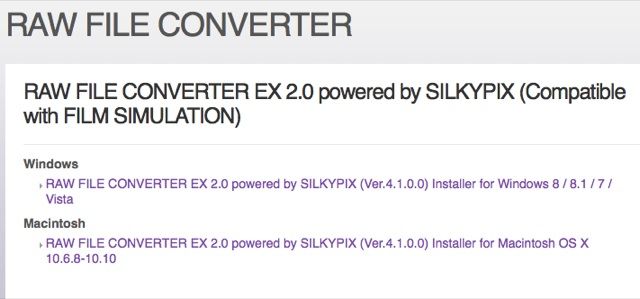
The RAW File Converter EX 2.0 is now available for download! To know more about the RAW File Converter EX 2.0, check out Rico’s “Film Simulations in RAW File Converter EX Version 2”
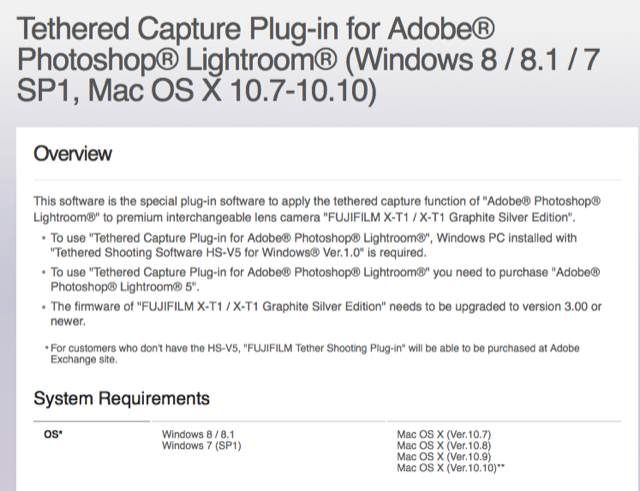
Fuji also realeased the Adobe Tethering Plug-in (for Windows 8 / 8.1 / 7 SP1, Mac OS X 10.7-10.10). You can download it here. To learn more about X-T1 Tethering with Adobe Lightroom and Fujifilm HS-V5 check out Rico’s XPC special.
“* For customers who don’t have the HS-V5, “FUJIFILM Tether Shooting Plug-in” will be able to be purchased at Adobe Exchange site.”
74 Responses
Do we know when the plugin will be available from Adobe for Mac users?
Don’t get excited folks. There’s no Mac download despite the description. Plus, what’s a Mac plugin if it requires a Windows only App?
I was thinking the same thing. No way would I buy /install a windows emulator plus OS just for tethering?!?!?!
Fuji need to bring out the Mac version asap, especially as Mac is potentially a goto system for most design/photographer professionals since the dawn of Adobe Photoshop in the early 1990’s.
They mention a .pkg file, which is a Mac install file same as .exe is for Windows. Suggesting there is a download for the .pkg file but they failed to include it on that page. I’m sure they’ll catch on soon and add the correct link.
My bet is once you unpack the .exe file you get the windows and the mac plugin version. The only security check is done on the exe extract to check you have the HS-V5 soft installed on your computer. We should be seeing the LR plugins soon out there.
Adobe Exchange, AFAIK, requires a Creative Cloud subscription for Lightroom users…booo!
I agree with the others. That’s a shitty solution… Get the Mac version out there, shouldn’t be that hard!
I wish they worked with Adobe on Lightroom support. I’m OK with resolution, sharpness, but film simulation modes only get you into the general ballpark of what you seen in camera JPEGs. Colour palette is good enough (not perfect), but tone curve & contrast is all over the place (at least for CC).
I don’t expect perfect accuracy. Even Nikon’s picture control profiles are not completely accurate, but it’s closer to the mark.
Which profile are you referring to? I actually like the “Soft” rendering, it’s close enough by all means.
I use Classic Chrome for a lot for the subjects I shoot. Contrast is quite different when CC is applied to RAW vs in-camera JPEGs.
Also, saturation/vibrance is off (more muted), the colour palette is OK (but still off a bit). Not a huge problem, after weeks of shooting comparing, anaylizing and tweaking, I have a preset with contrast, highlights, whites, vibrance and saturation adjustments that gets me close enough to what I see and want in JPEGs (adjusted with H-Tone -1, S-Tone -1 – I never use DR settings).
I did use default settings for CC (except NR-2) when I first started comparing. I don’t have enough experience with other film simulation modes, so they might be much better.
I’m now familiar with LR’s rendering of CC either, as I just don’t like the look. But keep in mind that CC has been introduced quire recently, so perhaps it’s a work in progress for Adobe.
I guess it depends on your taste as well as subject. I find it really nice for music photography. The most common problem you have for low-light shooting is blowing out channels as you run out of DR at higher ISOs. Mostly when shooting at places that use lights with primary colours, especially red and blue (purple is the worst).
Normally, this is just a WB fix. When I apply CC, this problem is gone. CC has some interesting hue-shifts, I guess this is the reason why this work with CC without having to adjust WB. But this is just some technical stuff, I do like the looks.
I got some CC shots here (the Sunshine Outcast shots are also CC): https://www.flickr.com/photos/molnarcs/sets Some Pro/Neg STD as well.
Low light show stuff: https://www.youtube.com/watch?v=zh484RdQ4Cc&list=UUFIsXRjdXRLibtj8wGChn3w (There are a couple of shots there with the Nikon, but most are FUJI CC).
Took me a while trying to remember when was the last time I shot a concert gig 🙂 Yeah, I hate primary color stage lighting too. And in most cases CC or any other “muted color” palette won’t save the day, especially with high power LED lights – they are basically lasers, a single wavelength emitters. There’s no spectrum to compensate with WB slider. If this is the case, I usually just BW instead of WB 🙂
(photo: Suzanne Vega in Minsk, shot with X100s)
Nice shots! The bring back memories. Suzanne Vega. Haven’t listened to her music for a very long time (Nine Objects of Desire era). Time to check out her stuff again 🙂
Uh, I know this is old, but check this out (JPEG vs RAW+LR film simulation). Scroll down for all film simulation modes: http://alikgriffin.com/dec/03/classic-chrome-raw-vs-jpeg
What the world really expects now, Fujifilm, after a full 3 years of very boring X-trans RAW discussions, is a RAW FILE CONVERTOR EX 2.0 powered by Adobe LIGHTROOM (v.5.7). All the rest is only interesting a small installed Silkypix user base in Japan and will never write history.
With all that talk about Windows and Mac, why not think about a Linux version, perhaps integrated into Aftershot Pro? I was so naive and send a mail to Fuji headquarters about this and did get a reply, but that only said that my suggestion would be past on to the developers ;).
At least you had an answer. Try that with Canikon – always look like you’re writing to a no-reply email address 🙂
Yes, I was surprised by that and really liked it. At least gave me a feeling that there are real people behind the company 🙂
Chuck Westfall has always gotten back to me. Always. I rip Canon for alot of things but not that.
Point taken; With Nikon France one talks to a Big Black Hole ™ – of course I am just any odd John Doe for them. Fuji always answers in a timely fashion.
I’d imagine the percentage of Fuji shooters who exclusively or primarily use Linux as their preferred desktop OS is less than 1%. As such it’s really unrealistic to expect support (do any other major or minor camera manufactures offer native support with their RAW or other software?). Plus it would take away limited resources from development of the Windows and Mac versions which still need all the help they can get…
Must be far less. The total users of Linux as a desktop around 1%, a very small fraction of those people will be Fuji shooters using Linux exclusively.The Fuji userbase is not the huge either, RAW shooters are even a smaller fraction of them. And RAW shooters using Linux as a desktop OS… more like 0.1% if I want to be optimistic.
I don’t say this is good, I used to have a Linux desktop (and even FreeBSD for a couple of years). There are fantastically talented coders, even some awesome multimedia apps, but the lack of users, pro input, direction, interest… they just die. No viable alternatives to Adobe products, and my occasional gaming forced me back to Windows years ago.
Although I agree with the sentiment, in all honesty, this would probably be a waste of time for Fuji, especially if the underlying software framework wasn’t developed for cross-platform compatibility from the start. And that seems to be the case.
I agree as far as Fuji is concerned, but bare in mind that on Liux we have several credible options already for the Raw decoders (Darktable/RawTherapee not sure about Lightzone, but I think they are a tad behind). Darktable is a very viable LR alternative; the only thing we are really missing is a tethering option
I’m using Aftershot Pro at the moment, which has a Linux version, and the latest version gives very nice results. I’ve read comparisons where the outcome was that ASP was even better and faster than Lightroom, although I really would like Adobe to at least create a Linux version of Lightroom so I can compare them myself :). Photoshop is not necessary as Gimp can do everything I want and need.
Jack, was there recently a new release ? When I tried 3-4 months ago, results were pretty ugly
Didier
Yes, and it is much better than the first one. Pictures taken outside sometimes even turn out better/nicer than the Fuji jpegs, although I must admit that I recently tried pictures taken inside with artificial light and ISO 800 were not so good. Colors were not right and I couldn’t get rid of the noise. So there is defenitely progress at ASP, but not for all pictures.
I know. But because Fuji is already delivering products to a relatively small audience, I hope they will someday consider supporting another small audience 😉 As for myself, I see some parallels between Fuji and Linux. Fuji gave me back my pleasure in taking pictures, whereas Linux gave me back my computer. And I’ve worked with Windows and Apple for years…
Hopefully some good soul looking after the GPhoto2 project will think about the X-T1 🙂
If Fuji would develop their software with the QT libraries, it would run on all three platforms. There’s a lot of great software written in QT that runs on many, many platforms. The trouble is that most engineers stick with whatever platform they were raised with.
I’d love to see some examples of great software written in QT that don’t look like ass when run on a different platform to what is was developed on.
I usually use Lyx, which looks exactly the same on my usual systems of Linux and OS X, though it behaves a little differently, mostly because the people maintaining the Mac Port have curious priorities (e.g., they eliminated most of the keyboard shortcuts, perhaps because they think Tog was right when he insisted mousing to the menu is always and everywhere faster and more productive than keyboard shortcuts). I’ve used it on Windows & I think it works more or less the same there, as well. That may be because it’s developed on both platforms. It doesn’t look bad on any of the three.
What software did you have in mind?
I didn’t have any particular app in mind, it’s just every piece of software I’ve seen lazily made cross platform because the SDK lets you do that, has tended to look and work poorly when run on a platform with different conventions, look and feel etc (particularly on the Mac). The worst ones try and put the menu bar in the window frame which is an egregious sin on the Mac.
I know a few cross-platform applications that don’t do that. Lyx doesn’t; on OS X it respects the local user interface. Gimp and RawTherapee also don’t put the menu bar in the window on OS X, either, though RawTherapee has one of the worst user interfaces I’ve used. (Not as bad as Darktable, though — at least I can figure RT’s interface out.) Gimp and RT are glib packages, I think (certainly Gimp, whose very development motivated glib, as I recall). CaptureOne puts the menu where it belongs. etc.
If you’re using the MacPorts or Homebrew versions of those programs, it’s another story, because they run via XQuartz.
Getting back to QT, I can’t recall anything else offhand that I use on both platforms, so I’m not sure if it’s QT that respects the local interface, or if the Lyx developers were careful about that. To be quite honest, I think QT itself does, but that’s just a vague impression from having looked into it once.
Basically to ride a Fuji bicycle you must purchase a skiing license first, and your bike should have a kitchen sink installed or it won’t ride. No, thanks but no.
OK so I downloaded silkypix but the resolution on it is just awful. Anybody know why this may be?
I downloaded the LR Add-In installer – a Windows executable that contains both the Win and Mac plug-ins – smile
I ran the installer on a Windows PC … I got a message saying the Fuji HS-V5 whatever MUST be installed for the plug-in executable to run – frown/weep/beat head on desk
*whistling* I hope some poor soul uploads it somewhere *hint*
Bad move Fuji – In the end. Somebody will crack this plugin so it will be free to Mac users anyway…
WTF Fujifilm?! Where i the FUJI_PLUGIN.pkg file?
Well, that’s a fail. And I was so much looking forward to it.
Can someone please explain what is going on? I’m lost. Why are they offering a Mac version if a Windows PC is required? I’m totally confused now.
It’s because they now want you to put your Fuji camera into the refrigerator for at least 30 mins before changing the battery.
But if your refrigerator runs on Windows, then you are required to download the apple version of this tethering software and install it into your refrigerator, because that way the refrigerator knows exactly when your camera is cool enough for changing battery. Got it?
I have a headache.
My only hope his this little sentence:
*For customers who don’t have the HS-V5, “FUJIFILM Tether Shooting Plug-in” will be able to be purchased at Adobe Exchange site.
Only… I can’t find that plugin on the Exchange site anywhere. 🙁
Fuji hasn’t uploaded it…
Hope it might become available.
But looking at the way Fuji does this introduction its going to harm them more then it will deliver them. Working pro’s will not be pleased by the way Fuji handles this.
Do I have it right that neither the Adobe Exchange Plugin NOR HS-V5 itself are yet actually available? (and as a result, the available plugin is essentially rendered useless?)
I need the tethering for X-E2… Fuji ?????
It really feels like the X-E2 is getting the shaft even though it’s not that much older than the X-T1.
Fuji this is a total fail!
Not even close to ‘Kaizen’…
More like ‘Klutzen’ 🙁
If I understand this correctly, Fuji wants existing users of HS-V5 (obviously running on a Windows PC) to execute the file. I just asked a friend to try that and to be extracted the exe-file needs HS-V5 to be installed on the system. If you extract the package it will probably include a Windows and a Mac file. You can then copy the pkg-file to your Mac and install it as a normal LR plugin. Kind of sounds like any HS-V5 user could extract it and then upload the extension files and they won’t need any more authentication. That would be stupid of Fuji.
So it seems like you won’t need to run a virtual machine or any such junk. Still, Fuji, that is some overly complicated BS you produced… Once again a wonderful example of the fact that Japanese companies for some reason just don’t get software. So sad.
The alternative for Mac-only users seems to be that Adobe Exchange thing, whatever that may be 😉 Doesn’t sound like it’s already available there though.
Please Fuji, open a software office in some western country, preferably very close to the Apple HQ. You do the hardware thing you do so well and let them do the software!
From Twitter via @fujiguys:
“Tethered Capture Plug-in now available for download for HS-V5 owners. Purchase Separately via Adobe Exchange soon.”
Than goodness for the in-camera converter. Without it, I would have given up by now and sold both my wife and I’s Fuji gear, as the external converters are not great. How stupid can they be? As I have said before, they should provide a bare-bones raw converter, the same as the in camera converter. 3 years after releasing this unique sensor, and they continue to fail to provide a decent external RAW converter. It is actually so stupid that it is comical.
Sigma was smart enough to release their own!
Dear d, you keep on beating the same dead horse. There are plenty of options now; the in camera converter is nice; but quality external tools do exists and do a fine job; There are plenty of option on Windows, Mac & Linux
I use LR. Had to tweak the Adobe profiles for film simulation modes, but in terms of sharpness and clarity never had any problems (though I started off with the x100t only 2 months ago, I guess most of the LR issues reported the previous years have been fixed).
Ask Mr d for a portfolio link, and he will stay silent 😉
Thanks for the tip 🙂
Yeah sure…like to see your portfolio…
Always assuming people suck at photography, when in fact you probably aren’t that great…
If you would be confident you would just post your portfolio.
If you are interested, you can see some of my photos that I linked above…Have a great weekend.
And, here are a few more…I am just a recreational photographer. It is funny how some people want to put others down…If you don’t like them, that is fine…
https://www.flickr.com/photos/55594432@N03/16430304162/
https://www.flickr.com/photos/55594432@N03/16601283615/
https://www.flickr.com/photos/55594432@N03/16437420940/
https://www.flickr.com/photos/55594432@N03/15662349935/
https://www.flickr.com/photos/55594432@N03/15212801406/
https://www.flickr.com/photos/55594432@N03/15020188818/
https://www.flickr.com/photos/55594432@N03/15029368771/
https://www.flickr.com/photos/55594432@N03/16459897867/
https://www.flickr.com/photos/55594432@N03/16319871659/
https://www.flickr.com/photos/55594432@N03/16438294552/
https://www.flickr.com/photos/55594432@N03/16329759766/
https://www.flickr.com/photos/55594432@N03/16200484696/in/photostream/
Added you to my Flickr contacts 😉
Thanks. I will add you back. Have a great day.
Mine is linked from my disqus profile.
There’s always room for improvement, I have several ideas I may try in the future even in areas where I’m successful. The important thing is that people who matter to me enjoy my work. I love what I shoot and shoot what I love 😀
I do believe that people who go on and on about sensors, and numbers and full frame this and that are gearheads. Or people who stuck their face to their screens to pixel peep, instead of looking at the big picture – say taking good photographs.
Of course, you can prove once and for all that you’re not a measurbator, by showing us your photography work. That it is indeed the lack of a raw converter that prevents you taking good shots. Bring it on 🙂
Actually, I am not a pixel peeper. I am just looking forward to the X-Pro 2; and, while I love Fuji cameras, I express my opinion on where they can improve – one area is RAW conversion. I have gotten around it by using the in-camera RAW converter, but I would like to be able to convert those files to 16-bit TIFF rather than lossy Jpegs. Although it hasn’t prevented me from enjoying my photographs, in my opinion, Fuji could do a better job of providing its customers with a better means of converting the files. Even when I was a Canon user, I used Canon’s bare-bones RAW converter for converting the files, as it was better for the conversion (not editing, but for the initial conversion) than ACR/Lightroom.
And, I have nothing against you…I just feel insulted by the way you have responded to some of my comments. Although you may disagree with my points, they are just my opinion, and shouldn’t offend anyone.
I am just a recreational photographer who enjoys taking photos. Here are some links to a few of the photos that I have shared on Flickr recently:
https://www.flickr.com/photos/55594432@N03/16470848466/in/photostream/
https://www.flickr.com/photos/55594432@N03/16351755590/
https://www.flickr.com/photos/55594432@N03/16512946422/
https://www.flickr.com/photos/55594432@N03/15791309544/
https://www.flickr.com/photos/55594432@N03/15843930403/
https://www.flickr.com/photos/55594432@N03/16460992510/in/photostream/
https://www.flickr.com/photos/55594432@N03/15990824994/
https://www.flickr.com/photos/55594432@N03/16676407012/
https://www.flickr.com/photos/55594432@N03/16658299965/in/photostream/
https://www.flickr.com/photos/55594432@N03/15903228643/
If you want to drop this nonsense, and enjoy viewing each others photos – as it is pointless to be arguing over nothing – feel free to befriend me on Flickr. I would love to view your photos; and, personally, I would like to squash this silliness. Life is too short to be arguing about nothing…Have a great weekend.
Hah, really nice actually. I guess this is my mea culpa, I was wrong about you.
Look, it’s my experience, both on- and offline, that people who obsess to much about gear and numbers hardly ever have anything to show, always hoping for the next piece of gear to deliver their photography from mediocrity.
If we believe that photography is a form of creative expression, god forbid a form of art, it has to start with inspiration (studying the art of others, improving visual literacy), then understanding the creative elements of a good photograph (composition, light, expression, perspective, foreground/background). Gear, even the maths (exposure settings) comes after that.
Lastly, I honestly think that your original post is a bit of an exaggeration – I can’t tell what RAW converter you used, even what camera you used. I don’t see how the usual stuff you write about (better DR, FF, or this post) could noticeably improve what I see on your flickr. By the way, I started following you 😉
Thanks…I will follow you back.
Yes, it perhaps was an exaggeration. I just wish they would provide us with the ability to convert the files to TIFF in-camera or by means of a bare-bones RAW converter, with the same algorithm as the in-camera converter, as I have found it to be the best converter. That said, using the in-camera converter has been fine for my needs so far.
Have a great evening.
This is what happens when you let the intern run things
Took a short look. The RAW conversions of this tool have been disappointing from day one and they still are. I’m not so sure where a lot of people are referring at wanting the same jpg-image quality as you get OOC. The Fuji jpgs are losing quite a bit of detail versus well converted RAFs, the colors are, well a bit ‘too Fuji’, and and they feel way too soft for me. I’m not so delighted about these standard film emulations (a bit too artificial to my feel) but the underlying Silkypix color and contrast management is even more weird and off-road. The detail is worse than what I’m able to get out of Lr after Peter Bridgwood’s settings – in fact, I don’t so so much difference in artifacts looking at a few ‘problem files’ I’ve put apart. When I start talking about profiling & neutral pictures what you get out of Silkypix is as wrong as looking towards a landscape through a Ray Ban. At least in Lr I can get this to a level where the Fuji can almost seamlessly collaborate with my other cameras. In projects requiring this, it’s really a major relief. I wouldn’t know how even in a full-blown Silkypix we would be capable to do something like this unless going through an almost impossible user interface. Don’t let me discuss all other functionality baked (or not) into this limited version, it feels in any respect like one of the worst attempts I’ve ever seen to get an image out of RAW. Fujifilm, if you want to provide a convertor that will really please a lot of your customer, put some of your X-trans experts down at Adobe and leave all the rest to specialists that understand how a camera workflow has to be established in a professional, effective manner.
you are very strange for what you say…first and foremost the details is stunningly better with Fuji RAW Converter than anything else. I think there is an element of delusion in what you say.
Add my comment to the stack – “NO HS-V5 UPLOAD ON ADOBE – PLEASE FIX THIS!”
The delusion is that a lot of people don’t understand very well what a decent photographical workflow means. It has a become a hugely complex process starting with tuning the camera settings to your very own requirement to taming the software engine you are using. Most important the proper adjustment & calibration of every individual part, camera, displays and printers. I don’t care so much about all those pixel peeper stories but more about the degree of repetitive effort it’s costing to achieve the best output possible. How many people are using profilers, calibrators, the right displays and printers to make a decent judgement about even color & sharpness? ANY of the major repository tools & convertors can do a very decent job, it’s all about what some think it are just details, but that make or destroy efficiency in that workflow and the quality of the output. This stripped down Silkypix doesn’t deliver anything ‘stunning’ I’d like to have in my daily workflow, please save me from it as it’s a complete head-ache and on my OS-X version the output quality is not truly what I consider as something to write a big story about. Aperture, Iridient, C1 and proper tuned Camera RAW, they all do better.
Mac Users rejoice! @fujiguys confirms that the LR plug-in for tethered shooting is under review from Adobe to add to the Adobe Exchange store. Can’t be long now!
Yay…
yay….
Now if you try to download the plug-in the site says “Not available at present”. A new complete (mac) version is coming?