










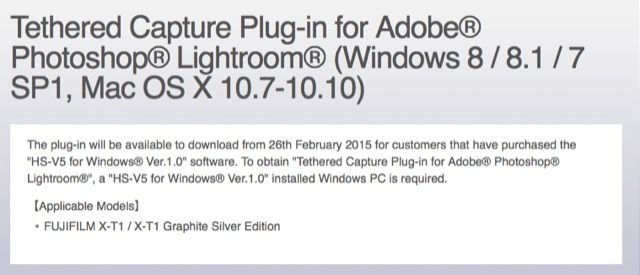
Fujifilm just announced a tethered capture Plug-In for Adobe for those X-shooters, who purchased the HS_V5 software.
“The plug-in will be available to download from 26th February 2015 for customers that have purchased the “HS-V5 for Windows® Ver.1.0” software. To obtain “Tethered Capture Plug-in for Adobe® Photoshop® Lightroom®”, a “HS-V5 for Windows® Ver.1.0” installed Windows PC is required.”
Fuji X-guru Rico Pfirstinger tells us more about it and also how to use the HS-V5 on Windows & Mac:
“HS-V5 only runs on Windows, so Mac OS users will have to install a (virtual) Windows machine on their computer. Personally, I was using Parallels Desktop and Windows 8.1 to check out a pre-release version of HS-V5 on my MacBook Pro.”
Read more at Rico’s XPC special: “X-T1: Tethering with Adobe Lightroom and Fujifilm HS-V5“!
9 Responses
If this was 2007 I’d be ok with you parallels advice. But right now 100% of the software I use is Mac native. I don’t even have a VM installed and I’m not going to buy and install gigabytes of Windows and Photoshop for PC just to run this software. Fuji needs to get comfortable with the Mac. I’m pretty sure that their style with substance audience is most in the same boat as me.
no.
A lot of designers and Photographers use Mac and always have done since the early 1990’s. That’s where Adobe and other art packages really took hold. That said, I would say the majority of Photographers probably use Windows systems at the moment.
Looking at Pro Photographers, it will probably be a higher % using Mac. Take a look at the Capture One forums and you’ll see a massive difference in volume of Mac users over Windows and most C1 customers are Pro’s (not all though).
Fuji need to ensure they provide software for both systems otherwise they look like they are short of resource/capabilities which could put off many Pro’s from picking up an X camera as a 2nd system.
I’ve used VM in the past and it’s a PITA and using Windows has always mean’t a fresh re-install of the OS every 6 months or so to maintain system speed. I ain’t going back to that, I want to spend more time behind the camera than the PC 😉
I guess it’s an Apple thing. Their OS isn’t friendly when it comes to connecting/working with other Add-ons or other devices.
Strange story, this Win support only.Why are all camera companies so clumsy in software development & support? See also the std Fuji-support for the Wifi-features of the X-T1 – what a bunch of misery. A bright idea with a very poor implementation. A mature, professional LR-plug in that supports a wireless transfer/import of files operating @ a decent speed AND also includes tethering – that’s the kind of product we want to pay (a little extra) for. Fuji, also add a native RAF-convertor plug in to LR delivering the best result ever, and I’ ll glad to open my wallet even a little bit more ;-).
yes
Cool. Have already purchased a copy the HS-V5 bundle. Impressed with its overall functionality. Very good tool paired with the V3. Nice
Haha. That comment is meaningless (or from the 80s…). If anything, it would be EASIER for Fuji to write a tethering solution for OS X, since there is less variation in OS/hardware out there than on the Windows side. This sounds like a clunky solution and seems to rely on the HS-V5 (what a brilliantly meaningless name for tethering software by the way) running in the background, alas we Mac users all need to buy a license for a Windows piece of software, a Windows license and a VM license to run this (probably) crappy (by the looks of it) software. That is another $100-160 added to the price itself (which is not a bargain). All we need for this to work much more elegantly is a more advanced driver for the camera that is little more than a USB drive…..wish I knew how to program…
Which add-ons?
It’s usually the case that businesses are too cheap to buy a Mac for development or hire a Mac developer to support their add-ons.
Apple provides a huge library of device drivers.