










Finally!
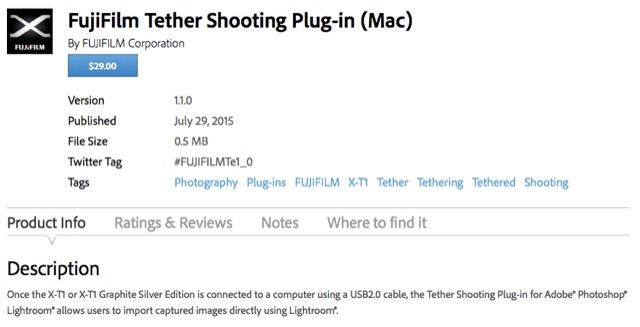
The Fuji X-T1 tethered shooting plug-in is now available at the Adobe exchange site for Mac here and for Windows here. You can read the XPC-Special “X-T1: Tethering with Adobe Lightroom and Fujifilm HS-V5” here.
Thanks to FXF member Stingerab for letting us now by putting the link to the plug-in at the Fuji X Forum here.
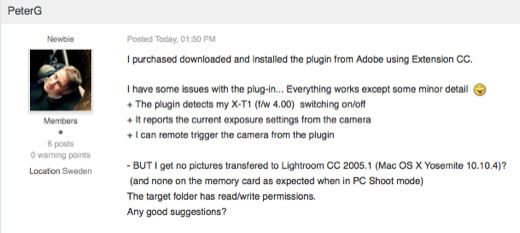
FIRST FEEDBACK at the FXF HERE
19 Responses
Hoping that there will be an update and tether option for the X100T, as well as an AF FW update for a current camera 🙂
Wonder if it works with the X-T10….
hi, did you have an answer to this question?
I’m a bit torn… I love that I can finally tether my camera but why should I have to pay for this? If I have a Canon or Nikon, I can just plug in and tether to LR. I don’t know. I feel a bit cheated
Think of it this way….you’ll probably never do it more than to see if it works…so what are you really missing:)
While I’m not sure on the details of how tethering first came about for Canon or Nikon, people should have to pay for it because establishing the plugin took man hours and resources to create between Adobe & Fujifilm. I’m surprised it’s only $29, seems a good deal.
That tethered discourse just keeps amusing me. I think it’s safe to assume that less than 1% of folks who are vocal now about their desperate need of tethered shooting are going to actually shoot tethered… more than once.
Completely agree. I would bet money that 90% of people with a need to tether their camera in studio are not shooting a Fuji.
Awaiting the tirade from insistent Fuji shooters who will say I’m wrong….(eye roll).
Nope! Now they can shoot the pics of their cats, feet, coffee, and plates of food and see it in real time on the big screen. Come on, think of all the usage this plug in is going to get.
On the bottom it states:
IMPORTANT NOTICE:
The plug-in is available to download from the FUJIFILM web site for customers that have purchased the “HS-V5 for Windows®” free software.
Not again. 🙁
Don’t panic. That is only for those that have purchased it already. It should say something like, “if you bought HS-V5, don’t get it here” If you buy from the exchange site (which I did) and have Lightroom CC it will auto download. I tried it and it works as advertised.
Awesome, thank you!! I can’t wait to get home to download it. This will be so helpful for portrait shoots, so the client can see the results right away, and for me to make sure I got the focus right. 🙂
I bought the LR plug in. I should have read first. What´s the sense if I can`t have a liveview?
Yeah! Now if we can only get this for CaptureOne!! it would be perfect.
I’m using it and it works pretty well.
Does it work?
No live view? What is this, 2005?
Not cool Fuji!! You made me wait for several months and charged me $29 for a shutter release software. This should have been free. Where are the the camera control features like focus, shutter, aperture and ISO control. Live view should be in there as well. If you ever want to be taken seriously as a pro line of cameras you need to provide professional set of tools for your users. Nikon, Canon and Sony get it. Why don’t you? Looks like I will be looking for a new camera soon. The A7R mark ii looks good.
Ok, purchased it for CAD $ 38 (yikes) and installed it. It works as described. Use the camera as before (set, frame, and take picture), and the photo appears on your monitor. I have no interest in live-view (I use my viewfinder for that), so it fits well in my workflow. Now off to buy a really, REALLY long USB cord (I don’t use tripods in my portrait shoots…)
There another program i have been using to tether with my fuji xt1 its called digicamcontrol. Been using it for awhile with my nikon because its the only software that give me the option to save to sd card and pc. It works so far but it doesnt save to the sd card on the fuji also there no camera control from pc with this software so if u want a free alternative try them. the developer is always for others to try new camera to get his software more compatible.