










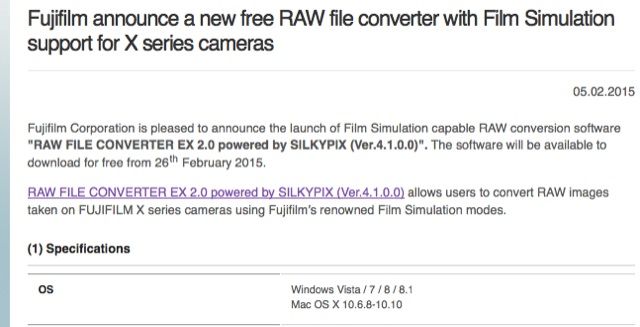
From the Fujifilm site:
Fujifilm Corporation is pleased to announce the launch of Film Simulation capable RAW conversion software “RAW FILE CONVERTER EX 2.0 powered by SILKYPIX (Ver.4.1.0.0)”. The software will be available to download for free from 26th February 2015.
Compatible models: X-T1, X-A2, X100T, X30, XQ2
Future compatible models: X-PRO1, X-E2, X-E1, X-M1- X-A1, X100/S, X20, X10, XQ1, XF1
NEW X-DEALS
X-SERIES CAMERAS
X-T1 + 18-135 WR (save $200 – price $1699): BHphoto / AmazonUS / Adorama /
X-T1 + 18-55 (save $100 – price $1599): BHphoto / AmazonUS / Adorama /
X-T1 Black Body (save $100 – price $1199): BHphoto / AmazonUS / Adorama /
X-T1 Graphite Body (save $100 – price $1399): BHphoto / AmazonUS / Adorama /
X-E2 Body (save $100 – price $699): BHphoto / AmazonUS / Adorama /
X-E2 + 18-55 (save $100 – price $999): BHphoto / AmazonUS / Adorama /
X30 (save $100 – price $499): BHphoto / AmazonUS / Adorama /
XQ1 (save $100 – price $299): BHphoto / AmazonUS / Adorama
XF LENSES
XF 18-135mm (save $200 – price $699): BHphoto / AmazonUS / Adorama /
XF 18mm (save $200 – price $399): BHphoto / AmazonUS / Adorama /
XF 60mm (save $200 – price $449): BHphoto / AmazonUS / Adorama /
XF 23mm (save $150 – price $749): BHphoto / AmazonUS / Adorama /
XF 56mm (save $150 – price $849): BHphoto / AmazonUS / Adorama /
XF 14mm (save $150 – price $749): BHphoto / AmazonUS / Adorama /
XF 10-24mm (save $150 – price $849): BHphoto / AmazonUS / Adorama /
XF 27mm (save $150 – price $299): BHphoto / AmazonUS / Adorama /
XF 35mm (save $100 – price $499): BHphoto / AmazonUS / Adorama /
XF 18-55mm (save $100 – price $599): BHphoto / AmazonUS / Adorama /
XF 55-200mm (save $100 – price $599): BHphoto / AmazonUS / Adorama /
40 Responses
Silkypix again. Yeeesh.
A lot of business in the East is done based on relationships, and I assume that Fuji have a specific relationship between some employees at each company that is being leveraged to produce this stuff.
Finding people that speak English with any level of fluency in Japan is difficult, so partnerships with foreign companies is far more unlikely.
Indeed, most of the weirdest business decisions in Japan are made based on relationships or family legacy. But even Sony eventually abandoned their Memory Stick.
“…are made based on relationships or family legacy.”
And this differs from the West how, exactly?
Whole world runs on relationships, nepotism, and favors.
It works well in places where traditions and connections are highly honored, e.g. Japan. It is part of the culture. Plus, their way of doing things are hard to adapt to for people from different cultures. It is not only about speaking the language. Japan’s economy used to be very vital. I think the pride still remains. Until today, some companies still refuse to have any connections with consumers abroad.
Will it have the same old user interface?
I bet!
What about Lightroom and Classic Chrome for the X-E2? I love it in my X-E2 since having the new firmware but I can’t make use of it in Lightroom. If I fake X-T1 metadata in my X-E2 images I can use Classic Chrome in Lightroom but come on…
Didn’t believe this, but just tried it and you’re right Andreas.
How do you fake the meta data? Do you use exift tools?
fuji what a shame 3 years without a proper raw converter
3 years and counting
At last..
and hopefully in 2018 we’ll see support for the then 7 year old X-Pro1.
I don’t know Silkypix. Is it possible to convert the RAW file into tiff ? Thanks.
Yes, SilkyPix is a full featured raw converter. It’s quirky in my experience but powerful. The worst part is the translations. But they may have improved on that.
So, it is just Silkypix with film simulations? Why don’t they just offer the in-camera converter as a bare-bones converter? Silkypix is terrible, so this is likely pointless.
I am starting to think Fuji has no clue. If they think Silkypix is sufficient, perhaps we shouldn’t expect much from them going forward.
“Why don’t they just offer the in-camera converter as a bare-bones converter?”
Seriously, this is something I’ve wanted from Fuji since the day I got my X100. The camera produces great JPEGs, so please Fuji, just give us a simple PC/Mac-based version of the same thing.
and as soon as they do that, you’ll get 1000 people up in arms asking for more, explaining how useless it is etc … want to bet ?
Yes, it is shocking that they have never considered it. They would likely sell more cameras if they resolved the RAW conversion issues themselves. I definitely get far better results using the in-camera converter with minor adjustments in Photoshop/Capture One.
They gave all the necessary algorithms to the people in the know @ adobe and all other software developers. What these guys do with is is not FUji’s responsability; They are hardware manufacturers; software is a completely different job/mindset both hardly mix well together (look at the computer industry even Apple is not the best at day to day software : they do drivers, operating systems etc … not much more). So you cannot judge Fuji by the lack of good raw convertor; you could blame them for poor x/y/z on the bodies/lenses front but that is it.
Would this mean I could import my x-a1 RAW file and select a setting in the software for the Classic Chrome look? As that film simulation is not available on the camera itself?
Focus on Japan only? Silkypix seems to have an installed base in the land of the rising sun. I though Panasonic has about the same approach. But the rest of the world is looking to another solution, name it: Lightroom. It has become possible to get a decent result in 5.7 with a bit of trial and error. But to my feeling, this is about 75% of what we really would like to see. The Lightroom sharpening creates in some cases very weird substructures/textures, without it the picture is unsharp vs any other convertor. I’m pretty sure this whole issue made a lot of initial enthousiasts switch to other brands because they got so tired of this issue. Is there really no way to influence Adobe or to develop some kind of plug-in that can do the job?
Lightroom is a nie program, but it is far from the best raw converter. That’s why in most professional studio environments for commercial/fashion etc., Capture One is pretty much the de-facto standard.
Sharpening is by far not the only issue with LR/ACR. Images with lots of saturated colors like neon light are one of many other problem areas.
To be honest, over time, I did several very detailed comparisons between LR, C1 and a bunch of other convertors. Over several brands (of DSLRs, MILC). I got never convinced that C1 was a better performer than LR in terms of real, exported jpg IQ. However, in MF, it could be an entirely different story and that explains the commercial/fashion interest. With the X-trans RAFs – maintaining the right settings – I know that LR 5.7.1 and C1 V8 can get very, very close, I don’t even think someone can tell the difference. A lot of people just don’t know the right tweaks ;-). See http://petebridgwood.com/wp/2014/10/x-trans-sharpening/ & a few other posts, really providing you a different kind of conversion quality.
I agree. Using the tweaks mentioned in http://petebridgwood.com/wp/2014/10/x-trans-sharpening/ made x-trans raw conversion easy in Lightroom.
The problem with Lightroom isn’t sharpening. The problem is with something it probably does during demosaicing that creates that painterly effect and kills a lot of detail. See for example this comparison: http://www.eyesuncloudedphoto.com/blog/2015/2/4/supplement-to-the-x-trans-raw-conversion-article
and the post linked at the beginning of that article.
Most pro and serious amateur photographers use LR (pretty much the market leader in raw processing). Some high-end studios use C1 or other alternatives, MF people mostly, but it’s a tiny minority compared to how widespread LR is.
Maybe Silkypix learned something from working with Nikon on Capture NX-D. It’s far less Silkypix-like than I expected. Even the translations are more appropriate (at least the English version I can see). Perhaps they’ll take those lessons to this version, too. I’m hoping this raw converter works well.
I don’t see why Adobe insists on limiting camera profiles to those for the camera the image was shot with in the first place. If I want to match a Nikon shot to a Fuji photo or vice versa, it’s all manual work unless I go with “Adobe Standard”.
You have to ask Adobe. They control Lightroom, not Fuji.
My version of FujiFilm-provided SilkyPix doesn’t even list Velvia, Provia, etc. They have some modes that approximate those, but not those. It’s really irritating.
We will find out when the software is released. I hope it takes the raw conversion to another level but I kinda doubt it. The current version is OK-Good but not superb and the interface is weird for westerners. Hope they address both.
Absolutely good news.
This suggests it is Silkypix Ver.4.1.0.0? Currently Silkypix is at V6. Why not releasing V6 than :/
Probably because Fuji didn’t want to pay for the latest version. Or it’s not directly comparable.
I read it as a minimum standard. If used in conjunction with Adoble LR, I don’t see what the other versions offer that is not in LR.
http://www.isl.co.jp/SILKYPIX/english/upgrade_details.html
their version of Sylkipix has been provided with the bodies from day 1; Whether you like it or not is a different story
Sharpening algorithms are indeed never without risk – depending on the setting – it will not only create false detail and halos in some cases, but also a kind of strange granularity-texturizing lpartly related to Adobe’s demosaïcing process itself (this being said, also for other RAW files Lightroom is having comparable issues when you start playing with this). I still think that Peter Bridgwood’s article lets you create in most cases very professional, acceptable pictures with version 5.7.1 – to a level that they really hold the curb now compared to other RAW convertors. Strange is that this kind of artifacts gets on some pictures a bit more visible while others don’t suffer friom it so much. To my feeling, this is not always related on special detail or sub-textures in the picture itself. That being said, be honest, these artifacts remain for 99% in the pixel peeping domain and when it comes to printing I would say that Fuji almost for 100% delivers an excellent result. I admit Fuji made a very rough ride towards a decent solution – there would be a lot of added value if Fujifilm & Adobe could collaborate very close on a perfect ‘out of the box’ demosaïcing in what seems to be the most mainstream RAW-convertor & picture library manager in the world.
To me it seems to be some kind of noise reduction that they are doing. Maybe combined with some form of sharpening. But it totally kills detail and texture.
Just for fun, yesterday I tried Silkypix on a portrait and I was really shocked how much texture there suddenly was in the skin, that had been totally destroyed by Lightroom.
About not being able to see the effects normally, I’m not quite sure. If you look at the article I posted, there is quite a difference already in the small pictures. (Yes, some of it comes from the different processing, the lack of texture in the Lightroom version is quite obvious to me.)
As for the sharpening method advised by Peter Bridgwood, for my taste that produces a rather unnatural oversharpened look. And in my testing I had trouble with artifacts. In the end, I didn’t really get better results than with my old sharpening method.
It doesn’t bring back the texture anyway.