Fujifilm Colors
I am one of the few on this wonderful globe, to have had the privileged to own and shoot with all X-Trans cameras (except the X-Trans 4, until now).
And when in these days I read that the colors on X-Trans 4 might be slightly different from those on X-Trans 3, this does not surprise me at all.
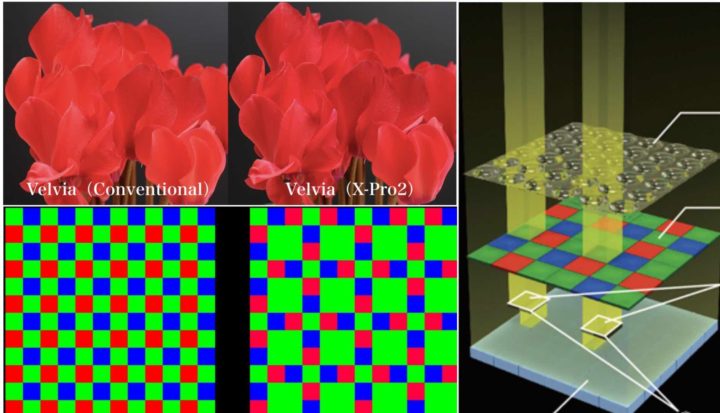
In fact, Fujifilm has always slighlty fine-tuned and changed colors with every Fujifilm X-Trans/processor generation. And they even say it openly here, that they change colors trying to reach “the ideal vision” or “the ideal color reproduction” by taking advantage of new technologies (new sensors/processor).
It’s all about improving Fujifilm colors/film simulations, mostly based on customer feedback.
For example, when people complained that red colors with X-TransII in Velvia are too strong and lose texture too quickly, Fujifilm desaturated the reds a bit with X-Trans III.
So, there is nothing like “THE Fujifilm colors“.
Fujifilm colors change with every new sensor and processor generation. Then it’s up to you to see if they changed for the better or for the worst.
The Problem With DPReview Lab Test
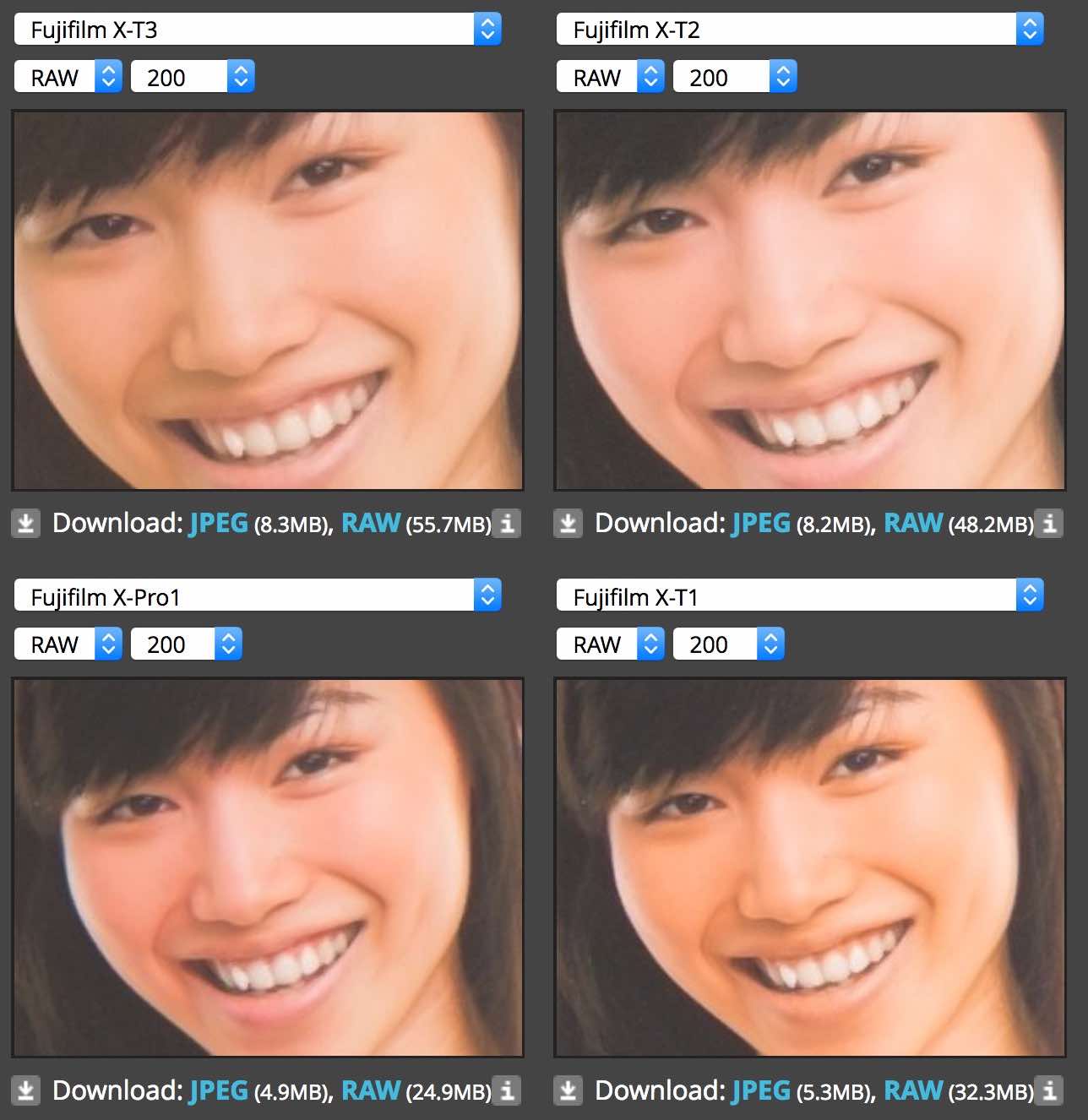
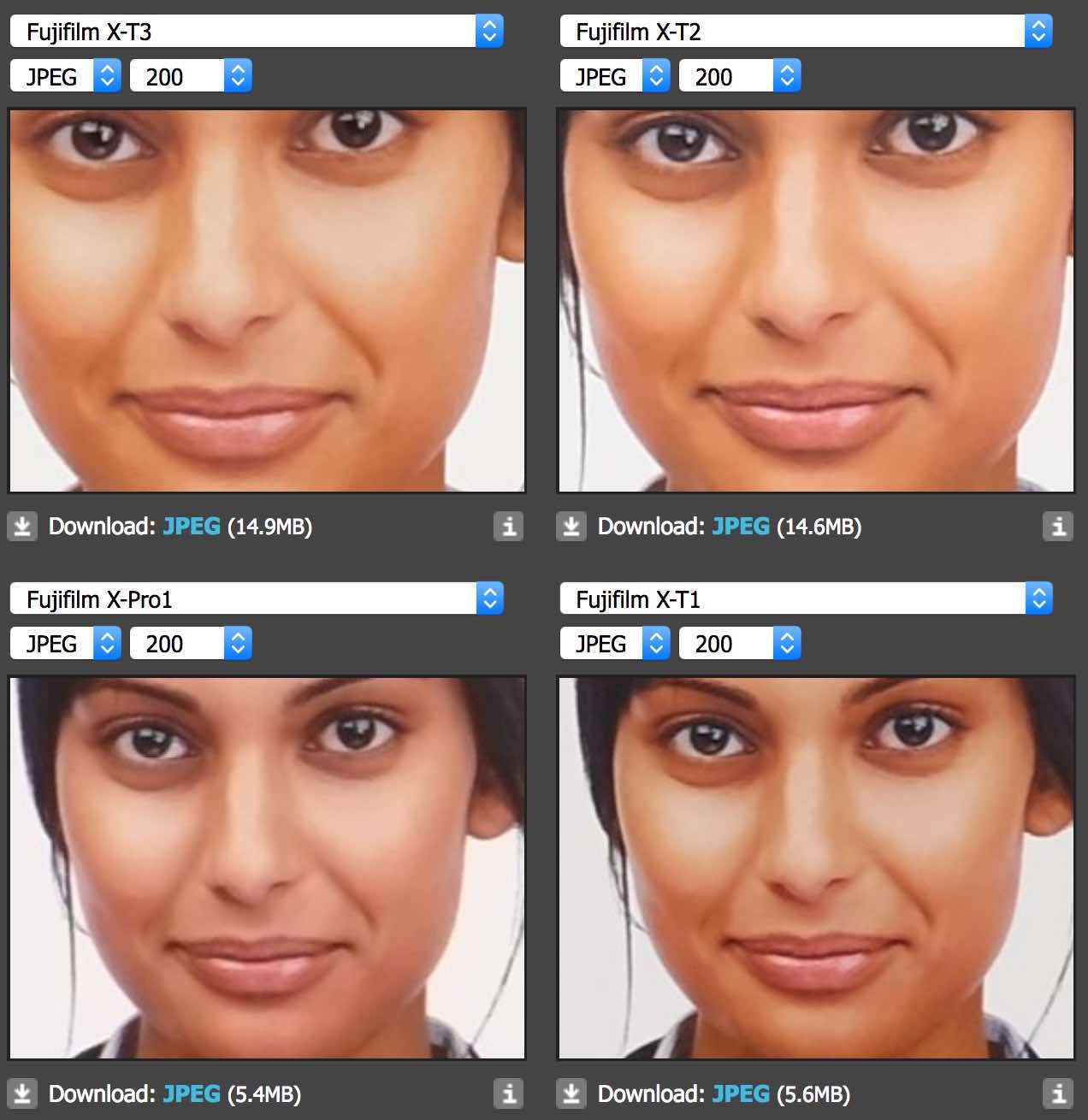
The problem with DPReview lab test is that their Fujifilm X-Trans RAW samples we pixel peeped yesterday don’t show you the Fujifilm colors.
Why?
Because RAW file colors depend on the RAW converter you use (and in case of the X-T3 it’s even just a beta support). And as far as I know, RAWs don’t really have “colors”, but “luminance”. Colors are created during the demosaicing (correct me if I am wrong).
To get the closest results to “real” Fujifilm colors in Lightroom, you would have to apply to the RAW file one of the Fujifilm film simulations presets in Lightroom (Astia for example is great if you want the best skin tones), and then continue to edit your image from there… if there is any need for editing at all, given how amazing Fujifilm film simulations are ;).
Of course, the film simulation profiles in Adobe Lightroom do not match 100% the “in camera” film simulations (or “in X RAW STUDIO”), but they are Adobe’s attempt to get as close as possible to Fujifilm colors, which is already much better than their standard stuff 😉 .
So when yesterday some of you compared the RAW file colors, just know that these are not really the “Fuji colors”.
Down below you will find the results of RAW and JPEG from X-Trans I to X-Trans IV, as you find them on DPReview.
Fujifilm X-T3 IN STOCK NOW: BHphoto, AmazonUS, Adorama, Focuscamera
News, Rumors and Community
Fujifilm X-T facebook group / Fujifilm X-T facebook page
Join FujiRumors: Facebook, Instagram, RSS-feed and Twitter