










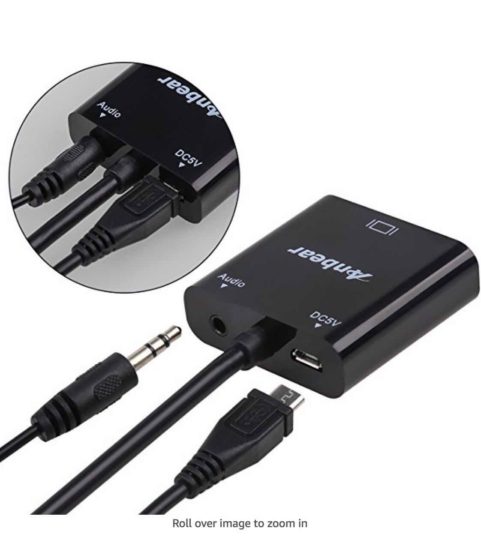
As you know, the Fujifilm X-H1 and X-T2 have the headphone jack built-in only into the vertical battery grip, hence you need to get the grip in order to be able to monitor your audio.
But there is a (very cheap) workaround.
Fujifilm X-H1 facebook group member S. has reported to us a little “hack”, that some of you might find useful, too.
“I have just make with success the hack for the audio out monitoring with a micro-HDMI to VGA adaptor. Very lightweight. It works perfectly just plugging the headphone. The adaptor works without external power supply. No audio lag in headphones during filming”.
Just one lack:
“In PLAY mode, the X-H1 shows the film only by the HDMI output, not on its display. I hope that a future firmware can give the possibility to play the videos on the display even when a micro-HDMI is plugged.”
FujiRumors is everywhere: Facebook, RSS-feed, Instagram, Youtube and Twitter
Our Facebook Groups are Full of Tips!
- Fujifilm GFX User Group
- Fujifilm X-H User Group
- Fujifilm X-E User Group
- Fujifilm X-T User Group
- Fujifilm X-Pro User Group
- Fujifilm X100 line Group
Our Facebook Pages for fastest news and rumors
