







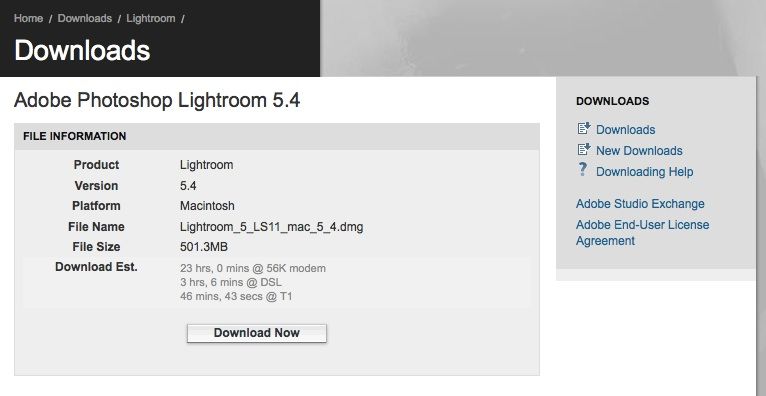
It’s not a rumor anymore, it’s a fact: LR 5.4 with X-T1 support is here (thanks a lot to the brand new source, who decided to share the Lightroom 5.4 rumor with the FR-community).
You can download it at Adobe’s page (Mac / Windows). LR 5.4 adds support for the Fuji X-T1 and Fuji’s film simulations.
Well, I shared the rumor and you are free share your considerations about LR5.4 in the comments.
_ _ _
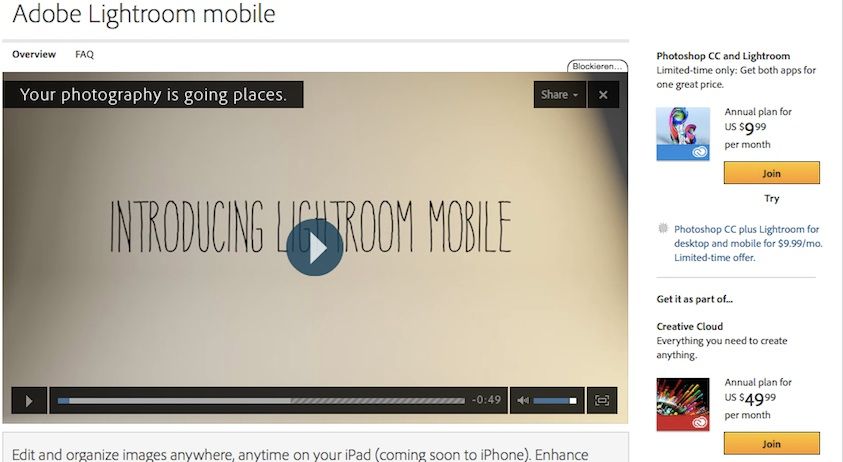
The Lightroom Family is growing: the company just officially released Adobe Lightroom Mobile (for Creative Cloud Subscribers). Limited features but still a nice tool to quickly and easily edit your images on you iPad.
cheers
Patrick (facebook, google+ and twitter)
video at Adobe’s website
65 Responses
I’m downloading 5.4 right now and setting my X-T1 to RAW for tomorrow 🙂
The mobile edition is welcomed, but am I right in saying Adobe have tied it to their Cloud editions of the full versions? That’s why I use LR so I don’t have to pay the exorbitant rates for the Cloud editions of PS.
I’m not a fan of Cloud subscriptions either but their current offer for Photographers (Photoshop + Lightroom) is actually pretty decent. The question is when they decide to raise the monthly price? Of course, that’s not different than if they raise the price for the regular download version.
I’m not quite sure whether the mobile version of LR is available to all cloud subscriptions?
Yes, mobile version of LR is a subscriptionware.
No big deal – just use Photosmith on your mobile device.
Can’t see Lightroom Mobile on Aussie iTunes. Hopefully it doesn’t take too long to appear!
Let’s convince Fuji to give us in-camera TIFFs, or the ability to convert files to TIFF using the in-camera converter.
Adobe is definitely not the answer, as they have done a very poor job at converting X-Series files.
As customers, we definitely deserve more, and Fuji should be obligated to giving us an excellent RAW converter, or at least the ability to convert files to TIFF in-camera, to take advantage of the superior algorithm for converting these files. It only makes sense, as Fuji definitely knows best how to convert their own files.
One of the Fuji guys, Billy, suggested it over a year ago, but it seems they have given up on that idea, which I think is a mistake.
I wonder if Adobe’s Fuji RAW processing has changed, now that they gave Fujifilm some extra attention with the film simulation. My hopes aren’t that high but I’m still curious about a comparison with 5.3. 🙂
Maybe I am blind but… Where can I find the Fuji specific profiles? I have some raws from my XE-1 but there is no sign of any profile selection?
In develop at the very bottom under Calibration.
Thanks, but I can only select embedded, I thought it would be possible to change the film simulation afterwards?
Yes, you can change it afterwards. But you can see the Color profiles only if you work with a raw file.
What a shame! I was so happy about the update that I accidentally selected a JPG file out of the bibliography.
Yeah using a JPG kinda defeats the purpose doesn’t it. ^^
Let see if x-e1 is supported, but I doubt..
Yes, it is.
And camera colours emulation is even not as bad as it could be. The difference with out-of-camera jpg is obvious, but it will save some time for those, who are trying to copy fiji’s colours in RAF.
when you say the difference with ooc is obvious, do oyu mean LR is doing a better job than the in-camera jpeg processor? or the reverse?
Err, tastes differ…
Some people(so do I) think fuji’s jpgs are out-of-reach.
But Adobe’s try is defenetely better than nothing(best(and only) 3rd party effort)!
I just updated to LR5.4
Under lens profile I can choose between FinePix X100 and Fujifilm X100S. Before the update only FinePix X100 was available.
Where is X-E1 here?
thanks
Are you shure that the RAF files you are loojing at are from x-e1? In my case I have a long list like ‘Camera ASTIASOFT? Camera Pro.Neg.Hi.’
My bad – there is a camera profile to x-e1 only. Lens profiles are only to x100 and x100s.
Cool. I’m still using LR4, I suppose the Fuji Camera profiles aren’t included, though. I’m eager to see the results on LR5, and see if it’s worth it to upgrade.
Looks like it has a X100S lens profile now. Hooray!
Yep, and it works pretty fine! Already create all the necessary presets to apply film simulations, temperature adjustment and lens profile!
Does anyone know if the LR5.4 version will generally improve the processing of RAW files for all X-series compared to the 4.4?
There has been much talk about the quality of raw processing in LR, but I am a bit lost… if it improves from 4.4, I may consider the upgrade (I also like the film simulations very much)
Finding LR5.4 imports from the SD card is now painfully slow to render thumbnail previews (2-3 per second). CF card seems fine (50+ per second). One other person has confirmed this… anyone else having problems?
Hi,
Same here, importing from an SD or even from a HDD is very slow and quite painful I agree!
Just did a test and it’s nothing to do with CF vs. SD card – rather it appears to be an issue with how excruciatingly slowly LR5.4 renders RAF previews during the initial import. This was not the case in 5.3.
For the test I formatted the SD card and copied a bunch of Canon CR2 RAW files – the import previews were normal and very fast to render. I then reformatted and popped back Fuji RAF files onto the card and the import thumbnail preview generation was extremely slow.
Well done Adobe.
at first I was encouraged –the Astia and Provia simulations seem to give better colours than Adobe standard. As for demosaicing -no difference whatsoever from LR4.4. Smudged foliage and texture is still there. Difference between this and Photo Ninja is still night and day if you look anywhere near 100% –indeed even on a typical monitor or A3 print
To be fair, Adobe have not made any claims of any changes in this area so I’m puzzled why a few people have maintained that there is an improvement. Over LR versions before 4.4 sure, but not more recently. And the new colour options may mean that some images look nicer than with alternative developers where detail is not of too much concern.
It’s just sad that the current Photo Ninja user interface is so bad that I simply refuse to use it no matter how good it is at converting Fuji raw files.
Somebody know how to apply a camera profile (tex astia) to a group of pictures.
-Im not able to do it when import.
-I tried to change one picture and “copy-paste settings” to the others, but in copy settings i not find “camera calibratios” option to copy.
-LR don’t recognize the camera profile in which I took the picture.
So we have to change it one by one?
P.D:Sorry if its a stupid question…
I can synchronize ‘Calibration’ just fine, but only in Develop of course. And then you can create a Preset (one for each film) ticking only the Process Version and Calibration boxes, which you can then use during Import.
Its true, I found the “calibration” check after you said that.
Thanx a lot 🙂
I have 100s of GB of images in Aperture, If I started using LR, how does the mobile version deal with the huge amounts of data?
I read it uses the Smart Previews feature that was introduced in LR5, so they would be compressed copies, and it only synchronizes Collections that you add to mobile. At least that’s how i understand it, so correct me if i’m wrong.
so glad LR included the camera profiles now. I’m really happy how they work
just installed the upgrade from LR4.4 and it works fine! you get the choice of film simulation in the Camera Calibration menu. Did not try yet to compare SOOC pictures with the RAW converted in LR, though
Which, I must say; are not even close. But it’s cool to see Adobe is trying. Needs more work though.
Are there now Fujinon lens profiles for the X series in V5.4?
No 🙁
It wasn’t exactly a secret that 5.4 was on the horizon.
no, it wasn’t a secret that it would come this week, as I told you about it last week 😉
lol, Touche! But I did see it elsewhere. As the RC was out a while ago it was only a matter of time.
It’s since January that I say that LR5.4 will include camera profiles… so this part of the rumor isn’t really new and many talked about it in many forums and websites (sometimes even without quoting FR as source of the rumor).
This specific new source told me that LR5.4 would come most probably on Monday, but as it wasn’t 100% sure, the source asked me to say “next week”. That’s what I did. In fact it the update came on Tuesday here in Europe, but still Monday in California.
The import is painfully slow compared to 5.3 is it just me or others are experiencing the same ? I compared the SOOC jpg with the Lr export and I can say that camera profiles in Lr do a decent job but in overall still SOOC has the edge.
Yes, the import takes more time than in 5.3 – but this version lowered the IQ considerably. I was able to get the same jpeg from LR 5.4 (with a bit of sharpening and use of the Provia filter) as SOOC, so it works but sometimes the simple jpeg will be surely a easier way to the right quality. I´m glad that I can convert from RAW to TIFF without losing any quality and work with it in other software.
It’s probably because you’re importing RAWs instead of Jpegs . . .
Be nice if I didn’t have to pay for the mobile version since I pay monthly for PS CC and LR.
You don’t. The FAQ says that the Photoshop CC bundle should include support. I may try it but editing pictures on something you can’t calibrate color-wise doesn’t seem as much fun.
Yeah I found out that too…..little to early on ranting about that. I read somewhere that it can take up to 24hrs to show up on your app store.
Finally, a workaround for Fuji’s own “Madame Tussauds” problem!
My RAWs look significantly worse than my Jpegs do . . . I’ve checked and re-checked my settings and everything is solid. I don’t quite understand ha SOOC RAWs have been soft and not impressive at all. I’ll keep playing with them but I may go back to jpeg if this is all Adobe has got. Maybe I’m just missing something but I wouldn’t know what. 35/1.4 has always been sharp for me before ha especially at 5.6, 1/220, ISO 200, which is what the file I’m looking at is and it’s very underwhelming and actually quite bad.
Oh come on Adobe!! Lightroom Mobile could have been AWESOME, but
1) I’d rather pay for a stand alone app than being forced into CC
2) Let me use presets! Presets are perfect for a mobile app like this!
3) Let me edit metadata!! Editing metadata is tedious, I’d rather do it on the go and do the real post processing at home
4) More options to organize photos! After all, that’s the strong point of an app like this, not image editing. I have a huge backlog of photos that need to be sorted out!
In regards to the Fujifilm film simulation calibration option for RAW files I’m actually satisfied, though. It’s different from the JPGs – but I like that the presets are softer.
You need Photosmith. Seriously.
And Photomechanic too, if metadata is tedious for you.
I’ve been keeping an eye on Photosmith over the past months but still a bit worried that I have to spend more time on getting it to work and sync properly with LR than I would spend editing metadata. To be fair though, they’ve improved it a lot and made it more reliable over the past weeks it seems, and hopefully the release of LR mobile will push them to make it even better.
Hey Fuji guys & gals – Photosmith’s Lightroom sync is even more stable than it was a few months ago, as our App Store reviews reflect. But if you have any issues at all with sync, please let me know: mwren@photosmithapp.com – we’ll start troubleshooting immediately. And if I can’t get it working, you’ll be refunded on the spot.
Also, we don’t rely on iOS to use the preview JPG embedded in the camera raw files – Photosmith can actually decode camera raw formats like FujiFilm RAF – We’re really excited about the extended full-resolution support for RAF files.
Please give me a shout if you have any questions.
Mike Wren
photosmithapp.com
Thanks Mike, you speaking up here is kind of awesome 🙂 You know, basically all I want to do is import my photos in LR as I always do, select folders (or collections) of which I want to sync preview photos to my iPad (which doesn’t have much storage left). On my iPad I want to easily do my selections and ratings (and be able filter according to those ratings) and have it sync back to LR without hassle so that I can take the rest from there.
Plus the ability to write my description, keywords and captions.
That’s all I need. If you say Photosmith does all of that super easily then I’ll take your word for it and seriously consider getting it 🙂
Thanks – talking to other photographers is one of the better parts of the gig. 🙂 Photosmith’s focus is digital asset management and organization. Editing and syncing photo IPTC metadata (star ratings, flags, keywords, caption/description, other text-based fields) with Lightroom is what we do best. It sounds like we’d be a good fit for what you’re looking to do. Feel free to get in touch any time – mwren at photosmithapp.com if you need any help or have more questions.
Mike Wren
photosmithapp.com
The RAW conversion results for X-T1 files are quite terrible, there’s lots of watercolor effect. I can’t remember it ever being this bad with the X100S or X-E1/2. I uploaded two shots to Flickr with some crops to show you just how bad it is.
Aperture does a way better job, but I switched to Lightroom as I prefer the interface.
https://www.flickr.com/photos/oliglod/sets/72157643662223174/
+1. Its crap. I looked at my raw files an started blaming the T1 for focusing issues until I side by sided them. I really cant believe Adobe has so little pride that they’d release this stuff. It is abysmal. Far worse than it was for the X-E1 even a year ago. Just compare the white leaves in the lower left of this. jpg left raw right https://flic.kr/p/mV7ZrP
Adobe lightroom mmmmmm? Capture One or Photo Ninja? Advice please
They each have their strengths. Overall I think Lightroom is best because it is far more feature-filled and easily integrated with third party apps. Plus it has more features for doing things with images. The conversion is great in some cases, good in others, and good enough for the rest.
I have Photo Ninja and Lightroom and tried CaptureOne, Bibble, Phase One, and others. I think Lightroom has the best workflow. Photo Ninja is what I use when I want to maximize a file. Realistically, though, at most outputs that people consume images (online) Lightroom is just fine.
Anyone know if LR 4.XX will/does support X-t1?
Lightroom is a more complete tool, but I think the color processing is better on Capture One Have not used Photo Ninja
So this has also become an Adobe fan-forum. A company that in the case of X-trans didn’t manage in a timeframe of two years now to come with an even mediocre RAW-conversion quality for this sensor (and Fuji X is really not the only problem case), but has also quite a few license and upgrade strategies in place that pushed quite a few old school users like me off the track. I’m not working to make Adobe richer by the day – reason why I kicked them out a long time ago. Also regarding functionality and ergonomics, LR is a product that compared to the competition never worked for me, doesn’t deliver the best workflow and image quality, the only reason of its existence is that a lot of people don’t dare to look around the corner. It surprises me that even a lot of gear reviewers don’t understand this. Compare cameras using LR with each other, and they all look equally bad 😉 .
Please open my eyes and tell my what’s better than Lightroom in terms of quality & workflow for Fuji XT1 ?