










[XF 10-24 pre-orders: USA: AmazonUS / BHphoto / Adorama / Pictureline / DigitalRev / EUROPE: DigitalRev / PCHstore / AmazonDE / AmazonUK / wexphotographic]
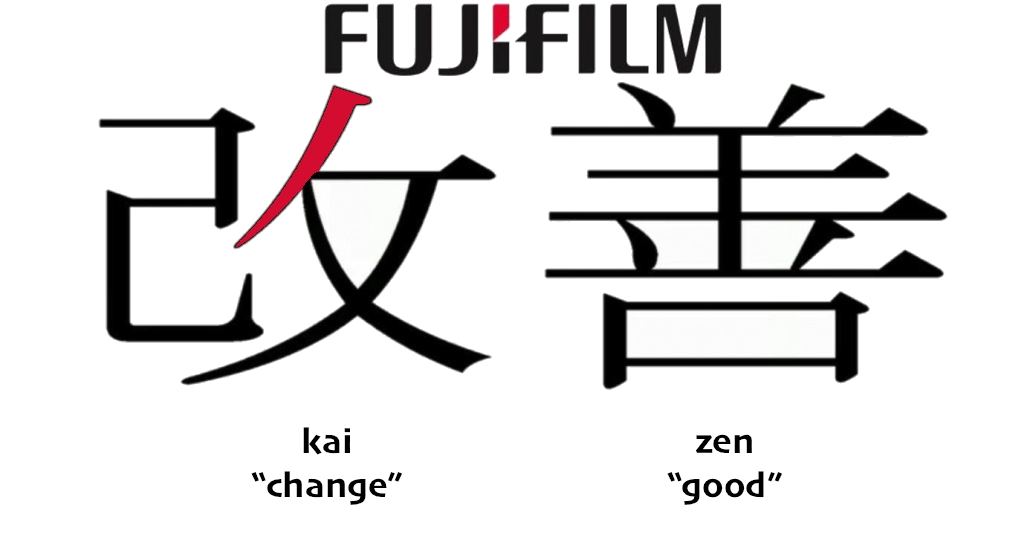
Fuji manager Mr. Kawahara said it here: “We want you to use our camera longer and longer in your life.” That’s the way, Mr Kawahara, that’s Kaizen! Thanks.
And here are the firmware links you’ve waited for: X-PRO1 ver. 3.10 / X-E1 ver.2.10 / X-E2 ver.1.10 / X100S ver.1.10
Improvements on the X-E1: – New functionality allowing you to edit image file names – See the exposure setting in live-view and histogram – Change of numbering for images shot using continuous shooting – Aperture and shutter speed can be changed once AE lock is selected – The default and maximum sensitivity and minimum shutter speed can be set when ISO AUTO is selected – Improvement of RAW file conversion function
Download, test and share your findings in the comments.
NOTE: If you have problems to see the new firmware then you probably have to clean the cache! The easiest way is described in Rico’s X-pert corner post “Tips for Updating your Firmware”: “just delete your browser cache or force your browser to reload and refresh the page by, for example, holding the Alt or Option key while clicking on Reload.”
You will find tips like this and much more in Rico’s new book “Mastering the Fujifilm X-E1 and X-Pro1 (use code FUJIRUMORS to save 35%!)
cheers

147 Responses
Wow, thats painfully slow… 14,7 kB/s…. Must be others stealing my bandwith 😉
OK, who asked for renaming photo suffix? Completely useless feature for me. Professional photographers will probably prefer folders to this.
Or, should we look at this as the first keyboard screen with other uses to come?
1. Name custom settings.
2. Add copyright / comment information to EXIF
3. Create folders
Otherwise not much of an update, and it reset all camera settings, which I hope won’t happen every firmware update (hasn’t happened in the past with the X-E1).
yes me too!
The ability to change Suffix is handy. Rather than seeing generic lettering in the filename I can taylor it to my company name. Now when I import all I need to do is add capture date before file name to have a unique name to me. Handy when submitting work to agencies.
Not all features are going to be useful to all people, doesn’t make them any less useful.
– Changing filenaes (for aRGB and sRGB) is great news for those who shoot multiple colourspaces and needs to incorporate that in their workflow.
– “Aperture and shutter speed can be changed once AE lock is selected” was introduced by Canon with the T90 in 1986. It makes AE-lock way more usefull and it’s a shame it took Fuji 17 years to implement it…
– “default and maximum sensitivity and minimum shutter speed in ISO AUTO” are a huge upgrade for those who actually use AUTO ISO. Up to now AUTO ISO was useless with moving subjects (aka people) and forced us to use Manual instead of Auto. Manual and AUTO ISO disables exposure compensation, so we was cursing a new idiosyncracy…
And I can’t really remember a major update which didn’t reset settings to default, from any manufactorer.
I can’t edit the suffix after the update, only the prefix (or at least part of it in AdobeRGB). Editing the suffix sounds like a bad idea, though. Replacing RAF and JPG with something sour computer cannot recognize could put you in a world of pain.
RAF and JPG are extensions, not suffixes.
Well, then I am at a loss about what on earth could have been meant by editable suffixes.
Well… I’m one of the people that have been itching for this feature. I shoot weddings with my X-pro1 and X100, and the filenames are identical in both… initially not a problem, but i ran into problems numerous times, where the filenames overlapped. Yes, i could transfer them into seperate folders, but that presents problems as well, in that i cant use custom file sort ordering in lightroom, unless they are in the same folder. For me, its much easier to setup the cameras with seperate filenames.
This feature doesn’t work for me anyway! Anyone else having trouble editing the file name? Mine won’t change no matter what I do, including formatting card, changing Frame No. setting to continuous or renew…
OK I worked it out. In case anyone else is having the same problem, you have to delete each of the old letters before you enter a new one…
Auto ISO Limit can no longer be set through Q menu. this really sux.
Yes, it can! But you have to set it up first (min shutter time, min and max ISO) via the menu. Then it can be selected by the Q menu.
not flexible like last time, where you can select auto1600, auto3200, auto6400 at Q menu
On the X-E1 different AUTO ISO settings can be assigned to each Q Menu custom setting. For example
C1 could have Auto ISO settings of MSS 1/60th, Min ISO 200, Max ISO 800
C2 could have Auto I would then provide a simple quick setup for low light where extra noise can be traded off or at least capturing the image.
This is the approach I am taking
Yep, that was explained weeks ago in the latest X-Pert Corner article.
This update resets all your settings to defaults.
Yes, a bit of an inconvenience. However, so far I am very pleased with the update. Using the OVF is even more of a pleasure now that the frame lines are more accurate, even at very short distances! Still testing, so my weekend of shooting goes smoothly…….
X100S link is going to “Firmware Update Ver.1.03”
I’m personally very happy with this firmware. They fixed the top 2 issues on my list. (min shutter speed & exposure preview in manual mode)
The camera (X-E1) feels more responsive, they seemed to have improved the jpeg preview for raw only shooting.
Things I’d like to see in the future the most:
-Changing the min shutter speed with the command dial, or at least with an FN button.
(most X-E1, or X-Pro1 users don’t use the command dial for setting the aperture..)
-the now unused AF button to become an FN button
-Red focus peaking
I’m a bit confused … right under the link with the FW-file it says (for X-Pro1):
“If you have upgraded your X-Pro1 with firmware version 3.00, update to the latest version is required.For details, please refer to the following page.”
What does that mean??
It means “please upgrade to firmware version 3.01 before upgrading to version 3.10”
@hans, Thomas: thx, I think Hans is right!
I think it’s just telling us there’s a malfunction in ver. 3.00, so all the owners of XP1 with firmware ver. 3.00 should upgrade to ver. 3.10.
@Hans, Thomas:
thanks; I think Hans is right. Actually I was already on 3.01, so I didn’t have to try out what happens, when you directly go from 3.00 to 3.10 …
I recently purchased a brand new X-Pro1 in November, it’s firmware was 2.01 out of the box so the first thing I did was update to the latest fw which was 3.01 at the time, works fine as I didn’t expect it not to… I think I remember reading at the time, always update to the latest version and not necessarily the next one up.
If I have to set my custom profiles again this reaaaaaly sux!
My x-pro forgets all the presets every time I press the q button.
It happened on my too, but only once. Now I cannot reproduce this problem any more.
I am always amazed to see people complaining constantly, even after receiving such an important update. Now we have minimum shutter speed settings in auto iso, and the update to the OVF seems to be very good.
One could argue that they wouldn’t need to have updated the firmware if they had gotten it right from the get-go. Name ONE other manufacturer that had to update firmware so many times for even a single model.
They rushed out inferior cameras one after the other and you suckers THANK them for fixing what should have right from the beginning.
And the real laugh is that it STILL isn’t right. How many more updates before you get colored focus peaking?
Glad I got rid of my crappy Xpro1 before the used prices tanked.
One could argue that they did not have to update, period. Name ONE other manufacturer that allocated as many resources to old and even out-of-production cameras. When Canon updated the 7D, everyone went berserk, because that was unheard of, and if you are familiar with Canon you’ll know that guys like Magic Lantern work huge hours to unlock the full potential of the Canon cameras.
The whole ‘it still isn’t right’ argument is misplaced, to put it mildly- there is no camera that gets everything right, since most of the users will themselves disagree if a) a certain feature is needed or not and b) how it should be implemented. Inferior cameras? What is this, trolling 101?
In closing, glad you’re no longer the owner of an X-Pro 1.
Right on Adrian.. Couldn’t agree more.
We have been listening to people wanting the minimum shutter speed setting for a long time now.. and now that they get it they simply move the goalposts back or whine about something else..
None of these updates are really important… to me.. But I am happy as hell to see Fuji contining on the path of Kaizen.. Yes, maybe slower then some would like it for some features, but making good, solid progress nevertheless.
The only thing I would like to see now incorporated in future updates are:
* Focus Peaking with a choice of colors and intensity levels
* Menu driven intervelometer opition
Love my XPro1 and X100s now.. would be over the moon for the above two updates/features.
One could argue that you’re the “sucker” for buying an “inferior” camera to begin with.
Most of us have loved the Xpro since the beginning and it has only become better. I suspect your snide remarks at current users are misdirected feelings of self-regret for selling your camera and a general self-loathing that is prominent in all parts of your life.
Haha – that is awesome. There are not very many camera bodies, if any, that are good investments. And, while I agree, the Fuji X-Pro 1 wad released in beta form, but it is excellent now. If you haven’t been able to take good shots with it in the past half a year, look no further than yourself.
And, if you are one of the overly anxious consumers who bought the A7/A7r, I bet you will be hoping for some firmware updates, because it has some issues. Does it even have minimum shutter speed settings in auto iso? I think the answer is no, but I may be wrong. I am sure you will be hoping for lenses as well – that would be the same if you have a NEX series camera as well.
One thing is for sure, there is no firmware update to improve your own weaknesses. And, judging by your misserable attitude, I am guessing – though I may be wrong – I bet there is some serious need for improvement in that.
Have a great day! Hopefully your tone does not reflect how it has been going so far!
Yeah, these cameras are so bad when released I’m not sure how I even made photos with them…
X-E2 Firmware Update: No “view mode” button yet!
1) Please add the possibility to assign the “view mode” to any function button.
2) Please retain 3 different “view mode” settings for the 3 different operating modes:
– Shooting mode –> EVF Only + Eye sensor to turn EVF on/off.
– Playback mode –> Eye sensor: Automatic display selection using the eye sensor.
– Change Settings mode –> Eye sensor: Automatic display selection using the eye sensor.
+1, but I think a larger update for X-E2 will come, when they have to more than to add one option.
my XE1 no longer use my 35 1.4, doesent work!
Did you update it with the lens on? You are supposed to update it without a lens on.
Really? Always had a lens attached when doing all updates in the past and it worked like a charm this time too.
Seems like some welcome features in this update but possibly not to everyone’s liking. Anyone know if it’s possible to roll back to the previous firmware version if necessary?
Nope. That’s why you should wait and let others beta test it before committing.
x100s user. The preview exposure in manual mode mode is very nice, but why in the hell it works different in auto focus mode vs manual focus mode?!? In AF mode when you set your aperture at f8 for example, the lens will close to this aperture, look at your lens an you will see it. But in manual focus mode, the lens will stay open at f2! Even the histogram changes when you switching focusing modes. BUG!
And Fuji please make the frame lines set right away when you use manual focus mode, not when you half press the shutter! In AF mode you can use AFL to lock focus and frame lines will lock, why this is not working when you setting focus in manual mode!
Still 1/125sec as min shutter speed in autoiso sucks.
Hi Kris,
I think the different behaviors with aperture is not a bug. When using manual focus you will have a more accurate focusing with the aperture open at maximum (lower depth of field).
I’m using optical viewfinder and camera is pre focused. Aperture at f2 is useless in this mode. It’s only delaying picture taking.
I am very confused/disappointed about the min shutter setting in the auto iso update.
I see that everybody seems happy about it, and it really was the most important thing i was expected to be updated in this firmware for my xe1.
The problem is that it doesn’t really matter: the camera will overwrite it (whit a slower value) if a good auto exposure ca not be achieved with max iso setting. I was just expecting that if i set max iso 1600, min shutter 1/100 (for example), never to have slower speed than 1/00 (or higher iso than 1600) even if the resulting image is underxposed.
Am i missing something?
Thats right i have the same problem!!!!!!!
It might me a feature, not a problem:
http://www.fujirumors.com/using-auto-iso/#comments
why FUJI ?!?!?
Would you prefer those photos to be underexposed?
If 1/100 and iso1600 doesn’t cut it with the aperture that’s available then what other choice do they have? Isn’t it your fault for not allowing the iso to be increased to 3200 or above?
I have a feeling you ppl are using the shutter dial for setting the min shutter speed for auto iso & that is the problem.
For me it works perfectly just to be safe I tested it again (x-e1) just now.
Yes I would. What point is a “min.” shutter speed if the camera overrides it anyway?
It doesn’t if you use it properly. You can’t expect it to magically turn darkness into 1/100 just because you want it to, if there’s no light, there’s no light. How can you be so naive. You want 1/100 no matter what then use manual. Out of all the camera’s in the world you have the only brand that still gives you a dedicated shutter dial. USE IT !
If you use it properly? Not to get pissy MJr, but please look up the definition of “minimum”; it is the camera who is not using the Min Shutter Speed properly, not us. No, we don’t expect to turn 1/100s into daylight, we expect to take a shot that is not blurry if 1/100s is what it takes for it not to be blurry. Yes, we understand it will be underexposed, and we are OK with that because chances are we’re shooting RAW and we’ll be able to push the exposure in postprocessing.
Also, we don’t shoot in Manual because, and I’m probably speaking for most of us here, we’re shooting in an area of changing light conditions, so some shots will require Min Shutter Speed, others won’t.
Yes, I noticed this when the new feature was first described … but I’ve long since given up with these cameras … so just shoot Shutter Priority using that dial on top of the camera.
I have a Ricoh GR, its amazing how much better its firmware is.
Absolutely!
and if we exclude “the great” feature for file naming..
By the way I have strange feeling my battery lasts less..
I like it that way. You’re getting the little yellow warning symbol, if your minimum shutter speed is underscored, so you wouldn’t go below it accidentially.
I dont get this update. The min shutter speed does not work and i dont even get a yellow warning sign…
I don´t know if any camera manufacturer are using min. shutter speed/max iso in the way you describe. Before my switch to Fuji I was using a number of Nikons, and all of them worked in same way as Fuji does now, i.e. if max iso is not enough then the shutter speed will go below your set minimum to achieve a “correct” exposure.
Put it in Manual exposure mode with Auto-ISO on. Problem solved.
I totally agree with you @adrian. This is not what I expected. I thought it would use minimum shutter speed value as the slower it would go. I don’t see the purpose of having a minimum shutter speed that is not respected by the camera. I prefer having slightly underexposed shots than out of focus shots in these conditions.
To me, the camera is acting pretty much like it was before the update.
I don’t see how a slower shutter speed could result in out of focus shots.
If you’re referring to motion blur, then how could this occur if the result you get with your preferred implementation would just be “slightly underexposed”? That would mean that the shutter speed is also slightly slower than the configured minimum, so the chance of ending up with motion blur is also slight.
Of course, you still have the option to raise the max ISO if you’re concerned about dipping below your min. shutter speed.
What if your max ISO is 6400? Some of us like to shoot at night, you know?
I appreciate you’re trying tío find a workaround for us, but there isn’t one if we’re shooting at max camera ISO. It would appear most of us choose a Min Shutter Speed for a reason, and we want it to be an actual limit, not a suggestion.
Yes I know that some of you shoot at night. There’s no need to get condescending just because you don’t understand my point.
I was saying that if your shot would be #slightly# underexposed due to maintaining the min. shutter speed, then it is very unlikely that you’ll get motion blur if the shutter speed is lowered (because the difference in shutter speed would be just as slight).
c0ldc0ne,
It might be a slightly slower shutter speed, or it might be 2 stops worth, who knows!? Depends on the lighting of each particular shot. If the Min Shutter Speed were just that, a minimum, then there would be no issue here.
As already mentioned, Fuji implemented it the same way as other camera manufacturers. Keep in mind that it’s not advertised as a global shutter speed limit, it’s just a parameter within AutoISO, and viewed as such it works perfectly; it will never choose a slower speed as long as it can choose a higher ISO.
Now, I would definitely welcome a global shutter speed limit feature (and why not a similar feature for aperture settings?), but that should be a separate feature, not part of AutoISO, IMHO.
I thought the x100s firmware was going to give a min shutter speed option of 1/500 in auto iso? The fastest shutter option I see is 1/125th.
does it really matter for your camera?
I mean, see the comment bellow in which i describe how it (NOT) works for the XE1.
Yes, very disappointed that the x100s still has only 1/125 instead of 1/500, as a min. shutter speed. As a street shooter I was very much looking forward to this.
Thank you Fuji!
Hello,
Can anyone describe his experience with the new OVF framelines behavior ?
I understand that the framelines should be more accurate, which is relly great !!
But how about “By maintaining the position of the bright frame with parallax compensation during AF lock, the shooting area can be checked even when letting go of the shutter release.” ??
Thx,
Basically, after aquireing forcus you need to press the AFL/AEL-button (if it’s ste to include AFL. Than depending on your settings it will keep the parallax compensation either if you hold it the whole time (mode: AF&AE on when pressing) or after the first click (AE&AF on/off switch).
I hope that helps.
Thanks for the feedback Mike.
Ok so it is only upon locking AF. I had thought that you would see the framelines moving during focus acquisition and that the framelines would remain in the current position after the shot is taken after releasing the shutter.
thanks fuji…now I’m waiting the first 10-24 review 🙂
Wow, that is awesome, FUJI ROCKS
Very happy with the update on E1. Bravo Fujifilm!
Firmware size seems to be 36.3Mb instead of 36.5 stated at the official site
I thought they were also including making the 1/3 stop shutter speeds persistent, like they are on the X-E2? I did not see that in the list…
Exposure bracketing: More than +-1EV! (min +-3EV) And, why not, more than 3 pictures;
After updating firmware on the X-E1 the flash doesn’t work anymore, neither built-in flash nor external.
Rantan, Have you silent mode activated? It happened to me once, I thought my flash was broken and it was that I had stealth mode activated.
Cheers
Great, they’re getting there… now get me some compressed RAF action on my X Pro 1, and I’ll be REALLY HAPPY. 🙂
Hey, I can’t activate the MF distance scale in the OVF (x-pro1).
I thought maybe I messed up the settings and it would be OK again after the update, but that wasn’t the case. I’m still missing the MF distance scale when I change to the OVF. Without the MF distance scale manual focusing is obviously impossible in the OVF.
Hm, what am I doing wrong here?
Thanks
Wow, I put on the 35mm lens, and the MF distance scale in the OVF is there!
But the distance scale disappears with the 23mm lens attached, how crazy is that?!
After all, it’s a matter of the OVF, it should be independent from what lens is attached! Come on… that’s a bug.
OK, I am sorry to bother you with stupid comments. But hey, I just had my personal eureka effect.
Both, the 14mm and the 23mm lenses don’t show the MF distance scale simply because they have the distance scale right on the f*cking lens (which you can’t see while holding your eye to the OVF, but OK, that’s the rule of the game).
And the other lenses without any distance scale on it, show it inside the OVF. That’s enough for today.
I had the same revelation. Annoying. I wish it was visible in the viewfinder even though it’s on the lens. If someone doesn’t want it in the viewfinder they can always turn it off with the setting. (FYI this has nothing to do with the firmware update, it’s always been this way.)
Happy for the firmware update. The framelines are far more accurate and the Auto-ISO settings are going to help so much. Thanks Fuji!!
I observed the same, but then a push on the DISP-button solved the “problem”.
;-D Hans
Hey, well it does so for all lenses but the 14mm and the 23mm. 🙂
Thanks Fuji,
Auto-iso in my X-E1 works exactly like i expected to do it. Excelent work!!
Don’t listen the negatives comments please and continue providing us excelent updates.
+1
The instructions state specifically – unless I missread it – to install it without a lens mounted. Who knows…
Anyone else noticed that the 35mm 1.4 seems to be noisier after the update?
it seem the same to me
AutoISO shutter speed. Whoot whoot… finally.
Now my only remaining gripe is the outrageous pricing on their lenses.
it seem the same to me..
“The default and maximum sensitivity and minimum shutter speed can be set when ISO AUTO is selected”
I’d like to warn people about the behaviour of this new feature, lest they get caught off guard while shooting.
The Min and Max ISO values are hard limits, meaning the camera will over or underexpose when it hits your selection and can’t change the ISO any further down or up. No surprises there, I think.
The Min Shutter Speed, however, is not a hard limit. Once the camera reaches the highest ISO it can go, it will ignore the Min Shutter Speed and select shutter speeds below that value in order to expose correctly, so your shot won’t be underexposed. The downside of this is that your shot might be blurry either because of camera shake or subject movement.
I would have expected Fuji to be consistent and make all their user-defined exposure-variable limits either hard or soft, but not mix and match. And quite frankly, a Min Shutter Speed that the camera can override is only partially useful (that is, it only works as long as you’re staying below the maximum ISO value).
nice update, finally Exposure simulation in M mode, make a real difference for me.
thanks fuji..
the last few things needed to make my XPro1 a really usable camera:
1) when in manual focus mode, it would be *really* useful to use the arrow keys to move the zoomed portion of the image , to check focus in different area in the images
2) half pressed button *must* keep the focus locked even after the shoop
3) when viewing vertical images, and zooming, in playback mode, pleas use *all* the LCD and not only a vertical area.
4)trash button must be enabled even when playback is zoomed (it’s normal to check focus and if it’sn not good to delete the image immediately)
>> 4)trash button must be enabled even when playback is zoomed (it’s normal to check focus and if it’sn not good to delete the image immediately)
1+++++ !!!
All is well and good, except STILL NO exposure compensation in manual mode when using Auto ISO. This is critically bad. When will it be implemented, who knows? I use it on canon, I use it on Nikon. WHy, why cannot Fuji allow it on X-Cameras?
Done. Everything went ‘smooooth as budder’.
Not to complain about this update but I don’t understand when Auto ISO min shutter speed is useful… with following settings, Auto ISO 6400, min shutter speed 1/60, F/1.4, very low light, the min shutter speed appearing in the EVF is 1/52, w/o the warning ymbol for shaked picture… ‘cos the 35mm, that’s whatI have/used, is ~52mm, maybe this speed is considered “good” even if the min shutter speed is set higher… so I really don’t understand in which case this feature became useful if is ignored.
I agree! See my comment about this issue 4 comments up.
Oops… I’ve read Ur comment after I submitted mine… pardon!
Continued firmware upgrades to a two year old camera (X-Pro 1) and listening to the users. If only other companies would follow this business model. We asked for AF improvements, focus peaking and adjustments to the minimum shutter speed in auto ISO. May have taken time, but they have given us all of it and then some. And to top it off, we complained about the lack of an opening for the battery door on the optional hand grip so they have even revised the grip! No chance Canon or Nikon will ever offer this kind of support. All of this combined with top notch images and I can honestly say my Canon and Nikon days are gone for good!
Hi everybody!
To the people with a x100s saying that they do not see any change, I believe that the 1.10 fw is not available so far. The Fuji webpage still talk about the 1.03. It may explain the “no change”!!! If so, where is the 1.10??? Please Fuji…
Clear your browser cache and refresh fuji website 🙂
Thank you Kris!!!
Just went to the link and rather than the new 2.10 for X-E1 it only shows the old 2.00. I thought I saw the newer version earlier. Was it withdrawn?
“NOTE: If you have problems to see the new firmware then you probably have to clean the cache! “
Got it! Thanks.
By the way, Fuji, please, new firmware for the X100. Focusing could be better.
Another one? Is anyone ever satisfied? O_O
Have the waxy skin tones above ISO 3200 been fixed on the X-E2 with this update?
Great update! For me the exposure simulation in manual mode for my X-E1 was the most wanted and appreciated. Well done.
My first impressions are the Fujifilm has done other improvements as well: everything faster! Most conspisiously the image display speed, which was rather slow at times.
In reading the comments so far, it appears that an improvement in the Auto ISO will be the flexibility to implement three different options:
1) Current design where ISO is a hard ceiling and min. shutter speed is a soft bottom limit or “floor” where the min. shutter is override in order to obtain correct exposure;
2) The min. shutter speed is the hard limit and ISO will be the soft ceiling and will be override to obtain correct exposure;
3) The ISO ceiling and min. shutter speed are hard limits and will not be override and the shot will be underexposed by choice of the user.
Or (assuming a lens with a fly by wire aperture ring):
4) The min. shutter speed and ISO are hard limits and the aperture will be the soft ceiling and will be overridden to obtain correct exposure;
C’mon guys, is Nikon people ever asking for that much (complication)? And they have the same behavior with auto ISO, AFAIK
I have to agree with this, the whole point of min Shutter speed is to eliminate image blur for me that translates to freezing toddler movement. I’d rather have noise and need to correct PP or convert to B&W then a blurred image. The three behaviour options outlined when EV is exceeded provides the right amount of choice. (of course you can on and on as to what happens when the ISO ceiling is reached, but these choices would be very worthwhile).
My x-pro 1 keeps reseting the custom settings to default and the Auto ISO keeps reverting to maximum 800 ISO…
Is anyone else getting this problem?
no, here it’s working…
I have a problem with X-PRO1 OVF (already enabled ‘correct AF frame’, alredy update firmware 3.10), my process is :
AF on OVF –> switch to EVF to check the different of focus point –> I found that actual focus point in EVF alway under foucs point in OVF
I mean OVF focus point always above an actual one in EVE, from this issue it’s made actual frame line is lower than real.
I’m not sure whether my camera has a problem or not, Is there any one face problem same me?
I have updated two X-Pro 1s and found all to be as Fuji stated–no problems. The OVF is much, much more accurate; even to the point of giving me almost exactly what I framed–a far cry from what it was. Thank you Fuji for the Christmas gift 😉
can see a sample pic of problem via this link :
https://www.facebook.com/photo.php?fbid=637520836307219&set=a.464976200228351.116348.100001479257966&type=1&relevant_count=1
Ex. I take a photo to a doll, OVF focus at doll’s head –> but in EVF focus at doll’s neck
More pic
https://www.facebook.com/photo.php?fbid=637520836307219&set=a.464976200228351.116348.100001479257966&type=1&relevant_count=1
https://www.facebook.com/photo.php?fbid=637555069637129&set=a.464976200228351.116348.100001479257966&type=1&relevant_count=1
i give it a try with 18/55, and yes, it seem that OVF lines and af points are really out…
I can’t seem to change the file names on my XE1, the option is there but it just won’t let me input any new letters?!?
Lost at Sea, you need to delete the current prefix (DSCF) first before adding your own.
Ahhh, thanks NigelL
Think I found a bug. MF scale do not show up in manual mode (if selected) when using the XF23mm lens with X-Pro1.
It’s not a bug. The electronic MF scale is replaced by the DOF scale on the XF 23mm and XF 14mm lenses in manual mode. Some would probably have liked the option use them both, I guess.
I see, thanks!
Everything went well while and after updating 4 Fujis in one go …
No problems detected up to now – presettings have to be set once again after update, but takes me about 2 minutes maximum …
Thanks Fuji for this much appreciated kind of customer support and Kai Zen approach!
Nikon watch and learn!
A very lucky Fuji and very disappointed D600 shooter
which stupid people make that decision, i look through viewfinder to take a manual focus picture, i have to take my eyes off viewfinder and lower my camera to look at the scale in front of the lens. then go back to viewfinder again.
why should i pull the lens to go manual. why not the same design as their first three lenses, why depart from winning formula.
damn captcha error keep saying wrong and start me from top, place in wrong slot after that.
beta testers, pls report any problems, so i can trouble free update later. i will wait.
Eh… This is the trouble free update.
thanks. i will wait a little bit more. just to be at the safe side.
Hey guys, I think I’ve found some bugs after updated 3.10 of my x-pro1, mostly on the custom display settings,that would be lists below:
1: the electronic level guage doesn’t exist on both OVF & EVF.
2: the AF/MF distance indicator can’t be cancelled on both OVF & EVF.
3. the histogram just gone on both OVF & EVF.
And some more…
Also, please don’t get me wrong, I really appreciated that Fuji have done those updates for us, at least for me, but I’d like to ask you wonderful Fuji team to add few features for me in the future:
1: Add EV value control for manual focus mode, this could make it more practical !
2: Few more sets of Fully adjustabe mount adaptor setting.
Well, cuz’ most of time I shot with old manual lenses instead of xf 18-55 or xf 14.
Bugs 1&3 are there on the X100S too.
Hi.. I think that those bugs are all a new feature. You can independently set the view mode on the ovf compared to the screen.
Hey Guys,
I’m trying to update my xpro 1 from version 2.01.
Fuji keeps sending me to the download for version 3.10.
My question- Can I update from 2.01 directly to 3.00 ? If so, where can I find the download link to version 3.00?
Thank you very much
Hi Geoff,
Version 3.0 had a video bug so was quickly updated by fuji to 3.01, I recently purchased an X-Pro1 which came with version 2.01 out of the box, I updated to 3.01 no problem… Not sure if it’s possible to find older fw versions, I only ever see the latest versions available to download. I’m still putting off this next update until I’m happy it’s safe… Hope that helps you?
Did the update for 3.10, all seamed well until now.
Every time I photograph, then press play to see the image, it shows once, but in wrong rotation orientation, then “Read Error” Its been doing this for two days now and I cannot get the camera to behave. Multiple cards tried, same thing happens. All are SanDisk Extreme, one 80mbs, one 95mbs, 32GB.
What gives?
I should mention that my camera was one that suffered from the as yet un-acknowledged freeze-up syndrome from the 3.01 updates in the summer.
Very unimpressed with this new lockup. I have to remove battery and card to get the camera working. When the read error comes up, the camera is locked up, and will not function. FUJI, please read and help…..
WTF is this? If you set a minimum shutter speed then that should be the minimum. Full stop. I upgraded this firmware only to get minimum shutter speed in auto ISO and the implementation of minimum shutter speed is actually no such thing. I would probably be a bit less pissed off if it hadn’t reset all my settings. Extremely poor from Fuji.
Welcome to the club, Craig.
I *bought* the X-E2 (and into the X system with several lenses) because it had a Minimum Shutter Speed (well, one of the Top 3 reasons why I bought it), so imagine how I feel!
Still … lots of problems with the x100s!
mainly:
1. Camera needs more then 2 seconds to wake up , it went to sleep, It is much faster again ready for shooting, if you switch it off and on again, if in sleeping mode. awful
2. still no improvement in AF in low light conditions! You take 3 pictures, one of them is at least bad…
3…….