










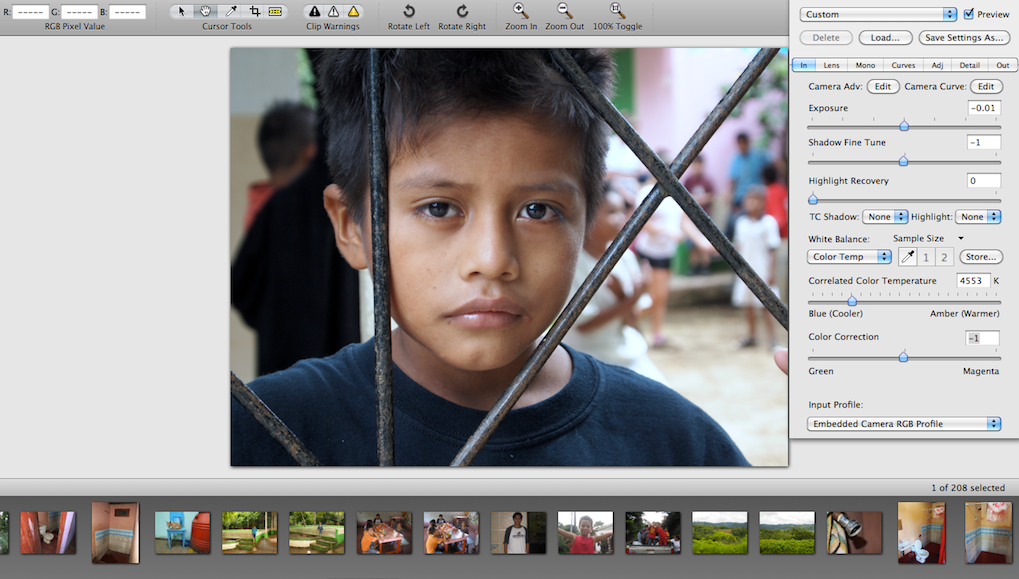
image courtesy: myself (Facebook – Twitter)
Iridient Digital has released Iridient Developer 2.1. diglloyd says “Iridient Developer has some very nice facilities for raw conversion including some specialty black and white conversion modes and deconvolution sharpening. It is a handy tool to have around, even if Lightroom is your mainstay. Recommended. And there is a demo version available. Note the support for the Fuji X-Pro1, X-E1, X100S (XTrans sensor).”
You can download it here (demo version available. Not time limited, but all your exported images will be watermarked.) You can purchase it for $75.
“This release introduces 3 all new noise reduction methods which greatly improve the high ISO noise processing while retaining excellent detail and reducing color smearing along object borders! This release also brings support for using Apple’s RAW processing as an alternate demosaic option and to enable support for some camera models like the Fuji X-trans which may not yet be supported by my own demosaic processing. In addition this release includes an updated ICC color management processing which now offers support for both Apple ColorSync and LittleCMS v2.4 and black point compensation as well. A new “RAW Color Channel Mixer” monochome conversion method (now with 6 in all) provides direct access to the RAW sensor color channels direct from the demosaic stage with no prior color processing. Other bug fixes and improvements as well!” […] Fuji: X-Pro1, X-E1, X20, X100S, F900EXR, HS50EXR, HS35EXR and SL1000. The X-trans based cameras require Apple RAW v4.05 or conversion to DNG Linear format.
best
Patrick
8 Responses
Just downloaded this and gave it quick whirl, not bad at all. Will have to do more fiddling… So far so good.
Kelvin
I’ve tried it with a couple of my images – it seems to make blue skies look a bit blocky but wow what excellent detail rendering! Overall not good enough to make me change away from Lightroom but proof there’s a little more Adobe could squeeze out of X-trans raws.
Adobe could definitely do better. They may have largely (not completely) fixed the worst of the rendering problem, but they haven’t yet maximized the full potential. The softness i could actually live with, but there is some fine color loss and smudging which is more worrying to me. But i’m guessing this is a result of the same problem, as we’ve seen with Aperture where the colors seemed to be more defined and present in more detail.
Unfortunately, I highly doubt Adobe will ever do a great job, or even a good job, of converting the X-Trans files. Although ACR is good at recovering highlights, it does not a great job of converting RAW files for Canon or Nikon either. I have a Canon DSLR, and I convert the files and save them as a TIFF in Canon’s DPP, then do the processing in ACR and Photoshop, and the results are significantly better.
It would be great if Fuji would provide its own RAW Conversion software, as it would likely be the best for the conversion.
They do it’s unimaginatively called Raw File Converter:
http://www.fujifilm.com/support/digital_cameras/software/#application
Isn’t that Silkypix3, which is a third-party software program? Or, is RAW File Converter the internal raw converter, which is in the camera?
It is based on SilkyPix but it still produces some of the best results so it’s clear Fuji worked very closely with them. Whether it’s the same algorithm or not I don’t know, what happens in camera may simply be too slow without dedicated hardware to run on a PC.
it seems good but i don’t like highlights….i will try again
example
http://farm8.staticflickr.com/7335/8728739184_0aa1c9330d_o.jpg