










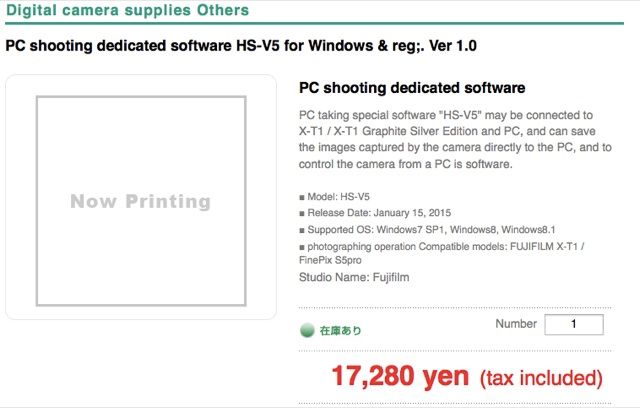
Back in November, Fujifilm announced the Tethered Shooting Software “HS-V5 for Windows® Ver. 1.0” and said that it will be available in January. Just now a FR-reader (thanks) spotted that the software has been released in Japan . The price in Japan is of 17,280 yen ($ 147). The HS-V5 is still not listed at Fuji’s global Application Software site.
It’s rumored here that the next Version of Lightroom will add support for X-T1 tethered shooting.
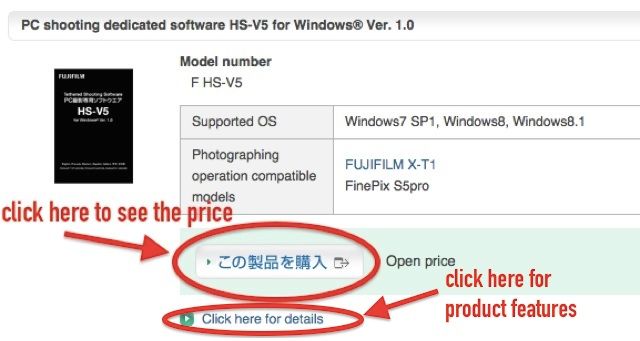
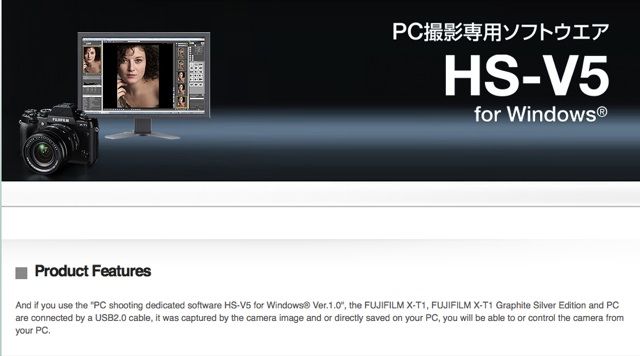
PRODUCT FEATURES
55 Responses
Am I missing something? $147 for a tethering software while I can buy Lightroom for under $100 and can tether for Canon and Nikon!!
And? Ok, Don’t buy it then. You can wait for Adobe tethering for Fuji maybe sometime next month. And then a few months later, maybe, for bug fixes. And, you are paying $119 per year. https://creative.adobe.com/plans/photography?promoid=KRBNS
That plan is for LR + Photoshop and the currently close-to-useless LR Mobile cloud solution. They still sell perpetual licenses of the most recent LR version (not like with the graphic design stuff, where you don’t get anything newer than CS6).
That being said, given the choice I’d put that money towards a license of Capture One Pro. Tethering is more reliable and image quality is vastly superior, and their features are not as half-finished as Adobe’s, though to my knowledge there has not been an announcement regarding Fuji tethering in C1 as far as I know.
If those 17 000 yen were for an actual raw converter instead of a simple tethering solution (which is essentially what you would consider driver software), that would actually very much be worth considering, especially if it included support for third-party raw files (like Hasselblad Phocus and C1 Pro do). Then again, Nikon also charges an arm and a leg for Nikon Camera Control, only Canon have the decency to include tethering software in the box with their cameras.
Exactly. However, that may be months away. Right now I am using two bodies. X-t1 and 5dmk3. The wifi xsfer is just too slow from Fuji. I can review 10 jpeg fotos from the 5d before I get one or two from x-t1. Eye-fi is faster than wi-fi.
Take it easy!! It was only a question! Besides, I am a Mac user, so this won’t work for me even if I wanted to buy it!
Well you could probably run it ok in VMWare or Parallels, but I doubt it’s worth it unless you have a very specific need.
I’m sorry. I didn’t mean it to come off that way at all.
Third party tether software is sometimes a nightmare when first released. The vendor will many times refer you to the camera company, when there are problems. You can check this out on the Adobe forums. Trust me, your time is worth getting a second solution if there’s one available. If it’s just for backup.
” Note: Some problems have been reported when tethering Canon cameras to Lightroom on Windows 8. For help, see Troubleshoot tethered capture in Lightroom.”
Adobe themselves, recomend that you have the capture program from the camera manufacturer. See step 14 here
http://helpx.adobe.com/lightroom/kb/troubleshoot-tethered-capture-lightroom-4.html
And at this time, there have been reported problem with canon capture in LR also. as this note explains:
Note: Some problems have been reported when tethering Canon cameras to Lightroom on Windows 8. For help, see Troubleshoot tethered capture in Lightroom.
http://helpx.adobe.com/lightroom/kb/tethered-camera-support-lightroom-4.html
Presumably most of the people that use this kind of software are using it commercially in which case $147 is a fairly minor expense. Software for niche markets is always expensive because it’s the only way to recoup the investment for the developer.
+1
C’mon, tell people about a new version of Shuttersnitch already! 🙂
PS: a PC-only solution for the apparently hipster-ish target audience is an odd choice. Oh well, maybe that’s because there’s no Visual Basic for Mac?…
Called Fuji USA, (image processing) last week about this. I believe that they are working on it. Adobe also. Strangely though, when I pressed for dates, they suggested that I inquire with the vendors & FR. They really do pay attention to FR then. They also stated that they have beta versions in their office. But they aren’t going to release those of course. They said “Fuji doesn’t work that way”. They told me that they believe software was shipped to the Chicago on Jan 8. Maybe still in the warehouse. Now go figure. Apparently Adobe is working in parallel.
In my experience Japanese companies treat the Mac as an afterthought, if at all. Fuji is just following form here. This has always baffled me as the Mac has had vastly better support for Japanese for a long time.
It’s generally much easier to develop software for PC than it is for Mac, at least accordig to developers who came back from the dark side ) Also, PC software development are much easier to outsource.
That’s it, I ran out of rationales. Maybe there’s something spiritual or cultural that prevents Mac apps from being developed on Japanese soil? We could only guess.
It’s no more difficult, it just depends what you’re familiar with. There are plenty of people out there with the knowledge to write Mac apps these days as the fundamentals are the same as iOS.
I have no evidence, but it wouldn’t surprise me if Japanese businesses lean towards buying Japanese brand PCs like Fujitsu, Toshiba, Sony etc.
Oh, that wouldn’t surprise me either. Apple is definitely gaijin.
Yea… except Japan has the HIGHEST iphone rate of any country… try again. Your funny prejudices won’t help explaining facts.
I’m sorry but 150$ for tethering software is a fucking joke. Now I don’t even care about it being PC only anymore. I wouldn’t have thought tethering is so expensive or valuable. Gonna wait for Lightroom then. Not worth the 150 bucks.
You spent thousands of $$ on camera’s, lenses, editing software and probably studio equipment (what else do you need tethering for) and you find $150 expensive??
Yep, I find 150$ too expensive for a software offering a feature I get for free with the next Lightroom update. With a lens or camera body, I get hardware that I use everytime I take photographs. Tethering is a nice feature for about 1% of my images. Where’s the use for that? You tell me, since ure argumenting in such a polemic way.
Next time you’re communicating with them, please ask if it’s possible to use tether as a power source. That (if possible, of course) would be the only imaginable reason for me to even consider wired tethering.
Oh really? Maybe works like a charm, not like geotagging?
После запятой как-то совсем уж туманно получилось.
Почему?
Построение фразы не сказать чтобы корректное, плюс – при чём тут вообще геотеггинг?
“Неужели? Наверно работает шикарно, а не как функция геотеггинга” (сарказм).
Так понятнее? Ежедневно устно и письменно общаюсь со своим англоязычным руководством. До сих пор не жаловались.
Всё очень плохо: я даже по-русски не понял, при чём тут геотеггинг. В огороде бузина, а в Киеве дядька?
PS: да, Dusqus коварен – при попытке удалить собственный коммент он его просто анонимизирует )
Мне все равно что он делает, я решил, что он опубликовался не на том уровне и захотел перепостить. Ну если и по-русски не понятно, то смысла дальше объяснять не вижу.
Sorry for my ignorance.. But with an eye-fi sd card you cannot do tethering?
Yes, however it can be quite slow, as compared to wired tethering. And, It doesn’t always send imediately after you press the shutter button. Sometimes you have to initiate the transfer with your camera wifi button. You can use an Eye-fi mobi card along with Fuji PC Auto save. But you will have to create a watch folder. You may then, use the same folder for both apps. Caution, Eye-Fi tells you on their website, that it can take up to 10secs. If you have 5 to 10 secs to wait for your picture, that may be ok for most casual users . The wired option is for those who desire instantaneous download while shooting, checking focus, and its timely for clients and MUAs. Its like comparing a wired T1 internet connection to wi-fi.
I consider it a small price to pay for the functionality it should provide in my studio workflow. It’s not worth it to me to sit around and complain abut it, but I certainly respect those who have the time to do so.
the new Sony A7 II IBIS is already tether supported by Capture One..for Free (you have pay only CO).
CO 8.1 (File and tether support for Sony A7-II) for MAC and WINDOWS
easy..normal.
with fujfilm we have to pay all …and only for Bill Gates systems…:-(
Big players have an established product deployment cycle, including advance notice for third party developers (hence the raw and tethered shooting support “out of the box”). Fuji, on the other hand, seems to be full of afterthought. “Look, we made a terrific hotdog! Now it’d time to cook a sausage!”
Nikon, Camera Control Pro 2 $149.95
http://www.bhphotovideo.com/c/product/528268-REG/Nikon_25366_Camera_Control_Pro_2_0.html
if you buy sony camera you have this functionality for free in your Development software in use, for example Capture or LR.
Now you have to use and external program..expensive and only for windows OS.
Honestly. $147 is not really expensive for people who work professionally. It’s part of the job to spent money on hardware and software. If $147 is a big deal it is probably better to find another job and do photography as a hobby 😉
nice…you say “if you don’t want to spend 147$ and switch to a wndows system instead mac system..it’s just an hobby”
If tethered shooting on a Mac is so important to you I’m afraid you bought the wrong camera. Why didn’t you check if tethered shooting on a Mac was possible prior buying into this system? There are so many other brands to choose from. Now you bought the wrong camera and start complaining here. This really puzzles me :/
ahaha you say “all mac users have to choose another brand”
Yes I basically think you bought the wrong camera. If I would have had a Mac and would have needed tethering I would have checked the specs first and would have concluded I need another camera. That is logic. No rocket science. You do the opposite. You buy a camera to find out it doesn’t suit your needs and start complaining on a website to users who can’t correct your mistake. Are you seriously thinking someone here can help you?
x-pro1 was born 3 years ago…after 3-4 years
you have a thether program. nice
x-t1 2014. have you ever used a thethered tool?
Patience, yes, it will eventually support MAC.
Fuji’s, older Hyper Utility HS-V3 + Fine Pix Pro version supported windows and mac.However that version will not work with X-T1. I was going to try it with my X-T1, so I called Fuji and asked them. They said no, not to even waste my time. It wouldn’t work X-T1. Here’s a link to the older HS-V3 + Fine Pix Pro control software, you will see it is windows/mac http://www.fujifilm.com/support/digital_cameras/software/hyper_utility/hsv3/ver11mac/
http://www.amazon.com/HS-V3-HYPER-UTILITY-SOFTWARE-VERSION/dp/B000R4DBG4
Fuji never forced you to buy a Fuji. You make your own choices. You made bad choices and now you blame others. Anyways. I have no time for this. You are in complain mode. I can’t change that. Just enjoy your Fuji or buy something else that does suit your needs.
Sony tethered capture is NOT supported by Adobe Lightroom, only Canon, Nikon, and Leica. At this time. Fuji, maybe in February.
see: Adobe thered camera support.
http://helpx.adobe.com/lightroom/kb/tethered-camera-support-lightroom-4.html
but is the mirrorless battery life good enough for tethering? i remember tethering sucks more battery life on my nikon. would it hold up, the xt1?
That wi-fi button option sucks more battery life though. And you have to shut that software down before that wifi (PC auto save) will stop. The Eye-fi mobi option isn’t so bad, because its using the Eye-fi card. However, it can take 5-10 secs. So I find myself using both at times, to increase the speed of xsfer. Once you have a good setup you may find yourself taking less test shots during a session, and more keepers per session. And that should reduce your battery drain. You should have less test shots with mirrorless.
hmm, or maybe they should make cameras charge through USB while tethering..?
MTP protocol. MTP allows no parallelism, unlike USB mass storage or NAS.
MTP has been built to only allow a single operation at a time (for
example, read, write or delete operation), while no other operation can
be executed until the previous operation is complete.
iPhone sales in Japan were pretty much nonexistent in 2009. By 2013 they’ve managed to occupy top 10 list. How? By handing out free iPhones, according to Wired magazine.
Now, you try again. When was the last time Japanese stores handed out free Macs?
At the end, I’m not so much having an issue with this additional cost…as I have no X-T1. But the fact it’s only Windows… Fuji, a lot of creative people are Mac-users… And if all Fuji X-cameras are so similar, will this feature work for the X-T1 only… or also for other, older cameras?
Send them a message, http://www.fujifilmusa.com/support/ServiceSupportContactInfo.do?catid=464128&prodcat=234644
Software needs to keep up with firmware and hardware.
They do listen, and usually respond with a week.
Remember that a tethered shooting in Lightroom has been spotted in France and was said to be available in February. Don’t know why anyone would want to shell out 150 for HS-V5.
Hmm, Nikon has dedicated tether sofware also. And, not free at all. Camera Control Pro 2 http://www.bhphotovideo.com/c/product/528268-REG/Nikon_25366_Camera_Control_Pro_2_0.html
Adobe offers direct camera tethering to less than a handfull of camera
manufacturers. Its tethering instructions (step 14) suggest that you use
the “manufacturers sofware” to aid in troubleshooting. Suggesting that
Adobe prefers that each manufacturer provide software to aid in
troubleshooting its camera firmare or hardware. There are so many
variables that come into play with tethering, wired or wireless. If you
don’t have an alternate sofware tethering tool, you are asking for
trouble. Or maybe you just like spending time turning your camera on and off and rebooting your laptop after restarting LR when it freezes or looses communication with the camera.
Using the manufacturers sofware as a backup tether solution is a method advised by Adobe themselves. See step 14. (although I wouldn’t wait until step 14)
http://helpx.adobe.com/lightroom/kb/troubleshoot-tethered-capture-lightroom-4.html
$150 is pennies when it comes to troubleshooting prior to or during a photo shoot on location.
Also see Nikon Camera Pro 2 $149.95
http://www.bhphotovideo.com/c/product/528268-REG/Nikon_25366_Camera_Control_Pro_2_0.html