










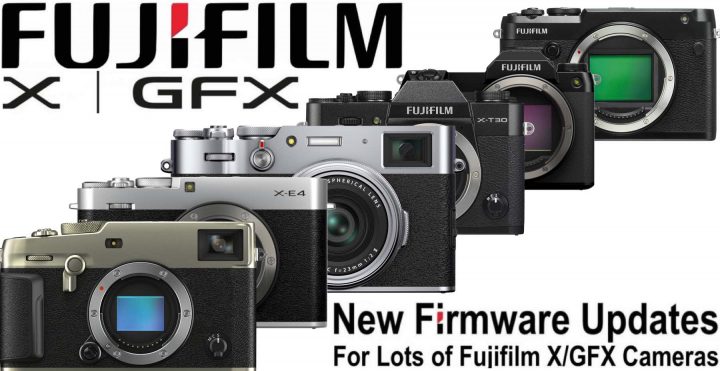
As we reported earlier this month, Fujifilm discovered a bug happening with twelve of their cameras when used with Mac computers.
The first batch of firmware had been released a few days ago here and was for the following cameras: X-T4, X-T3, X-S10, GFX100S, GFX100 and GFX50S.
Now six more Fujifilm cameras received an update. All the links and firmware details can be found down below.
Firmware Updates Download Links and Details
Fujifilm X100V ver.2.10 – download here
Revised specification from Ver.2.021 to Ver.2.10
- The following specification has been revised to improve compatibility with SDXC memory card format.
The maximum number of frames that can be recorded in a single folder has been changed from 9,999 to 999.
If you are using a macOS computer to process recorded files in the SDXC memory card, make sure to follow the procedure below before upgrading the firmware. Follow the instructions in “II-2. If using an SDXC memory card with existing files or one that has not been recently formatted:” in the article titled “Important notice for consumers processing FUJIFILM digital camera files using macOS” that was published on Feb. 2 in this web site and then format the SDXC memory card before using it.
Fujifilm X-Pro3 ver.1.30 – download here
Revised specification from Ver.1.23 to Ver.1.30
- The following specification has been revised to improve compatibility with SDXC memory card format.
The maximum number of frames that can be recorded in a single folder has been changed from 9,999 to 999.
If you are using a macOS computer to process recorded files in the SDXC memory card, make sure to follow the procedure below before upgrading the firmware. Follow the instructions in “II-2. If using an SDXC memory card with existing files or one that has not been recently formatted:” in the article titled “Important notice for consumers processing FUJIFILM digital camera files using macOS” that was published on Feb. 2 in this web site and then format the SDXC memory card before using it.
Fujifilm X-E4 ver1.10 – download here
Revised specification from Ver.1.04 to Ver.1.10
- The following specification has been revised to improve compatibility with SDXC memory card format.
The maximum number of frames that can be recorded in a single folder has been changed from 9,999 to 999.
If you are using a macOS computer to process recorded files in the SDXC memory card, make sure to follow the procedure below before upgrading the firmware. Follow the instructions in “II-2. If using an SDXC memory card with existing files or one that has not been recently formatted:” in the article titled “Important notice for consumers processing FUJIFILM digital camera files using macOS” that was published on Feb. 2 in this web site and then format the SDXC memory card before using it.
Fujifilm X-T30II ver.1.10 – download here
Revised specification from Ver.1.00 to Ver.1.10
- The following specification has been revised to improve compatibility with SDXC memory card format.
The maximum number of frames that can be recorded in a single folder has been changed from 9,999 to 999.
If you are using a macOS computer to process recorded files in the SDXC memory card, make sure to follow the procedure below before upgrading the firmware. Follow the instructions in “II-2. If using an SDXC memory card with existing files or one that has not been recently formatted:” in the article titled “Important notice for consumers processing FUJIFILM digital camera files using macOS” that was published on Feb. 2 in this web site and then format the SDXC memory card before using it.
Fujifilm GFX50R ver.2.40 – download here
Revised specification from Ver.2.30 to Ver.2.40
- The following specification has been revised to improve compatibility with SDXC memory card format.
The maximum number of frames that can be recorded in a single folder has been changed from 9,999 to 999.
If you are using a macOS computer to process recorded files in the SDXC memory card, make sure to follow the procedure below before upgrading the firmware. Follow the instructions in “II-2. If using an SDXC memory card with existing files or one that has not been recently formatted:” in the article titled “Important notice for consumers processing FUJIFILM digital camera files using macOS” that was published on Feb. 2 in this web site and then format the SDXC memory card before using it.
Fujifilm GFX50SII ver.1.10 – download here
Revised specification from Ver.1.02 to Ver.1.10
- The following specification has been revised to improve compatibility with SDXC memory card format.
The maximum number of frames that can be recorded in a single folder has been changed from 9,999 to 999.
If you are using a macOS computer to process recorded files in the SDXC memory card, make sure to follow the procedure below before upgrading the firmware. Follow the instructions in “II-2. If using an SDXC memory card with existing files or one that has not been recently formatted:” in the article titled “Important notice for consumers processing FUJIFILM digital camera files using macOS” that was published on Feb. 2 in this web site and then format the SDXC memory card before using it. - Other minor firmware bug has been fixed.
Follow FujiRumors on Patreon, Facebook, Instagram, RSS-feed, Youtube, Flipboard and Twitter
The Fastest Growing Fujifilm Group
- Fujifilm Film Simulation Group (100% Fuji Colors Power)
Join Our Owners Groups