










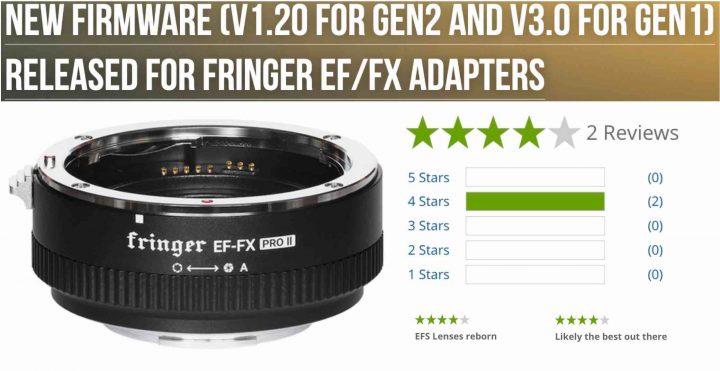
Fringer has released firmware updates for the following smart adapters:
- EF-FX Pro II v. 1.20 – EF-FX II v. 1.20 – release notes
- EF-FX Pro. 3.00 – EF-FX Standard v. 3.00 – release notes
Be noted: V2.10 is the new baseline version. V1.x must be upgraded to V2.10 before installing firmware V2.20 or later. Baseline version: EFFX210P.BIN (for Pro) EFFX210S.BIN (for Std.)
Firmware Details
- BUG fixed: When doing contrast AF under circumstances like low light, some new lens models, e.g. SIGMA50-100/1.8, may be error prone and result in low successful rate
- Fixed PDAF issues for some of the following lens models: Lens didn’t get recognized by the adapter due to different lens firmware version
SIGMA 120-300/2.8 Sports - AF performance of following lenses have been improved further.
Sigma 18-200/3.5-6.3 OS Contemporary
EF85/1.8 USM
EF70-200/2.8L USM
EF70-200/2.8L IS USM - Added following lenses to the tested and optimized lens list:
EF28/1.8 USM
EF35/2
EFS60/2.8 Macro USM
EF70-200/2.8L USM + 1.4X
EF70-200/2.8L USM + 2X
EF70-200/2.8L IS USM + 1.4X
EF70-200/2.8L IS USM + 2X
TAMRON16-300/3.5-6.3 VC PZD
TAMRON SP 35-150/2.8-4 Di VC OSD A043
YONGNUO50/1.4 (PDAF performance may not be stable due to poor aperture motor of the lens. Try setting shutter speed manually and use MF mode if necessary.)
Tamron SP 35-150/2.8-4 which has newly arrived market looks very promising for adapting. It performs quite well on Fujifilm X mount. As a 4.3x zoom lens, it has inevitable LaCA. Now the new adapter firmware also fixed that by providing correction data to the camera.
Be noted, make sure you download the correct file for the corresponding product. For Gen1, i.e. EF-FX Pro and EF-FX, you need firmware file named EFFX****.BIN. For Gen2, i.e. EF-FX Pro II, you need firmware file named EFX2_****.BIN. Using the wrong file will not damage your adapter. But it will not install.

Please visit the official Fringer website to download the new firmware, release notes and user’s manual.
To upgrade your adapter, connect it to a computer through a USB Micro B cable. Copy the corresponding firmware (.BIN file) to the emerged drive named “FRINGER”. Wait for 20 seconds. The adapter will upgrade itself.
The Fringer EF-FX Pro II can be ordered at BHphoto, AmazonUS, Adorama and at Fringer web store
via Fringer