










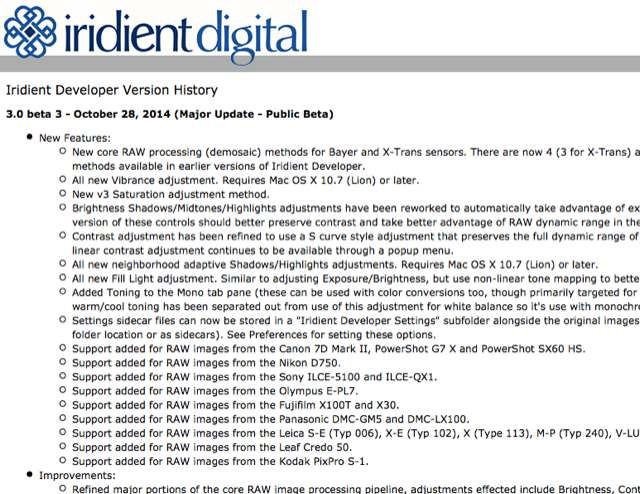
Iridient Developer 3 has now reached public beta! Major changes to X-Trans processing and throughout the whole application. Support has now been added for the X100T and X30 as well! The list of major changes is long… a few highlights:
– All new color and monochrome specific RAW processing (demosaic) options for X-Trans (and Bayer) should greatly reduce color artifacts while retaining the incredible levels of detail and natural micro detail that Iridient processing is known for!
– New Vibrance adjustment
– New Fill Light adjustment
– New neighborhood adaptive Highlights/Shadows adjustments.
– Refined and reworked processing and adjustments for Brightness Shadows/Midtones/Highlights, Contrast and Saturation.
– 2 new Toning methods, Mono Tone and Split Tone.
– and more!
The new download can be found here.
Full release notes can be viewed at Iridient here.
37 Responses
Hope the colors are now better. Because of the terrible colors I switched in the end to C1 8.0, but it’s always good to have a second choice.
Lots of color options for the X-Trans cameras in Iridient… I’ve put together presets for all the Fujifilm camera film styles plus more to work with user contributed Capture One ICC profiles from the dpreview forums too!
Downloads can be found a ways down my home page here:
http://www.iridientdigital.com
Well done Brian, the previous version was already the best option for x-trans, version 3 is even better… finally I can leave NR off without experiencing many artifact.
I agree. I just tested it https://www.flickr.com/photos/mauro-tandoi/15653959565/
do you like it?
Looks delicious, and natural, very nice.
beta 3 is very good, I like it..but I don’t understand if my licence will remain valid 🙁 (sigh..I just bought Adobe Cloud…licence :-(..)
Yes, the new Beta rocks! I’ve been using Iridient for some time now for all my landscapes, as adobe just RUINS any fine green detail, especially noticeable in moss or fine grass (which i’m sure you know!). Anyways, this new beta is top-notch.
So dissappointd that the Windows based developers can’t match this dedication.
I cannot see all this difference compared to Lightroom 5.6 and the interface is so unintuitive..
does anyone know where you can fetch a good manual iridient?
See the Help menu “Iridient Developer Help” for the manual. Not updated for 3.0 changes yet, should see a major overhaul once the feature set for 3.0 is completely set.
I bought iridident since first version but after 3 years remains an expensive product (99$) without any full video tutorials, web forum, place to share experinces, etc etc. You have to learn how to do x or y by yourself. yes it’s good, very good with raf file….but imho it’s not for novice… I know only how to integrate with LR (via its web site and by another vimeo user: http://vimeo.com/82277866)
My Lightroom integration tutorial has been online for some time now. See the Help menu “Tutorials” item for a shortcut to the main tutorials page.
http://www.iridientdigital.com/iridientdeveloper/id_tutorials.html
Getting Started
Installing Iridient Developer
Adding Iridient Developer to the Dock
Opening images
Browsing, sorting and viewing images — Coming soon…
Basic editing adjustments — Coming soon…
Saving adjustments and exporting processed images — Coming soon…
too many…”coming soon”
So why don’t you write a couple of those, Mauro. 😉
of course I’ll try if they give me a serial code forever
Expensive? You are joking right? LightRoom and Capture One are more expensive and don’t deliver the same results for X-Trans files. Besides that you are obviously right though that the product should be better documented but unfortunately so should a lot of software products.
“LR an CR don’t deliver the same results”….do we have change our software and switch from PC to MAC to have the best results with x-trans raw file? ….after 3 years since the first x-trans camera …we have to talk about which is the best raf’s reader..yet, no good.
Now all i need, is a Mac. 🙁
Or a Hackintosh 🙂 http://www.tonymacx86.com/
Few years ago it wasn’t exactly “it just works” like the ‘original’, more like ‘it just breaks’, but maybe i’ll give it another go. Maybe Tony got it right, seems easier at least.
Iridient is the best IMO!
I don’t understand why they don’t release a PC/Windows version…is it so difficult? I asked Iridient but…no answer.
As a software developer myself, the short answer is yes, it is actually quite a big challenge to port an app from the Mac to Windows or vice-versa unless you’re specifically using some kind of cross-platform API which this app doesn’t appear to be.
Hmm, I usually get back by email very quickly… Just myself at Iridient and for the past 20+ years my experience has mostly been Mac/Unix. I just don’t have the time or skill set to do it myself right now. Hoping to find a some help to get at least some of my technologies on Windows in the not too distant future!
Brian why don’t you ask Fuji to buy your software (and continued services) for $10M, they’ll invest to Windofy it, and then we all get it included with the following Fuji X camera purchases. 😉
Gave it a try but I still like Capture One 8 better. The only drawback for me with CO8 is CA control (purple/cyan fringing). Their tool is pretty much useless. Iridient isn’t quite there for me, yet. I applaud the developer’s efforts though.
COME ON PHOTONINJA!!! You are my last hope for us Windows users.
I have an X10, so an EXR camera. (X-Trans users might as well skip this comment.) One of my favorite features is EXR’s expanded DR, which uses two simultaneous exposures (e.g., 1/60 and 1/120).
AFAICT Iridient works only with the shorter of the two exposures: highlights are preserved, but it seems impossible to bring up the shadows to the same extent that CaptureOne does. On the other hand, CaptureOne seems to start with the longer exposure, and while it *seems* to use both exposures (it can typically recover highlight detail as well as the camera, sometimes better) it sometimes introduces a pink glow.
Anyone know if I’ve missed a setting that will help Iridient do a better job on the shadows?
(An aside: RawTherapee might be able to do this one day, and one of the developers seemed to have it working, but that feature now seems stuck in development hell. https://code.google.com/p/rawtherapee/issues/detail?id=1944)
I use both exposures and do advanced exposure blending for the EXR modes on Fujifilm cameras that use EXR sensors. Note that some modes vary depending on exact camera model, ISO, shutter speed, EXR sensor version, and so on as to whether they actually do capture 2 full exposures, but if 2 exposures are present in the RAF they are both used.
Primary 1st adjustment for boosting shadows I would recommend is “Brightness Shadows”. For really deep shadows go with “Deep Shadow Fine Tune” and for a wider ranging adjustment turn to “Shadows (neighborhood adaptive)” that will tend to preserve contrast better than the other 2 but also impacts a wider tonal range.
Brian Griffith
Iridient Digital (author of Iridient Developer)
Thank you for the kind reply! I realize you’re busy, so that impressed me.
The particular photo I was trying has REALLY wide dynamic range. “Deep Shadow Fine Tune” actually did very little; I guess the shadows in this photo aren’t deep enough? The other sliders helped some, but had visible side effects on midtones and highlights. The most effect came by raising the exposure, with obvious ill effect.
I recall that I took advantage of CaptureOne’s Local Adjustments feature, so that may explain the difference: I *really* cranked up the shadows, which are clumped at the bottom of my photo, without affecting midtones & highlights at all (well, mostly — issues occur around the edges, of course).
I’m really impressed by how quick Iridient feels, though. CaptureOne really drags by comparison.
Thanks again!
Very nice. I see more detail in reall small parts and less distortion in foliage and tree branches. I will use Iridient for very important images or large prints. For day to day stuff I will keep using Lightroom because of the library and other things.
I would love a LR vs IR comparison of that foliage, for us windows users that can’t do it ourselves. Simple fullsize export on Dropbox maybe? 🙂
Is there a nifty way of working with Nik Collection? Thanks.
Somebody mentioned Photo Ninja…have you noticed the noise/grain at high iso? it looks weird, like twisted little worms…it’s not like the beautiful LR noise. Details are pretty good but i don’t like grain. anybody else experiencing this? Iridient looks good too.
yes I noticed. I think the best raf reader..is built in camera 🙁
I have an open question to readers. Having just purchased an XE1 to use alongside my Micro43 system I would appreciate any advice you might have regarding RAW conversion of the Fuji RAW files. As I use PS CS5 Adobe does not have a converter I can use other that to convert to DNG first, I was about to download this Iridient Beta until I noted it is Mac only, as I use Windows 8 can anyone please recommend a good value converter that would fit my needs.