










“Kaizen, continuous improvement philosophy. Japanese for “improvement” or “change for the best”, refers to philosophy or practices that focus upon continuous improvement of processes in manufacturing, engineering, and business management.” src-wikipedia
_ _ _
Everything I know until now about the X-T1 is shared. A big question is still if it will have a dual card slot or not. As you know, the trusted Japanese source said it won’t have a twin SD-slot. Therefore, no matter what the leaked images say, I still blindly trust this source. If he can’t confirm it, I wouldn’t count with a double SD-card slot on the X-T1… but it’s the first time I hope that I’m wrong with my rumors!
I’ve shared the dual card slot rumor already a few months ago. I believe that originally Fuji really planed to implement this feature in the X-T1, the source told me about, but the company changed plans afterwards. That’s what could have happened.
The updated specs list can be found at the bottom of this post.
_ _ _
The firmware wish-list by Marco Ricci
Some FR-readers asked me in the comments and via email to launch a new firmware wish list. I’ll take the one of Marco Ricci and feel free to extend this list in the comments. Who knows what may be already implemented in the X-T1!
Marco Ricci (website). Here is his list:
I am an X-Pro1 users since September 2012, so yes i was so crazy to buy it with a FW 1.0 installed, at that time my wish list for fix and improvement was a *really* long list. Now, with FW 3.10 installed, I am happy to see such a short list 🙂
Anyway my suggestion to improve X-Pro1 (and X-E1 and X-E2 in the same way) is here:
1) Fix the half-pressed shutter button behaviour. Actually keeping the shutter button half-pressed *after* the shooting doesn’t keep the focus locked. So you have to refocus before to shoot again (each camera I own keep the focus locked keeping the shutter button half pressed after the shoot).
2) Add a new “view mode”. I am sure a lot of photographer use OVF/EVF to compose/shoot and LCD for playback/menu setting.. so please add a “mixed” view mode enabling (without eye/proximity detection) the viewfinder *ONLY* to compose and LCD *only* for playback/menu navigation.
3) Improve the Manual focus mode/checking focus function. When in MF using the arrow keys to move the checked focus area around in the frame it would be a lot faster than the actual method .. my canon work like that and trust me it”s a lot faster for checking the focus in different region or to manually “track” a moving subject..
4) Improve the bracketing limits. Really +/-1 EV it’s a joke, expand the limit at +/- 3 EV at least.
5) Improve Playback of vertical images. Now, looking a vertical photo and zooming in, only a vertical “crop” is showed, leaving a large part of the LCD black and unused.
6) Enable the trash button in playback when zoomed. It’s normal to check focus (zooming in) and trash the shot if it’s not good enough
7) For X-E2 user, please add the VIEWmode function to a Fn button
Isn’t it great? Put your wishes in a post and know that a big company listens to you and considers your feedback seriously? Try to do this with other companies ;).
Oh, and what about the ability to turn ON and OFF quickly face detection via FN button… and more colors for focus peaking? FR-reader XE2owner would like to have the ability to control the camera from the app!
Now it’s your turn to extend or change Marco’s list in the comments. I’m sure somebody in Tokyo is taking notes.
[poll id=”42″]
image courtesy: Marco Ricci (website)
_ _ _
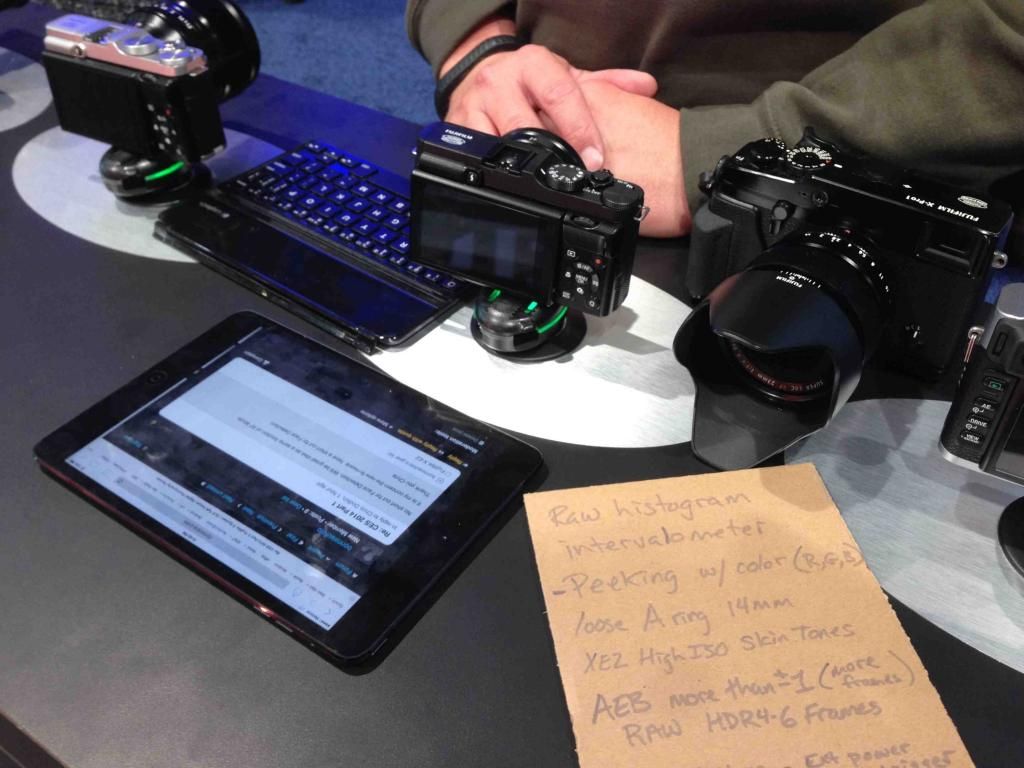
[At the CES, Fuji reps took note of Chirs’ firmware wishes. What else has been discussed between Chris and Fuji can be read here.]
image courtesy: f-sunny.com
_ _ _
X-T1 rumored specs
(TS= trusted source / NeS =New Source / AS = Anonymous Source / SRP = source who was right in the past, but not yet trusted / ORS = other rumor sites)
- announcement January 28th (TS)
- big EVF (x77 magnification) / (TS)
- better EVF (2.36 million OLED, 0.005s lag) / (AS)
- APS-C X-Trans sensor II (16MP) / (TS + AS)
- EXR II / (TS + NeS)
- support for the UHS-II SD-card for super-fast writing speed / (TS)
- start up time 0,5 sec (TS)
- Shutter time lag 0,05 sec (TS)
- time-lapse photography function – interval timer function (TS)
- 8fps with AF tracking / (TS)
- weather sealed body / (TS)
- 18-135 will be weather sealed and come in May (TS + ORS)
- tilt screen (SRP)
- Price: €1,200 body only (≈ $1,300) – €1,600 body and 18-55 – €1,800 body and 18-135 / (NeS)
- SLR-type (Fujica) design / (SRP)
- name: X-T1 / (AS)
- WiFi / (NeS)
- smaller than the X-E2 / (AS)
- additional battery grip / (AS)
- 18-55 kit lens / (AS + ORS)
- ISO up to 51200 (NeS)
- in stores mid-February / (AS + ORS)
- price range between X-E and X-PRO line / (NeS + AS)
- faster AF then X-E2 (o,o8sec) / (NeS) [maybe the source mixed up faster writing speed (UHS-II) with faster AF-speed]
164 Responses
The built-in flash doesn’t support pre-flash for off camera flash – when paired with the EF-X20 in P mode, the EF-X20 doesn’t fire. It would be great if it would. Also, when paired in N mode, the built-in flash always fires at max power, and unless the EF-X20 is also set to max power, the built-in flash affects the image exposure about as much as the off camera flash! It would be great to be able to dial the built-in flash down via exposure compensation or if anything, default its power to a lower level.
All of the above refers to the built-in flash being in commander mode.
I’ve been saying Fuji’s flash system is a JOKE.
You don’t need new firmware for this. Just take the camera out of commander mode.
I wish they would swap battery and SD card locations, that little card is hard to get at, and I dont have huge hands.
How do you fix that with a firmware upgrade? SD card should just be side load anyways.
Just press the SD card by your finger, and release you finger quickly, the card will jump out,
I know it cant be fixed with firmware update, just posting something I would like to see changed.
The new update to the camera has been awesome. I LOVE that there is FINALLY an accurate preview of the final image in the view finder…I was on the verge of ditching the camera because I more or less stopped using it and moving to a different system because this was driving me crazy. So THANK YOU! However, in addition to this list, I want to see face detection on the x100s and x-pro1.
1) Face detection for X100s, please!
2) “batch processing” for in-camera RAW development
totally agree – though I was never on the verge to ditch my x100s – face detection would be great!
It would be nice if you could have the camera in portrait position when using the landscape picture option – this would allow you to get a nicer farm of landscape instead of doing 2 runs and stitching together, as I would have to using an x-pro1 with 35mm lens
ahem… this is possible with my X-E1. I
so that means it is an easy fix for Fuji to port across to the X-Pro 1…
Should be there already. Try pressing the right arrow.
This already works on the X-Pro. You can select any direction for the in-camera panorama function.
How about tethering capability?
I’d like to have an option to disable image review completely in the EVF. So if i’m reviewing an image on the LCD and i need to get a shot real quick i don’t want to see the image review in the viewfinder when i put it to my eye.
Or have an option to set it so that if i push play with the EVF enabled it displays image review in the EVF but if i’m reviewing via the LCD and i put the camera to my eye the EVF goes to display, not image review. 🙂
I just realized that this is basically #2 on the list!
So i guess +1 for #2.
Agreed as already stated, AEB range needs to be expanded, either number of stops or number of shots, or better yet, both. Also, need a way to toggle face detect focus on/off without rooting around in menus, and the focus point should be movable from the centre while in face detect mode.
As a manual shooter, I really would like to use the exposure compensation dial as an ISO dial.
But unfortunately, I think I might be a minority.
Yes that would be awesome! All cameras should have three dials. Aperture, shutter, and ISO. We are no longer in the film days where you were stuck with one ISO setting for 36 exposures. Cameras are still built around shooting film. Especially now that sensor noise is so low, there should be a dial specifically for ISO.
+1. This is the one thing I really, really want. There’s no reason at all to actively disabe exposure compensation when setting aperture + shutter, when it does work in the other modes where you lock 2 out of the 3 main exposure parameters (setting aperture + iso or setting shutter + iso).
I hope it still has dual SD card slots. It would be great for backups.
About the review of portrait orientation pictures: a workaround is to switch of the auto-rotation in review mode. You have to turn the camera for review but the image is larger from the beginning. And if you are shooting in that orientation anyway, it actually saves you from rotating the camera. 😉
But would still like to see the full screen used in portrait orientation on zoom in. 😉
Especially when going on a multi-month vacation to Europe! 🙂
1: Exposure biasing in M-mode with Auto-ISO turned on.
2: Programmable function on front OVF/EVF level (for hybrid VF models).
3: Setting for even lower noise-reduction.
Before I get slammed on this — suppose the correct wording for #1 is rather:
“ISO-biasing in M-mode with Auto-ISO turned on.”
But you already knew I meant that, didn’t you..? 😉
I’d word it differently. Nowadays, there are 3 main exposure parameters that you can set per shot: aperture, shutter and ISO. To me, it’s only really “M(anual)” when you set all three.
So, whenever you lock just 1 or 2 of the exposure parameters, you *must* be able to bias how the camera chooses the others. This works when setting aperture, shutter, or ISO. This works when setting aperture + ISO or shutter + ISO. The only time it doesn’t work is when setting aperture + shutter. This is should simply be fixed.
exactly! Fuji fix it please!
Please, please, please! If Fuji fixes it, I promice to sell all my old Nikon equipment and buy more Fuji equipment for $5000!!! Fix biasing of auto iso with exposure compensation in manual mode! Be the best! We know what we really need!
Thanks Patrick fir sharing 🙂 i hope x-t1 will include all of them!
I wish the next firmware update adds a tilt screen to my X-E1:)
And weather sealing, like how the new iOS made the iPhone water proof. That would be useful 🙂
🙂 Every X lense should gain 1 stop of aperture with a new firmware update 🙂
Fuji please implement 100% enlargement in raw review. I have to shoot raw + jpg only to check correct focus by zooming 100% into the jpg because that still does not work in raw only (X-E2).
christoph, to have a bigger enlargement on raw i think they need to embed a bigger jpeg. not sure it would be possible keeping the compatibility.
what i can suggest is to shoot in raw+large jpeg, but as you already know the camer will be slower to write the files down..
Yes!! I have to do that too on my X-E1, that would be great!
And the “lock focus when shutter is halfway released” is a MUST, the most frustrating thing about my X-E1. Especially since the AF is still pretty slow and hunting, in general but still on non-contrasted sources or bad lightning, but I’ve learnt to deal with it, but please FUJI make it possible to lock focus when the shutter is halfway released! Already starting to save money for the X-E3 which I believe will be THE perfect FUJI.
(Side note: Make the 27mm cheaper, 450€ is way too much for a f/2.8, 300 is what it’s worth)
My firmware update wish list in addition to Marco’s:
1. Intervalometer – really, it should be there
2. Allow the camera to be controlled by the wifi camera app (for those cameras with built in wifi)
3. Full naming of the custom banks
4. Full naming of filenames (let us have at least 31 letters to work with)
5. EXIF Copyright information able to be attached on each picture
On x100 / x100s: disable the control wheel (not just the four buttons) – it is far to easy to move and have your exposure changed when in manual mode. Great camera otherwise!
I agree about the EXIF copyright information.
yes, intervalometer it would be nice, as a app to control and shoot camera in remote (i really use it a lot with my 6D in studio)
I’m agreeing to points 1, 2, 4, 6 and 7 from Marco Ricci’s list, whereas 1 is clearly the most important to me. My other critical improvements would be:
a) option to switch off the skin smoothing (only applies to X-E2 and X100s)
b) enable EC in full manual exposure when AutoISO is on
c) offer the AF-frame-tracking from the X-M1 in the X-E2 (and any other X-model having the necessary processor speed)
d) option to choose an focal length based minimum shutter speed in AutoISO, ideally with a customizable factor
e) add center weighed metering
I see the absolutely mind-boggling number of menu options of my D700 as a definite disadvantage.
One of the joys I’ve found with buying the X Pro 1 is that it’s so straightforward and intuitive, unlike some DSLRs.
I hope that we, and Fuji, don’t lose sight of this. Adding every possible option to suit every single user may yet turn it into another faceless and over-complex computer with a lens attached.
That is a good point. But it can be easily remedied by hiring a couple of great UX designers to design the interface so it doesn’t reach Nikonian levels.
I wouldn’t mind seeing some firmware with real improvements for the lower-end cameras like the HS30EXR. Improved manual focus with a highlighting focus peeking and an understandable distance scale would be great.
NO MORE WATERCOLOR SENSOR PLEASE!!
Not that I understand your comment, but don’t worry, the X-T1 will be weather sealed, so no risk for watercolor from the sensor ;o)
that’s too funny!
he means watercolor artifacts, and for sure xtrans II has those fractal monsters
I need face detect AF function on XE-1!!!!
thanks for mentioning my wish. not only would i like to control the camera from an app – how about see whats on the camera from an app? ie a over the air live view?
it would be nice if they released an API for the camera so that programmers could provide apps that worked with it. ive got 10+ iphone apps on sale (none photographic) and id love to build an app for it.
also how about fixing the direct download to PC/mac – unless im getting it wrong it wont download just one or a selected group of photos – it each time tries to download the lot including ones it already has to my mac.
And what about the video adjustments ? Please…
25P for European customers.
And the choie of manual settings in video (apperture, shutter and iso)
Please 🙂
Yes, Fuji, please take a serious look at the video capabilities. Some people need them as well as the excellent stills offering.
YES! PLEASE do this firmware 25 and 50p and full MANUAL controll: shutter app. iso!
THANK YOU
Yes, manual video control is obvious.
Yes, please manual video control, thanks Fuji!
I would appreciate configurable f-Stops:
Here is why:
When I shoot my kids, I often do not have the time to fine-tune depth of field, I just want to quickly go from e.g. 1.4 to 2.0 (and not from 1.4 to 2.2. and back to 2.0, which often happens, since the wheels are very easy to turn)
I agree with the option for colour peaking.
Here are my X100S specific wish list.
1. More C modes. It currently only has 3, while the X-Pro1/X-E1/X-E2 has 7.
2. Make ND filter selectable as a custom Fn
3. Allow more buttons to be assigned a custom Fn
You can assign ND filter to to the Fn button.
I definitly second #2, the new view-mode. Just make it behave like a DSLR and everything is fine.
And on the X-E2, I would like to be able to adjust ISO with the rear dial – what else would that be there for in normal shooting mode…?
in the last FW (at least i discovered it only after upgrading to 3.10) a mixed view mode is *almost* here..
in fact you can comose with the VF and pushing playback images are shown on the LCD..
menu btw are shown on the active display on that moment (so it can be EVF or LCD)
I just got my X-E2 a week ago and my very first WTF moment was when I realized that I couldn’t easy shoot using EVF only and review images on LCD. This is a HUGE annoyance for me. Other than that. love the camera so far.
From Marco Ricci’s list, I vote for this one, and encourage others to do so:
2) Add a new “view mode”. I am sure a lot of photographer use OVF/EVF to compose/shoot and LCD for playback/menu setting.. so please add a “mixed” view mode enabling (without eye/proximity detection) the viewfinder *ONLY* to compose and LCD *only* for playback/menu navigation.
Rex, after the update to 3.10 (at least i discovered it only after upgrading to 3.10) a mixed view mode is *almost* here..
in fact you can compose with the VF and pushing playback images are shown on the LCD..
menu btw are shown on the active display on that moment (so it can be EVF or LCD).
i am using a X-PRO1
Same here (X-E1). Since you can set the viewmode for shooting and playback modes seperately, I have set the shooting mode to EVF only and the playback mode to LCD only. The image review mode is turned off. If I want to review an image I press the playback button and it pops up on the LCD
I don’t know if it’s possible but I wouldn’t mind an option to change or add a name to the custom settings as a quick reference rather than remembering which number is associated with what settings.
Very good shout.
Please, 3, 5 and 7 pictures bij changing, time, iso or whatever with variable steps between these 3, 5 and 7 by HDR pictures.
A program so I can use the wifi from my X-E2 (MAC)
Thanks, peter
I’ve added a poll with the ten requests in the post. Keep up sharing your wishes… I’ll eventually update the list in future.
We need an intervalometer option on that poll list! 🙂
I could probably launch a new firmware poll including all your suggestions in a future, updated firmware poll.
Hi Patrick,
Thanks for the heads up about the X-T1 update – was checking all morning for fresh news – now I can relax and come back later.
Cheers!
You’re welcome… but stay tuned! I’ll soon meet a source in a “gloomy car park” and could have some fresh rumors to share with you soon ;-)… No, truth is I’ll take my dog for a walk! Just relax, will try to do the same too now after some tough days.
I would change the Request #2 to use EyeDetection only when in Playback/Menú. If the eye is not near the viewfinder the image photographing isn’t anywhere (reduce EVF battery usage) and the Playback/Menu always in the LCD but if the eye is in the EVF then photographing is in the EVF and Playback/Menu is on the EVF also. This would give control to the user on the Playback/Menu place (useful in situations like theater with public where no LCD light is allowed) and reduce EVF energy consuption when the eye is not there.
I would also add that the XE-2 DISP/BACK button functions exactly like in the XE-1. XE-2 lost the ability to Entering/existing Silent mode using a long press in this button. That is also very useful for photographing Theater.
Thanks,
Carlos Muralhas
Here is my wish list for X-M1.
– In Q menu, press a button to pop up full list of options available of highlighted function.
– In Q menu, able to reposition the functions, and add / remove functions.
– Wireless shutter release thru mobile phone apps (and add more features and improve usability)
– Reduce barrel distortion of zoom lens dynamically according to focal length
– Remember the last focus distance of MF mode. Do not reset switching to AF or SR+ mode
– Display battery meter in percentage and remaining minutes
– Improve movie recording features, such as able to refocus, adjust EV and take photos during recording.
also: add electronic level and motion panorama mode. Even the XQ1 has both features, so X-M1 should have them, too.
Allow on/off setting of “preview EXP in manual mode” for X-A1/M1 too. Right now flash photography is almost impossible in manual mode. And that delay after APSM mode change with on screen info ought to be swichable off
Same here (X-E1). Since you can set the viewmode for shooting and playback modes seperately, I have set the shooting mode to EVF only and the playback mode to LCD only. The image review mode is turned off. If I want to review an image I press the playback button and it pops up on the LCD.
Precisely, this is as it works on the X-Pro1 as well and thus covers #2
My comments (as EdGrip) are all in the X100s wishlist on the X forum, here: http://www.fujix-forum.com/index.php/topic/9489-fuji-x100s-firmware-wishlist/
Owner of an X-E2 this is my wishlist :
– Skin smoothing as an option like shadows and contrast !
– 50/100 ISO RAW, useful for long exposures without ND filter
– ISO selectable with fn click + wheel (without entering ISO menu + scroll + exit)
– Possibility to delete a picture directly when reviewing it (OK to keep it and go back to shooting mode / Delete to erase the picture and go back to shooting mode)
– Focus kept while shutter button half pressed
– Colors choice for focus peaking
– Focus peaking should be visible without 100% zoom, it’s hard to compose+focus at the same time
– Focus point selection with arrows
– Focus point automatically switched when camera orientation change (option), I don’t know if it is possible…
– Focus ring travel length could be a parameter, to chose between fast and precise. I find it too long. We can already select the focus ring rotation so why not 🙂
– View mode as a fn
– Face detection as a fn AND in Q menu
thanks for listening Fuji 🙂
My vote: “more colors for focus peaking” concern the X100. Could be a Fuji farewel to loyal customers!
X100 focusing, especially OVF. And I’m not talking about speed, I’m talking about accuracy and reliability. If the focus box gets green, why many pictures are out of focus or background focused? With the OVF you don’t preview anything so you need to trust the camera. It’s very important.
Focus peaking for X10, XS1, XF1. The HS50 has it, so it can’t be due to the EXR array, and it can’t be that hard to port — unless it needs a better processor, which doesn’t make sense, inasmuch as the X100 has both the same processor, and focus peaking.
Video, 24fps is a MUST as well!
For X-E1 I’d like to have the possibility in MF to disable one-time autofocus and use the button as Exposure Lock because focus and recompose with spot metering is a real pain!
You can use half pressed shutter button for that. In AF mode shutter button locks AF and AE and in MF it locks AE only.
Based on my X100:
I’d love to have the equivalent of a rear curtain flash sync setting.
Also, I second the wishes for different peak highlight colors (white can be hard to see depending on the circumstances) and an option for a DSLR-type view mode.
Moreover, I’d love to have an option that would prevent the EVF from freezing when focusing because that makes it extremely hard to use AF for any type of action photography. I’d rather see the “pumping“ than miss the moment.
Beyond that, anything that increases the speed of either the AF or the camera operation is obviously always greatly appreciated.
Please FUJI, we are jealous of your pure attention to the APS-C product line. We are jealous of the love, the innovations, the artistry and the unfailing support you provide the APS-C’s. Please give us a full frame product line, in the spirit of KAIZEN. It is a new beginning, a new product line, and since this will allow us to become part of the FUJI family, it will be a good change. May this tribe increase and prosper.
Wow! There are a lot of Requests here. I might as well chip in my list. I gave these to Kevin Mullin’s to take with him on his trip to Japan next month, but it cannot hurt to put them out there.
1) I assigned Fn2 to turn RAW on and off as needed….only I turn it off, and after one shutter press it is back on again. This happens the other way around also. I have it Fine and turn on RAW….after a shutter press it is off again. This to mess quite dangerous unless you are aware it does this.
2) When you go into the Q Menu, the dial to change the values is setup up opposite to what it should be. e.g. when you want to increase the sharpening you have to rotate the dial to the left instead of right. Not a big deal…just annoying.
3) I think they missed adding the option for having Face Detection as a customisable function button. It would be perfect to have a toggle button for that. I think there should be a few more options that should be added to the list of things that can be assigned to Fn buttons.
4) The custom setting menu does not allow enough scope for saving the different camera setups I want/need. No where near enough!
I would like it if I can change the whole functionality of a camera quickly and easily. Not just some of the functions. I think every option that changes the function of the camera should be configurable in the custom menu. It would be great if you could just hit save current settings and EVERY tiny function active at that point is saved.
5) To be able to change the names of Custom 1, Custom 2 etc etc would also be a very big help. Like for example, Low Light… outside cloudy, outside sunny, Strip lighting, Sports,
So you can setup the camera up for a number of scenarios and not have to remember which one is which.
6) A smaller, customisable AF point for when you are in MF and use the rear AF-L to autofocus. i.e. more accurate
7) The view mode button. Yes it is missing, but this wouldn’t be so much of problem if in the setup of the EVF/LCD, I could chose EVF ONLY + Eye Sensor and were able to press the review button or the menu and have it on the big screen. I don’t want to be stood there (chimping) at a wedding looking like I am taking a picture of the floor. ….or if someone asks to look at a photo, it is a bit odd asking them to look in the viewfinder.
8) Some sort of Menu Favourites Page would be handy. There would be one menu page (the first one) where you can register your top 6 or 7 menu items to save trawling through the other pages to find them.
9) The menu should be setup in sections rather than numbers so it easier to understand where to navigate to. i.e. focus section, image quality etc etc
10) Battery Indicator needs improving. It says fully charged for ages and then all of a sudden it is flat. Not good in the middle of the speeches or something similar.
11) Built in functionality for external speedlight control would be nice. Off camera flash is an area that needs addressing.
12) Auto rotate of images, I would like to have the function that rotates for the computer but not the camera….so I can see portrait photos filling the screen on camera. I can handle rotating the camera with my hand.
13) Auto ISO range should go right up to the full 25600, but if the camera should need to go this high, it will change to shooting jpg’s automatically and revert to RAW once the lighting conditions have improved.
14) Some sort of Lens calibration and micro adjustment
15) An option for more than 3 shots for a bracket. 5, 7, 9….however many the user needs for HDR
16) A Better method of getting feedback to Fuji!!
I would LOVE a way of focus peaking WITHOUT the magnification factor, so I could actually see the composition AND know where I’m focusing at.
The way it is implemented now, I have to compose, magnify, check focus, zoom out, compose again (if necessary) and shoot.
If I had the focusing square only magnified or better, focus peaking overlay over the Optical Viewfinder, then it would be perfect because I could check focus and compose at the same time.
I just want AF improvements.
While overall I did not like having playback mode showing small window for shots taken in continuous, after last update, every shot is separate like SLR playback. I like this but wish for option to go back to old way because now, this camera does not have playback like X100 or my X20, so camera now behaves differently from other two I use.
Color options for the focus peaking for me is #1, 2, 3 etc. Fuji mentioned it last summer as something that would come in the future when they issued a firmware update so hopefully we’ll see it soon. The focus peaking is okay but sometimes is difficult to see and after using the Sony A7r with red focus peaking I’m very anxious for color options to make it to my X-E2.
I’d like an fw upgrade to the 18mm lens that makes it an 18-60mm f2 and stays the same size.
So easy.
X-E2 user checking in… my two biggest wants are view mode selection and face detection options for function buttons.
+100
As an X-E2 user, I absolutley second that.
I used the view button so much on my X-Pro 1, I do really miss it.
And why is face detection AF not selectable from the AF menu in Q screen? Is it not an AF mode as well? C’mon!!
Is there a way to increase the evf refresh rate on the xe1? That’s my only real gripe with the xe1
For my X Pro 1, I would wish for:
Compressed RAW’s
More pretty colors with focus peaking
Rear curtain sync (yay slow shutter+flash)
and…
That’s about it for now. 🙂
It’s been a process to get here from where it was in Apr 2012 🙂
+1 for compressed (losseless) raw, that’s would be useful..
+2 (compressed raw) Can’t believe I forgot to put that on my list!
Compressed RAWs, yes please! On all cameras.
Implement automatic scene recognition (as in X-M1, Advanced SR AUTO). For example, if the camera’s basic settings are set to AUTO, the camera menu, you can select the automatic scene recognition. (for x-e1, e2)
I will never understand why Fuji has not put the Face Detection in the AF Mode in the Q Menu. I believe X-M1 and X-A1 have it there. I mean AF MODE (!!!) is the most obvious place to put it, if Face Detection overwrites AF point select or multifield AF……
The AF-L and AE-L buttons should be programmable as AF-ON buttons. In other words, you should be able to activate autofocus from one of the rear buttons and be able to disable it from the shutter button just like on most DSLRs. This allows you to recompose a shot without keeping your finger on the shutter button. It also lets you take multiple shots without having to constantly refocus, since focus is independent of the shutter release button. A lot of pros use this technique on DSLRs and I miss it a lot.
You can never have too much customization of buttons. Olympus leads the pack in that regard. Everyone shoots differently and a camera shouldn’t be a cookie cutter mold for everyone. The more customization that a camera has the better.
I love the fuji cameras, not for their retro look, but for their small size and excellent quality. The look is a bonus. With that said. I would like the option to use the rear dial (and the front dial on the new X-T1) as shutter and or aperture dials just like on a DSLR. The manual shutter speed dial on the top of the camera is nice for looks, but its much faster to change shutter speeds with the rear dial, especially if you want 1/3 stops. I know you can adjust 1/3 stop increments with the rear dial, but its a two step process that slows things down. Since i shoot almost entirely in manual mode, as do a lot of photographers, i would like the option to change all the shutter speed settings via the rear dial. And lenses that don’t have aperture rings, i would like to use a front dial to control the aperture.
By the way, all lenses should come with aperture rings. Its way better to adjust aperture on the lens itself. Too bad the new zooms don’t have this feature.
I completely disagree with command dial full range shutter control as it brings us back to stupid Nikon DF ergonomics. Fuji has made lots of work to make shutter selection comfortable. The problem is when the shutter dial indicates one shutter speed but the real situation can be completely different. I see the only way for this. It’s to add full range shutter selection to T position.
The lenses with no aperture rings are just marketing move. If you want aperture rings just buy XF lenses for more money. They are almost paired with their XC analogs. By the way, XC lenses’ apertures DO controlled by front dial.
Well somehow face detection in the XE-1 would be a good one !
Quite tired of taking others picture while no one can take my picture with my own camera … Anyone agree ??
One very simple request, make the buggy piece of firmware that controls the flash-shoe reliable. So many times it is not working: getting frozen, not seeing the flash unit,… Both the X100 & X-Pro1 have very similar behavior. With third party stuff – transceivers – it gets even more wrong, sometimes working, sometimes not. I even had to perform a complete reset of the camera a few times, because the flash-shoe refused any operation. And Fuji, while you’re busy with this, make also the IR pilot light of the EF-42 work with the X-series to assist the AF in low light.
Another atrocious problem is the X-Pro1’s shutter lag. Since the X-Pro1 is still in the brochure till likely september, this is a very poor behavior of the X-Pro1 vs the entire competition. Likely it is relate to a combination of the refresh rates and the slowness of the firmware, but please, Fuji, please, if there is anything you could do to improve this, we would be very thankful.
Last but not least… colored focus peaking would be a great improvement!
Next camera should be The Fuica [Fuji Leica]. A FF manual focus interchangeable lens version of the X100s (not replacement) Five primes no zooms and controls / guts like the X-T Oh and kit price of $2800 with a 50 1.8 I mean if this is a free for all I want session for features.
What’s the difference with modern digital leicas?
X-E2/X-T1: Full support for eye-fi cards like the X100s. Especially the ability to turn the eye-fi card’s wifi on and off. Integrated wifi does not mean nobody uses eye-fi cards.
What is the benefit of eye-fi cards?
Dont know it….
Another super nice feature that i wish Fuji had for manual exposure shooters, is a programmable button that as soon as i press it it gives me the correct exposure. For example, my camera is in manual mode and the light changes abruptly, i just have to hit the button and auto exposure is engaged momentarily. I can then take off with manual exposure from that setting. The Panasonic GX7 has this feature and it works like a charm.
And override te dials? …not a great idea on Fuji X.
Maybe on XM1 and X-A1, not on cameras with aperture and shutter speed dials, surely?
Press wheel to zoom in to check Focus when in S mode (like it currently is on the X100).
Also press wheel to zoom and check focus immediately when the photo is displayed after taking
With the battery life on the Fuji’s the most important thing for me a firmware update could deliver is a battery meter with a % indication of how much is left. Knowing whether or not you have enough juice left for a shooting situation is fundamental for me. Because you can bet that ‘shot of a lifetime’ will turn up just when the power runs out and you’re changing the battery!
Electronic shutter option please!
If Fuji gets this far in the comment list, I should like to add the following firmware adjustments:
1. When shooting in a format other than 3:2, drop the requirement to add a jpeg file to the raw capture
2. Add the 4:3 format
3. Make the sleep function truly functional: if the user does NOT want sleep mode, there is no reason why there should be a delay activating the shutter. The shutter should be live at all times.
4. I agree completely with % battery remaining indicator
5. Since most lenses no longer have the distance marking on them, it would be extremely useful to simulate the distance scale on the lcd to establish zone focusing. Imagine the screen shows the typical distance scale with aperture markings on either side of centre. Choosing a specific aperture will show precisely the near and far distances for zone focusing or for hyperfocal distance. The current method is not particularly useful
6. Different colours and intensities for focus peaking would be most helpful as others have indicated.
4:3-format yes please!
And I cant really see why they can’t offer a even wider range of aspect ratios?
#5 – Distance readout to rear LCD – is on my list (linked above) too. It would be dead handy when you’re trying to be sneaky.
+1 for 4:3 and 6:7 format
Yes please add additional formats (4:3, 6:7, 8:10)
Also agree on the battery indicator
X-E2: In RAW+Fine modus –> why it is not longer possible to switch in the drive menu to the film simulation (Astia, Provia, Velvia…) mode ?
With X-E1 is it possible!
Why was this feature changed?
I liked it to shoot with a single click with different film simulation …..
1+++++
+2 please add 4:3 and 6:7 format for us purists. Don’t want to crop in post process. Saves allot of time.
Then I can maybe finally leave the GW670III at home.
Thank you
It would be a total tease, if they had a picture out there of a prototype (presumably) with dual slots, but the final product just has one. I wonder if they’d sell the prototype?
X-E2: Function button for View Mode PLEASE. And focus peaking colors….
I’m a relative new X-Shooter (about 2 month now). Some of the feature requests I really would like to see have already been mentioned!
The ones which are on my high prio whish list:
* Better bracketing options (number of shots + range)
* View Mode (shoot EVF / Review LCD)
* Intervalometer
My “new” ideas would be:
* updated in camera raw developer: When I’m shooting RAW+JPEG and I’m opening the raw developer, I would like to have the choice of replacing the JPEG with the updated settings or create an additional JPEG.
* Increase the Timer Range from 30 seconds up to 2 to 5 minutes (in 15/30 steps to avoid the need for a remote release).
When shooting family stuff (which can be hectic because very young kids are unpredictable) I discover that the image could look better film mode X or accidentally option Y was still enabled. Creating an additional JPEG just makes my sd card get messy because they appear somewhere in the timeline.
There are some things on the X-E2 which annoy me as they are better with X-E1
– skin smoothing at and above ISO 3200, noise reduction setting has no effect
– to me Provia is much closer to X100 which I like, but dynamic range seems to be much less than with X-E1
And some new features which would benefit from an update
– quick selection of the combination of face detect and continuous AF
e.g. on the Q menu instead of the NR select which is always at -2 for me
– face detect doesn’t focus on the eye being closest but somewhere on the face
– quite limited configurability of the buttons
And a thing that doesn’t work at all
– transfer of GPS coordinate from smartphones to X-E2.
Good chosen moment this topic ! Maybe some of these FW wishes can already be inplemented in X-T1 firmware before launch ! Would be awesome !
Looking at the previous comments some suggestions are really essential for the X-T1 at launch at that pricepoint.
whats the most number of updates Fuji have ever done on one upgrade?
i suspect they only ever add one or two features. presumably form a testing point of view.
some people have long lists – it might be quite a few updates before we see them all
while its really good that Fuji give these for free – would anyone pay a small fee say £20 for a bigger upgrade – to get some of these features quicker?
Not that much unless it was SIGNIFICANT updates that just completely makes the camera feel new. As in a laundry list of enhancements. I’d pay a nominal fee, though, of about $5 for notable improvements, something maybe the size of the updates of last summer for the Pro1 and E1.
Anyone know if the XT1 will have a diopter adjustment dial?
Here is my firmware wish list 🙂
In preview mode change the multi selector up button (macro) to something more useful such as histogram, the options can be chosen in main menu.
Rename custom picture settings
Reinsert the the x-e1 photo preview button
Allow all the mount adaptor setting to be custom, plus add few more options. I use a number of m42 lenses and they are all 28mm and above.
More contrast on split screen focusing
Colour options on focus peaking
Change focus area size in manual mode
Exposure compensation working with manual aperture / shutter speed
RAW CONVERTER: Kick this terrible Silkypix shame and buy PhotoNinja!
For X-E2 I wish:
-Face detection via FN button – like on my wife’s X10!
-More colors for focus peaking (can be dynamic too, like X20 OVF)
-VIEW-mode function to a Fn button
-New VIEW mode: EVF only, with playback on display.
-When camera is on standby/sleeping mode, PLEASE, with the long press of the Play button go to play mode (like X10).
-Auto power off 6-8 sec option – we can half press the camera to wake up (like the dslr-s) and could improve battery. (And it will be usefull for people too who has the camera in neck, and eye sensor turns the evf on again and again in 30 second.)
-faster, easier deleting: Delete single picture should be the default state, So delete+menu (only 2 press) would be enough. (It is more comfortable on X10 with vertical wheel, but would be the best not to change menu point for that.)
I think this cahnges are realtive easy to make, but will improve comfort/satisfaction a lot!
Forgot this one
Favorite menu as my d700 has, love the ability to choose often used menu items and have them in one section for quick access.
Fuji need a better software environment.
A PC software to set and configure the custom menus incl. the name.
Also set a Copyright/Name in my camera.
Shoot wireless through iPhone App.
A better RAW converter like Iridient or PhotoNinja.
Change/set afterwards the film Simulation Mode in the (external) RAW converter.
And so much more 🙂
For the X-E2: In the “Information Off” viewfinder mode, turn off the “Blur Warning”. With the camera on a tripod, the Blur Warning just clutters up the composition.
For the X-E2:
When the flash is deployed, use the Command Dial to control Flash Compensation.
For X-E2:
Move the spot metering point with the Focus Frame.
Not a Fuji shooter just yet, but I’m seriously eyeing the X-T1.
Somethong I lack in my Nikon V1 is the ability to wake up the EVF with a press of a function button or a half-press of the shutter button. This would be nice, particularly when the back screen is turned off, as it would eleminate any lag when lifting the camera to the eye.
I really like idea number 2), and think this would enhance it further.
Just more Focus Peaking!
Setting ‘High’ is not enough with third party lenses.
I cannot see any advantage for Split Image.
1. Exposure compensation dial working when auto iso is set in manual mode.
2. Wider bracketing. +-3EV would be nice.
3. Auto iso minimum shutter speed adjust with the rear dial.
All I ask, Fuji, is to add the auto ISO shutter choices to the x100s that you graciously gave the xpro1.
I’d wish Fuji would add an option to assign a meaningful name to the custom sets reached with the Q button, instead of C1, C2, .. C7.
Already suggested by another reader but again, a very good idea that would help make the most of what the cameras offer in terms of customisation already and in the future.
Just simple good sense that would tap into a very natural user experience.
+1.
I miss it. Please put it on your list.
Also, more than 2 customizable ext lenses, and more custom options availables.
Another improvement: add the auto min shutter speed to the auto ISO function. The minimum auto shutter speed should be 1/(1.5 * focal length) for non OIS lenese, and something longer for OIS lenses.
Okay, that sums it up. Now, back to the rumors, please.
How about lossless JPEGs, or even the ability to save as TIFF after the camera does its internal processing?
For me the main thing, and one I’ve never seen mentioned, is the ability to change the size of the focus box in manual focus mode to the same size as is available in AF mode. This really hobbles use of the camera in ‘AF-ON’ mode. Am I the only one that uses the camera like this?
Image display .5 and 1 sec. would be really helpful. I do like the idea of “shooting through viewfinder and reviewing on the LCD, but when I do snappy work I do need the LCD for quick and dirty framing.
Maybe there’s something special I dont know about, but one thing that has driven me crazy about the E1 is the inability to fully clear all display info in custom mode. Despite having everything unchecked in the menus, I still get EV comp under all circumstances and in MF mode, the distance indicator. When I’m trying to do critical framing the MF stripe being opaque drives me absolutely bonkers. What I’d like more than anything is to add at least one or two more display modes. Add a second custom setting and aloow for enabling a display mode that turn ALL info off and presents only what you are about to shoot. Take a look at how the Ricoh GR does its displays as a guide.
Yes. Information Off should mean INFORMATION OFF. Having a “Blur Warning” cluttering the composition with the camera on a tripod is annoying — not to mention just silly.
I would like to see the memory card given the camera name/model when formatted. Rather than left UNTITLED when inserted into a card reader.
Live preview of exposure, especially in manual mode please! (x100).
I could have sworn I read a rumour about that on this site a week or two ago.
Lot’s has already been covered, one more vote for Face Detection on x100s (I don’t own this camera and lack of FD is the reason, its the camera I want to take for social nights, group shoots, or even with musician its easier.) One other is something simple a XE1/2 full case, (ideally with optionial lengths, short up to 35, MId: new primes and short zoom). I know there are those of the never ready camp, but in my case, rucksack on my bike, busy morning tube (sometimes dodgy), sticky fingers at my toddlers parties, when it suddenly showers. And when I’m out to take photos I can always revert to half case.
I love film bracketing, please enable me to choose 2, 4 or even 5 films at once! Why only 3?
fix serious bug:
When your count reach the limit the only way to continue of making photo is to format card! even if card is not full.
If you, for egzample, stay at high mountain with half fully big card and your count reach the limit you can only forget of making photos or back home.
Here’s my wish list for firmware improvements to the already excellent X-E2:
Enable one of the Fn buttons to function as a view button, with similar ability as in the X-E1.
Enable wifi to control the camera from a remote (iphone, android, etc.) device.
Improve battery life. I go through batteries very quickly.
That’s it. I’m very pleased with this little camera that can!
Thanks Fujifilm!
Here are my firmware wishes (for the X A1)
1. Ease of use
– more than one custom setting
I miss some setting to have for quick access:
– Face recognition on/ff
– AE measurement
– Flash compensation
They are not in the Q-menu and the X A1 has only on Fn button.
And in the ISO setting in the Q menu I only can choose but not change the AutoISO settings
as I can do if the ISO Setting is on the Fn button.
So I have 4 things I like to have on the Fn button.
The following options I see to solve this problem:
– Access of AutoISO settings in the Q-menu by pressing the sub command dial
– Take the self timer options out of the Q menu and add it in the
burst shooting/bracketing button menu
– Make the movie recording button to the second Fn button
– Make the Q-menu configurable. So I can throw out things I don’t need there
– Flash compensation choose able for Fn button
– when having face recognition on Fn Button, then switch on and off by one button press and not schw the menu
2. Auto(ISO) settings
I am a little bit confused about the AutoISO in low Light with flash.
I thought with flash the the Shutter Speed will be at the minimum shutter speed as set in AutoISO setting.
But with Flash the minimum shutter speed is always 1/30.
So my wishes for Auto(ISo) settings are:
– Different AutoISO settings (shutter speed and Max ISO) for flash.
– option for minumim shutter speed which follow the focal length with a factor
– configurable maximum shutter speed for the OIS
(switch OIS off when shutter speed is shorter than this limit)
3. Focusing
– different Colors for focus Peaking
– Burst mode with AF/AE before every shot.
Even if this gets really slow it is better than press and release the button in sequence by hand
4. Video
– reduce pumping in continues focus video. (If its possible)
– or a video mode that do this:
– AF and AE at start of video
– MF during video plus AF during video when half pressing the shutter button
5. Auto Bracketing:
– more than 3 shots
– focus bracketing
– flash EV bracketing
– aperure bracketing
6. Wifi:
– control camera
– live view
7. EXIF
– Object distance in exif data
A feature which will turn the Fuji X System into the ultimate discreet Street photography camera:
Integrate Cam Remote function into Wifi enabled X-Cameras so that we can control one Fuji X camera with another Fuji X camera. Imagine the possibilities! Nobody would suspect that we are actually shooting with the camera hanging around our neck, when we hold another one in front of our face!