







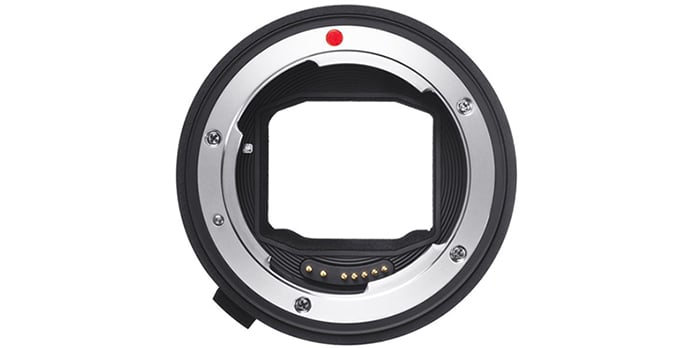
Sigma released the new firmware update for the MC-11. Here is the press text:
–
We would like to announce the firmware update for the SIGMA MOUNT CONVERTER MC-11 EF-E. This firmware update allows it to be compatible with the SIGMA 135mm F1.8 DG HSM | Art (Release: April), SIGMA 100-400mm F5-6.3 DG OS HSM | Contemporary (TBD), Cine Lens 50mm T1.5 FF EF mount from FF High Speed Prime Line (TBD) and so on.
For customers who own the SIGMA MOUNT CONVERTER MC-11 EF-E, please update the firmware via SIGMA Optimization Pro by connecting it to a computer using a supplied USB Cable.
※ Before updating the MC-11 firmware, please ensure SIGMA Optimization Pro has been updated to ver. 1.4.1 or later for Windows, and ver. 1.4.0 or later for Macintosh from the following download page.
【SIGMA Optimization Pro Download page】
http://www.sigma-global.com/en/download/lenses/sigma-optimization-pro/
For SIGMA MOUNT CONVERTER MC-11 SA-E, firmware update announced on March 10th, 2017 allows it to be compatible with SIGMA 135mm F1.8 DG HSM | Art and SIGMA 100-400mm F5-6.3 DG OS HSM | Contemporary.
【Applicable product】
・ SIGMA MOUNT CONVERTER MC-11 EF-E
【Benefits of this firmware update】
・It has become compatible with the SIGMA 135mm F1.8 DG HSM | Art and SIGMA 100-400mm F5-6.3 DG OS HSM | Contemporary.
・It has become compatible with the Cine Lenses; SIGMA 20 mm T1.5 FF EF mount, 24 mm T1.5 FF EF mount, 35mm T1.5 FF EF mount, 50 mm T1.5 FF EF mount, 85 mm T1.5 FF EF mount from FF High Speed Prime Line, and 24-35mm T2.2 FF EF mount from FF Zoom Line.
–
Sigma MC-11 at [shopcountry 55627].