







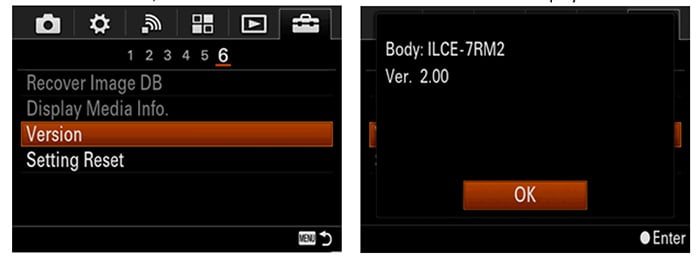
Sony just issued firmware 2.0 for the Sony A7rII. Download links:
Windows: Sony.com, Sony Australia.
Mac: Sony.com, Sony Australia.
Those are the new features:
- Adds the selectable feature for uncompressed 14-Bit RAW image capture
- Adds support to output video via HDMI during use of the Remote Camera Control software (still mode only)
UPDATE: There seems to be an issue with the firmware update. If you have APS-C mode on “Auto” than once you install the firmware update you can only shoot pictures at a max resolution of 18 megapixel. You can still change the settings after the firmware update so don’t worry. But just in case you can’t take any 42MP pictures any more know it that the firmware seems to activate it as default! (Thanks Mirrorlessons for the tip).
Thanks Oliver, Mike, Craig for sharing the links!
A7rII store list:
In USA at Amazon, BHphoto, Adorama, SonyStore US, FocusCamera, Uniquephoto.
In Europe at Amazon DE, Amazon UK, Wex UK and ParkCameras.
In Asia at Digitalrev, CameraPro.
247 Responses
Can someone with an A7rII please let us know here what the file size is for a 14 bit uncompressed raw? ty
85.6mb vs 43.1mb. Writing to card seems to take an age.
Time to invest in fast cards, eh?
running the latest Sandisk 280 mb/s UHS II so not a card issue. The a7r2 doesn’t use both sets of connections on card like other cameras (Fuji XT etc). wonder if a7s2 will?
You are right, but not only this, in fact your card is quite slow on a camera not supporting UHS II-cards, much slower than a fast UHS I card. So it is partially a card issue, try a fast UHS I-card and report back.
Omigosh. I am using a 1963 Volkswagen. Why can I not travel the autobahn at 200 kph?
A7ii coming next?
A7 II PLEASE
A7II
A77II?
They should make possibile to activate Slog3 and Video Assist in the rmk2 too.
Maybe in the next firmware release?
Lol, in Sony world 2.0 is usually the last update for the camera.
Your comment made me think. I have not upgraded my camera for a reason, and that reason is that I suspect no real firmware upgrade for any camera purchase save for minor marketing purposes… that being from any camera manufacturer. What I use now could do, to lessor degrees, but still do, all that the newer cameras can do. However, the firmware will not allow it. Dare I trust Sony, or Canon, or Nikon, or Pentax, or Olympus? The marketing is that I want me to just upgrade the hardware, yet the marketing is keeping me from upgrading… because I am not a fool (as they would like me to be).
shi-! After spending 3500 euros you can’t enable one or two functions?
I’ve bought my first Sony this month (a7r2) after many happy years with 5d2 and 3. Hey Sony can you hear me? Give us a7s2 features (video assist and slog3)
File size looks like this. Compressed Raw 43.5 Jpg 14.0 Uncompressed Raw 86.1 Jpg 14.5
congratulations, f’ers : ). may we poor slobs who bought previous iterations (a7ii, etc) be next..
And RX….
No, you have do buy firmware update in form of a new camera. It’s a business.
Truth is we need true lossless compressed raw, not simply uncompressed raw
Why is Sony not listening
Didn’t really hear anybody talking about that
Maybe it will come, maybe it won’t. It takes time to develop an optimal compression algorithm and test it. Secondly, there may be issues on how cpu intensive it would be. It might be that it requires hardware assists to run acceptably faster (camera processors are full of such things for JPEG compression, video processing etc. as the cpu power in a camera is limited and requires dedicated support). Compression algorithms are often CPU intensive (decompression is usually not). Cameras like the Nikon D810 might well have been designed with this from the start.
Then there’s the issue that RAW processing software, like Lightroom, would have to be updated to understand the compression format (that’s assuming that there’s no industry standard for flagging compression types in the meta data – which is always possible).
So this is not to say that it’s necessarily impossible, just that, at the very least, it would require a lot more development/testing and might work very slowly on existing cameras due to cpu constraints.
They don’t have to design it – they can pick from existing algorithms, Canon didn’t design there’s they picked a standardised one.
Anything done with a CPU in camera will be slow, they will have to leverage some level of parallel processor to do it at an acceptable speed.
You can only use parallel processing to the extent the processor in the camera has multiple cores. In addition, many standard compression algorithms which use dynamic symbol dictionaries don’t lend themselves well to parallelism. We’ll see, but the point is it’s not necessarily straightforward. Even if a standard algorithm is used, there are bound to be trade-offs as regard speed and effectiveness plus the use of memory space. In a camera with an EVF and IBIS there are always other high priority demands on the CPU (albeit I’ve not idea if the camera has separate processors for “front end” and “back and” roles).
If Sony had just used a gamma compression system using a lookup table (rather than adding the second, damaging phase), then it would be computationally cheap and have had no affect on image quality as there are never more than about 9 bits of image data at any one pixel position due to photon shot noise in the bright/mid areas and read noise in the shadows. Add a couple of bits to capture some noise and thereby sufficient dithering to avoid posterisation and all would be fine. It’s computationally relatively efficient. Then as the ISO level gets ramped up it’s even possible to drop bits (no point in having 14 bit files with a DR of, say, 9 bits). So the original 14 bit space squeezed into an 11 bit gamma would have been fine, albeit the “lossless” purists will hate the the idea.
Camera image processing hardware use ASICs they’re nothing like a regular CPU with 2 or 4 cores, they’re closer to GPUs in what they’re capable of.
High efficiency general purpose lossless compression algorithms wouldn’t be suited to this task (as they tend to be very linear as you suggest), but any lossless image compression algorithm that is block based falls under the category of “embarrassingly parallel”, i.e. it’s about as good as it gets.
The ITU-T81 algorithm (also known as lossless JPEG) used by Canon for lossless compression uses exactly the same entropy encoding routine as standard JPEG, and is no harder to parallelise or implement in hardware.
Ultimately it depends on the properties of the chipset they’re using as to whether they can do it or not, e.g. is the lossy routine completely hardcoded, or is the hardware programmable to an extent?
Cameras use very similar central processing chips to those in smart phones (which is hardly surprising as the intersection of the Venn diagram of the requirements of both will be extremely large). That means that they are almost certainly going to have at least one general purpose cpu based on the ARM architecture with at least 2, and possibly 4 cores. Integrated into the same silicon will be GPUs, video encoding engines and all sorts of other specialist processors.
I’ve no idea what made you think that I thought cameras had a single general purpose processor, but it there is no hardware assist for compression, then it’s in the general purpose CPU where the work will have to be done.
As far as compression algorithms are concerned, then I did say that the degree of parallelism depended on the algorithm.
One standard that comes to mind is DNG 😉
Do you mean Sony could direct output DNG in its compressed form, or do you mean use the DNG compression algorithm? I don’t think the former is likely, but it may be that whatever compression format DNG uses would work. It doesn’t mean it’s going to be efficient to implement though.
We don’t “need” anything, but it would be a nice option.
lossless compression require more processing power which might drag the burst rate. And I have to tell you, if you throw both canon and nikon lossless file to Rawdigger, they were actually a tiny bit lossy
lossless compression is just a smart algorithm that it combine the useless pixels or pixels with exactly the same info, but its still a software, not as smart as you think, so it make mistakes, and that it might fail to recognize useful information, so take your uncompressed file and be happy
Your second paragraph is false. Lossless compression algorithms do NOT make mistakes. After running through compression and then decompression, the resulting output should be bit-for-bit identical to the input.
People requested 14 bit uncompressed RAW and it seems this is what Sony has delivered. I think we also need the option for 14 bit lossless compressed RAW… I am sure Sony will implement it providing that the hardware can support it… We may have to wait though.
SONY IS LISTENING. YOU %%%% THAT IS WHY THIS UPDATE EXISTS IN THE FIRST PLACE.
Probably the next update will add lossless compression. If it doesn’t, start whining again.
Don’t really get why there’s no lossless compressed raw option like every other camera manufacturer has in their cameras.
They have to work with the existing hardware, and if that doesn’t support the operations required for lossless compression then there’s nothing they can do with a firmware update.
It’s hard to imagine the hardware would support lossy compression but not lossless, I’m not an expert though.
It’s not so hard to imagine – if the hardware was designed specifically to support their particular lossy codec then it may well not be possible, or at least be difficult to implement a completely different algorithm.
You seem to know more than me about this so I’ll believe you.
@vamzen:
Don’t believe the things written here. Nobody is expert. Nobody knows about the hardware issues.
Just ask yourself: Is JPEG-compression more or less complex than lossless/lossy RAW compression? And you have your answer.
I wouldn’t be surprised if the JPEG compression is done on dedicated hardware (shared with the dedicated video encoders/decoders).
It is. And, as you suspect, the video processing is even more complex as it compresses both spatially and frame-to-frame. (There is a simple compressed video format that essentially uses a separate JPEG for each frame, but it’s very large and you certainly won’t find it used on modern cameras).
The lossy compression system is computationally very efficient. It just initially applies a gamma curve to squeeze 14 into 11 bits. That’s just a lookup (and really doesn’t damage IQ at all as all that’s being discarded is some of the noise in the mid/high light areas), whilst the second phase just determines maximum and minimums within each compression block and stores an offset/multiplier.
In contrast, dynamic adaptive compression algorithms are often very CPU intensive as they involve lots of searches looking for matching symbols in a compression dictionary which, itself, is set up dynamically. Those “searches” can chew up thousands of cpu cycles per byte (albeit there are optimisations).
nb. there are some very efficient lossless compression systems, like RLL, but they will be useless on image data.
There are lossless image compression algorithms that are also computationally efficient, that don’t build up a dictionary for the whole file etc. every other camera manufacturer offers lossless compressed RAW files, we’re not talking about anything groundbreaking here!
Thanks for the info!
“That’s just a lookup (and really doesn’t damage IQ at all as all that’s being discarded is some of the noise in the mid/high light areas),”
That would be true if it were done correctly, on the right curve. Unfortunately for Sony ARW2, they discard a bit even for the very darkest tones, discarding far more than just shot noise.
I’m not saying they did it perfectly (although one bit at base ISO is probably just below the noise floor, but it’s a good idea to have at least some noise bits).
Lossless compression is a matter of software not hardware.
compression require processing power, lossless require more than lossy, so it is about hardware, if the bionz processor can’t handle 42mp lossless compression
The uncompressed however doesn’t need much processing, they just read directly from ADC
I would be surprised if current image processing pipeline isn’t parallelised and queued, the same as recording to a storage media.
I would think the other way around. With lossy the processor has to convert the incoming sensor data to a lossy signal and compress it, while with lossless the processor only has to compress the incoming data. Seems easier to me than lossy.
Sony’s lossy compression is two stage, bot of which are computationally efficient and open to parallelism. The first squeezes the 14 bit RAW into an 11 bit space using a gamma curve, and all that requires is an indexed lookup based on each RAW value. The next stage (which is the really damaging one) takes small blocks, works out the high and low values in the block and sets a multiplier and offset. That too is quick and easy to implement.
As the image data can be divided into multiple blocks to do this, it’s easy to compress in parallel.
Yeah. BIONZ doesn’t have enough power to compress raw, but it has power to run complex demosaicing, lateral ca & distortion supression and use huffman packing to produce 5 jpeg per second. Makes perfect sense.
The BIONZ chip is called imaging processor for a reason – many heavy processing tasks are implemented in hardware circuitry and do only what they are supposed to do, but very fast.
You throw image data one end of a pipeline and you know exactly what is coming out the other end. You can not reprogram it to do other things.
Sony are just not using the parts that do their lossy compression, but ac not add new ones without making a new chip.
If you say they have DCT transform, convolution and matrix multiplication in silicon, I’ll gladly agree. But are you going to say they have entire jpeg engine implemented in silicon?
Even if your speculation is true, what prevents Sony programmers from adding code which slowly compresses RAWs when camera is idle?
Occam’s Razor: Sony programmers’ resources are finite and they need time to implement compression.
A compression feature in the menus that you can activate when you run out of free space on your SD card is a great idea, but a process running in the background to do it automatically is going to hurt your battery life, and in a very unpredictable manner. Also may cause corrupt files if you switch it off at the wrong time.
Regarding the Bionz chip, I believe all key, heavy processing, features are implemented in silicon because this is its sole purpose and because designing custom silicon is so expensive they end up having such long product life. First Bionz has been around like 2007-2012 and now BionzX like 2-3 years. Hopefully they are working on the next one and its close to release as BionzX appears not fully capable for what they are aiming for ATM.
>is going to hurt your battery life
oh, the camera CIPA rating would go down from 340 shots to 338 shots. What a disaster.
>Also may cause corrupt files if you switch it off at the wrong time.
Do you ever use E-mount camera or you only write nonsense on SAR? Next time, pay more attention when you use your camera. When you turn off switch, this doesn’t really turn camera off, it just tells it should go off. The camera continues to write any remaining data to memory card, which is indicated by a LED which is called access lamp in user’s manual. After it has finished with memory card, it runs dust shaking procedure, search for defect pixels, etc. and only when it has nothing more to do, it goes off. The only way to really turn camera off is to remove battery.
So adding background compression scheme would not change anything.
Probably your “educated” guesses about Bionz chips are even worse than your knowledge about corrupt files.
“CIPA rating would go down from 340 shots to 338 shots”
Your guess here is way off here I’m afraid. The impact of lossless compression done by the ARM chip would be much bigger than you think. Remember 12 shots are 1 Gigabyte of data! So compressing 340 shots is like crunching down 27 Gig of data.
I know pretty well the red light indicating camera is writing to SD. However, currently camera is pretty good to keep writing to a minimum after you hit the Off switch. Never had it write to SD for more than fraction of a second if I’ve just made a shot and turn it off straight away.
Imagine what it would be switching off the camera to take out SD or battery and waiting for it writing for minutes. Do you just sit and wait?
That would be ridiculous, totally impractical.
Plus people are used to hit the Off switch turn over the camera and pop the SD card or battery out when they need them. You would notice the light just as you are taking the card or battery out!
>Your guess here is way off here I’m afraid
So where’s yours estimate? – in CIPA rating, not gigabytes, of course.
>waiting for it writing for minutes.
How often do you shoot a burst of 100 RAWs in a minute, and then pop out SD/battery immediately after? I guess only if you’re hardcore gearhead.
well in such case, solution is simple: camera would abort compressing, leaving the remaining RAWs uncompressed, instead of making user to wait.
>pop the SD card or battery out when they need them.
Some people indeed do this, is there any overlap between them and people who bashed Sony for 11+7 loss? Let’s ask Anton Berlin if he removes battery before camera turns off.
Even if you insist on a foolproof variant, there is one, known to programmers for decades:
*you just start writing a new file under temporary name
*after new file is complete, you simply rename temporary over old name (which is an atomic operation)
Not a rocket science, is it?
I already proposed a very practical solution with hardly any downsides – add an option in the menu to compress images, so that you will be able to start it when you need the space (if you need it) and if you are not concerned about the battery life.
They can even add an option ‘Compress and power off’ so you can start that and leave the camera to do its work.
What you are proposing can become a power & storage management mess. So you just decide to take a shot and have to wait few seconds, just because your camera decided to compress your images.
Or you know you had some power left, but all of a sudden you have 5% left, just because your camera decided to process some 100 images you took before that.
And its not only processing, just think how long it would take for all this data to be read and then written to the SD card. Most SD cards today have 90MB/sec read and 50Mb/sec write. This is 1 sec to read a full RAW image, plus 1 sec to write it and the time to compress, that depends on the ARM chip and what features it got. Even if it is half a sec, this makes 2.5 sec per image and 340*2.5=850sec = 14 minutes extra work for your camera and this will be reading, writing or processing, not being idle and On.
This should hurt it quite a bit more than 2 shots.
Okay, let’s consider your “very practical solution”.
So imagine you have a SD with empty 14 Gb and need to produce 340 RAWs.
You get such workflow:
Shoot 170 RAWs
Take a dive into menus and run compression
Wait 7 minutes
Shoot 85 RAWs
Take a dive into menus and run compression
Wait 3.5 minutes
Shoot 42 RAWs
Take a dive into menus etc….
>14 minutes extra work for your camera
CIPA specifies camera to be turned on for 30 sec per each shoot, and camera had to work for 340/2=170 minutes to produce these RAWs. so at worst, compression will consume 100*(14/170) = 8 percent of charge than operation per CIPA requires. I didn’t take in account that compression requires only CPU+RAM+FLASH but not LCD/EVF + sensor which are very major consumers of power. So i replace 8% with 3%.
But you have convinced me that background compression should hurt more than 2 shots. Okay, my second estimate is that CIPA rating would go down from 340 shots to 330. Still not a big deal?
I personally would prefer to have control on when it runs the compression procedure.
This way, in the situation you described above, at least when I’ve run it I would know its done and how much space I’ve got left. Also I would run it when I pause shooting so it wouldn’t mess with my shooting, like starting to compress just as I am waking it to take a shot.
If it runs automatically, you’ll find yourself at times waiting for it to run to free you some space, or not knowing whether it has run already and done or not yet and how much space you could potentially be able to recover. Free space on the card will be going up and down all the time.
It has advantages as well, if it mostly triggers at the right time, you will be getting your files compressed without having to do anything, but it has the potential to mess with your shooting at times and also cause some confusion of how much space you’ve got.
Anyway, both options are not ideal and best would be to have them compressed as they are written to the SD card for the first time, even if this slows emptying the buffer.
What most people will do most likely, with today’s prices of SD cards, is just buy extra cards or larger ones and keep RAWs uncompressed, then just compress them when they’ve finished post-processing and archive them on their computer/dedicated storage.
I personally would prefer to have complete control over camera software and have built-in Arduino.
Do you yourself use a real-time operating system on your computer or use bloated Windows/Linux/MacOs?
There are a lots of operations in camera user has no control of. Some users are asking entering shutterspeed for long exposures manually rather than using bulb mode which forces them to buy accessories.
>like starting to compress just as I am waking it to take a shot.
why do you keep saying this? How using spare cycles when CPU has nothing to do prevent taking photos?
Well imagine that you want to review taken images.
If you have no control of compression timing, you don’t even know if some and how many of the images have been compressed.
So when you hit ‘Play’ you have no idea if you’ll have to wait couple of seconds before every image is read and decompressed when you hit the previous button.
When you have control you will compress them in sessions, when it is less likely you will be reviewing older images.
But why are we arguing at all, with SD storage so cheap, users will just use larger/more cards and compress them ones archived on their computer.
All those processes are supported by dedicated circuitry. The BionZ processor will have specific functions built in for things like JPEG conversion, video encoding and so on. It may, or may not, have the capability of supporting high speed lossless conversion.
Circuit specialized for certain tasks have been around for several years. Think about why your smarphone handles certain movie format better than others.
Specialized circuits are as old as electronics itself.
I am not a good engineer but are you at all?
Unfortunately i am an engineer and my friend in electrical engineering nwas talking about high speed circyit used in cameras 7 years ago.
7 years ago! Did not cameras have specialized circuits before then??
what’s your point? How does film cameras work impact your fancy 7r2? Some doesn’t even need batteries. Poor battery-life for modern models, they mock.
Digital cameras and samrtphones, etc. all have high speed circuits designed for certain tasks. Back in core 2 era many people once have to reply on their GPU to decode 1080P BDMV ( which is another instance of acceleration circuit) due to weak cpu performance and now your smartphone could do it with a lower performance chip.
Imagine, 7 years ago even DSLRs existed, even first mirrorless. And Sony DSLRs had Huffman compressed RAW. Most cameras don’t playback RAW at all, they playback small jpeg embedded.
No it isn’t. Some hardware is dedicated to encoding to a certain format only. Red’s Cine cameras use Wavelet ASIC hardware to encode to Red (compressed) Raw. But they can’t encode to anything else like MPEG, H264. The same is probably true for the A7rii
Your point makes no sense, because Sony are not required to compress it into any of existing formats, they can just pick any method that works.
His point makes a lot of sense. Dedicated imaging processors like the Bionz are designed to do only a set number of tasks in a very optimised manner and they are implemented in circuitry/hardware.
Apparently the Bionz chip does not have any feature for compressing losslessly.
If they make the main CPU of the camera (I believe they have an ARM chip) to do the compression it can easily take 1-5 seconds to compress an 80Mb file losslessly and wan not practical.
yeyeyeah, and before the update came out some people speculated that the lossy compression took place on sensor itself.
Every other camera? My 6D has no options at all whatsoever other than dimensional size.
Near that price tag.
I just did some quick comparisons, shadow color is more accurate for sure. Right image is compressed, left is uncompressed. White balance is exactly the same.
I’m assuming you have the correct labelling and know what the true colours are, but I prefer the one on the right.
The chair appears to be a black leather and chrome type, yet it looks quite red on the left, whereas it is shades of grey on the right.
If I get the same results I’ll be sticking with compressed!
Left picture has a magenta cast, right has a green-ish cast.
The green is very slight; the magenta is horrifying!
True, I’m waiting to see more uncompressed images, before I download the update.
At least you have the option of switching between them 🙂
…and I’m very grateful for that. 😀
if you’re paranoid, you should wait even more to make sure nobody gets unwanted side-effects from the update
Yeh I’ve triple checked it. Theres a green tint coming through the window from my trees behind.
So why do you say the uncompressed has greater colour accuracy? That seems to contradict your labelling as the right being compressed.
The colours are actually what I’m seeing. I’ve noticed all my photos beforehand had that magenta tint if I pushed the shadows. That example is +3 stops
Please would you confirm again, as your replies are confusing me more with each one.
Are you saying that the left picture, with the magenta cast, is shot using the new uncompressed firmware?
Your initial post suggested an improvement, but giving shadows a magenta cast is not desirable at all.
Ahh dayum, you win. I wrote it wrong in the description. Epic mistake and confusion
Please do go back and edit your original comparison post.
It might make my subsequent posts look silly, but at least it will help other viewers with comparisons between the two!
Colour cast aside, the image does look slightly cleaner with the uncompressed raw.
And here is another: 13sec exposure +2 stops in post. Compression artifacts are fixed!
Did you set white balance manually?
Can you please convert the uncompressed ARW into DNG and tell us that filesize?
110mb
Whaaaaaaat?
Brian Smith did some tests on A7Sii and got this numbers:
• Sony a7SII Compressed RAW are approximately 12.65 Mb
• Sony a7SII Uncompressed RAW vary from 23.75-24.3 Mb
And after converting the uncompressed RAW to DNG:
• Sony a7SII DNG are approximately 14.3 Mb (No Preview)
• Sony a7SII DNG are approximately 14.4 Mb (Medium Preview)
• Sony a7SII DNG are approximately 17.3 Mb (Fullsize Preview)
so I was hoping A7Rii is around 50MB with DNG
Nope. That’s what I got converting in LR.
I tried Adobe-DNG-Converter 9.2 on this file from dpreview: (http://www.dpreview.com/reviews/sony-alpha-7r-ii/6)
And here are my results:
ARW: 83 mb
DNG with medium size JPEG: 32 mb
lossy DNG with medium size JPEG: 11 mb
Maybe file sizes are getting bigger if the picture has less mono-coloured areas like this test-picture.
…which gives you a good reason to buy 7r3
Why do uncompressed sizes vary? If not compressed, don’t zeros still cost you?
Sony uncompressed and lossy compressed RAWs are constant in size.
But there is a variable size JPEG added to the files and this causes the little size varaince, in both uncompressed and lossy compressed ARWs.
About DNG compressoin I haven’t researched about the algorighm right now. But it seems DNG-compression is more related to a classic zip-algorithm and so the picture itself causes a difference within the size.
BTW: I just converted the uncompressed A7Rii RAWs (downloaded from DPReview) with Adobe DNG Converter 9.2 and shrinked 83mp down to 32mb (less ISO-noise) and 23mb (much ISO-noise). Interstingly I expected the result the other way round, but maybe DNG-compression algorithm realizes that it is noise and don’t spend data volume on it. Seems to be pretty clever this DNG…
But I haven’t checked the compressed files with lightroom, I cannot say if anything got lost due to DNG-conversion.
Oh, duh. I forgot the embedded JPEG.
Nice guitar.
If only left picture (lossy compressed) was available, someone for sure would have pointed at it and said “Look, the color is deteriorated due too small 42 megapickles crammed on sensor and heat from liveview”
It has been suggested by several others previously. There is no pleasing some of you. And that “some of you”, even though you may actually have in your possession a camera, are not really photographers anyway.
This is true.
In photography, a person is more likely to blame the gear they have for their mediocre photographs than themselves and their lack of skills…regardless of what brand of camera you have.
Not really… If one buys the best and the pictures are not so good, ones should wonder about their own abilities and try to learn I believe. Blaming the equipment usually does not lead anywhere…
I see no evidence you are a photographer either. You got challenged to post your own work when you talked smack about other people’s, and didn’t have the balls to do so.
It takes a mangina to accept a challenge to proves ones knowledge and honor. I am no mangina.
Evidence is in sales, not here. And even though I have gonads (what you call balls), many women do not post here and still have more balls than you by having actual sales. So, what does that say about you and your lot of loosers?
The 18mp looks like the user has it in crop mode as the mp’s match it exactly and other users are reporting 80mb files. Or they have it on auto and the camera thinks it’s a crop lens.
Is it in pipelines for mark I series ?
Mk 1 seriously doubt. Mk II slight chance. Maybe 30%
They said A7R II and others later… That doesn’t leave a lot of options.
Ouch then I guess no for both. Sony is not terribly well known at being a company that cares for its users like say Fuji or now even Samsung.
If they say coming to other cams later after A7R II and A7S II that really only leaves the original 3 models and A7 II. Presuming it comes to at least one of those it would be the A7 II I would think.
Ever owned a Fuji? Sony’s updates are at least on par if not better (but get typically negative comments).
Have you been watching what Fuji has added to the X-T1 over the past year? We’re not talking small, incremental fixes…we’re talking adding tremendous amounts of brand new features. In the past year, the X-T1 has gained: a) electronic shutter to 1/32,000 sec, b) silent shooting (in conjunction with A), c) full-time manual focusing (which wasn’t there originally), d) an entirely revamped autofocus system with wide area tracking, zone tracking, and massively improved AF speeds, e) a new film simulation f) customizable quick menu, g) eye detection AF, h) auto-macro mode i)exposure compensation in manual mode for Auto ISO, j) improved viewfinder refresh, k) natural live view (removes processing from the EVF for better DR and clearer composition), l) improvements to button customization and focus point selection, m) interlocking of spot metering with AF point, n) expansion to three custom white balance settings, o) tethered shooting capabilities, and several other minor points.
You may say that several of these are features that other cameras had already, and you’re right: but taken together, the increase in capabilities and function on the current X-T1 from where it was when released (which was a VERY good camera that was reviewed extremely well) are night and day, and when taken together are as much of a change as a Mark II (or even a Mk III) version of the camera. Sony’s never done anything close to that via firmware.
I own an X-T1 and an A7 II and use both extensively. I like both cameras quite a lot, but Fuji’s firmware updates are fantastic.
Where to start? Ok my X100S, where are its updates? It has the same guts after all.
These features mostly ‘should’ have been included from the get-go and while it was an ok camera it was hardly earth shattering. All my Fuji’s got good reviews too, but all have been shite until 18 months of updates, even then pretty terrible, except the X100S… Which just remained terrible.
Also Fuji just keep repackaging the same cr@p every few months for three years and then tweaking the firmware (but selectively choosing who gets the new stuff). They have nearly a dozen cameras on their books that are all rehoused of the same basic hardware. How hard is it to write updates firmware if your hardware basically never changes?
It is nice that Fuji at least give updates that bring their gear in line with where it should have been at launch or certainly what it was capable of at launch had they had more time to develop it rather than beta test it on users. Most of that list is genuinely stuff that more established cameras ‘just have’. If and when Fuji bring out another camera I am sure they will already have these features, so what will you marvel over then?
Sony do release solid updates and feature updates on many of their cameras. The list isn’t quite as extensive because most of those features are already there. But adding things by user request like XAVC-S, faster AF, changes to tethering, faster start up times, better AF in low light etc etc just doesn’t sound as impressive as the ‘list of 50 things we didn’t have time to include in the start but because our hardware never changes we can do trickle down FW updates because our latest and greatest camera is exactly the same as our old camera, but with a new shell and updated software’.
Fuji updates are a rort but people buy into them as being some sort of amazing wonderment.
Where to start? Ok my X100S, where are its updates? It has the same guts after all.
These features mostly ‘should’ have been included from the get-go and while it was an ok camera it was hardly earth shattering. All my Fuji’s got good reviews too, but all have been shite until 18 months of updates, even then pretty terrible, except the X100S… Which just remained terrible.
Also Fuji just keep repackaging the same cr@p every few months for three years and then tweaking the firmware (but selectively choosing who gets the new stuff). They have nearly a dozen cameras on their books that are all rehoused of the same basic hardware. How hard is it to write updates firmware if your hardware basically never changes?
It is nice that Fuji at least give updates that bring their gear in line with where it should have been at launch or certainly what it was capable of at launch had they had more time to develop it rather than beta test it on users. Most of that list is genuinely stuff that more established cameras ‘just have’. If and when Fuji bring out another camera I am sure they will already have these features, so what will you marvel over then?
Sony do release solid updates and feature updates on many of their cameras. The list isn’t quite as extensive because most of those features are already there. But adding things by user request like XAVC-S, faster AF, changes to tethering, faster start up times, better AF in low light etc etc just doesn’t sound as impressive as the ‘list of 50 things we didn’t have time to include in the start but because our hardware never changes we can do trickle down FW updates because our latest and greatest camera is exactly the same as our old camera, but with a new shell and updated software’.
Where to start? Ok my X100S, where are its updates? It has the same guts after all.
These features mostly ‘should’ have been included from the get-go and while it was an ok camera it was hardly earth shattering. All my Fuji’s got good reviews too, but all have been shite until 18 months of updates, even then pretty terrible, except the X100S… Which just remained terrible.
Cut Fuji just keep repackaging the same stuff every few months for three years and then tweaking the firmware (but selectively choosing who gets the new stuff). They have nearly a dozen cameras on their books that are all rehoused of the same basic hardware. How hard is it to write updates firmware if your hardware basically never changes?
It is nice that Fuji at least give updates that bring their gear in line with where it should have been at launch or certainly what it was capable of at launch had they had more time to develop it rather than beta test it on users. Most of that list is genuinely stuff that more established cameras ‘just have’. If and when Fuji bring out another camera I am sure they will already have these features, so what will you marvel over then?
Sony do release solid updates and feature updates on many of their cameras. The list isn’t quite as extensive because most of those features are already there. But adding things by user request like XAVC-S, faster AF, changes to tethering, faster start up times, better AF in low light etc etc just doesn’t sound as impressive as the ‘list of 50 things we didn’t have time to include in the start but because our hardware never changes we can do trickle down FW updates because our latest and greatest camera is exactly the same as our old camera, but with a new shell and updated software’.
Fuji updates are a rort but people buy into them as being some sort of amazing wonderment.
This update list sounds fantastic!
The Fuji XT-1 has received all the adulations from the upgrades but my friend who uses an XE-1 has received a few upgrades to improve speed and add useful features like an intervalometer which Sony charges for.
That said Sony does do a few improvements to their cameras. Can’t say they don’t. Just that they aren’t as good as Fuji which is a benchmark at present.
Without lossless compression the update is of little use anyway. I guess it is just a sign of goodwill and that this stuff will probably be addressed correctly in the mark III iteration.
lol, nobody forces you do shot uncompressed RAW all the time, you can leave it only for the most critical shots.
I didn’t have any issue where the new firmware set me into APS-C mode. Maybe the person who had this issue had an APS-C lens attached when they updated. My update went smooth and all m,y settings were as before when I restarted.
Very likely, and as firmware updating is stressful for many (in case they ‘brick’ their camera) I suspect he posted in a panic before checking fully!
Can someone check whether the lossless files are supported by the DNG converter and whether lossless compression can be applied to the DNG file?
Lightroom converts them to DNG without issue. DNG file sizes are around 110mb for uncompressed original image, and about 85mb for compressed original image. The .ARW files for uncompressed are about 85mb and compressed about 45mb, so if you’re going to shoot uncompressed, you’ll need about double the memory card space. In my cursory look at image quality, I don’t see any difference, but I’m sure more thorough tests are coming.
Thanks, Jonathan. I remember losslessly compressed files being affected a lot by the subject matter being captured and the noise levels (i.e. ISO and so on). I hope that for cleaner shots (i.e. lots of blue sky, ISO 100, etc.) that the DNG compression will do a better job.
82 MB ARW vs 48 MB DNG here
Another return to what we already had with a900.
Amazing how EMount gets kudos every time they adopt an old AMount feature.
Alpha name.
Alpha menus.
Full frame.
Metal lens mount.
Steady Shot.
Larger grip.
Magnified playback to AF point. (only a7RII… a7II didn’t get it).
Vertical grip.
______
EMount won’t be complete until full transmutation back to AMount occurs with spring locking battery doors, longer battery life, full vertical grip controls, better AF-C performance, full LCD articulation, larger grips, intelligent preview, and maybe even… wait for it… OVF! DOH!
Yeah Sony, and don’t forget, Clyde also wants:
Line skipped video
AVCHD Codec
Noisy Audio Pre-amps
Lethal Weapon 5 (with the original cast)
” If you have APS-C mode on “Auto” than once you install the firmware
update you can only shoot pictures at a max resolution of 18 megapixel.”
BS
I just upgraded to 2.0, and I still can shoot 42MP with APS-C set to Auto (with a FF lens attached of course). The genius reporting the “bug” probably had a crop lens attached, and didn’t have the sense to realize why he couldn’t see the 42MP alternative.
Yeah, also not an issue with my update.
Haha.
(Possibly it was only a bug rumor.)
That’s actually a feature ;). You can shoot with APS-C Fov, but it saves the full version.
Anyway, why would you shoot APS-C when you can crop in pp ?
I love all the hardware compression ASIC specialists who’ve popped up on site. Sony should hire you guys for big bucks to show them what they can and can’t do with their DSPs.
I just had a look at sony germany…. they announce the new firmware with uncompressed RAW but the link goes straight to version 1.10…. I may be wrong but it looks like the typical issue that Sony struggles with their own webpage
If it was mistakenly wrong linked, then it isn’t anymore.
I just dl’ed the 2.00 Mac based.
right – now it’s working! thanks!!!
nice.
does this upgrade work for my iPhone?
Yes it works. iPhone 6s plus only. However keep in mind that the iOS will be completely replaced by the Sony firmware and you have to use the crappy Sony menus for the entire iPhone. Not sure if you can still make calls then. 😀
That’s the voice of a real iSheep 🙂 – LOL!
i guess it is a joke
Would love the same on APS-C camera
My APSC Mode is on Auto but everything is normal.
Are any sources telling you if this will be released for other cameras?
Probably not. That said you aren’t going to see any real improvement with the update.
Sources said – read the announcements – this will come for other cameras later. As a software developer I would say it ends up on a backlog and is done whenever a new firmware release is planned for older cameras. Likely the “best” (which is the newest) get it now (also because there is a lot more doing on in their firmware) while the older cameras follow a more stringent release cycle.
Why sony don´t release A7RIII instead of one update? The A7RII Have almost 3 months, is old stuff, come one! The A7II is almost one year old and for sony is old business, they don´t care and for sure they will not make the update for A7II. I hate this sony philosophy against fuji and others who makes updates and improvements to the old models.
^^ Sadly its only Fuji that does this. Canon did it for just ONE model and Nikon never did it for any model that I can think off. Even Olympus and Panasonic aren’t terribly good in supporting older models. Samsung has done a good job but only for one model.
I thought it was more brands like Fuji! You are right is sadly!
Nikon doesn’t need frequent updating
Fuji’s camera firmware that was shipped with the X100 was full of bugs and performance issues. Can’t remember seeing beta firmware quality from Nikon.
Capture NX-D may be a different story.
Actually Pentax has been pretty good about this in the past. They actually updated the original Q to have the same capabilities as it’s replacement when it came out.
Meh IMO Fuji takes some features out of their cameras upon release to “add” them a bit later. Like that electronic shutter, that appeared on X-T1 “out of nowhere” by firmware update.
Yeah, their AF update for the X-T1 just made something awful, just terrible.
My point is, a firmware should be fully grown and rock solid. Fuji is not a good example in this regard. Software in their X100 and XPro1 models was pretty crappy and dog slow. Of course it needed updates and fixes. Same is true for the first Canon EOS-M.
http://imgur.com/gallery/xj5oj
Cool pics shot with an A7rII
Ken, eh, HOOLK SMASH all SONY. Even non-puny ones, all must be SMASH!
Knows the nurse that you don’t take your medicine?
NOOOOOOOOOOOOOOOOOOOOOOOOOOOOOOOOOOOOOOOOO!
My first pictures take with a7rII and 35 1.4CZ: https://www.flickr.com/search/?user_id=79614249%40N00&sort=date-taken-desc&tags=sonya7rii&view_all=1
Very nice! Love the 3D pop!
Thanks Troy!!! Regards!
Sweet, time to take out a loan!
Anyway, it should be there in the first place
Make 14 bit uncompressed raw firmware update for A7II too please!!!
And my R1
how about the play memories app (android). The current version doesn’t work with Android 6.0
it does for me
Really? They had a notification for it not working with Marshmallow and when I tried it, it didn’t work.
They said its not tested of qualified to work.
That said, it works for me
Never understood why people ask for the uncompressed instead of the lossless compressed. Now complain about file size/memory card/storage. People, be careful what you ask for.
They asked for it because most people never bother to underswstand the differnce. Sony seems to imokement it because this was FAST – the code is already there, VERY few changes needed for support in software. Likely they work on a lossless compression in the meantime, but this will take more time (because tools like DxO likely need a lot more time to implement and test this).
Sony said it’s current processors couldn’t do lossless compression. I don’t know how true that is, but it would be pretty silly not to offer it if you could.
It took them more than five years to understand that some people want lossless RAW. It’s pretty silly in the first place…
Not arguing with that. Maybe this is a sign of good things to come.
Are you absolutely sure about that? Source? I’m actually intrigued.
If I download the Australian version, Will everything be an Australian?
Fun fact: Australian uses English
Yeah but they have that british accent, which nobody outside UK and Australia understands. 😀
What if I we want to use Australian accent firmware?
I can barely make out what they’re saying as it is, let alone having menu’s like that also. :/
Nex menus had australian accent. Thats why they were so fkd up.
You didn’t get it, mate.
🙂
Yeah but the like to use OU where just an O is sufficient and S where a Z comes in handy (colour vs. color, optimised vs optimized) 🙂
Fun fact: That went right over your head.
Everything on your pictures will be upside down, but no worries – you’ll be able to fix it in PP.
Crikey!!!! Good one Mate. Now that I have the Aussie Firmware, I feel like taking selfies of me leaping on the back of neighbor’s ferocious Pit Bull, covering it’s eyes, taping it’s mouth shut, and relocating it to a game reserve… Wish me luck mate.
This is a welcome addition to the camera. However, it puzzles me that SONY is just implementing it to their most advanced camera. On one hand SONY makes most sophisticated image sensors for not only its own brand but for Nikon and others. Yet, on the other hand, SONY do not include what many photographers have had as a basic feature of the DSLR, uncompressed raw to guarantee the best quality possible to get out of a sensor.
It is sad to see SONY users are so grateful for this because SONY has been SO miserly with giving them proper features … I hope SONY doesn’t leave its faithfuls hanging too long until “lossless compression”. I mean… even prosumer Nikon bodies have had that for a long long time…SONY do better. Ridiculous….
So they offer uncompressed RAW, but you still moan.
You’re ridiculous.
He’s not ridiculous. He is saying they should offer it in all their camera bodies and I agree. I have an A6000 and it’s raw files have a lot of compression.
What about A33, A35, A55, A57, A58, A65, A77, A77II, A99, NEX-3, NEX-5, NEX-5N, A5000, A5100 etc. etc. should all they get a firmware update?
Why stop here? Let’s ask focus stacking for free because Olympus has it.
Yes. Such a feature shouldn’t require years of development and very limited implementation when it has been available on most other cameras of most other brands.
I can understand if any objective reason kept them from releasing this feature earlier, but to release it only for a7r2 exclusively, is outrageous.
It’s pretty clear to me that both A7rII and A7sII where supposed to be released in the same time, so both share basically the same firmware, but for some reason Sony rushed to announce the A7rII, it took three months and still had problems with production, while the A7sII hit the market in few weeks only.
Exactly. Instead of churning out updated bodies to be bought they should update the cameras already been sold to customers. SONY users raving about 14 bit uncompressed raw in 2015 is ludicrous. It would be more appropriate for SONY to come out with a 16-bit sensor. That would be worthy of praise.
LOL. are you serious?
I think it’s debatable whether it’s worth them offering it across the range. I would imagine most users of their lower range models don’t actually care about it. Please don’t jump on that, I’m not saying ALL users don’t care, just most. I myself have an A6000, but I can’t say I’m bothered about having it in that body.
Yes, there lots of people who visit this forum who might want it, but I don’t think the readership here speaks for the majority of Sony camera owners.
You did not understand my comment. Sorry.
I did. I just don’t agree with it. 😉
He is one hundred percent right about this.
“SONY do not include what many photographers have had as a basic feature of the DSLR”
What, a mirror? 😛
I think the biggest news, is Sony listened to customers and upgraded firmware in a very timely manner.
Timely? Many of us were asking for this on the original a7R when it was released two years ago 😉
I tried that patch my Nikon D610 to test the RAW improvement, but somehow it does not work. crap!
Is the file we have to download compressed? How ironic would that be?
Yes, but lossless. 😉
The comparison images look very promising!
Thank-you Sony for catering to us photographers who are seeking to get as much out of our sensors as possible! A+
Oh cool a new update for my new relatively new A7II!!!! Oh wait, hum.. Never mind I forgot that my camera is now ancient at 10 months old in Sony time. 🙁
And the original a7R…
And my A7s
And my AXE!
And my A99. Oh wait… I’ve sold it a couple of years ago. Never mind.
Do it for the A7 ii and my money will be out off my pocket!
guys, this firm does not work with iPhone 6.
Extreme trolling?
sad your life so pathetic and the only attention you get is by trolling
sorry dude, but sony fens needs no trolling 🙂
Do I read correctly??? This firmware don’t give a lossless RAW but an non-compress RAW with the same lost-quality RAW file???
Buffer test with Un/Compressed RAW
https://www.youtube.com/watch?v=ykXCQnzXm-8
WTF! Both C1E and DXO cannot properly show or process the uncompressed ARWs?! I get either totally garbage (DXO Optics Pro) or with C1E I see garbage mixed up with magenta/red versions of images I took yesterday?! As it is I cannot read/process any images that are uncompressed! Only the jpeg previews are OK. Utterly crap.
That’s really weird. Maybe you could get a trial of Lightroom.
I’ve tried everything but get either garbage or black images. Really looked forward to see my astrophotos from tonite 🙁
I love DXO Optics Pro. But I really despise Adobe (totally hate subscription based software and I hate Adobes attempt to bundle McAfee AV software when I’m forced to update Flash). Maybe Rawtherapee does better.
C1E is the most confused and illogical software I’ve seen in a long time.
Any update I’m having the same problem! how can we process these files?
Do not bow down to adobes rental options. RESPECT. Working options will come .. it just takes a little time (have patience). I’m a user of Lightroom. Will ever only rent software under the biggest need to do it.
Sony users should become the negrows of the photographic realm. Enslave Sony users!
There is a reason superior Canon lenses are white lmao. Sony tries to copy but we all know it’s fake
WTF?????
SamsungR+D, all HOOLKS were me. MEEEEEEEEEEEEEE! Hahaha f@ck you SAR @assmin. I’ll be back Sony fegs, I’ll haunt you til the end.
pointless, so is your life
Hey guys,
Quick question. I’ve never done a firmware update before. If I didn’t download the previous A7Rii update, do I need to before I download this one? Or does this one include everything that the previous firmware upgrade fixed? Thanks!
just download and install ver 2.00 and everything else is included
Use a PC. 99% of the bricking/trouble reports I’ve seen is when people try to update their Sony cameras with a Mac. This is not an anti-Mac post, just something based on five years of lurking on Sony forums. I’ve had eight different E-mount cameras during those years, updated them numerous times, with three different PC’s, and never had a snag.
Admin: Can you *please* do something stop those stupid trolls invading SAR? Or is there a some way to create an ignore list? I’ve just about had it in here.
A+ on ignore feature
maybe a feature that if enough people flag a comment it can disappear? and accounts blocked?
Has anyone had trouble viewing the files on an iMac 5k using Capture One?
I’m getting either a pink scrambled mess or black.
same here, my capture one, version 8.3.3.23(latest), shows these uncompressed images as garbage. I don’t want to use subscription software(adobe). So i’m currently seeking a way to process these files.
Have you tried darktable ? http://www.darktable.org
thanks, i’ll look at that for my linux laptop. although I did just get lightroom CC – which works with these new sony raws.
The c1 boards say soon.
your money should be spent on 7r2
focus stacking would be cool… 🙂
No its an uncompressed lossless RAW. Thats why almost double the file size.
That’s good that it doesn’t slow down the speed.
can I upgrade a7r2 from 1.0 to 2.0? …or I have to switch to 1.1 first? thnks
I updated straight to 2.0. So go ahead. It works
For those who are unable to view/edit the new uncompressed ARW format:
Adobe DNG Converter 9.2 can process the new format and create DNG files which DXO Optics Pro 10.5.1 can open successfully (possible also Capture One but I haven’t tested that yet).
Not the most optimal solution but it works 🙂