











So, we finally got our long awaited X-T1 Lightroom tethered shooting plug-in. But there is more to report about Adobe today:
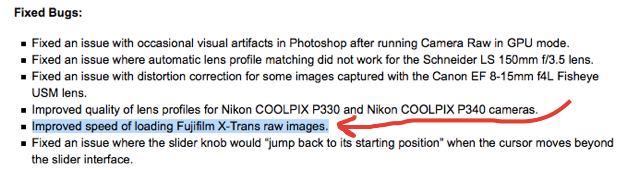
– Camera Raw 9.1.1 is now available. This update improves loading speed of Fujifilm X-Trans Raw images and adds Lens Profile for Lensbaby Velvet 56mm f/1.6. More details and download links at the Lightroom Journal here.
– Lightroom CC 2015.1.1 and Lightroom 6.1.1 are now available. It fixes serveral bugs and adds the Lensbaby Velvet 56mm f/1.6 lens profile. More details and download links at the Lightroom Journal here.
I remind you that Adobe promised here that they are also working to improve the X-Trans demosaicing and “improve fine detail rendering and overall edge definition”.
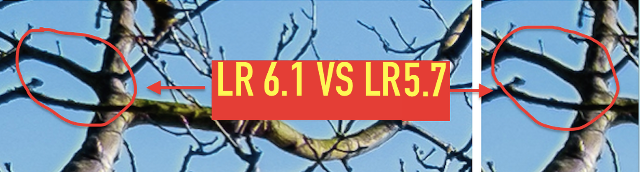
With the previous update (LR 6.1), Adobe significantly reduced the annoying Halo effect, as demonstrated by FXF members here.
17 Responses
That’s good, because the conversion of X-trans raw files to DNG and the actual loading of those files in Lightroom is at least 3 to 4 times slower than my Nikon Df files or D600 files or any other raw files I’ve used compared to the x-trans files. Let’s hope it’s really more comparable to Nikon files and so on as far as the speed goes in LR.
And I thought my computer was getting slow! Good they tackle this now, as since the 6.1 I returned using Lightroom as the major fuzzy issues were gone. A small hurray for Adobe that finally aknowledges Fuji stuff.
Wow. So they made images load a little faster and allowed tethering. I literally couldn’t care. Not one bit. Still not solving the issue most X users have been shouting about for years. Get the detail rendering/demosaicing/sharpening sorted. Stop dithering around and do it. Yesterday.
I switched back to LR since last update as they really improved the x support. I’m using it for studio photography and really can’t seen any difference using other convertors. In the releases before 6.1 that it was really horrible and Silky Raw convertor was way better, and now LR is better. I really love it that they improved loading speed.
A lens profile for a Lensbaby???
(muffled sounds in the background as sane photographer beats
his/her head against the door in puzzled frustration)
You can create your own. Adobe provided what you need for it.
You should be careful when converting to DNG – if Adobe ever fixes the demosaic problem, you will not be able to re-render the DNG unless you include the original file inside the DNG (which makes the file 2x bigger).
Conversion to DNG will “flatten” the image, so to say, to a TIF. Any of the original advantages of XTRANS become lost during the process.
So if you hope that Adobe fixes the algorythm in future or want to use the files outside Lightroom (in Iridium for example), DO NOT USE DNG
That’s a very good advice.
I don’t think this is true, I convert my RAFs to DNGs and I can then process those DNGs in Iridient Developer and it clearly reprocesses from the original x-trans data as it clears up issues visible in the Adobe processing (false colour, colour bleeding, mushy foliage etc) and produces identical results to if I feed it a RAF file. If the DNGs didn’t contain x-trans data they wouldn’t be so slow to process compared to DNGs from bayer RAWs too. I don’t use the original file inside the DNG option either (my DNGs are usually 20MB or less).
For my DNG, Noise Ninja will say that it’s not a Xtrans file.
I think that’s just a limitation of Noise Ninja then, which sucks as DNGs are so much smaller that converting a big library of RAFs saves tons of space.
Your understanding and experience is consistent with what I’ve always understood as well. In video parlance, a DNG and an RAF would be considered wrappers. Swapping wrappers can affect metadata but does not affect the actual RAW image data.
I’ll try to translate that “improved speed of loading X-Trans images” for you.
It doesn’t mean improved speed of rendering. It doesn’t mean any improvements to the final image. It doesn’t even mean improved speed of building the screen previews.
It means just that: improved speed of loading the file name(s) into a database.
hmm I’m not so sure about that. My initial testing shows that all raf files now take approx. 2 seconds to load in Lightroom. Before this update, it would take at least 5 to 15 seconds. And more often around 10 seconds.
I haven’t tested that much but at first look, it looks to me like a major improvement.
Let’s just wait and see if I’m not experiencing some placebo effect or something.
If this is really the case, then kudos Adobe because it was a REAL pain.
In my case loading time has improve 50%-75% when clicking on an image to develop, and then let it load completely, which hasn’t be loaded before. Also it seems a bit more responsive sliding the image bar below. Don’t know for importing and exporting yet. Have to try tonight.
Good, looks like I’m not the only one noticing speed improvements.
I also discovered that enabling GPU acceleration actually slows down the loading on my computer so I turned it off and now I get constant 2-3 secs max loading time.
For me it seems like the whole LR CC has speeded up when handling X-files. Especially when using dual monitors, paging from picture-to-picture is faster than before. No differences when it comes to the rendering quality though.