







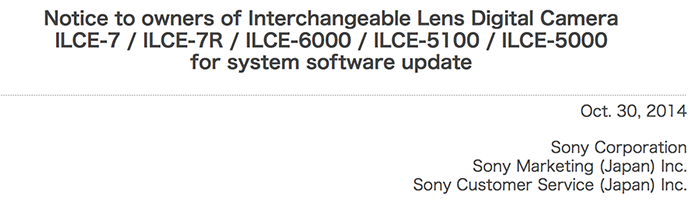
The official note from Sony Japan.
Sony Japan forgot to mention that also the A7s got an official firmware update (can be seen here on Sony US). At the time of writing als the few Sony Europe stores I have checked do not display the firmware update info for the A7s…
0 Responses
I just installed the firmware update on my A7s. It took a while, but the update completed smoothly.
And… now it does seem like the camera boots up faster after replacing the battery. It’s still not super fast, but booting up a little bit faster is appreciated, and makes the update worth it.
I’m not sure if the firmware update does much of anything else. I guess something about the Smart Remote Control app. I had plenty of other things on my firmware update checklist, but booting up quicker is nice. So I recommend this.
FYI the link above to the firmware on the US site is for the Mac version. I downloaded the DMG file and couldn’t open it before I realized this wasn’t the Windows firmware. This is the correct link for the WIndows 7 firmware update:
http://esupport.sony.com/US/p/swu-download.pl?mdl=ILCE7S&upd_id=10065&os_group_id=6
Updated too, but didn’t notice much in improved startup time (after battery pull). Hoping there are other small fixes and improvements included. Sony often puts more in their fw updates than they list.
It definitely feels a little quicker to me. Not much, but it’s noticeable. I had been regularly frustrated in the past by the start up time after replacing the battery. I’m grateful for any slight improvement on that.
If there’s any other small fixes and improvements I wonder how we can find out about them. The smart remote update isn’t meaningful to me as I never use that feature.
Hi, do you think I can download the fw from the US site for my EU version a7 ?
I hope it doesn’t turn into NTSC-only camcorder
i would like to know as well.
@Admin
Will you bless us with a big bang rumors today or is it all over until next week?
wann hear rumors about upcoming rumors?
Updated a6000 and a7r on Mac OS X Yosemite with no problems. Follow the instructions to the letter and all should be fine. Do not do anything else on the computer while it is doing the update, move mouse to do not allow screen to go to sleep, do not open any other applications, do not switch to othe windows.
Actually I had some very processor intensive data transfer running while I did the firmware update. Probably wasn’t a good idea, and I regretted it after I started updating, feeling a little concerned I could harm my A7s if something glitches, but I REALLY didn’t want to stop either process, and thankfully all went ok. That probably wasn’t smart, but anyone should be just fine to do some basic web browsing and facebooking while the firmware update is running in the background.
any news about a7/a7r getting xavcs?
I believe there was video the other day from a Sony official explaining that updating the codecs aren’t simple software updates, but actual physical limitations with the motherboard.
Yes, Kenta Honjo mentioned something like that but also making me wonder if this includes the α6000, since the technically identical α5100 offers XAVC-S: http://www.youtube.com/watch?v=ZvIaEkUqVE0
So… Still no bugfixes for the RX1?
Are there any real updates other than the playstation ones?
Should be called the FPuny mount…
For whatever reason, the firmware update fails to load for me. Anyone else having problems installing the firmware?
It hasn’t worked for me either. I downloaded the firmware twice and followed the instructions to the letter but the LCD screen doesn’t go off when it is supposed to and the connection is never made to the computer. What machine are you using, if I might ask? Perhaps there’s a hardware issue. I’m using a 2013 Mac Pro.
2012 Mac Mini, same problem although the camera does mount on the computer as I can see the sd card in the finder.
Yes. On mac os x it can easy fail. Try under windows 7.
Problem solved. Apparently the firmware updater doesn’t work with OS X 10.10 (Yosemite). It works fine with an earlier version of OS X.
Hello. Just to say, for unknown reason, installing the update under MAC Os X can just fail and brick your camera (exactly what happened with my A7S and my mac under 10.9.4). If this happen, just try to do it under windows 7, it works perfectly. Anyway, I found the process very risky and complicated. I far prefer to update a camera with the SD and not a computer because lot of things can fail (USB cable, Usb Connection, computer can simply crash during the process too…)
I cannot instal it for no reason on my a7s… maybe because i’m on yosemite
yosemite is not a problem, just make a ctrl+click on the installer
And what about FW update for the A99? Nothing!!
Damn – this stupid upgrade just bricked my A7R, and I’m leaving in a week for a photo workshop. Now I have to send it to Texas, and maybe they will send me a replacement in time. How nice.
I tried updating my A7s on Yosemite and after 4 tries gave up. Too bad, honestly I am not thrilled with the camera anyway.
This does nothing to change that.
Admin,
One of your ads starts playing video with loud audio a few seconds after loading this page, this is very indiscrete and invasive. Even if i am on another tab with this one open i get blasted with the audio.
Wireless Picture Import does not work after update.
Sony A6000 + MacPro with yosemite.