










[UDPATE: comparison AfterShot vs Lightroon vs JPEG in French at lemondedelaphoto (translation)]
image courtesy: lemondedelaphoto (translation)

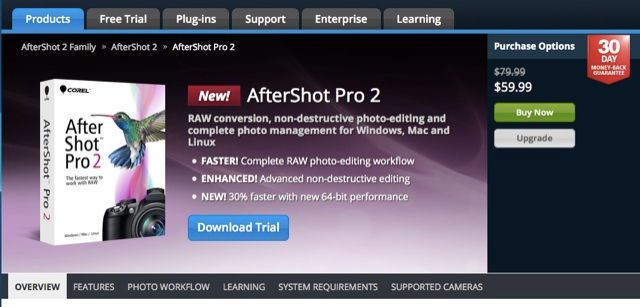
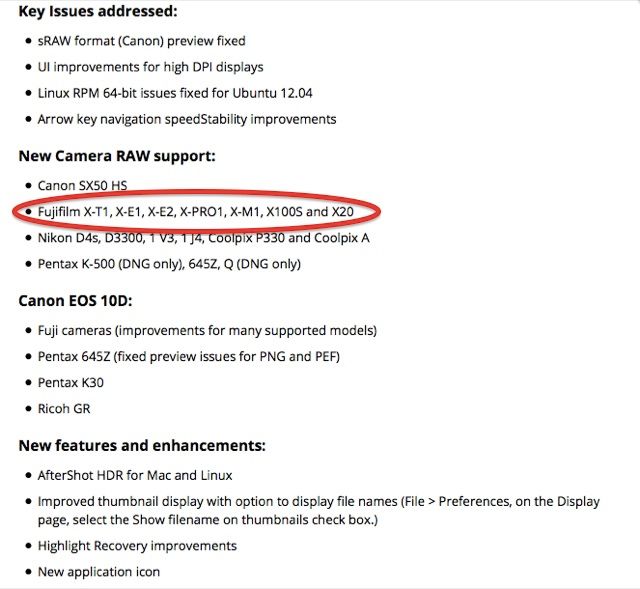
Corel AfterShot Pro 2.1.0.40 is now available and it supports all Fujifilm X-Trans cameras (except the XQ1).
Read the release note and download it here. For the free trial click here… and let us know in the comments what you think about it.
Corel AfterShot PRO 2 can be purchased for $60 at AmazonUS until Nov 2.
2 HOURS LEFT: SUPERDEAL & CHARITY
REMINDER: Just a few hours left, and then this incredible deal will be over. Get 39 different photography products, including training, tools, and much more for only $89 instead of $2000. If you want to check out more and eventually purchase it, I invite you to stop first at thedigitaltrekker here. If you purchase the bundle through his affiliate link, 100% of his earnings will go to a charity he started called “On Field Media Project“, that supports non-profit organisations. For more details check out thedigitaltrekker.
via photographybay
51 Responses
Downloaded Corel AfterShot to give it a try. My advice: don’t bother. The X-trans processing is awful – it’s soft and smudgy even with sharpening turned on and there’s a massive amount of random colour pixels around areas of contrast . Here’s a quick comparison between Iridient Developer and AfterShot. These are both at default settings with sharpening turned on in AfterShot as the image is incredibly soft otherwise.
Iridient seems the best but … is Mac only; so another option is pretty welcomed for Linux users even if there is still room for improvement according to your tests
I use Capture One Pro for all my work now (moved over from LR). It handles Fuji files great. No weird artifacts and the sharpening is much better than LR, even on files that aren’t Fuji. But it IS slower and not quite as smooth and slick as LR.
I believe Capture One is PC as well as Mac.
I believe you’re right PC (as in Windows) and Mac – Not Linux 🙁
Ah yes probably not. Sorry about that!
Why use Linux then?
Because he uses his computer for other things than just image processing?
Thing is you can run Linux software quite happily under Windows or OS X, generally it’s just a recompile away. The same isn’t usually true for Windows or OS X only apps so it didn’t seem that unreasonable a question. I appreciate there’s Wine and VMWare type solutions but seems like fighting an uphill battle given both Windows and OS X are extremely stable and solid these days.
I agree with you, but you asked “why use Linux then” based on a statement that one single application was not available for that OS, so I suggested that there might be a myriad of reasons outside of this realm that dictate his preference for Linux.
Weird question. Being a software developper by trade I need a very stable platform which Windows hardly provides and an fairly easy to manage one which IOS does not really provides. I am not intending to start a flame war about OSes pros and cons but this is the conclusion I have reached after 25 years in this business and more than 50% of it on Linux. Image processing and games are the last two bits which is still not at the top of the game. Not enough /for me/ to reconsider my choices.
Is it weird when you can’t run the apps you want? Fair enough if the pros outweigh the cons for you though.
Dual boot => problem solved.
For Linux users there are three options currently: Development versions of Darktable and Rawtherapee and LightZone. (I did not check if Photivo supports x-trans in the meanwhile)
The devel versions can savely be used in general, if some little extra care is taken (e.g. backup your database before upgrading darktable).
I’m really happy with Darktable. The quality is excellent.
unfortunately read the above just after downloading it. It is dire –makes FujiX look like a P&S at best. As you say, lines are pixellated and jagged in
a quite bizarre way when sharpened and the non-sharpened default is equally unusable.
Before Aftershot Pro it was called Bibble. A very promissing tool, excelling in processing speed. Then bought and rebranded by Corel, the original development team scattered away. It is sad to see that there is almost no noticable improvement over the original Bibble even years after the fact. It seems to be the Corel way of doing things. My advise as a previous user: keep yourself miles away from this product.
It has been abandoned by Corel for some time, but lately had more regular updates so there’s some hope it can catch up with the competition. For Linux is harder to stay away from this, as there aren’t that many options available (not to mention options with X-Trans support).
Soon darktable 1.6 will be released which afaiu x-trans support
True, and the development version (1.5) that I’m currently using is quite decent, but that’s it.
Have you tried RawTherapee? I’ve used the Windows compile and the current versions now work with X-trans.
I haven’t checked the 4.2, which is the one with X-Trans support
Admittedly all Windows, but for what it’s worth: I’m using 4.1.64, which seems to work. Previous versions would crash while loading the .RAF, but that has been fixed. As an aside, dcraw (which is the freeware library supporting a stack of products) has supported x-trans for a while, which is why viewers like irfanview are also able to draw .RAF files.
I for one welcome this development, more competition between companies is always better for the customers.
Yes, agreed. let’s give it a chance, altough Raz’s first comparison doesn’t give much hope. Maybe other’s experiences are different. Let’s wait sometime to draw definite conclusions.
At the time when it was still called Bibble – they had some fairly good functionalities – and they mention that they have improved the rendering – so I’ll give it a try
“Competition”? What – in a race to the bottom?
Wow. Well I just downloaded a trial version of this program to see what it had to offer and I have to say it was pathetic. All kinds of color inconsistencies (especially with Fuji files), at least in the previews. Extremely weak highlight and shadow recovery tools, and it imploded on itself while I was simply trying to zoom in on a preview (which while zooming, the photo turned into unrecognizable blocks of color and lines). Pretty sweet! But uh… was it faster than Capture One? I guess… lol
Bummer.
Macbook Pro w/GeForce 750m card, Retina display (and the UI looked terrible; thought they’d ‘improved the UI for high dpi displays’…)
If it’s of any comfort, AfterShot/Pro is equally abysmally bad (albeit in different ways), converting my Canon files too. It really is far and away the worst commercially-available converter.
Yeah, actually just to compare, I threw some of my Olympus files into it as well, and it was terrible. Artifacts not quite as bad, but even the sharpening was really low quality and awful. Not a fan.
Even if it was a decent product (Bibble) once, I would never put my hands on this product. Corel always stood for huge functionality for low/moderate price, but poor software quality. I tried products again and again from Corel, and every single time, they were nice on paper but terrible in reality.
Once upon a time. Bibble had a rather unique functionality – namely, an ability to batch shift the capture time. A true lifesaver if your second shooter forgot to sync cameras. Nowadays, Photomechanic does that. I see no reason to buy an AfterShot (or any other Corel product for that matter), unless you have an irresistible urge to go against the grain and not be “mainstream”. Even then, I’d rather recommend something like Pixelmator.
…but then again, if you’re a Linux nerd, there isn’t much choice.
As a Linux /user/ 🙂 We have several options Corel AfterShot pro (which I just tried and … removed) in 4-6 weeks Darktable should release their version with xtrans support included, LightZone (beta available) and RawTherapee . So we are not exactly option less
Well, the best option to professionally work with photographs on Linux still is ‘sudo rm -rf /’ 🙂
ah classic case of CDI error
haha, good one.
“all Fujifilm X-Trans cameras (except the XQ1)”? The X30 is missing, too
I actually like the way the GUI is layed out and I wish Lightroom would copy the way the bar on the right works. RAW conversion itself is awful. Tried it a few hours ago. Absolutely hideous. On the upside it certainly allows some perspective of how decent Lightroom does with X-Trans by comparison.
Compared to this crap, the demosaicing issues in the first Lightroom versions with X-Trans support, look rather neglible.
conclusion: X-Trans sensor require too much efforts…….we will se the same problems, artifacts, etc in the next x-trans sensor…….no good…imho fujfilm have to develop its raw converter (from raf to tiff is enough). .(raw converter is already present in camera….why it doesn’t exit “outside” for mac and pc?
Definitely…
I don’t think I will buy another Fuji camera with an X-trans sensor until they do so.
While I still love my X-Pro 1, and with the in-camera converter and Capture One, the image quality is very nice, they can do better. Fuji needs their own raw converter (external or in-camera TIFF conversion) for it to be optimal.
In camera conversions are not a workflow, it’s an extremely cumbersome and silly work-around that doesn’t belong into a professional market. Or isn’t is after all that professional as Fuji and many blogs wants us to believe?
Fuji X could be one of the best systems wasn’t there the crappy workflow caused by that ‘theoretically genial’ X-trans CFA. We are 2,5 years later now and nothing progresses. Looks like they have been fallen asleep at Fuji’s R&D dept and this type of market support will cast a shadow over a professional X-series workflow forever. I guess they keep on working on firmware updates to realign the issues caused by the next wave of lens releases or something similar.
Man that looks crap. I’ll keep shooting jpeg. Please PLEASE FUJI ,RELEASE an external raw editor to tiff which has your beautiful film simulations built in. I don’t mind paying for it…
It’s on sale now for 20 bucks directly from Corel (https://store.aftershotpro.com/1184/purl-eDM_Sale_ASL2). But after seeing the samples, I don’t think it’s worth it even if it were free! I’ll keep waiting and stay with LR. Then again, at $20 might be worth it for someone who wants to play with it (and keep us informed of it’s progress 😉
That’s the price of the basic version, the Pro is 69$
https://store.paintshoppro.com/1184/catalog/category.59636/language.en/currency.EUR/?id=eVfIk19xvU
Yep! Thanks for catching it! I didn’t know there were two versions.
Now for $20. Here’s the link again that should work… https://store.aftershotpro.com/1184/purl-eDM_Sale_ASL2
As commented below, this is for the non-pro version. Sorry.
Thanks for the info, but I would not even touch it if it would be for free.
Horrible color artifacts. Who would have thought that the dumb suboptimal color filter arrangement would cause so many problems.
Hi Everyone, Greg Wood here from the AfterShot team at Corel. I’ve been following your comments below and wanted to provide an update on X-trans support in AfterShot 2 and AfterShot Pro 2. From your comments here, many of you are already aware of the challenges involved in supporting this sensor. But because you are here, you also are already aware of the excellence of X-Trans cameras and how popular they are (and increasingly so.) Our recent 2.1 update marks our first iteration of X-trans support and we are already planning updates to improve X-trans performance. We’ll be watching this site for your feedback as well as on Corel’s user forums. Thanks for your feedback so far.
thanks for dropping by, Greg –it’s appreciated. However, I’m sure from the comments to date you can see that you’ve got a lot of work to do to make your X-Trans conversion competitive. If you can do that then the fast performance and very reasonable price should win you some converts but I have to say that Corel don’t seem to have so far greatly invested in the software after taking over Bibble (which I used for a while)