










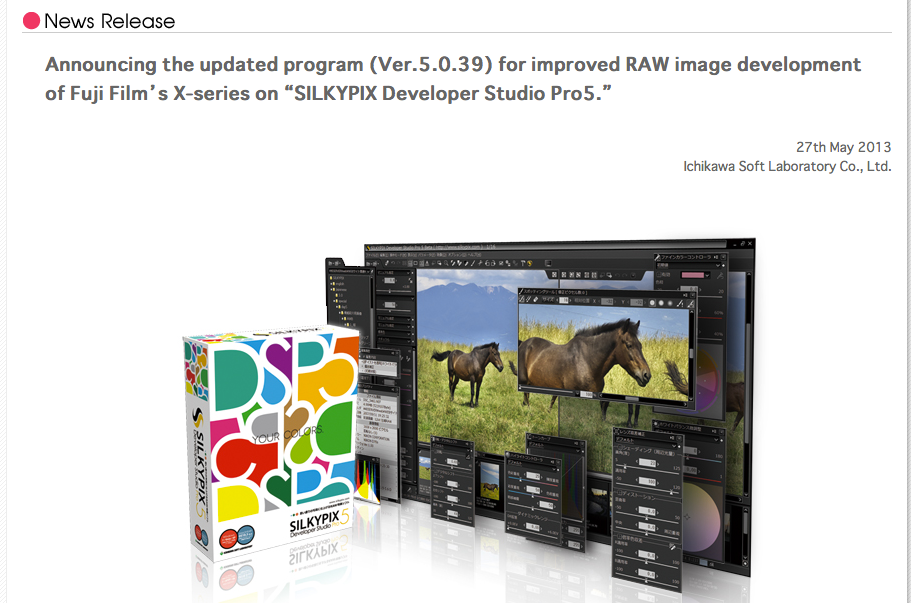
Silkypix announced the updated program (Ver.5.0.39) for improved RAW image development of Fuji Film’s X-series on “SILKYPIX Developer Studio Pro5.” here. In the release note (here) it says:
Image quality improvement of a development for photographs filmed with a digital camera which uses X-Trans CMOS sensor. The improved image processing algorithm reduces several undesirable effects (moire, etc.) but keeps high resolution of a photograph. In addition, color reproducibility of photographs filmed under specific conditions is improved.
Click here to download the latest version of Silkypix (30 days trial available).
Download, try it out and leave your feedback in the comments. And check Rico’s comparison at Flickr.
Thanks for telling me, Bille!
cheers
Patrick
[UPDATE]
FR-reader Bille was so kind (he owns the X20) to sent me his findings about the new Silkypix version
[…] Files developped with the new version of SP5, camera is X20, the places are my home (portait of Grand Ma and the Dog), Paris (Fountain of Saint Michel, a little ghost flare on the left of the pix, the Beggar and its dog), Marne River near Paris (the boat).
The fujifilm X20 is a very capable camera, much better than any compact I had till now.
My foundings are:
a) the previous SP5 version with the support of the X20 had a major issue with the white balance, the green channel was over represented, correctable through the tools but this version 5.0.39 has the proper decoding, it is far easier to work and colors are more faithful.
b) the previous version had some patterns showing in the developped image at full enlargement, pixel peeping, for the X20, these were squares of Moiré, the new version has reduced a lot this phenomenon. Still visible when pictures are taken at setting over 800 iso. But the noise reduction tool can really reduce this easily (with some loss of detail)
c) The previous version produced some ‘muddy’ contour for the X20 images, while the new version shows nicer contours, This is visible, again, at pixel peeping distance. At reasonable distance, images from the X20 thru previous SP5 looked ‘dull’.This phenomenon was clear on the images taken with the X20 sensor, less with the X100 sensor. Reason, the X20 has a smaller sensor than the X100 and the processing needs subtler algorithms.
I have developped sample raw images from the X100 downloaded at the site www.focusnumerique.com and with the previous version of SP5, the contours were a bit smeared. Not much. Now, with the version V5.0.39, I have more details and sharpers contours, like using a Leica CL in the old days of the FujiChrome Provia!
This version of Silkypix 5.0.39 has been a giant leap forward for the Compact X20, addressing some nasty issues. All my enquiries to ISL and the support team has been answered with a great accuracy and courtesy. This is important to mention: ISL back supports its customers and does it well.
The camera X20 has been sold since first week of April, it’s normal to discover a few bugs. But they have been addressed by Editors or Manufacturers.
I’m now a happy camper!


18 Responses
Don’t throw away your previous version, mind the color changes due to the correction of the Natural and Faithful profiles. Apart from possible moiré, any improvements appear to be quite subtle.
Can’t tell because my previous trial has expired. So I have no way of comparing anyway. This does not help.
Looks like it trades a bit of resolution (or just sharpness) to reduce moiré. But in real life pictures, moiré is hardly ever a problem with the X-Trans sensor, so I’m not sure that reducing resolution even more is the way to go.
Anyway, we’ll have to wait for many other tests to draw any meaningful conclusion.
If anything, there’s a little bit more resolution and detail at default settings. The real change is in the default color rendering (Natural and Faithful), so folks with legacy conversions that were performed with previous SP5 software should be mindful of this change. Of course, if your existing conversions were made in “V. 4 compatible” mode, everything is fine, as there’s no change in this color profile.
Here’s a little comparison on Flickr: http://www.flickr.com/photos/25805910@N05/sets/72157633745019050/detail/
Thanks for the quick comparison! I tried the demo out myself as well, but for my personal taste I love the capture one results better for now. So its not worth switching applications yet for me.
But its great … what am I saying I mean SUPERB that they keep trying to get better quality out of the x-trans raw files! Perhaps in the future they will perfect it and I might consider switching to silkypix :).
Yes, in those samples there actually seems to be a bit more detail (or sharpness) in the new version. But to be honest, it’s hard to really spot any real difference even pixel-peeping. I guess that Silkypix is already at the limit of what you can take out of the sensor, so any improvement should be very subtle in most pictures.
Based on Rico’s examples, colourwise the old version looks more pleasing to me.
But I assume colour should not be an issue after a bit of twiggling
I’m already running the 30 day trial. If I download the new one and install it, does the countdown start again? 🙂
Sadly no as I found out.
That sucks. Installing it right away…
Just my 2 Pixels as a comment.
In fact the version V5.0.39 does much better job for the images made with a Fuji X20, the camera I use.
In fact, due to the smaller sensor of the X20 compared to the X100S, the results looked dull with the version 5.0.38, now, the improvements of the V5.0.39 reveal better and very crisp images. It’s a leap forward for the processing of Raw files off the X20.
Amazing to see what the X20 can produce!
Now, the developped images with SP5 V5.039 supersedes the in camera process as more details can be revealed These are my findings.
I use SP3 and then SP5 since 2007, with all the cameras I owned: Leica Digilux3 and Panasonic LX3 then LX5 (the latest being replaced recently by the X20).
The ISL Company has a great support for the customers. Beside any licence owner is entitled to get upgrades, adding cameras / improvements for free.
FWIW….
Actually, I also compared an X20 shot (ISO 100) but couldn’t spot any difference at all between the two versions.
I have updated the Flickr set with an X20 example: http://www.flickr.com/photos/25805910@N05/sets/72157633745019050/detail/
Rico,
You are right but not completely.
The X20 originally equipped with V1.01 firmware, produces nice pictures in Daylight albeit some Moiré effects, visible in files developped in SP5 V5.0.38 at full resolution. The in camera process does not show these effects. This Moiré shows up in even colored large surfaces.
I have noted that these effects seen in pictures developped thru SP5 V5.0.38, disappeared mostly when I upgraded my Camera to the Firmware v1.02.
But with the SP5 V5.038, in pictures taken with particular lighting (such as shade or fluorecent), the green channel was over present in the developped images.
This issue has been properly corrected in V5.0.39
Now with both New Firmware and New Software, the Tandem X20 and SP5 produces images of better quality than ever since the I purchased the camera (first week of April)
As both updates are free for the Licensee and validated, not by me only, but by teams of competent Engineering, why not applying those?
Of course, this my 0.02 Pixels, YMMV….
Well, the green tint in Natural and Faithful profiles has been a well-known general flaw of SP5 with pretty much all Fuji X cameras. The solution was and is to use the software in V.4 compatible mode. We also know that the new version fixes moiré issues with all X-Trans sensors, as shown in ISL’s own samples, but I have yet to find a real-world shot with any of my X cameras (and I have all of them) where this has been an actual issue. So obviously, it must have been a rather rare problem, practically speaking. As for general sharpness and detail, I have a hard time spotting any significant difference between the old and the new process. If there is any, it is visible in default mode, but this can simply be explained with ISL changing their default settings, just like Adobe did with Lightroom/ACR several times (the last time being the step from 4.4 RC to 4.4 final).
So for me, it seems like ISL took care of a rather rare moiré issue (which they documented), and they also mitigated a well-known bug in their SP5 Natural and Faithful color profiles. I say “mitigated” and not “fixed”, because they didn’t go all the way, probably in order to not overly affect legacy RAW developments when reopening them in the new version. They also do not mention this bug fix in their news release, probably because it is not limited to X-Trans sensor cameras. X10 users etc. will benefit just as well.
Of course, since most serious users were using SP5 in V.4 compatible mode, anyway, the color profile fix won’t be an issue for most of them.
Rico,
I was unaware of the V4 profiles you mention, as explained before, I went to V3 to V5. Of course there wasan adaptation from my side but not much than going from one Lab to another in old days of film or even buying a Fujichrome or an Kodak Elitechrome, in those days, I was a ‘Slide Man’.
I agree heartily with your ideas since I’m an amateur user.
The new verion of SP5 and the new version of firmware combined supersede the best images I had from a compact Panasonic LX5 with a Leica Lens.
It seems even better than the Panasonic LX7 images I cout put my paws on.
Knowing I had been a Leica Fan since 95, it’s a come out!
All other details, I leave it to you, I only bought the Fuji X20 after discovering the Fuji X10 at the Paris Photo Fair last year, a great compact in the bag.
Looking forward to see you next images with the Fuji X20!
V.3 (aka RFC EX) and V.4 apply the same color profiles. The changes (and issues) appeared in V. 5 and the new Natural and Faithful profiles. But in order to stay compatible with RFC EX, everybody used SP5 in V.4 compatible color mode, anyway.
As I said, the color profile issue isn’t specific to the X-Trans sensor, it’s just a bug that affected several (if not all) Fujifilm cameras and several other cameras as well. ISL was made aware of it last year, and they decided to improve on it in tandem with their (rather minor) demosaicing improvements.