







Lensvid writes:
We recently got our A7 IV and playing with the camera and settings things up made us discover a feature that at the moment we think only this camera has which can actually be pretty useful in some situations.
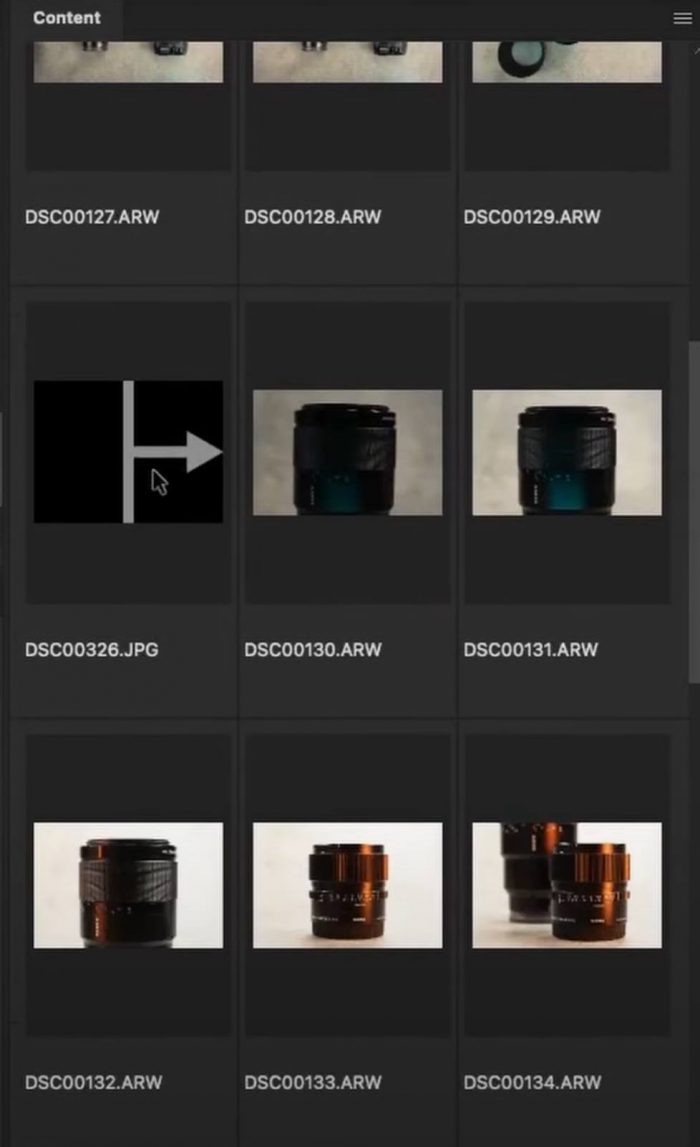
The divider frame is a black frame with a white arrow JPEG file that you can add to your stills shooting folder on your camera (see example below).
So how do you add this? the only way that we could find (and feel free to let us know in the comments if you know of another way of doing this) is to assign this function to a button on the camera.
This is how we did this:
- Setup>
- (3) Operation costumize>
- (A) Custom key/dial set>
- Choose a key to assign>
- (Red camera menu) Shooting menu>
- (8) Selection / memo>
- Create divider frame
Now each time you press the assigned key (we choose arrow down on the back control wheel but you can choose whatever you want) you create this divider frame.
Read more about it on Lensvid!
