









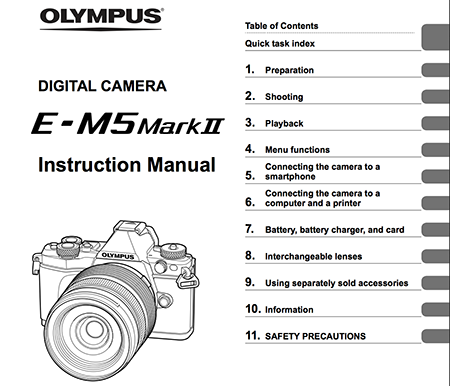
If you really want to learn everything about the new E-M5II you can download the manual here: olympus.co.jp/en/support/imsg/digicamera/download/manual/omd/man_em5m2_e.pdf.
And our reader “Given” sent me a note: ” What i wanted to tell you is that the Olympus OMD-EM5II High Resolution Raw files open flawlessly in the latest version of the Open Source Raw Developer; RawTherapee. According to RawTherapee the files are 64.3 Megapixels!“. A RAW image can be downloade here: imaging-resource.com/PRODS/olympus-e-m5-ii/EM52hSLI00200_HR.ORF.HTM
Cody also sent me the link to a new E-M5II image gallery on Flickr. Thanks!
Preorders (if you preorder through those links you will support 43rumors…thanks!):
E-M5II in Black at Amazon, Adorama, BHphoto and GetOlympus.
E-M5II in Silver at Amazon, Adorama, BHphoto and GetOlympus.
E-M5II In Europe at Jessops, WexUK, Namencolor.
14-150mm II lens at Adorama, BHphoto and GetOlympus.
FL-LM3 Flash at Amazon, Adorama, BHphoto and GetOlympus.
Olympus ECG-2 External Metal Grip at Amazon, Adorama, BHphoto and GetOlympus.
Olympus HLD-6P Battery Grip at Amazon, Adorama, BHphoto and GetOlympus.
HLD-8g at Amazon, Adorama, BHphoto and GetOlympus.
E-P16 eyecup at Amazon, Adorama, BHphoto and GetOlympus.
HLD-8G and HLD-6P kit at Amazon, Adorama, BHphoto and GetOlympus.
Full leather case at Amazon, Adorama and GetOlympus.
Olympus PT-EP13 Underwater Housing at Amazon, Adorama, BHphoto and GetOlympus.
Olympus Stylus Tough TG-860 at Adorama, BHphoto and GetOlympus.
20 Responses
I just pre-ordered mine in Hong Kong. It will come with the HLD-8 grip. I guess I will have to sell it on 1, Ebay. It is usd 1,200. So it will cost me roughly 1,000 body only.
The sales said I should be able to pick it up before Chinese New Year, which is 2 weeks from now.
Wait – so you can assign random, probably seldom-used functions to custom buttons, but not really basic ones such as AF Mode, Metering Mode, Drive Mode, etc., for quick access? Really? Why? How is that useful?
Love this camera, but that swings me back firmly towards an E-M1.
You need to use the 4 “Mysets” (p.86) to save things like AF Mode, Drive Mode, etc……just like on the M1….after you set up your “Mysets” you can then assign one of the 4 Mysest to a funtion button like F1, and/or you can assign the 4 Mysets to 4 of the icons on the mode dial, (repurposing them). The E-M1 is exactly the same. ( I think! LOL! I own one and that is how I set mine up).
These cameras are complicated…but EXTREMELY a flexible with customization. They are amazing!
Hi Bob, thanks, but are you sure the functions I mentioned are available to the function buttons on the E-M5ii? I couldn’t see them on the list of functions which can be assigned to buttons in the manual?
The E-M1 has those functions on dedicated buttons as standard, so it may well not be the same? I’d be glad of confirmation either way as it would make the decision of which to buy for me.
Drive mode can be set to the right or down buttons on the four-way controller on the back, according to DPReview.
http://www.dpreview.com/previews/olympus-om-d-e-m5-ii/3
Thanks Stuart,
Looks to me like Olympus may have locked out the other options to differentiate between this and the E-M1 (the latter having the ‘pro’ ergonomics, at least).
I think, that being the case, I’ll personally go for the E-M1 as I love having those fundamental controls at my fingertips and having to go into menus only for lesser used functions, and not the other way around.
I’d rather do that and update when the E-M1 Mark ii comes out than feel frustrated with an interface I don’t get on with on an E-M5 Mark ii every day.
Thom Hogan recently wrote about how he didn’t like how Olympus keeps messing about with the control layout:
“Personally, I can’t move from one OM-D to another without thinking about which one I have in my hand. Which is it, Olympus? Mode dial on the left or right? Viewfinder/LCD switch next to the viewfinder or on the top of the camera? HDR button on the left top or right top? Menu button below the Direction pad or above?
What we have in the Olympus cameras is designer laziness and a total ignoring of customer. Does Olympus really want to build brand loyalty? Do they really want someone to build an Olympus system? Because it sure doesn’t look like that to me. I can’t exactly use a combo of EM-5II and EM-1 as my main and backup bodies because of the cognitive dissonances in designs.”
I’m not sure I agree it’s laziness – my personal feeling is that Olympus have made the E-M5 Mark II so feature rich, and comparible with the E-M1 in most ways, this ergonomic difference is about all that sets the flagship apart. Personally, I wish they’d done it in a slightly different way, or come out with a simultaneous E-M1 Mark II release with even better features, but matched the control interface between the two, but hey, I’m not Olympus and I don’t know their market as well as them, I suppose… 😉
It Is Thom’s problem that he cannot use two different Olympus bodies at the same time.. Most others can can use any combination of EP5 , EM5 , EM1. The other brands have had differing designs/ controls across generations as ideas and systems evolve. The OMD cameras are, until the EM5II, only at generation one and change is to be anticipated as the system matures., exactly like all the other brands over the years. The EM5ii and the EM1 are not necessarily aimed at precisely the same user anyway., no more than GH4 and other Panasonics.. Thom uses multiple systems so this should not really be such a big deal and if he cannot cope he should just use two identical bodies that suit his needs Much ado about nothing to stimulate interest, designed to generate site hits. I much prefer Kirk Tuck’s approach..
I think that you could create a myset with that function set to on… and assign that myset to a function button…ie..if you shoot in a certain mode all the time…set that up and than add the funtion that is missing, save that as a myset and assign it to a FN button. It also saves all the other settings too in the myset…so it is not as simple as just pushing a button and adding the one feature that you want. It’s a work around.
The m1 is going to have more..in general tho..it the flagship
Bob, yeah I think the E-M1 is more up my street in this regard. I’ll try to see if you can set the camera up that way when they arrive in local stores, but I can’t see those options available to set to buttons (and then access through a Myset) in the manual. That said, I may well be wrong, but I wouldn’t buy blind without trying it for myself first to see if it actually works! Thanks for the help, though 🙂
I downloaded the manual a couple of days ago from a link on dpreview. I notice that they have sensibly moved the socket for the remote cable RM-UC1, which, on my E-M5 is BEHIND the flip-out screen, to a new position on the side of the body. Much more practical.
Not quite behind the screen, but to open the covering seal it is necessary to tilt the screen.
Exactly; very awkward to work with. So I used the touch screen with a delay, not ideal.
A real camera shoudn’t need a manual. Aperture, focus and zoom rings on the lens, and dials for shutter speed, ISO and exposure compensation on the body. Add a power switch and you’re good to go.
While I would agree that cameras are overcomplicated nowadays a lot of this (not all) is down to them giving you many more options.
For instance in the film days you had to change the film to alter the white balance. Now you can set it precisely for the conditions you need. Similarly the Raw and Jpeg settings , aspect ratio, autofocus settings, focus points, JPEG profiles and many more things that were not available or not relevant in pre digital, pre autofocus days.
The advantage of most m43 cameras is that you can set up the camera / dials as you prefer and ignore everything else.
And if you shoot raw you can set many of these things afterwards at your own leisure the same way you used to do in the darkroom.
I do still miss having the aperture on the lens and the shutter speed around the lens mount (I was an OM user) and there’s always Fuji or the Panasonic LX100 if you prefer traditional controls
You ‘d be wanting a Fuji X-T1. I owned one, and thought it was going to give me the fluid experience I had in a Leica M6 I used years previously. In fact, a couple of years of using a D700 had spoiled me, and I found it quite clunky and slow to use in reality. I love the LOOK and FEEL of a Leica, or X-T1, but in fact, the D700 taught me we’ve come quite a long way in ergonomics since then.
The E-M1 is very, very close to a D700 ergonomically, and very fast and intuitive to operate, very responsive, and I picked it up and used it (or at leas the main functions) without any need to refer to a manual. Awesome camera. Not quite sure the E-M5II is that advanced in actual use, even though it has brilliant features and doubtless takes extremely nice fixtures.
I would rank E-M1 above D700 easily, above any Nikon or Canon camera in fact.
In some cases only Panasonic gets some things little fasten done. From Canon I would maybe take the speed to preview photos in a single view.
Just bought a new Panasonic body, been time since last time owned a one (but not since used) and I still dislike the menu design in Panasonic. It is like with Canon, Nikon or Sony, a mess.
This by experience testing quick setting adjustments trough menus etc. Physical buttons, switches, dials and knobs are as bad as menus if you have to loosen grip, move finger from shutter release or take eye away from camera OVF/EVF.
You just described E-M5, E-M1, E-M10, E-M5 II.
The real camera should not have more than two dials to change
1. Aperture
2. Shutter speed
3. ISO
4. WB
5. Focus type
6…..
And every other setting in camera.
You missed the point entirely. I want dedicated controls that only do one thing. And those other settings you refer to shouldn’t be there at all, hence no need for a manual. Framing, focus and exposure are the three photographic parameters that you need to control, in order to take a photo.
Also, the controls that affect the lens (aperture, focus and zoom) should be located on the lens, not on the camera body.