









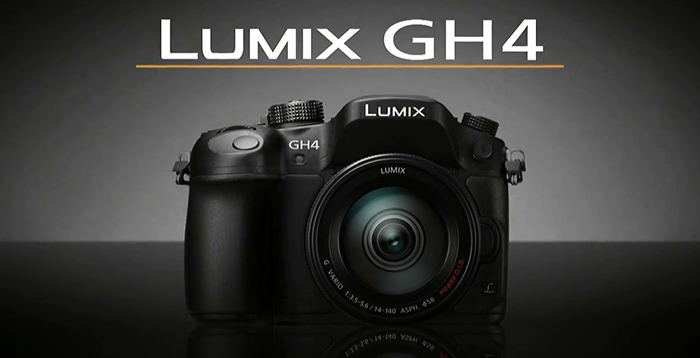
Two sources shared info about a new GH4 firmware update. It should be released soon. One of the source said it could arrive within February already and it should add V-Log for the GH4! The addition would certainly push the GH4 on a higher PRO level by delivering an icnreased video quality and additional powerful tool for colourists.
–
GH4 North American store links:
GH4 camera at Amazon, Adorama, BHphoto, Ritz Camera and Panasonic.
GH4 camera with interface unit at Adorama and BHphoto.
Interface unit only at Amazon, Adorama, BHphoto and Panasonic.
Asian store links:
Digitalrev and Digidirect Australia.
4K cards
Kingston 16-32-64 GB SDHC UHS-I Speed Class 3 at Amazon (Click here), Adorama (Click here) and BHphoto (Click here).
Sandisk 16-32-64 GB Extreme PRO SDXC UHS-II Memory Card at Amazon (Click here), Adorama (Click here) and BHphoto (Click here).
Transcend 64-128 GB High Speed 10 UHS-3 at Amazon (Click here) and BHphoto (Click here).
Panasonic 16-32-64 GB SDHC-UHS-I U3 Card (90MB/s) at Adorama (Click here) and BHphoto (Click here).
–
For sources: Sources can send me anonymous info at 43rumors@gmail.com (create a fake gmail account) or via contact form you see on the right sidebar. Thanks!
For readers: Don’t miss any news. Join our group on facebook and follow our tweets.
Rumors classification explained (FT= FourThirds):
FT1=1-20% chance the rumor is correct
FT2=21-40% chance the rumor is correct
FT3=41-60% chance the rumor is correct
FT4=61-80% chance the rumor is correct
FT5=81-99% chance the rumor is correct
80 Responses
Viva la GH4 V-log!
If true I’m … finally … buyin’
Great news! But I fear that V-Log would only be useful when recording 4K externally. Because to extract contrast and color from an 8bit 4:2:0 file will be a tough job. Unless you down res it to 1080p then is all good.
This means the S-LOG from Sony A7s and Canon C100/C300 are also useless in this regard. 🙂
What, isn’t all the logs useless? 😉
http://www.supertone.dk/#!GH4-Optimal-Film-Setting-works-in-stills-too/c24o4/8E18836A-F271-4A14-AF0D-C575B9D5F4B6
At least this preset is…
Oversharpened and too much contrast for many situations. May work well on foggy days.
There’s no point to use that kind of preset because in LOG each STOP of light receives the SAME amount of data/bits.
So no need to whine because of “all the useless data in the shadows wil use all the data I’d need for mid-tones and highlights.”
The point of shooting flat is to have some latitude in post. I don’t want that some internet guy to tell me how I’m supposed to shoot a scene : each scene is different. And
Correcting is mandatory to insure a visual continuity in different scenes shot in different conditions.
To a certain extent yes, but no. You have to put into account that the Sony uses the far more effective XAVC-S codec, and the Canon… well, the Canons aren’t as effective as the Sony’s own, but I’d say the optimization a of the XF codecs to work with Canons sensors are pretty badass. It’s nice and solid to grade.
Although I’m very impressed with how well the GH4 files hold themselves compared to other 4K options out there (even the Scarlet), I will only be happy to see V-Log when it proves itself useful. =)
Sony dos not internally record 4K in A7s, only 8 bit output trough HDMI.
Many have reported that Panasonic codec in Gh4 is so good that are hardly any differences between external recording or internal, at least if man dos not heavy grade. The 10 bit and 4:2:2 may be put to some use with V-LOG and a Shogun though.
Yes, I know about the A7s, and it’s S-Log 2 is barely useful for 1080p but pretty damn great for 4K.
Panasonic uses H264 codec which is barely a decent codec, we all know that, but they did a pretty damn fine job in it’s implementation. Every time I need to push it a bit more, I’m always impressed. I’ve read all the websites talking about 10bit not having much difference from 8bit, it obviously doesn’t have a visual difference without grading, you’ll see a difference when grading in a professional environment, using a DaVinci for grading, or AE for keying layering etc…
I recently had to heavy grade a short film, shot in 5K RED Epic, because I shot it in a way that time passed according to script, the light would be stronger in each scene, plus I went for a naturalistic approach, very soft… but the director had to change the story for it to work in a certain time frame, plus he decided it had to be more of a genre piece (horror) so it screwed all my lighting designs and color approach… and the RAW footage obviously held itself in a way I didn’t even think it would look decent, but it did.
And honestly, I think the 4K 10bit footage from the GH4 with the new V-LOG will hold itself enough to withstand such heavy grading and other specialty work… that’s how much I trust this little camera! =)
You contradict yourself.
First, how can Sony A7s be barely useful in FHD and so great in 4K, it’s still only 8 bit for both resolution.
Second, Sony also uses H.64 codec with a different name. Panasonic codecs are renown for their very good quality.
The A7s internally shoots 1080p 50mbps 4:2:0 8bit, the HDMI output is uncompressed 4K 4:2:2. So technically you can have a 4K Apple Pro Res 4:2:2 HQ file, which should give you waaaaay more leverage then it’s internal counterpart.
About the Sony… true, my bad. I forgot about that: “XAVC uses level 5.2 of H.264/MPEG-4 AVC which is the highest level supported by that video standard.”
I can’t find anywhere the specification on the GH4’s implementation, I doubt it’s such high level, because if it was, I’m sure it would’ve gotten more publicity on it.
It’s still a pretty badass implementation on Panasonic’s part. I still wish they’d invest a bit more in color science though… To me, BlackMagic, Canon and obviously Arri are at the top with color rendering.
Panasonic Gh4 4K video codec is high profile 5.1.
I have a totally different opinion on color front though. I profoundly dislike both BMC and Canon color science and I totally love Kodak Vision 3 film stock. I think out there are different options for different people. 🙂
Oh yeah, sure thing! Lately with the fast turnarounds that I’ve been getting, I’m very keen in using presets like FilmConvert and Impulz. It’s fast and easy to get a nice pleasing tone without worrying much about going back and forth between apps and waiting forever for your footage to render only to have the client ask for some minor change, then go back and do all again. So the better a Picture Profile is, the easiest for me in post it is. =)
This is all very subjective though… there’s a lot of variables even before the light hits the sensor: which light sources you are using (LED, Fluorescent, Plasma, HMI, Tungsten…), which lenses are you using… I use Contax Zeiss lenses with a SpeedBooster, they render the image completely different from a Panasonic 12-35 zoom for example…
I don’t like the color of the C300 with Canon lenses but I do with Zeiss ZE lenses… I don’t like the color of Zeiss ZE lenses on the BMCC, but I do with Canon and Sigma lenses… etc…
Agree.
But please don’t get me wrong, as you said 10 bit and 4:2:2 is recommended for grading a LOG color profile.
Yeah, that’s what I’d recommend. But I mean… any DP can do as he pleases, and needs… =)
XAVC is Sony baloney for their implementation of the h.264 level 5.2 CODEC. It’s very useful to have but nothing as ground breaking as it’s made to sound.
Panasonic has a long history of creating high performance h.264 camera encoders, that produce high quality images.
I have yet to see any proof that the XAVC camera CODEC is producing a better image than the Panasonic equivalent.
Sony loves to wrap their codecs in fancy clothing… only this time it’s actually a great implementation, as well as Panasonics on the GH4, now it’s just a matter of how well it will hold itself with V-LOG.
As you pointed out, the RED is raw. You cannot beat raw no matter what. Personally 10bit is useful, but it’s not the panacea everyone is making it out to be, because at the end of the day it’s still a compressed thing.
Also, you were colourist AND DP? And possibly the key grip? 😛
It all depends on what you need for the specific project you are working on, I choose RAW, or the most uncompressed I can afford, for Narratives in general (future proof) and ads with a need of heavy post production. But for everyday stuff, forget raw. It’s a pain to save and backup all that footage. I’m absolutely not against compressed footage, not for video at least, I’m against it when it’s full of bad artifacts that degrades the image in a way that it takes us out of the “story”.
On this specific short film I was the DP and the color was done in a professional lab. But yes, I do a lot of DP, gaffer, colorist, producer, director, and audio I the same job, because I hate under paying people and it’s either that or nothing at all, tough times my friend. =)
Hah, I know what you mean. Good luck out there.
nope drongo
Wait till you grade on V-Log on GH4. You will see. 😉
Hopefully so! I love the GH4 as a tool, and to know that it’ll be continuously improved makes us all very happy indeed. =)
It works for the Canon C100 8-bit image and the Sony A7S 8-bit image, so I don’t see why the GH4 8-bit image will be any different. ( obviously a 10-bit image will produce a better result )
What “Works” is a very subjective affirmation. As I said “… to extract contrast and color from an 8bit 4:2:0 file will be a tough job.” As is on both cameras you mentioned.
I would love to see some simple Features like “Aspect Ratio Frame Guides”
I guess it is not that hard to accomplish and it would be huge for all the “Fake Anamorph Filmers” 😀
AE/AF LOCK to work DURING video recording, not just once prior to it! When, oh, when, Panasonic? It took 4 generations of GH to implement AutoISO in manual mode, how long should we wait for proper AE Lock? Canon has, Nikon has it, Sony has it, Olympus has it, everybody has this simple feature. Why not Pana? Come on, it’s 2015!
I must be the only guy in the world that doesn’t use the AE/AF Lock button.
Sure you’re not alone. I don’t use it either on Panasonic. Because it’s useless in it’s present from 😉
Good point. Even use it on RX100.
It’s good to see that companies push each other by releasing firmware updates. Fuji was first with photo-centric updates, and Samsung seems to take the lead for video updates (NX1) – others will have to follow.
Panasonic doesn’t have a good history of firmware updating. But apparently it’s the new trend now! Glad to the see Samsung pushing hard into the DSLR/Video market and going full Kaizen(Fujis philosophy of continuos improvement)… certainly will drag others to follow!
im still wondering what V-Log will aim at.
Cine-D is very gradable, but when you push it too far concerning additional low contrast settings, it breaks apart. from my understanding V-Log will be even flatter. For what?
For the guys who cray that Gh4 has no LOG option. 🙂
I personally don’t care about LOG profile, but dos it hurt to be there?
People with orange or green skins tones should check their screen calibration.
For the 10 bit output via HDMI V-Log will make a huge difference once graded
As long as they properly nail skin tones, as opposed to the orange hues that Cine-D gives…
I’ve been shooting with Cine-D since last September and I’m not seeing any orange hues. Overall I’m pretty happy with the skin tones I get from most GH4 profiles, including Cine-D. ( I strongly suspect that most of these color problems are caused by improper camera settings, as it’s easy to muck up the color response with the wrong settings )
For me it’s not orange hues, but green ones. I’m shooting with Hue at +2 to compensate even.
I’m having the hardest time getting nice skin tones in Cine-D, especially when it comes to saturation. Lips and other parts of the frame seem to be WAY too saturated when the skin still appears WAY too flat. Grrrr
I use Cine-V with -3 and pedestal +5, it’s what gives me the best results all the time… holds highlights well, skin tones are pleasant..
i dont know. yes 10bit makes a huge difference opposed to 8bit generally süeaking. but this doesnt seem to be the case on the gh4. 10bit should give us 64x colors, but it doesnt even look like twice as many colors. its really just a tiny bit better than 10bit
Have you actully tested that? or just read it on EOSHD blog?
Downloaded footage from somebody and made a few grading tests of my own. I don’t own a shogun though.
I see, I’d love to shoot tests on my own, that’s the best way to see if something works for you. 8bit on the first video DSLRs sucked, the Gh4 and other modern cameras have it all good for most purposes… But if you are going to do something that requires a lot of color information, such as Chroma Keying, then you better go for 10bit, otherwise you’ll end up with a effects guy and a director talking crap about your footage! =)
Absolutely not true, 8 bit is just like Jpeg quality while 10 bit is like Tiff quality. When you just look at the images they might look very similar but it’s when you start to color correct and grade that you can really tell. You get banding and artifacts in 8 bit that are greatly reduced in 10 bit.
The GH4 records 8 bit 4:2:0 in the camera but 4:2:2 to a external recorder. Try grading both before you say it’s a tiny bit better
i did, thats why im referring to it. only when i push the grading to an unrealistic state i start to see a small difference. but even then the 10bit shows banding as well, which it shouldnt if 64x more colors were available.
but i dont mean to be clever about it. somebody show me a real life improvement on gh4 footage shot with 422 10bit opposed to the internal recording. i would be very interested in that actually 🙂
Yes, V-Log please 😀
yeah right…..
Kudos to Panasonic for keeping up with Samsung and responding to what customers are asking for, more is better.
For those of us who aren’t “in the know” might be a good idea to explain what “v-log” is – a google search or dictionary search suggests it’s some sort of of Video Blog, whereas I can see from the comments that it’s some sort of video profile…..?
Basically it’s a Picture Profile, aimed for video, where the footage is flat in such a way that it’s designed for Color Correcting in post production to obtain the widest latitude (the most information from the darkest and lightest tones) and optimum color reproduction. It’s what all top professional cameras have, and a very useful tool in digital video capture and post production. It keeps things flexible.
Thanks, it’s good to learn something new about a topic one is interested in.
Gotta love the google-rage generation. If a two page summary has to be written for you to understand what the feature is, then the information probably wasn’t meant for you in the first place. No need to get all uppity at the “peeps in the know.”
It’s not exactly a basic search for “V-Log”.
Gotta love the elitist types, especially those who assume so much. Thanks for the information.
Isn’t there a Olympus E-M1 firmware update coming, too????
Yea, but E-M1 is not getting any video shooting updates. WTF Olympus!!! Give us 24 and 25 fps!
V-log is much like the previous logs but V-much more log like
This certainly would make me think about getting a GH4 if true.
V-Log is one of the things I asked for at a meeting last year and thats all Im saying right now.
Would be great to see further improvement in autofocus. To this day the AF capability of the GH4 in 4K mode is simply unreliable and pretty much useless. Samsung nailed it by optimizing the camera for 6k and down sampling it to 4k.
Downresing in câmera by line skipping is not exactly the way to go. I love the fact that we have 1:1 sensor readout in 4K.
how much more dynamic range would we get? from 10.3stops to the full 12.8 the sensor is capable of?
What are the best mirrorless cameras for autofocus in video? Is the EM1 any good? How do the GH4 and NX1 compare?
NX1 autofocus is far superior
…but thats about it.
nope. NX1 is superior in many ways (but the h265 is super inconvenient at this point)
Nobody who is serious would use AF in video especially in 4K.
Don’t use AF or let your coworkers/friends use AF in their projects.
Manual focus is mandatory in professional projects.
I am going to have to disagree just a tad on this. Pros are chaning and using auto focus the more gimbals and drones are coming out. On creative shots sure, studio shots of course, but I have seen more and more people including our company using auto focus at events and it work great. I think the rules are changing as tech gets better. Just my opinion tho…
Is this a firmware wish list? OK I’ll jump in – Please disable changing the shutter speed during video because I accidentally keep doing that. I Never quite got the hang of that that right/left thing.
Well if we are adding stuff, I want to be able to define 2 focus points and then rack smoothly between them with a push of a button
Punch in focus during recording please!
Oh yeah! +1 If Sony can do it, Panasonic can too! =)
I wouldn’t disable it.. just give us a way to lock it through a Custom Function Button.
What I did is, I remapped it to the top Dial (which is further from any other button) and monitor shutter speed in Angles, instead of speed, that way it’s easier to check if it’s always at 180d. cheers.
Punch in focus DURING video recording, AE/AF LOCK to work DURING video recording & V-LOG please!!!!!!!!!!
The first 2 features are for run and gun situations, right? I never thought that I would need those as I use manual for everything when shooting films. V-LOG would be interesting to have though.
please~~~~~~