









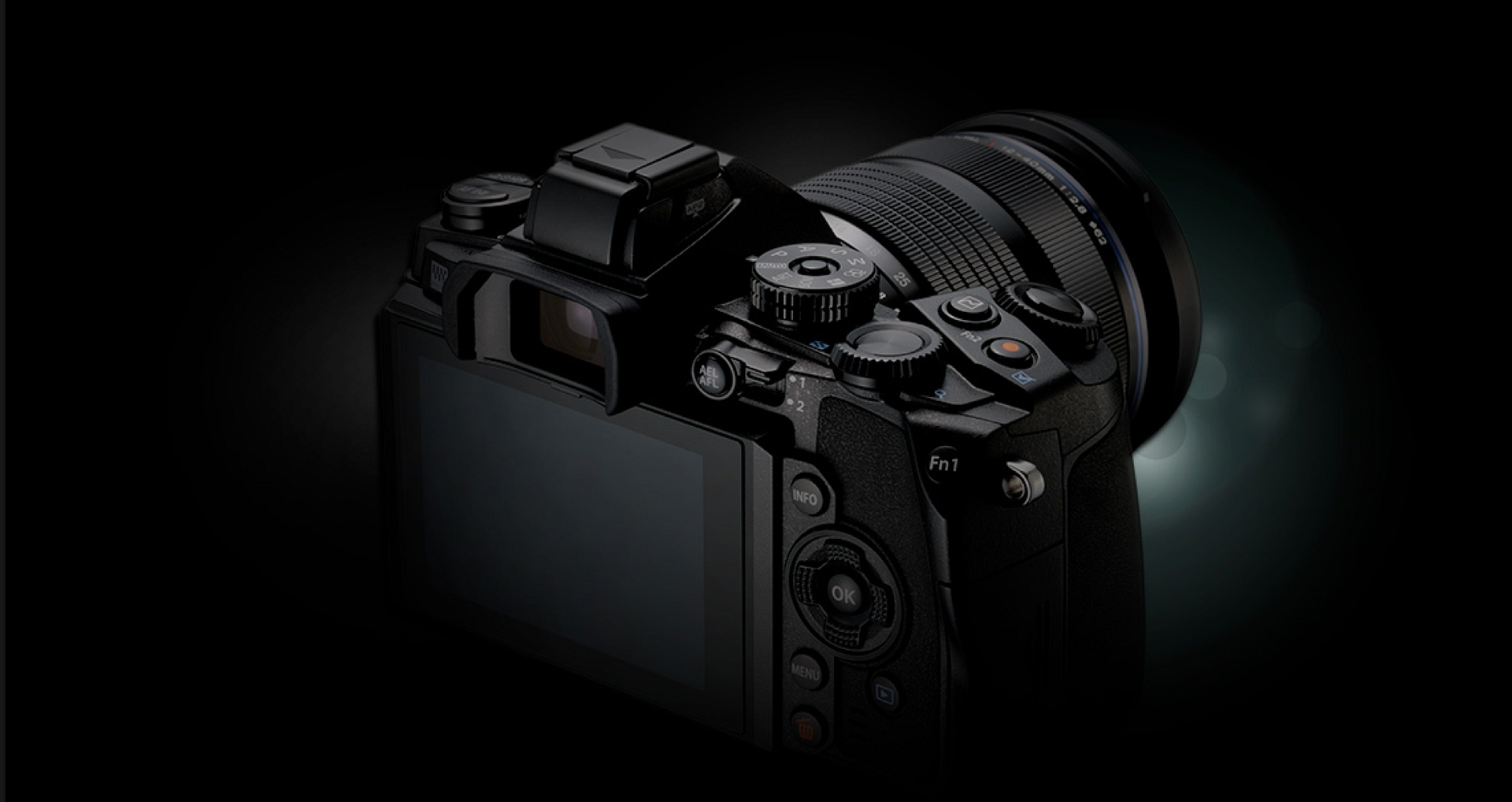
According to one trusted source the E-M1 firmware upgrade will also add the new “Keystoning” feature:
“Keystoning will allow you to fix the distortion you see in architectural images. So buildings won’t “lean”…but the cool thing is you fix it in LIVE VIEW! You can see it as you fix it! Who needs a tilt shift lens? Olympus innovation is incredible.”
Next announcements: LX100 4K FT sensor and fixed zoom lens camera coming ealry next week. GM5, Silver E-M1, new 40-150mm PRO lens and firmware udpateds for E-M1 and GH4 coming right before Photokina (likely around September 14-15-16).
—
For sources: Sources can send me anonymous info at 43rumors@gmail.com (create a fake gmail account) or via contact form you see on the right sidebar. Thanks!
For readers: Don’t miss any news. Join our group on facebook and follow our tweets.
Rumors classification explained (FT= FourThirds):
FT1=1-20% chance the rumor is correct
FT2=21-40% chance the rumor is correct
FT3=41-60% chance the rumor is correct
FT4=61-80% chance the rumor is correct
FT5=81-99% chance the rumor is correct
155 Responses
Admin, what does your source say about video upgrade?
And anything about PD AF improvement?
Isn’t it already clear there isn’t new video modes or improvements? Isn’t that the common knowledge that Olympus sucks in video and doesn’t care? One source saying one thing, Olympus officially saying something else and then second trusted source denying everything.
What have Olympus officially said about the forthcoming firmware?
That E-P5 gets at least 120/240fps modes.E-P5 High Speed Movie Video: http://youtu.be/cVZABJ-lzeA
That is future firmware update. Why they would advertise something that they would not never deliver? That is false marketing and very bad.
And why they would bring that feature to E-P5 but leave E-M1 without?
I don’t care about 4K. Just give us good HD video with 25p, 50p frame rates!
Admin seems to be milking the firmware rumour for all he can get out of it. Of the 20 or so improvements/additions, he has only mentioned a few. Expect the remaining details to fed to us as articles, one by one up until it is released. I can understand why he is doing it but that doesn’t make it any less annoying.
Yup. Click bait.
Great! It Will be nice to have a bracketing mode also with aperture to simplify shots for macro focus stacking on the E-M1… It seems to exist something like that on the Tough TG-3…
That is done with autofocus system, not with aperture. And it depends from lens in objective how does the subject magnification change (or not, that is required not to happen).
Excellent idea. Hope they’ll also implement this in other models with the same processor.
Expect it isn’t about CPU but IBIS and its controller. Question is, how many degrees can Olympus 5-axis IBIS rotate?
Where does it say it will use IBIS. Imo it’s simple software correction, similar to curves. I.e. basically mostly useful for jpg shooter.
Sure it can be done with software, but image quality just suffers as it is heavily cropped then. So sure for JPEG shooters a nice thing and for quick sharing. But sensor tilting would allow even tilt-shift-skew moves in limited manner like Pentax K-5 and K-7 do allow the shift. And it could help to remove camera from couple reflections.
But while this probably is a software feature, it might use E-M1 level sensor to apply it automatically.
Think about what could be done with IBIS AND with software 😉
Question is, are you stupid enough to believe that m43 lenses cover significantly more than FT (required to perform the optical shift)?
Tilt works but this has no major relevance for architecture.
most don’t cover much more, but Sammy 12 and Sammy 14 do 🙂
however, i agree with your point. also there’s a focal plane shutter restricts movement.
Are you stupid enough to forget that Olympus IBIS actually SHIFTS?
Olympus OM-D: See the amazing 5-axis image stabil…: http://youtu.be/pxgnE6xY0OA
Tilt is required for architecture as well as shift.
The m4/3 standard does define the imagine circle size, but we don’t know what it really is. At least it is way bigger than where 17,3x13mm sensor fits in as Olympus IBIS requires few millimeters to each directions for movement alone, then to avoid vignetting so couple extras there too.
you shoot jpg?
Very Interesting!
We need a picture of the new GM5!
Hey..hey..this is all about Olympus! LOL!
and OT comments happen alot here, so i guess we can be used to that.
It was such an egregious infraction I thought someone should call him on it! LOL!
Not in this thread, we don’t
A shift lens for MFT would be appreciated anyway.
🙂 +1
http://www.peleng8.com/tilt-shift-lenses/tilt-shift-50mm-m4-3-50mm-f/2-tilt-shift-ts-lens-for-micro-4/3.html
“it capable to correct perspective distortion that is necessary in interior and exterior architectural photography as well as control depth of field in product photography.”
Can you say how good a 50mm for m4/3 is in interior architecture? It is already very limiting in exterior architecture, when it offers 20 degree angle of view (100mm on small format)?
Make that 17mm or 25mm and it is good.
A 50 mm shift lens is useless for architecture on MFT with it’s crop factor of 2. Same applies to the Zuiko 35mm shift lens for the old OM system that I still own. A shift lens for MFT should have a focal length of 14mm or thereabouts. The Canon TS-E 17mm F/4.0 L combined with the Metabones Speed Booster would be useable.
That thing is horrible. I looked into it a few years ago. There are some image samples floating around somewhere. Think Holga but worse. I ended up with a Canon FD 35 TS instead.
0.95 kg? O_O
The Canon TS-E 17m F/4.0 L is one of my all time favorite lenses. For interior architectural work, nothing comes close. A logical equivalent for Oly would be a 7, 8, or 9 mm F/2.8 TS. Anxiously awaiting.
+1000
That is my favorite lens, too. Incredible!
1. throw out the mirror.
2. re-do everything as it used to be in DSLR way.
don’t you think it is a bit silly?
Will be Nice feature, my em1 lost its virginity yesterday and it was a pleasant surprise how well it even handled moving subjects in evening light. Coming from an e3 and hearing about the em1 temparemental 12-60/50-200 swd caf behaviour I was utterly surprised to have a decent keeper rate photographing running and jumping people at early evening.
Oh and the bonus after 975 shots my battery was only 1/3 depleted
Ok Pdaf with video might be nice for this dirty songkran (people jumping muddy streams running meadows, swimming canals Dutch polder cross event)
useless.. as are the art filters.
well when you are a noob who does not edit images and shoot only JPG i guess it´s of some kind of use…..
Did your mother give you that name?
We’ll be sure to let all the pros who use art filters to get specific looks in-camera (and so don’t have to spend their lives in Photoshop) that they’re “doing it wrong” according to a guy with a 15-digit, all-numerals nickname. I’m sure they’ll see the error of their ways.
Is this really the kind of stuff Olympus has been spending their resources on while neglecting any upgrades to video quality? Is this really the kinds of things users are asking for, because I have been hearing many more requests for video upgrades instead. And to think, Olympus continues to sit on a virtual good mine with their implementation of IBIS during video recording. It’s quite simply the best stabilization in the industry and usable regardless of which lens you shoot with. If they would only try to somewhat match the specs of Panasonic they could be so much more successful. Sad, just sad.
It is simple. The importance of video is overrated, mostly claimed in blogs and fora, like this. Therefore, Olympus does not need to care too much. The E-M1 sells well anyway.
High end Video, as you can see with the GH4 and Sony A7s means currently no state of the art IBIS. I would never sacrifice IBIS for better video codecs or other frame rates.
Olympus is on a good track with its OM-D product line.
Just because you don’t want it doesn’t mean it isn’t important. Plenty of people shoot still plus video. Why not get better quality?
I would take 4k or 120/240 fps slow motion and 25/30/50/60 for 1080p with current bitrate already only to shut up whiners that Olympus sucks, no matter what they do. But they still would whine as no matter what Olympus do…
Actually it is one of the most requested features on these boards.
You are confusing many users desire for better video with demanding “best in class” video.
Decent codec, frame rates which are compatible with the regions Olympus sells its cameras is a good start.
It is humerus that you think that offering frames rates other than 30P will destroys Olympus .IQ
It is the biggest fake request, mostly directed at vendors, who do not give video the biggest importance. I doubt that any of the people who shout “video!!” in the fora, are actually doing any serious video except playing with the feature a little. Video takes a lot of effort, time and preparation, of which most of the whiners have no idea. For their needs the E-M1 video capabilities are more than enough, and in fact, the E-M1 is more appropriate for those people, because its video is stabilized by the sensor with all lenses. That obliterates many of the video obstacles, as most of the video screamers, probably don’t use a tripod. Of course they won’t use an external mic as well.
I use video very occasionally as an add- on for my HD AV-Shows. For that E-M1 video suites well.
Of course, it is always good, if manufacturers improve features via firmware. But video isn’t innthe first place, which needs to be improved at the E-M1.
That would all be fine and dandy if Olympus cameras had acceptable video capabilities. All the complaining is not that E-M1 can’t do 4K, 120 fps, 100 MBits, All-Intra or whatever. It can’t even do 25 fps, (much less 24 fps). And that’s the standard in many regions where it is sold. Even many entry level compact cameras can do that.
And that’s the problem, it’s not that Olympus cameras are not hardcore video cameras. It’s that they are in some ways inferior to crappy plastic toys when it comes to video.
” use video very occasionally as an add- on for my HD AV-Shows”
Where are you based mahler? PAL region?
First you say…importance of video is overrated then you follow it up by
“I doubt that any of the people who shout “video!!” are actually doing any serious video except playing with the feature a little”
Wow, you must know a lot about other peoples needs and capabilities.
Your argumentation is nothing new nor original:
I do not need it nor do you………
I said occasionally, and my videos are very small part of AV-Shows presented by a projector. So I don’t care about PAL or whatever, and the E-M1 is good enough.
People, who need high end video, don’t whine in internet platforms that Olympus don’t have 4K or whatever, they simply buy the device they need for this purpose, and use it together with their stills camera.
People, who take serous video, usually have rigs, tripods, audio and lightning equipment, screens, and most like a couple of assistants. That is something most people, who scream for better E-M1 video, never do and would never do.
Any other kind of video can easily even be taken with a smartphone, and for sure with the E-M1. Most of the whiners here even don’t have any other 4K capable devices.
Once 4K becomes mainstream Olympus will have cameras with very capable 4K and without sacrificing, what Olympus stands for: excellent cameras with excellent view finders, excellent image quality and image stabilization with all lenses for stills and videos.
mahler,
I have no doubt you are an excellent photographer, but you need to also read the post your are commenting on.
So I don’t care about PAL…..
People, who need high end video, don’t whine in internet platforms….
Any other kind of video can easily even be taken with a smartphone….
What are you talking about?
I think they will be announcing a new camera.
If it’s already fixed in the live view it could also be done in the raw images or they could at least add the necessary metadata to those files. It doesn’t have to be jpg only – but we’ll see.
I just got pretty sceptical about the recent rumors. Wouldn’t the recently announced E-PL7 already have that feature if they’ve been working on it?
How about this, where is this firmware update?
E-P5 High Speed Movie Video: http://youtu.be/cVZABJ-lzeA
Is it possible that Olympus will release firmware updates for many its cameras after it has released Silver E-M1 and its firmware update to top model? After all, that would boost sales when you get high impact on show for that.
And if modifying E-P5 to have 24/25/30/50/60/120/240 fps for video, why leave it from other cameras?
Thanks for the link, I haven’t seen it yet. Well if they really come with this features, and after this video it really looks like they will, we should see it on all cameras of that generation. That has always been there strategy so far.
Although the E-P5 and the E-M1 have been the only ones with a 1/8000s shutter. Hopefully it will not be limited to those two.
Well the change is there could come 25/50/60 (and mayby 24 for those who really want) frame rates as well if there is coming the 120/240 options (even with 720p and 480×272 it requires high bandwidth).
The 1/8000 shutter shouldn’t be the limitation for it. More likely it would be interesting if 4k really is fitted to that movie mode too.
And as Olympus PEN cameras has been uses in few movies (at least) like Mad Max 4 and Secretarial, it is possible they have listened about requirement to get other than 30fps for PEN models.
Hopefully, we all won’t be disappointed when the new software is released and in the end the new artfilters of the e-pl7 are added only :-D. We’ll see…
That should come with sensor-tilt, which they forgot to implement! With it, the TS lenses will be no longer needed.
I think you have gone off to the realm of science fiction again… 🙂
how is sensor-tilt much different from IBIS? IBIS is harder because it has to work with greater accelerations.
I think with IBIS the sensor only moves fractions of a millimeter, whereas for a shift effect the sensor would have to move many millimeters.
Btw, you need shift to correct for “leaning buildings”, and tilt to do fancy things with depth of field. At least that is as far I understand things (not having view camera experience)
there are two very different uses for tilt
1. fancy “miniauture effect” to make more blur
2. to make less blur by fitting object into DOF (often eliminating the need for focus stacking)
the second use needs movement only by fractions of mm
I am pretty sure that amplitude of movement in Oly’s 5-axis IBIS is more than 1 mm
This will make all of your images blurry!
http://www.beeradvocate.com/beer/profile/306/1341/
Yea, I like that. 😀
The sensor moves couple millimeters, not just fraction of one millimeter.
Remember the sensor is 17,3x13mm by size. Check the movement distance:
Olympus five-axis sensor-shift image stabilizatio…: http://youtu.be/GT2XVHccqfo
It is almost 4-5mm instead fraction of one (2-3mm to each directions)
And sensor shifts and tilts. OLYMPUS OM-D E-M1 – 5-AXIS IMAGE STABILIZATION VI…: http://youtu.be/nsVGaTcyWZ0
Tilting is required to get pitch and yaw movement corrected and that is the Olympus old 2-axis IBIS.
With all due respect, I think you’re confusing tilt with shift.
No I am not.
If we want TS with regular lenses, we need sensor tilt in hardware and shift in software.
The amount of cropping needed for software shift would be a deal killer for me, as I need as close to the resolution of the sensor as possible for architectural work. But I suppose that some might find it useful from time to time. Vacation photos might benefit.
Software shift (the discussed “keystoning”) cuts a trapezoid from frame and stretches it in a rectangle, so percentage of pixels lost is not that large as you think. Because it works with all lenses, zooms included, amount of cropping may be even smaller.
But if you need maximum resolution — MFT is not the proper tool.
Software shift (“keystoning”) works by cropping a trapezoid from frame and stretching it in a rectrangle, so amount of sensor area unused is actually small. Because it works with all lenses, zooms included, the sensor area lost might be even smaller.
If resolution is a priority, then m43 is out of question…
If this is available in RAW — and if it does not involve cropping the image — it will be a huge feature for still photographers. If it gives me less than the full resolution in a JPEG, it will join the Color Creator, Curves Adjustment, Art Filters, and WIFI as features I don’t use because they don’t work in RAW.
I’m sure it’s JPEG only like every other in camera editing feature.
dream on.. it´s JPG only
It has to crop to manipulate the shape of the image.
There are already lens corrections done in raw, so I would “guess” that this should be possible as well. Cropping should be necessary, but the advantage would be that we could already see the “final” crop while we are shooting.
The RAW doesn’t have anything applied, the RAW conversion tools does it. You can load a RAW to third party RAW conversion software that doesn’t apply any corrections and you have the full data there, non-cropped, non-correctet RAW.
That’s right, but most raw software supports already some sort of manual perspective control functionality so they could use this metadata from the raw files for an automatic correction in the same way they do it with distortion and other lens corrections. They would just have to support it.
These are the reasons why I still maintain a complete FF Kit….it offers a lot more, for times that I really need it!
Olympus’ art filters are available when shooting raw. Just like white balance, the setting is saved as metadata, while the raw image itself is intact (as it should be), in case you regret the choice of filter afterwards.
When I use Art Filters, I get a baked JPEG and a separate unmodified RAW file. Not that there’s anything wrong with that, but I’d prefer the RAW file open in Lr showing the adjustments applied in the sliders. Where is the metadata in the RAW file that you are suggesting?
He probably means the Olympus Viewer that allows you to apply all art filters and get best conversion. So OV3 -> Lightroom is good way to go.
They don’t work with raw. The art filters are only applied to JPEG and third party RAW conversion tools doesn’t have Olympus art filters to be applied photo after RAW conversion.
How do you imagine they are going to correct keystoning without cropping the image ?
Useless without correction for barrel distorsion. I still prefer ptlens for the job.
it´s for the feature list.. to confuse the noobs.
who shoots JPG? it´s just useless for the educated photographer…..
People who work against tight deadlines, like many photojournalists and sports photographers, often prefer the smaller size of JPG files. Of course, they usually don’t shoot architecture…
The educated photographer is also able to get the exposure right in camera and doesn’t always rely on raw files. Guess what photographers did with slide film years ago…
4 spam accounts to spread the same message? Seriously?
Erm, I’m sorry, but that quote is a bit silly… “Olympus innovation is incredible”. Right, sure. Marketing right there. It’s not that you can control the sensor shift, it’s done in software, probably in JPEG (well if you could shift the sensor, THAT would be incredible). So OK, interesting feature, for some, but I wouldn’t call it incredible innovation. I’m an E-M1 owner by the way and I love it, but c’mon. People who do JPEG won’t care. People who do architecture do it in post / as part of RAW workflow.
Why are you so sure it’s software? The ability to tilt the sensor in that direction is already in use as one of the 5 axes of 5-axis IBIS.
There is no tilting of the sensor, just shifting the sensor (L, R, up, down & rotational) to compensate for tilting of the camera body etc.
Older sensors in Olympus cameras did tilt but didn’t shift. Now the 5-axis does all but longitudinal move.
You can’t correct yaw/pitch by shifting sensor, you get only unsharp out of focus subject by that way.
Do you know why focus -> recompose is bad? Because when your camera yaw/pitch changes, same time focus plane moves around too. And sensor shift can’t compensate that, it needs to be tilted so focal plane stay parallel to previous focus point.
I’m not going to argue this anymore but it sounds like you’ve got tilt & shift back to front. A lens optical correction (such as Panasonic) would be by tilting the rear lens element. My old E30 (I believe) shifted the sensor.
Incorrect. That’s 3 axes–horizontal shift (left, right), vertical shift (up, down) and rotational along the lens axis. 5-axis is horizontal shift, vertical shift, roll, pitch and yaw:
http://asia.olympus-imaging.com/products/dslr/em5/feature/04/
So yes, there is tilting of the sensor around both the vertical and horizontal axes–not just shifting.
Maybe you’re right.
But I doubt it would be manipulated for any TS use though. It would just be software correction in camera.
Actually, I think that video is a little misleading as I think the plane of image sensor doesn’t change, just the shifting of the image sensor to compensate for the camera movement on those 5 axes.
The documentation is clear. You can choose to believe it or not–that’s up to you–but the 5 axes do include tilting both up/down (rotation around the horizontal axis) and left/right (rotation around the vertical axis).
I have a number of handheld videos I took with an E-M5 that clearly show the effect of left/right sensor tilting, and I probably have examples of up/down tilting too but honestly have never noticed it. Might have to do with the type of camera movements I do when I take video–a lot of left/right panning but not much up/down movement. The specs say 5-axis IBIS is capable of it and I have no reason to disbelieve it from what I’ve seen.
Whether this rumored feature is a) real, and b) hardware or software based remains to be seen. But 5-axis IBIS is definitely capable of both shift and tilt.
I think you’ve been taken in by some Hollywood type licence here (just like poetic licence). Just listen to the voice & think where this graphical video was made?
https://www.youtube.com/watch?v=nsVGaTcyWZ0
Look at the (Olympus Japan official) specs & notice that is says that it compensates for the 5 axes of movement of the camera. Not that the sensor moves on those 5 axes. It’s obvious in the live video of the sensor bench display that it actually uses 3 axes in movement to correct for the camera movement which uses gyro sensors that detect the 5 different axis movements & correlates them to move the sensor to compensate for them.
Also, there is a comment on the youtube page that agrees with me too.
It’s entirely possible I don’t know what I’m talking about.
Sorry. It’s quite possible a minute amount of tilt along with shifting the sensor when the camera is tilted could be of benefit, but I think marketing videos can stretch the truth slightly in an effort to represent the ‘wonderful 5 axis IS system’.
This kinda stuff, like all the art filters, should not be worked on by camera companies. Provide some interface for in-camera after-marked coding, and let the market take care of little pieces of software like that. The rate of innovation in in-camera processing is so slow!
Cameras should be Android (or similar) based devices with its polished UI, connectivity and the ability to install 3rd party apps and services such as cloud backup of your SD card. I can see only Samsung gradually progressing towards this goal – it has all the necessary components and expertise. This would make all cameras a common ecosystem, not just an isolated device that becomes morally deprecated after 2 years.
Oh, no, definitely not. Do you want independent camera manufacturers or to get everything under the umbrella of Google and co. The menu systems of most cameras are well enough designed. In fact, a camera, which needs to often consult the menu or the touch screen for operation, is by itself an ill designed camera.
Apps belong to communication devices, such as Smartphones, but not to photographic tools.
I’m obviously not thinking about apps in the sense of image editors – no enthusiast or professional is ever going to use them. And cameras could keep their direct dials and controls, that’s not a problem. But for ordinary people, even the ability to use Instagram-like filters combined with _direct_ WiFi sharing would be nice. Olympus is never going to do this – it has not enough will or resources but it would take a couple of skilled developers only a couple of months. Maybe even for free. It’s also not possible for an individual company to keep track of all cloud and sharing services and create clients for them whereas focused 3rd party teams would automatically fill this gap – but they need a common platform.
With a licensed add-on, provided under the control and warranty of the camera manufacturer, I would not have a problem.
Nonsense. We don’t need much image processing in a camera, because this is the worst device for doing so. Image processing, except very basic stuff, should be left to the computer, where computing power, and the monitor is much more appropriate in doing so. I don’t want my camera to carry any bloat ware.
The thing is, many people today really value convenience. If they can get something done in-camera with acceptable results, then they prefer that instead of spending time at the computer. That’s why art filters, sweep panorama, in-camera HDR and other similar features are so popular, and why camera companies spend resources on making them.
How hard is to import your photos? Many programs automatically fix distortion. A lot of camera’s include automatic lens correction. Besides, other than a tilt shift type of movement, You’re not going to be able to “bend” the sensor corners independently to fix distortion. This will be cool and nice for legacy glass, but far from a must have feature.
I’ll ask another question. How hard is it to share/backup photos while I’m on a holiday in a hotel room with free WiFi network? I’d say embarrassingly hard even if I own a high-end camera. I don’t want to import anything, maybe later when I’m at home processing “keepers”. But not for general “look what’s happening” photography, which is the vast majority of photos taken today (but obviously not with dedicated cameras).
I’ve been on the road for two months, with an E-M1 and an iPhone. It’s been ridiculously easy to upload images to FB etc using OI Share etc. I’m shooting med res JPG+raw, and the jpgs are fine for web use. The in camera and in phone processing has worked well too. Raw processing for prints can wait until I’m home, I’ll prob print less than 5 images anyway. Been great, not having a laptop in the backpack.
Admin, with the GM5 likely the star of the Photokina run-up, any rumors on when they’ll release the new GM series 35-100mm mini-zoom?
Don’t mean to slight the Oly Pro 40-150mm, assuredly a superb (but large for mFT) lens, but it’s priced for a narrower niche of users.
You are slighting all go us simply by this comment here alone…..
If this is some sort of sensor shift: cool. If software only, no thanks. I’d rather have a big screen and tablet or mouse for post. Dedicated software on more powerful hardware seems like the way to go.
Yes, it is going to be a sensor tilt, in RAW, image stabilization will be maintain, it will have macro-focusing brackets, and fairies and rainbows will be included, too. A tech will also be dispatched to you from Olympus Support to load the update on your camera. LOL!
You had me till you mentioned fairies ,they cost a fortune and will be an expensive extra on the next gen cameras lol
Sometimes it gets so ridiculous in here that I have to have a little fun! 🙂
There are times when my Olympus cameras sound like they have more IBIS hydraulics than Optimus Prime, but I suppose moving the sensor that much is a bit far fetched. Still. Listen in a quiet room! I swear this thing is really just here to guard our world and taking stabilized photos is just a cover
Well, small sensor in small imagine circle requires small adjustments to get larger effects. And IBIS really is capable for pretty serious amounts of moves. Olympus five-axis sensor-shift image stabilizatio…: http://youtu.be/GT2XVHccqfo
There trying to remember sensor is 17,3x13mm by size and it moves few millimeters to each direction and tilts maybe a one or two degree (if even that).
Every time I hear that IBIS sound, I am scared that next time when I place camera on bag sensor gets damaged from free movement.
The problem here, is that, the wider the lens, the less spare image circle it has (the lens designers intentionally did it, as they knew it will be used for IBIS). And shift effect is mainly needed for wideangles.
Sensor shift doesn’t much help. But with software and camera own level sensor would allow pretty good results.
Will this feature help me with my beer drinking, too?
http://www.beeradvocate.com/beer/profile/306/1341/
Depends which way you are holding your elbow. 😉
There has been no talks about the LX8 anymore but at the same time the rumor has not been corrected. I wonder if the LX8 and Lx100 are really two separeted cameras or actually the same.
What does that have to do with the firmware update of the E-M1?
Do you always have inappropriate outbusts like this in public places?? 🙂
Inappropriate outbusts? What are you talking about? It’s just a comment about something written on this page and completely related to 43rumors, even if wasn’t, who cares, what are you? From some sort of Comment Check Committee? Well, this is the Internet and people seem to have a lot of free time available.
“Next announcements: LX100 4K FT sensor and fixed zoom
lens camera coming ealry next week. GM5, Silver E-M1, new 40-150mm PRO
lens and firmware udpateds for E-M1 and GH4 coming right before
Photokina (likely around September 14-15-16).”
This would be a nice feature to have since, the only way to get this type of automatic perspective correction is if you use Adobe Lightroom. It works great in Lightroom, but if you don’t like lightroom’s workflow, this could be useful to others that use other editors like Camera RAW, DxO, etc.
Adobe Lightroom and Photoshop are not only ones that is capable for it. Actually it is one of the basic features that image manipulation software needs to be able to do.
DxO has this sort of thing in their software. Their ViewPoint software is all about distortion correction. And it is included in DxO Optics Pro as well.
If it’s electronic it’s a welcome but not phenomenal fearure BUT if it’s done by controlling IBIS so the sensor can tilt/shift, then it’s a superb innovation, loose stabilization, gain tilt and shift. If my memory serves me well the Olympus IBIS has the sensor suspended magnetically or something like that so it is possible I guess. Of course the range would not be as wide as with a ts lens but not to bad either.
Yes, sensor is controlled magnetically on all axis. That makes it very easy to control correctly. But Olympus would not be the first one to do it.
Turn any Pentax lens into a shift lens: Compositi…: http://youtu.be/RKbnO8rlg44
That is the same idea but with just shifting sensor.
Keystoning feature – Now I am interested to see what it will do a fisheye image 🙂
why not? imagine you’re secretly making a portrait of someone placing person at the edge of frame. software makes it so as if you were pointing straight to face.
Probably not much. The sensor would not have sufficient movement for simple alignments and as its flat it could not correct a traditional fish eye image.
Try a bubble sensor?
This video that is referred to a few times below is for Olympus Point & Shoot Cameras. According to their web site, I don’t think that it is relevant to the Mirrorless camera line.
http://asia.olympus-imaging.com/products/compact/technology/ihs_2012/
Also this iHS Technology is from 2012, and I think that the video in question is from about the same time period.
Posted over month ago, made for E-P5 that is now little under year old. So it isn’t old tech video at all. And there is expections to get a firmware update for it.
Just seems a bit strange, it was posted along with another 3 or 4 videos, that were all featuring iHS Technology. When I did a search for Olympus iHS Technology, it came up with the page I linked too, which was from 2012, featuring a number of Olympus P&S cameras that are no longer manufactured. So this iHS tech was used a few years ago on the P&S range of cameras. Other than in the title on YouTube, I don’t see anywhere in the video where it points to what camera it is referring too. I guess we will know for sure within the next 2 weeks anyway, but it is pretty cryptic.
It is. As I searched as well when it was posted about it and found only old tech. But… Newer tech inside newer cameras so we don’t really know.
Either there is very serious mistake happened on marketing department or then it is confirmed and allowed to be posted for future possibilities.
But we see… I could take gladly a 120fps 720p.
Another strange thing is that on the Olympus YouTube channel there were 26 videos (along with this one) posted on July 11th, 2014. The text under this video is from an Olympus press release on May 10th, 2013, and some of the other videos are quite old as well, like the ones introducing the EM 1. It looks to me like Olympus re-posted a lot of the videos on their channel at the same time for some reason.
The amount of cropping required for software shift would be a deal killer for me.
Why software shift. The sensor is movable in all planes. so tilt it, swivel, it lower it, lift it move it left, move it right. whatever..
This would also depend on how much they can move it. I think Pentax has one camera that can do this, but just to a low degree.
Still it is just what we do when we correct perspective distortion in post processing, and sometimes we want to, even if it involves throwing away a lot of pixels.
Most do this already in their post processing. If we could have a live preview for this we would at least now how much we’ll lose so we can frame it properly without having too much or too less headroom.
What about the E-P5?
E-P5 High Speed Movie Video: http://youtu.be/cVZABJ-lzeA
That is what you can expect.
OK So I found the original video. It is on this page, about half way down under “High Speed HD Videos”
http://www.getolympus.com/us/en/sh-50-ihs.html
It was produced starting in 2012 and released on that web page on April 4th, 2013
MetadataDate: 2013:04:04 09:35:08-04:00
It is 13.7 Meg and it is called Highspeed_web.mp4
It is much clearer than the 1.5 meg YouTube version. The page is for the SH-50 Point & Shoot camera
Yeah, that video definitely isn’t for the EP5. Backlit sensor?
It was not made for E-P5 but now it is used to market that camera. Why to repost it for different model in different family so close to photokina?
It still doesn’t change that video was posted at 11.07.2014 with E-P5 model signed for it. Pretty bad mistake if so….
I hope you are on to something and that I am wrong. If so, I’ll start deciding which olympus camera I’m going to buy.
25p, 50p frame rates with Good HD video is all I want!
24p, 60p you damn Europeans!
Or both actually : )
Any framerate between 1 and 60!
Fully variable up to 120, with VGA resolution @ 1200 !
https://www.youtube.com/user/LowLightVideos
PS: For ‘Standard Settings’ it’s 30000/1001 or 24000/1001, etc. — an easy way to remember it; we don’t want 30 FPS or 29 FPS, we want 30000/1001 or 29.97003 FPS. The Camera should always choose 24 vs. 25 based on ‘Menu Settings’ of NTSC/PAL.
We do get ‘both’ (one, or the other) or otherwise the Mfg. makes a Camera for only one Market. The ability to switch between the two more easily would be better for international Filmmakers, possibly confusing for the rest of us.
We Australians need 25p (PAL TV is all over the world not just Europe) 🙂
But yes both I suppose!
25/30/50/60 for FullHD and 120 for HD
24 isn’t required by quality (not different to 30fps), only to ease production when material is same.
Seeing your perspective adjustment in real time while framing would be great. Then keep the raw for final processing… but I would also like a n 8mm t&s.
But puhlease add the firmware to make the sema jack usable for headphones!!
Silent shutter would make me very happy!
I bet the rokinon/samyang lens is going to sell like hot cakes with this new feature!