










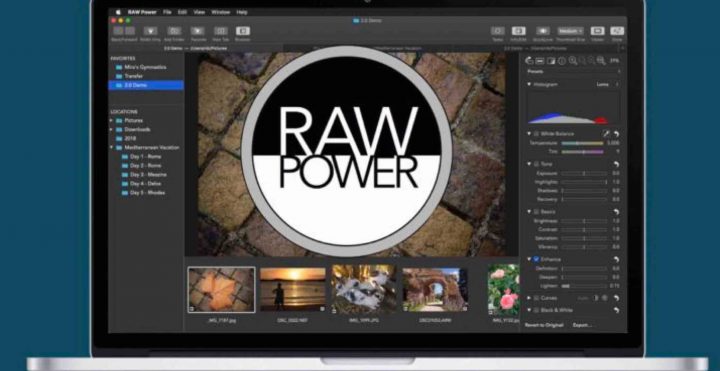
For those, who missed our original RAW Power article of February 2017 here, the RAW Power app brings Aperture style interface and functions to Mac Photos.
A few days ago, Nik Bhatt, former Aperture developer at Apple, has released RAW Power ver. 3.0. Down below the full list of new features and improvements.
Particulary relevant for Fujifilm users:
- LUTs with Fujifilm Simulations included (and you can import your own)
Fellow FR-reader Fleckintosh did try it out already, and so far it seems to work well.
Remember that back in 2018, Nik also introduced the Lightroom plug-in for RAW Power, which allows you to access RAW Power directly from the Lighroom interface and do non-destructive editing.
See the full list of supported Fujifilm cameras here (no compressed RAW support, only uncompressed).
What’s New
Apr 15, 2020
Version 3.0
Refreshed User Interface throughout the app
Photos or Files.app – now it’s your choice (#1 requested feature)
- Separate collections of images so you can work with either app or both
- Quickly jump between the Files and Photos collections.
- Full non-destructive editing no matter which place you store your images
- Copy to RAW Power Share Extension makes it easy to import images from other apps to the Files’ side
Take your Photos library to the next level
- Ratings and flags now in the Photos library!
- Easy filtering of any album by rating, flag, file type and adjustment status
- Ratings and Flags sync over iCloud
- Swipe gestures for rating and flagging
- Ratings and Flags are also supported when using Files.app (but don’t sync)
Refreshed, configurable Editing interface
- Select Default Adjustments to speed up editing and save space on small screen
- New Adjustment tools speed up access to common editing features
- Reorder adjustments to align with your workflow
- “Last Edited Image” Automatic Preset makes it super easy to apply the same edits to the next image.
New adjustments:
- Auto Enhance with Face Balancing gives you a quick head start on editing
- LUTs with Fujifilm Simulations included (and you can import your own)
- Auto White Balance
- Levels with Auto Levels
- Channel Mixer
Apply Auto Enhance and Auto White Balance to multiple images at once.
Much faster batch processing helps you apply presets, paste adjustments, and much more, to many images at once.
Our Owners Groups
- Fujifilm GFX User Group
- Fujifilm X-T User Group
- Fujifilm X-H User Group
- Fujifilm X-E User Group
- Fujifilm X-Pro User Group
- Fujifilm X100 line Group
Our Facebook Pages