As you might or might not know, I did switch to Capture One back in 2019.
- read here – It Was Inevitable: I am Leaving Lightroom for Capture One Pro
I went for the full version (the one that supports all cameras, not only Fujifilm cameras).
But for those of you who would like to make some basic editing without paying a single penny, Phase One offers Capture One Express for Fujifilm.
Capture One Express obviously does not offer all features of the full version, and you can see a side-by-side comparison of the features on this page.
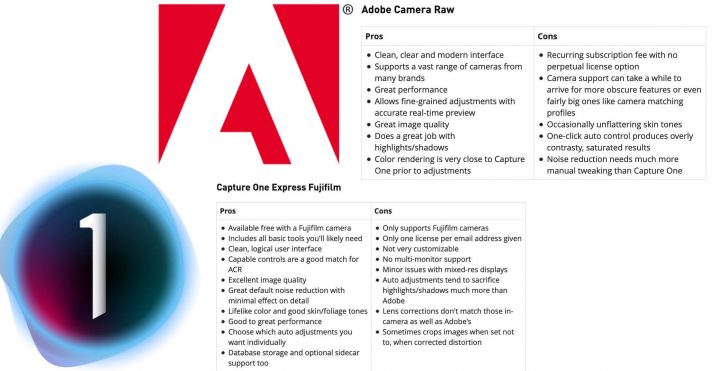
And yet, DPReview went on to compare subscription based Adobe Camera RAW with the free Capture One Express for Fujifilm version.
Down below the final Pros and Cons they identify for each software.
Capture One Express Fujifilm
| Pros |
Cons |
- Available free with a Fujifilm camera
- Includes all basic tools you’ll likely need
- Clean, logical user interface
- Capable controls are a good match for ACR
- Excellent image quality
- Great default noise reduction with minimal effect on detail
- Lifelike color and good skin/foliage tones
- Good to great performance
- Choose which auto adjustments you want individually
- Database storage and optional sidecar support too
|
- Only supports Fujifilm cameras
- Only one license per email address given
- Not very customizable
- No multi-monitor support
- Minor issues with mixed-res displays
- Auto adjustments tend to sacrifice highlights/shadows much more than Adobe
- Lens corrections don’t match those in-camera as well as Adobe’s
- Sometimes crops images when set not to, when corrected distortion
|
Adobe Camera Raw
| Pros |
Cons |
- Clean, clear and modern interface
- Supports a vast range of cameras from many brands
- Great performance
- Allows fine-grained adjustments with accurate real-time preview
- Great image quality
- Does a great job with highlights/shadows
- Color rendering is very close to Capture One prior to adjustments
|
- Recurring subscription fee with no perpetual license option
- Camera support can take a while to arrive for more obscure features or even fairly big ones like camera matching profiles
- Occasionally unflattering skin tones
- One-click auto control produces overly contrasty, saturated results
- Noise reduction needs much more manual tweaking than Capture One
|
To read the full article, check out dpreview here.









