








the updates for the X-E2, X-E1 and X100S will come DEC19, for the X-PRO1 DEC05
Yes! Fujifilm just announced, that a new firmware update for the X-E2, X100S, X-E1 and X-PRO1 will come. The update for the X-M1, X-A1, XF18mm and XF27mm is already available.
NOTE: If you have problems to see the new firmware then you probably have to clean the cache! The easiest way is described in Rico’s X-pert corner post “Tips for Updating your Firmware”: “just delete your browser cache or force your browser to reload and refresh the page by, for example, holding the Alt or Option key while clicking on Reload.”
You will find tips like this and much more in Rico’s new book “Mastering the Fujifilm X-E1 and X-Pro1 (use code FUJISAVES30 to save 30%!)
greez
Patrick (facebook, google+ and twitter)
_ _ _
Let’s go with order. The firmware updates already available are the following:
bodies
X-M1 firmware: download here (ver.1.01).
X-A1 firmware: download here (ver.1.01).
- AF accuracy is optimized for still image.
- The phenomenon is fixed that a camera will automatically turn off during “Bulb (B)” shooting with the “CONTINUOUS” setting in “IMAGE DISP.”
lenses
XF18mm firmware: download here (ver.3.10).
XF27mm firmware: download here (ver.1.10)
- 1.Addition of compatibility with “Phase Detection AF” functions of FUJIFILM X-E2.
- 2.Addition of compatibility with “Lens Modulation Optimizer” functions of FUJIFILM X-E2.
_ _ _
coming soon
Here is what we can expect in the next update on 19th December 2013 (Thu.) GMT 05:00 for the X-E2, X-E1 and X100S (press release). There will be another update, only for the X-PRO1, on the 5th December 2013 (Thu.) GMT 05:00 only for the X-PRO1 (press release here).
From the X-E2, X-E1 and X100S press release:
FUJIFILM X-E1 : Ver.2.10
FUJIFILM X100S : Ver.1.10
FUJIFILM X-E2 : Ver.1.10
[Contents of the firmware update]
For an overview of improvements to each model please refer to the list below.
<Updates now available for the X-E1, X100S and X-E2>
1. New fuctionality allowing you to edit image filenames
An image filename (DSCF***) is automatically allocated to each picture when shooting, this can now be changed to your filename of choice.* This added functionality is useful when organising the images after shooting, and sorting the images into groups.
2. Improvement of RAW file conversion function
- When developing RAF images in-camera using the built-in RAW file converter, the firmware upgrade improves the flow by taking you back to the original RAF image once the conversion has been done, whereas before it left you with the converted JPG file on screen and the user had to go back to the next RAF file manually.
<Updates available for the X-E1 and X100S>
3. See the exposure setting in live-view and histogram
- The images and histogram will reflect current exposure levels (with the shutter speed and aperture set during manual exposure also displayed on the image). In scenarios where the live view and the final shot will appear differently, eg: when using flash, this setting can be turned off.
4. Change of numbering for images shot using continuous shooting
- When shooting using continuous shooting, only the first image is currently displayed in full screen and subsequent frames are displayed in small on the bottom right, and the file number was set as “S+7-digit number”. With the new firmware, all frames in continuous shooting are displayed as full screen shots in playback. The file number has also been altered to follow numerically as per standard single shots, thereby allowing uniform management of images after shooting.
5. Aperture and shutter speed can be changed once AE lock is selected
- The aperture or shutter speed can be changed while maintaining exposure (EV value) with the AE lock button. The photographer has the ability to tweak settings down to the very last moment before shooting.
<Updates available for the X-E1>
6. The default and maximum sensitivity and minimum shutter speed can be set when ISO AUTO is selected
- When selecting “AUTO” in the ISO setting, users can also set standard ISO, Maximum ISO and a low-speed shutter limit. The Low-speed shutter limit has been extended to 1/500 seconds.
<Updates available for the X100S>
7. Improve the cover range and accuracy of the bright frame in the OVF
- By maintaining the position of the bright frame with parallax compensation during AF lock, the shooting area can be checked even when letting go of the shutter release.
From the X-PRO1 press release
Improve the cover range and accuracy of the bright frame in the OVF
- The cover range of the bright frame displaying the shooting area in the optical viewfinder has been improved so that a field of view closer to the actual image can be checked. By maintaining the position of the bright frame with parallax compensation during AF lock, the shooting area can be checked even when letting go of the shutter release.
- click here to read more about this frimware udpate
96 Responses
“new firmware update for the X-E2, X100S, X-E1 and X-PRO1 will come. ”
Yay! Go Fuji!!
+1
It’s like Christmas in November! Great job, Fuji. Keep ’em coming! 🙂
rather like xmas in december, some of the FW updates are only available as of Dec 19 🙂
Yes! Fuji is the company that keeps giving all year long. #3, 4 and 5 addresses the few things I wanted for x100S.
Now the only thing I could ask for is more custom settings C3-C7 like on the other X cameras and being able to customize another button (treat it like Fn).
A customizable Q menu for my X100S, please…
I hoped for this thing but it seems that the new fw will not add it 🙁
Fuji must have done something right this time. Usually it’s the first or second comment that expresses disappointment at free firmware updates for legacy cameras. This time, it’s only th third. 🙂
Where is the improvement to the peaking?
I’m happy that they continue to improve the cameras.
But these things:
– AF speed improvements
– Q menu customization
– adding a 2nd function (long press instead of function settings)
– adding C4, C5, C6, C7 custom settings
are more interesting than a file rename function. imho
Agreed on the C3-C7. Don’t know about customizing Q thought be I do use that quite a bit. The WB button is the one that needs to be customizable. Fuji’s auto-WB is dead on for me anyways and I shoot RAW+JPEG so I can always adjust later.
Maybe BOTH WB and Q is customizable? Then both of us will be happy.
Can’t you customize it by holding down the Q button a few seconds ?
A long press on the Q menu button of the X100S adds extra brightness to the LCD
I am hoping there will be Focus Tracking and Face Detection on X100S.
6. The default and maximum sensitivity and minimum shutter speed can be set when ISO AUTO is selected
–> love you Fuji \(^o^)/
I’ve updated the image on the top and put your feelings into it 🙂
whoa thx patrick! 😉
I was hoping for weathersealing on the new firmware, oh well -_-
(that made me grin 🙂
I was hoping for a FF sensor update.
Wow, Fuji is awesome. Nearly 2 years since they released the X-Pro 1 and they are still improving it. Since I got the X-Pro 1 last spring, I have been hoping for minimum shutter speed settings in auto ISO, and they have delivered. Not only have they delivered on that, but they are improving the accuracy of the bright frame lines in the OVF ~ looking forward to that. I am definitely grateful and will continue to support them, as they are committed to improving the usability of their cameras on an ongoing basis, which is great.
With all of these improvements, I will be able to use my X-Pro 1 for a long time alongside the X-Pro 2 when they release it sometime next year, which will be great ~ won’t have to change lenses as often.
If you are reading, thanks again Fuji. I definitely appreciate your efforts…
Considering what the early adopters have payed (and what the value is now), they certainly have a right to some support! 🙂
Well, if you bought a Canon or Nikon for the same price, you´ll never get new features…
In the interest of fairness Canon has recently released several firmwares that do expand their cameras’ functionalities.
Support is one thing, but once you have bought something, the seller doesn’t have an obligation to provide improvements – that is generosity – unless it malfunctions under warranty.
When you buy a car, it depreciates significantly over time. The car company does not have an obligation to provide upgrades because the car has depreciated in value, nor would they do that.
Although the X-Pro 1 arguably had issues when it was released, and perhaps people bought it without any due diligence, Fuji did not have an obligation to improve the camera, though it was in their best interest to do so.
Even though many people perhaps bought the A7/A7r without any reviews or testing the camera themselves, Sony will not be obligated to improve the cameras if they turn out to be less than what those buyers expected, which will likely be the case. Buyers need to do their due diligence before buying, as the risks and rewards of ownership are transferred to the buyer at the point of sale, except for malfunctions under warranty and items with a return policy.
So, I disagree. Fuji doesn’t owe anyone anything. They have been generous with these improvements, irrespective of the fact that it is to their benefit as well – customer satisfaction can go a long way and the fact that they upgrade their cameras over time can, and should, attract more customers.
Geez, talk about reading into things.
I was agreeing you fool. Speaking of moral right, MORAL, not legal.
Just because nobody else does it doesn’t make them right. All i’m saying is if anyone deserved Fuji’s good gracious …
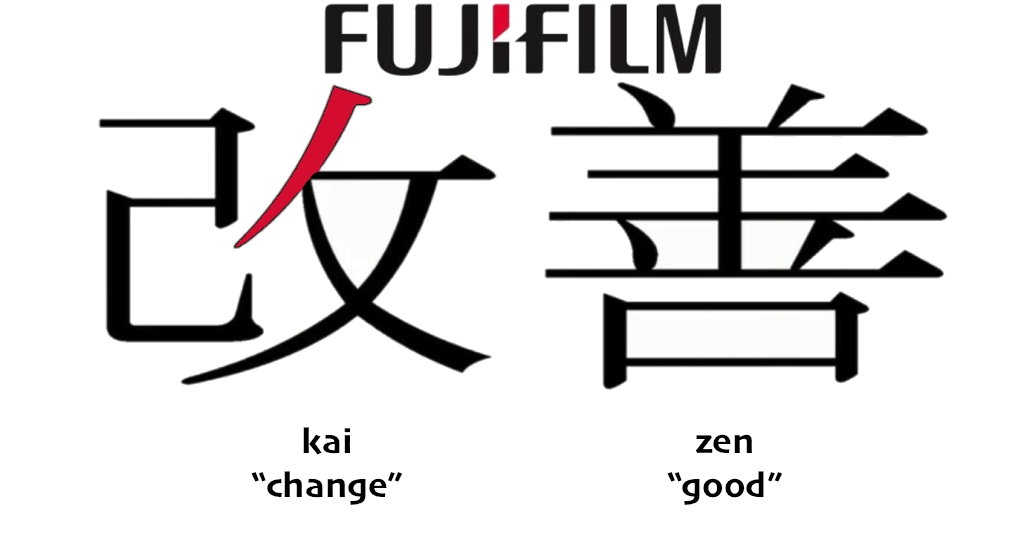
KaiZen remember. Not here for the free candy, clearly Fuji does something right.
I am not a “fool”, but that is ok…Have a great day.
Great stuff. If they would add different colors for focus peaking it would be even greater. Go Fuji! 🙂
Great news to start the day – an early Xmas present from Fuji!
I’ve been using Auto ISO in my new XQ1 over the last couple of days and can’t wait to get the same functionality in my X-E1 🙂
Took the exact words out of my mouth Jason. Playing with my XQ1 last night, seeing ”fully functional” auto-ISO in the same menu as my X-Pro 1, did make me wonder if we wouldn’t be seeing it soon. And lo and behold, here it is!
I think that pretty much concludes everything I wanted from Fuji for the X-Pro 1 – although I’m more than happy if they keep finding more new features to give me 🙂
Great, – now – where ist the 10-24mm?
it was supposed to come NOV20, but Fuji postponed the announcement… maybe right in time for X-mas.
Really hoped that Fuji would incorporate a bugfix for the delete button this time. Keeps bugging me for the last twelve months 🙁
This is great. Just to get this straight. It was announced today the 28th, but wont be ready for download until December 5th. Is that right or am I missing something?
good news!
I sold my xe-1 to get the x-pro 1 a few weeks ago for the OVF (and the looks), but the accuracy of the OVF sucks. The accuray on the x100 was ok, but on the x-pro1 it is unusable.
I am happy, but i miss the color-option for the focus peaking…..
X100S user.
Two things
1. AF – Accuracy please
2. The whimsical battery indicator. I really hope this is addressed.
Great !!!! :-))
But what about the European Customers : please give us a 25P video mode, please……
Just read the page about the X-Pro1 update on 5th dec. – great news!
For all of you saying: where is this and that…
Three years ago you bought a camera from a major brand and this was it. It had no Auto ISO? It had no focus peaking? So what, buy the next model – it´ll have it.
No way features would be implemented after you allready bought the cam.
And now? All I can say is “Thank you Fuji”!
3 years ago you brought a DSLR and it worked … now you buy an X camera and wait 2 years for Fuji to finish the firmware, and its still not close.
Call that progress?
Anyway, the rubber around the eyepiece on my XPro1 is decomposing, or something, which is not so great since I’m a Sunday shooter only. Firmware can’t fix that.
D*mn that’s awesome! THAT’S why i choice Fuji! Thanks! Love my E1, but the love just extended 🙂
1. New fuctionality allowing you to edit image filenames
is useless ???
I want automatic numering by date/time:
2013-11-27-18-05-22-DSCF0234.jpg
This is not EXIF conform afaik.
I really hope no camera manufacturer implements this, that is a very crappy filename
-1
I don´t!
Why for goodness sake? You can already list files by date if you must manually manage your photos at a file system level.
Nice work Fuji! looking forward to number 6 especially. It is these upgrades that make me choose fuji (as well as many other thing of course).
Fantastic Fuji!
Being able to see the exposure setting in live-view is what I have been looking forward to the most!
This is one of the most useful advantages of having an EVF in my opinion.
AUTO ISO only for x100s or fot the XE1 too?????
Glad I invested in the X system. In 30 years I can’t recall this level of support for existing users from any other camera manufacturer. I still revert to my Canons for portrait and sports work at the moment. As mirrorless matures this is clearly going to change in future, and possibly in the near future. The game has changed and Canon/Nikon will be overtaken if they don’t change with it.
hopefully deadly slow wake up time, after x100s went to sleep, gets fixed. Also the autofocus still could have some improvements….
just installed the lens firmware updates for the 18mm and 27mm. WOW. Thank you, Fuji, you rock, and so does Fujirumors, thanks for posting the links, Patrick!
2. Improvement of RAW file conversion function
“When developing RAF images in-camera using the built-in RAW file converter, the firmware upgrade improves the flow by taking you back to the original RAF image once the conversion has been done, whereas before it left you with the converted JPG file on screen and the user had to go back to the next RAF file manually.”
That’s great, but then you have to browse all the way to the end to see the result? Now that they’ve got the file renaming covered it shouldn’t be too difficult to place the new image right after the original, no? Append ‘v2’ or something like that instead of giving it a brand new filename !
Thank you Fuji, you know how to pamper your customers!!!
I find actually frustrating that on semi-auto on the X-E1 I can’t see the current exposure values unless I half-press the shutter button. I hope that it will be fixed with this firmware update .
I also would like to have the possibility to CREATE NEW FOLDERS before taking the pictures to better organize the work. But most of all I am really hoping for EXPOSURE COMPENSATION ENABLED WITH AUTO ISO!!!
My beloved Fuji guys, I know that you are reading. Please give me an happy Christmas and add these settings to 19 dec update…
Cheers.
+1
+1
I guess you’re referring to shooting full manual exposure with Auto ISO and them I’m with you completely.
I usually manually select the aperture and let the camera choose the exposure and the ISO. Now the the Auto ISO minimum expusure being set, I like to increase it quite regularly for a couple of shots when having a moving object. And it would be much easier to just turn the exposure dial instead of entering the Auto ISO settings to change the miniumum exposure value. But this is of limited help, if the exposure compensation is suddenly turned off.
so cool. keep it that way Fuji, thanx 🙂
Auto ISO – already exists on X100s, doesn’t it??!
Indeed, that’s why it says ‘done’ in the chart.
Well, these changes are pretty good. Especially live preview, auto ISO shutter speed and AE lock update are all more then welcome.
About only thing I would like to see is the ability to change focus peaking color (red/yellow/white). Lets face it – white is not the most contrast color in a lot of situations. I saw this feature requested a lot in Fuji camera related websites and it should be really easy to implement … come on, like half a day of some software engineer work even with testing 🙂
Also one annoying thing is how i am supposed to delete a picture. First, i am not able to delete zoomed picture (obviously a bug). Second, coming from Nikon, i would like to delete a picture by a second press of delete button and not by changing menu to delete and confirming the action with yet another button. I can understand its a security feature, but in six years with Nikon, i have never deleted an image by accident.
Other then these two things, it looks really good and i really like fuji x-e1 controls, physical dials etc…
Updated X-M1 to 1.01. Thank you FUJI 🙂
and Thank you, Patrick 🙂
Great work Fuji, but please give us the X-Pro 2.
that’s sound really good..
EV lock, standard file naming fos continous shooting, and a good auto iso.
and guys, a real exposure simulation, in M..
i am hoping for that since i bought the XP1…
i think that XP2 or even the new camera coming in january, really can be a GREAT camera, with fast phase AF, and an improved EVF …
(but really i prefer the rangefinder style to a “minireflex”, but if the change in form factor is needed for an improved EVF, and not just aesthetical, i am ok with it)
great time for x-system..
Hi,
minimum Shutter Speed in Auto-Iso: Thank you very much! This is really the only real annoyance which for me is left with my X-Pro 1, everything else (like to be able to delete a picture while it is zoomed in) is just a nice to have.
Again thanks. This is really great and Fuji is really the first camera manufacturer I know, which is constantly doing this kind of major sw-updates.
Great!
Daniel
I am deeply impressed!! I love my xp1 even more now. The improved frame lines, auto ISO update, and image display in continuous mode all hit the nail on the head for me, even though they took a looooong time to get here, Fuji delivered. Kudos to Fuji. TAKE THAT CANIKON, SONY, OLYMPUS!
if i can ask for may be a nexf firmware.
my wish list is:
1) move the af point with the arrows when zoomed in LV (check the focus arond the image, and change the af point when zoomd just moving it it would be really faster)
2) after the shoot, i would like lock focus, just keeping the shutter button half pressed.
it would be possible to shoot again without refocus
Re 2) +1
Very appreciated! This KAIZEN spirit makes me happy and I’m sure Fuji will profit also in long term …. as we remain buying Fuji cameras and lenses.
TODO :
For RAW developer I would recommend very useful improvement:
-select more images -> change options for them -> convert them all together.
– file name of converted image the same as original + some suffix v2, v3, v4,…
Fantastic news!
I guess my only “complaint” left is.. Clarity on focus peeking, wonder if they could make the white edges stand out a bit more (or as others have said, a difference in color selection?)
Other than that (really minor) complaint, this is shaping up to be a very well rounded camera system. I was considering the X-E2 for the EVF preview accuracy and auto ISO minimum shutter speed settings alone (focus speed probably wasn’t enough of a difference for me to pull the trigger), and now it’s on my X-Pro1/X-E1… saved me $1000!
Though, I have to wonder, if these firmware updates lower sales from “upgraders” for Fuji… or maybe they don’t care that much? Hm.
Yes, that is about all that I would like to see introduced as well, as it would make manual focusing much easier. But, as it is, I am very happy with these improvements and I am satisfied with the X-Pro 1. The only major improvements I could see now would be hardware based, which are something to look forward to in the X-Pro 2 – a brighter, larger OVF/EVF, for instance.
this is it!
fuji thinks of us! So glad I can update my X-E1
I really hope that soon Fuji will add face detaction to X-Pro1/E1. Must have feature!
and to the X100s, too. Would make it complete, it’s also used as a family-camera.
thats sound great even as a good starting point for next cameras.
now i would like more rumors about the camera coming in january, mailny about the improved EVF.
what’s improved? size? optics? refresh rate? it would be hybrid or EVF only? (i would love to have a semitrasparent mirror ovf ttl +evf, but i imagine it’s impossibile with that short focal distance)
Sony may have the jump on Full Frame but you just can’t beat Fuji !!! After the X-E2 came out, I never expected they would still upgrade the X-E1 to add minimum shutter speed in auto ISO and control over exposure setting in live view (two of the most requested items still left on the list).
Fuji if you are listening, with this kind of support, as soon as you come out with your full frame cameras, I will continue to buy Fuji cameras. You have won a ‘very loyal’ customer in me.
For me naming custom settings would be more useful than renaming images.
The raw conversion improvement is nice, but it would be great if the files were named so that browsing all versions of an image would be easy (they’d all be next to one another).
Suggestion for focusing: a combined split + focus peek with red or green – show focus peeking in a color in the split focus view.
Another suggestion – combine the focus area and face detection so that I can assign a function button to something that will give me quick access to both.
Last suggestion (not firmware related) – provide official LightRoom profiles as a starting point closest to in-camera processing.
xpro1 was the worse purchase i’ve done.
Never expected the AF to be such a pain.
Blame it on no one except myself that i didnt do my own due diligence.
My only question is will the soon to be available xpro1 firmware upgrade improve the overall AF by any bit?
I’d suggest you improve your focus technique before even thinking about upgrading the firmware. If you need something to do everything for you, go get a robot.
Lots of good stuff. I’m most interested in #2 and #3.
But how about COLOR PEAKING?!! Had really hoped that was going to happen this time. I was watching a video covering Sony’s new A7. The user had chosen the yellow option, which makes a world of difference-it’s the one thing that I really miss from my brief time with the NEX-7.
I’ve been shooting black and white with my X-E1, where focus peaking is especially useless. Focus peaking in general is a miss when using the EVF.
Since I’m in complaining mode, why no deleting while zoomed in for the X-E1? Another major pet peeve of mine.
Keep them coming Fuji.
Hey fuji people (because I know you’re reading this)
1. Thank you for updates
2. Please add expanded AE bracketing next firmware release for the X-E2!
thanks
Fuji is slowly but surely making me a customer for life.
Ha, I have stated a couple of times here that I couldn’t care less about auto-ISO and that Fujifilm should provide a more accurate OVF bright frame.
And now we’ve got both:)
Looking forward to that too…
Glad they are still tweaking, but I’m a little sad they haven’t added colour choice to focus peaking.
Sweet.
I hope Fuji will keep on improving the X-M1 too (not just bug fixes)!
Hm, numbering- no important to me.
I need better focus peaking (stronger border color).
I need better and faster autofocus(f.e. adding face detection)
I need time lapse!
I need beter IS of lens 18-55.
But generally thanks for update.
yes, yes, very nice and all, but, when will the x20 get some love? :$
Thanks for your updates!
I owe a Fuji X-e1 and a Fuji x-e2. Autofocus of the x-e2 has improved. But…I would like to have the options “use Phase detection only”, “use contrast focus only” and “use hybrid focus”. That would give me as user the control over AF instead letting the camera decide for me. Another thing thats annoying me with the x-e2 is the snowstorm that appears in dark situation using the lcd or the evf while focusing in dark situations. This phenomenon isn’t noticeable on x-e1. Its not not a worse lcd or evf that causes this problem but in my opinion the sensor of the X-E2 since if you check out a black picture taken with the Cam using lcd or evf the snowstorm is gone. Please fix this.
sincerely and thanks
I have another complain about the X-E2. It is a camera with phase detection AF. But the AF-assist Lamp of the Flash EF-42 isn’t working. Wich is a shame since it would help to use the fast phase detection AF of the X-E2 doing indoor snapshot photography during Weddings. The contrast AF is way to slow for this mission!!!
So please give the X-E2 the ability to use the AF-Assist Lamp of the Flash EF-42.
Please!!! I really need this!!!
The AF light on the EF-42 is an IR light and hence useless with MILCs that obviously use an IR filter in front of the sensor, so any on-sensor CDAF/PDAF can of course not “see” it. That’s why disabling the useless IR light is a feature. If you “need this” for whatever reason, you should use a DSLR camera with a mirror box and dedicated (aka filterless) AF sensors that can handle IR light.
Hey rico,
Thanks for your answer… For me it was/ is not “obvious” that all milcs have a infrared filter. I dont know why you think it should be obvious at all…. But anyway… Even if your rigtht then i dont understand why fuji doesnt accomplish a laser af-assist that can be handled by the sensor of the xe2?! The reason i need this is as i stated already to take indoor point an shoot pictures of a weddingparty. I need fast phase autofocus to accomplish this. I own a eos 7 d already and i dont understand the difference between phase detection of the dslr and the one of the xe2… But i surley am not an professor of sensortechnology as you are… Dont make yourself so tall, since your not that small…
If you need very fast PDAF, you should use a DSLR with dedicated PDAF sensors.
Every camera has IR (and UV) filters in front of their sensors to block light humans cannot see. So it is literally “obvious”, you see the effect in every image. The Leica M8 used a very weak IR filter, which lead to severe customer support issues. It was much worse than any “orbing” of the Fujifilm X10, but Leica got away with first denying it, then suggesting to add IR filters to lenses.
You can have your camera IR converted, of course. Some users even perform a full-spectrum conversion. You can google it and look at the resulting images, quite interesting stuff. However, you probably don’t want to do this for your line of photography, so sticking to a camera with dedicated AF sensors (aka DSLR) is probably the simplest and most rewarding course of action.
Can you point me to MILC manufacturers that offer laser-based AF-assist (either directly or via third-party products)? I’d like to know more about how this could work with on-sensor PDAF/CDAF. I did a quick Google search and couldn’t come up with anything substantial.
Sony. It was called holographic laser assist and was used in the DSC-F717 from 1999. at least thats what my google research came up with. How it works? I dont know! But you were able to focus in almost complete dark!
By the way, i never tried a olympus but a sony nex 5 and it was a lot faster in focusing indoors than the xe2 in direct comparison. So for fuji to claim that they have world fastest af of all milcs is at least very questionable. I was hoping that fuji could make a big step forward on af of the xe2. So rico, i have my knowledge only from practice and internet. I never claimed to know every little technical issue. So thanks rico for answering me. It helped me a lot.
Bye sascha
For me…
The X-E2 needs to have 2 custom button additions badly.
1. Face Detection on/off
2. View/Display (removing it from the back of the camera on E2, has been problematic to say the least). If battery life wasn’t such a factor, it might not be as important…but alas, it very much is…
X-E2 firmware: This features should be urgently implemented in the new X-E2 firmware:
– Assign ‘view mode’ to function button.
– Eventually add ‘view mode’ to Q menu.
– Remember distinct ‘view modes’ settings for different operating modes:
+ “Shooting” mode: –> EVF Only, eye sensor turns EVF on or off.
+ “Playback” mode: –> Automatic display selection by eye sensor.
+ “Change Settings” mode: –> Automatic display selection by eye sensor.