









Plenty of Lightroom Mobile How To videos have been posted on Adobes Youtube Channel.
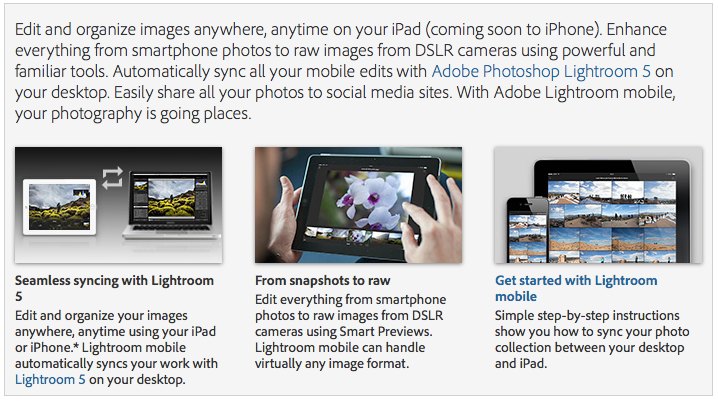
Today is big Adobe day! They just released the new Photoshop Lightroom 5.4 for Mac (Click here) and Windows (Click here) and Camera RAW 8.4 for Mac (Click here) or Windows (Click here). It adds support for the E-M10 and ZS-40. But the biggest news is that the company also released the new Adobe Lightroom mobile (for Creative Cloud Subscribers). You can read more about it here: adobe.com/products/lightroom-mobile.html
15 Responses
Was it just me, or was that an excessively long wait for E-M10 support?
It was a lot shorter than the wait for the E-M5
Still no Panasonic profiles?
They’re built-in.
Yeah, lens corrections are applied automatically. Use the ACDSee Pro 7 trial with panasonic raws and see how much is corrected.
Haven’t tried the lightroom update yet, so still have a sliver of hope that they improved the decoding of panasonic colors. Been having a lot of trouble with my GX7 raws, Lightroom and reds/oranges
I mean the profiles under “Camera Calibration”(Color profiles or what are they called). Right now there’s only Adobe Standard as default profile, whereas Olympus for example has all the picture styles that the cameras themselves have (ie. Vivid, Standard, Neutral, etc)
No Android support in sight, or windows mobile? Come on Adobe, you were smart enough to not just bet on Apple in the desktop space… don’t fail us in the mobile space.
There was not Windows support to start with though with Lightroom. Plus windows mobile is such a small player. The trouble with Android is all the different tablets that run it and getting it to work on them all. It requires more money to develop Android apps. Adobe have just gone for the biggest easiest market first.
There were more PC models out there than Android, and Adobe had no problems supporting them. People often blow out of the proportion the so called fragmentation of the Android. It is really not a big problem, as some make it to be.
Anyway, preference for iDevice platform is easily explained by the fact that Apple users are more actively buying apps. Apple spent literally decades nurturing the audience and they are pretty good at keeping the long-term users. Android OS, on the other side, is effectively a successor to Windows, with users expecting cheap or even free applications. Price pressure on Android apps is much higher than on iOS ones. That’s why many stick with the iOS exclusivity or release distinctly different apps for the Android: not to rub the iOS users wrong way by selling the same app for the Android, but cheaper.
As expected, non Apple device users start whining, because Sdobe started this innovation with IOS support only as a start. Adobe is the first RAW editor vendor, who is going mobile. So this 1.0 version is still a release to get user feedback. A lot of things need to be explored.
A lot of your comment is wrong anyway. Android is fragmented in a different way than Windows PC as every smartphone vendor has developed its own UI. This makes Apps development rather difficult.
Also Android Apps aren’t free and it is not expected that they need to. Most free Apps are either functionally crippled or spoiled with advertisements. I use an iPad and an Android smartphone and can’t really say that the serious apps I use mostly tend to be free more often on Android nor do they cost significantly less. Anyway, in order to have a good apps market, people need to pay, other wise nobody would bother to develop apps, unless there is another hidden profit, I.e. data collection.
Adobe has stated that support for other mobile platforms is under development. So why complaining.
The main thing is that for practical use Lightroom mobile is too limited, at least for a RAW shooters. RAW images imported to an iPad directly aren’t supported (yet?). Probably because Smart Previews are necessary. Hopefully Adobe works on this.
Additionally, there isn’t star rating and color coding yet. Key wording is also kissing. So, there is still a lot to improve.
It is good to see that Adobe finally puts some benefits exclusively to the subscribers of the Creative Cloud, because LR mobile won’t work without a CC account.
Do you have any idea how hard it is to develop for Android? There are hundreds of different screen sizes and resolutions. On Apple, you have 2 resolutions for the iPhone and 2 for the iPad. It’s a much easier platform to develop for.
Nice update, now Lightroom is missing complete from my list of apps in CC…
After trying the 30 day evaluation for a few minutes, I can say that it is an interesting concept. But it seems to be missing a lot of the LR features like cloning, the adjustment brush and also many of the Develop module panels including the detail panel.
The big question is if the ability to edit on the iPad is worth $120/year and convince me to subscribe to CC? Maybe if full (or near full) functionality was implemented in the iPad application, but no way is it worth the $ the way the app is right now.
I think it is an interesting concept. My observations so far
a) There is no way to copy edits from previous image
b) No way to bulk apply
c) Editing each photo is slow as the system takes a while to load and give you options to edit
d) No way to flag by color
e) Slow to sync. Left iPad on all night but was not synced in the morning. Had a few left.
On the other hand have been using Photosmith on the iPad. It’s advantages / disadvantages
a) Faster to sync. I recommend pre-generating 1:1 thumbnails first then syncing
b) No way to Edit. If you want to edit this is not for you. If you want to sort, then this is a better choice.
c) No cloud support. This is why LR Mobile is so slow it need to sync with cloud then with you. I prefer the Photosmith method.
When Adobe releases LR 6 I might consider LR Mobile. Until then I think it is too expensive and not mature enough.
Is there a way to get this syncing to work with a laptop running LR5? I want my laptop to be my LR mobile app.