










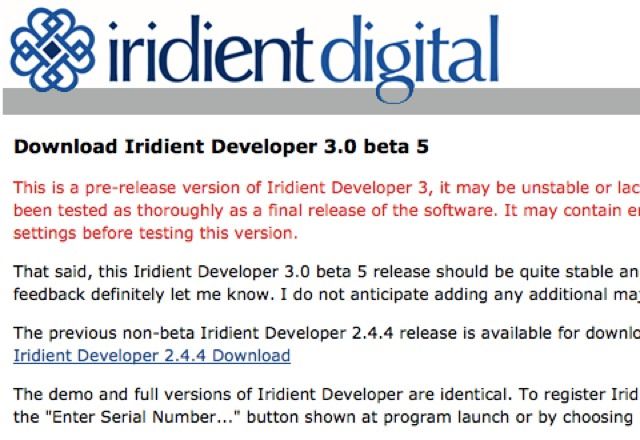
Brian just released Iridient Developer 3.0 beta 5. Here are the improvements described by Brian himself:
“Iridient Developer 3 beta 5 is now available and includes support for the X-A2 and XQ2 plus a fix for the previous Fill Light bug and numerous other refinements and changes (preset file support and streamlined color management setup, etc). Plus some nice improvements to the monochrome mixer conversions, particularly the new v3 RAW variants that really advances the monochrome conversions both in terms of lower noise and better apparent detail. Ive been working closely with a few pro photographers on this new monochrome conversion processing and I think it is really showing some amazing results!
The Clarity adjustment plus some of the other processing on the Detail pane is now previewed at all scale (zoom) sizes and no longer cuts out at 50%. I have been able to make some major improvements to both memory usage and performance plus have refined the preview approximation at small scale sizes so this should result in an overall better small preview while not being too much of a performance hit now.
The Help documentation should now be all updated for new version 3 functionality and changes too.”
This new release can now be downloaded here:
http://iridientdigital.com/
13 Responses
Windows version please!! ;-(
I love Iridient’s conversions so much…. I really wish Adobe would license/purchase his demosaicing.
Obviously you don’t shoot at high ISO.
I do when I need to. I find applying light handed luminance noise reduction gets me results that are close to Adobe’s in those cases (or I just use Adobe’s converter, depending on the scene).
Back in the film era we used to call it reticulation. That’s exactly what Iridient does at high ISOs, no matter how much luminance NR you add. Oh, and don’t get me started on Iridient’s color patterning at high ISO.
It’s a good RAW processor, as long as you’re staying at the base ISO and don’t shoot portraits.
It’d be super helpful to see some visual examples of the reticulation patterns your seeing and what settings you are using for the RAW process (v2, v3, Apple RAW), noise reduction (the v1 or v2 processes, etc), and sharpening.
With version 3 there are now 5 different X-Trans (6 including Apple RAW) RAW processing stages that will have noticeable, sometimes radical, impacts on noise patterning and both sharpening and noise reduction will further impact noise patterning as well.
If you’re shooting at high ISO and struggling with noise I’d recommend trying the standard or smoother v3 RAW process options, the default is “Detail+”. All the v3 options all are going to be radically different than the old v2 methods particularly for color noise on the X-Trans.
Brian Griffith (author of Iridient Developer)
Iridient Digital
Hmm reply didn’t seem to go through so trying again.
If you could send my a visual example of this pattern noise that would be helpful along with the Detail panels settings used (RAW process, sharpening and NR).
With version 3 there are now 5 (6 including AppleRAW) RAW process options for X-Trans. Each will have its own slightly different character. The “v3” options will have a radically different noise character than the old v2 options and if you are struggling with noise levels at higher ISO I’d recommend trying the “v3 Standard” or Smoother options.
Sharpening and noise reduction both both impact noise patterning and if you use high levels of RL Deconvolution is can definitely get “clumpy” or show some effects like reticulation.
Best regards,
Brian Griffith (author of Iridient Developer)
Iridient Digital
Anything better? I tried C1 and LR and Iridient is IMO definitely better than those two.
Perfect software and now even much faster. I purchased the license with no regret.
Love this software. Fast, straightforward, beautifully clean conversions.
With the latest update however I can’t find the Fuji film simulations. Am I missing something?
Thanks for your suggestions Brian, I’ll experiment some more and get back to you in a few days. Probably using a contact from your website, or you can ping me on Facebook if you prefer PM to emails.
All the existing Fuji film simulations will work fine with the new version, some of the ReadMe info however has become outdated. Easiest option is just to open an image and double click the “rdsf” setting files to apply. Will be updating these soon including “chrome” style and updating to the new “preset” type files for v3, but this won’t happen until after 3 is final.
You can easily save off your own custom presets for the film looks by clicking the “Save Preset…” button and just choosing the Camera Curve and Input Profile items.
Brian Griffith
Iridient Digital
Got it now – thanks!