







image courtesy: Jim Gamblin (part 3 – Iridient)
Some like it and others don’t: the X-Trans sensor (technology of the year according to imaging-resource). Well known blogger diglloyd expressed several times his doubts about the real quality of the X-Trans sensor files showing “artifacts” or smearing of fine detail (for example here).
So Jim Gamblin made his own tests (check it here) with various RAW-converters Part I (ACR, Raw Photo Processor 64, SilkyPix, Aperture, SOOC jpeg) and at the end he says:
“So I wonder how do some people manage to get RAW images that display so much smearing as it appears in Mr. Chambers review of the Fuji X100S? There is no doubt in my mind that Lloyd Chambers knows what he is doing. His excellent site speaks for itself, but . . . . In no way am I slamming him, only I wonder what the difference is.”
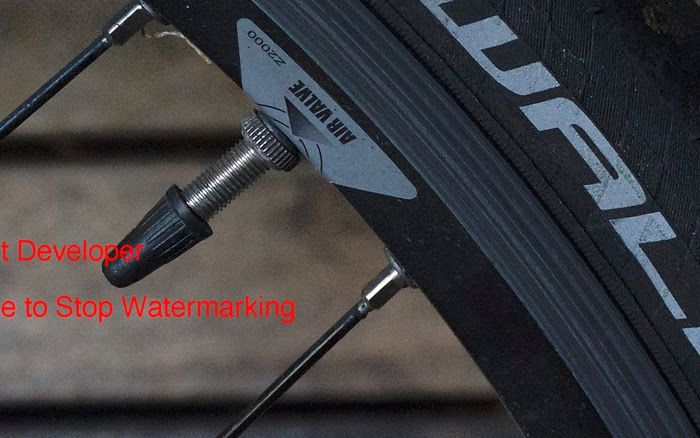
In this post here he compared the already above mentioned RAW-converters again and includes also Iridient developer:
” Iridient Developer 2.2. (Mac Only – trial version) From the standpoint of extracting the most detail out of an image it is unsurpassed. Also the interface is really quite easy to understand and work with. However there is no adjustments brush (or at least I did not find one), the monochrome/B&W converter is not up to the some of the others and I don’t know if it is a good catalogue storer. The price is really good and if you are then willing to use another program for certain of the above mentioned things, then it is a good investment. However personally I am on the fence about buying it. How many RAW converters do I really need. So please excuse the watermarks.”
Share your experience and thoughts in the comments.
have a great day
Patrick
21 Responses
I just finished posting up some images using Lightzone 4.0 Mac and I have to say the results were rather spectacular.
Here is the link: http://www.echenique.com/?p=2165
well diglloyd is a blogger not a photographer, think about robert capa saying: this contax shows “artifacts” LOL
diglloyd is a sonuy fanboy
He/she seems to have access to lots of gear, opinion might be worth a little more …
http://diglloyd.com/blog/2013/20130710_2-FujifilmXE1-kit-returned-for-refund.html
” have access to lots of gear ” ≠ To be a photographer
diglloyd is useful like to throw punches to the lava
Well, I have tried today this Iridient software since it seems to do miracle with X-Trans images.
I have opened side by side Lightroom 5 and iridient and put the same X-100s raw picture at 100% on both software. ‘Out of the box’, yes the picture on Iridient seems to have more details but I think this is just because they increased the default sharpening.
Put the sharpening amount to ~60 on Lightroom and really you I have the same picture in terms of details (color are slightly different and it seems for me that lightroom respect better the skin tones).
I do not see any differences between Iridient and Lightroom+ Sharpening 60 and so I do not understand why users said Iridient is so much better.
Did other people make the same test ? Maybe I have missed something ? Maybe the difference appear on some particular scene only ?
Cheers,
Sylvain.
And inversely, put the sharpening slide to 0 for both Lightroom and Iridient and you get the same result (at least for my eyes)
I’ve done the same test with several foliage-heavy shots I’ve taken since getting the X-E1, which before Lightroom 4.4 was excessively smeared. All I found was that Iridient and Capture One are sharper than Lightroom at default, but there’s nothing you can do in those programs to enhance the image that you can’t do in Lightroom.
Conversely though, Iridient’s demosaicing creates chroma noise and hot pixels that are simply not there in Lightroom, and none of the included moire or chroma reduction tools can get rid of it. Same deal for Aperture, incidentally, but Capture One is fine as long as you have the Pro version (the Express version strips this functionality out).
I’ve seriously spent ages squinting at the differences between the two programs, and there are no details in the Iridient file that don’t also show up in the Lightroom file.
Actually what is artifiacts? Why does it occurs or what make it occurs? i’m not sure of the smearing of details. It maybe true when we use the raw converter cos I may come across it but do not know it is artifacts. But one thing I can be sure is, some of the photos I took, when I printed the jpeg straight out of camera, it does blow our mind away. I was stunned at the quality printed out without editing. But of course, i have to admit there are still alot of issues with the x camera system that fuji need to address. Really there is a lot. But, I cannot comment on the raw converted prints so far because I have yet to print any raw edited pics. Maybe someone who has done before can comment on this and let us know their results on raw edited prints. Thanks. Hope Fuji will keep on improving the X system from the feedback of users here.
Comparing RAW converters at their default settings is just a waste of time (of both the writer and the readers).
I don’t think I would take any advice from this guy:
http://www.maxmax.com/lloyd_chambers.htm
Top lolz
I downloaded an ISO 6400 raw file from the X100s and Iridiant. I processed it in both Iridiant and LR5. I couldn’t get rid of the noise in Iridiant to my satisfaction, whereas the noise reduction in LR, even by default, was better. Detail in LR could easily match Iridiant with minimal effort. For me, it makes no sense to give up the capabilities of LR for arguably marginal improvements in detail at the expense of noise.
My experience is LightRoom detail is less than both Capture One 7 and Iridient. Adobe’s engine still smears detail out. They need another rev up.
I tried to believe that, but really, I looked closely and every single tiny hairs visible on Iridient can be equally seen on LR5.
Did you tried to increase the sharpening in LR5 and compare side by side ? Did your feeling of smeared details still exists ?
By default the sharpening on Iridient is much higher than LR5. Post processed sharpening can give a sensation of “more details” to the eyes.
cheers
I have absolutely confirmed that Iridient pulls out details from X-Trans files that Lightroom 5 turns to mush. Grass and foliage seem especially susceptible to this problem & no amount of sharpening can fix it.
Raist3d…I agree. ID and C1P7 are currently the best converters for X trans files. LR5/ACR is in 4th place for me. Aperture is pretty close to C1P7 imo.
Sylvain…don’t know what to say. Trust your eyes. 🙂
I was subscribed to the diglloyd site for 3 years and It was my clear impression that he had some gear/ brands that he liked and some he disliked. His tests would then just confirm his initial opinion, and I often felt he was not neutral anymore. Actually quite far from it. Fuji X and Canon systematically were rated bad by him.
In practice this all does not mean much. The Fuji X (I have the X-E1) is not perfect, but once you know it with it’s possibilities and shortcomings, it can deliver very good results. Irident conversions are indeed particulary sharp in the latest version.
Hello,
I’m quite surprised no one talks about printing those images. Isn’t it the whole point?
Most online published images won’t look that different scaled down.
Looking at a printed image is certainly the ultimate test. Then again, if we need a magnifying glass to point out the differences we can consider that it’s too marginal and that your choice of camera must rely on other aspects.
I’ve hardly ever heard professionals mentioning pixel peeping, when it comes to art, unless it is required for a very specific task where image accuracy is of utmost importance.
From my experience the extreme ‘smearing’ ‘watercolour effect’ occurs when too much sharpening is applied to certain images using Adobe ACR. It is particularly noticeable in green foliage and certain kinds of material and seems to be where some kind of regular pattern is involved. The two examples that were used. It also doesn’t happen all the time and seems to be down to demosiacing. There were similar problems in the early days of m4/3 with certain m-mount wide-angle lenses.
Raw Photo Processor and Iridient Developer (Both Mac) show it least in my experience, and its only visible in a few images at 100% viewing, and then its minimal. Aperture shows it slightly more and Adobe conversions Photoshop and Lightroom most of all.
So there is some consequence from the different kind of sensor array, but and its a large but there are also significant advantages. Not least the extraordinary high ISO performance, which is probably only bettered by a Nikon D4. Plus for the majority of uses it isn’t significant.
I must say I tried to replicate the diglloyd results on similar images and could only do so by ‘mangling’ the files and adding excessive sharpening. So it seems that someone is trying to make a point here and produce artefacts that only someone who had little or no experience of raw processing (or was trying to copy that) would come up with.
I make my living as a photographer and I’ve been selling X-Trans images for over a year, many for high-end publishing uses, so whatever ‘problem’ does exist isn’t as serious as the examples make it out to be. I’m not alone in this. Many editorial, fashion, landscape, travel and wedding / social photographers have been using Fuji X cameras commercially, and if there was a serious ‘flaw’ in the sensor design it would have been picked up by now.
I’ve been quite critical of the raw conversion properties that Adobe have come up with, which have been developed with Fuji and why they can’t get together and finally sort it out is a cause of frustration, since an Adobe raw processing workflow is more convenient and widespread than using Mac only programmes such as Aperture, RPP and Iridient, all of which seem to exhibit less ‘problems’ than either Photoshop or Lightroom.
Ultimately processing with care can yield very succesful results with the X-Trans sensor and despite all my criticisms I have stuck with it because of the unique quality that is possible. I work almost 100% in good light outdoors, and being able to use higher ISO settings and therefore narrower apertures and higher shutter speeds is a great advantage for my work. I cannot get this from any other camera and I’ve found that upsized X-E1 files are very similar quality wise to images I have shot on a Nikon D7100 and even in some circumstances not that far from the quality I can get from a Nikon D800E.
For the most part I use Iridient Developer, which while it slows down my workflow, does produce the best quality files, and I’m very pleased with the results I get, and so are the people who buy my pictures. Like many things on the photographic internet, exaggeration is a ploy to attract attention and make results seem more significant than they actually are. With some care, experience and common sense its possible to get decent results from pretty much any camera / sensor / lens combination and conversely of course by being slapdash its possible to make those same combinations look terrible. As ever its a case of weighing up results from different sources and coming to a conclusion for ourselves. I trust my own eyes and my own technique, as do the majority of us, I suspect. It stikes me that is what we should do with these ‘results’.
Hi,
I hope this gets through to you. I even went to your website and did not see where I could send you a message about your comment. I am interested in your work flow with Iridient and LightRoom and what you do to make the process as efficient as possible. I have tried a few conversion products for my Fuji Trans-sensor cameras, like my new x100s, and would like to find one that works as seamless as possible with LR.
Thank you for your time,
Franklin Miller, M.S.
http://www.FranklinMillerArt.com
franklinm@charter.net