






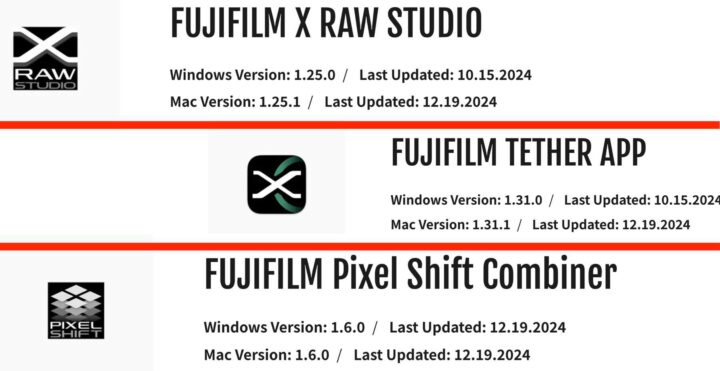
FUJIFILM X RAW STUDIO ver .1.25.1 – download here
The software update Ver.1.25.1 incorporates the following issue:
- The following changes are made to set the “Removable Volumes” access so that the connection to the camera is allowed for macOS 15 (Sequoia).
・A message instructing you to set as above is displayed on the main screen (See “Note” below).
・A link to launch the “System Settings” is added on the main screen to set the “Removable Volumes” access (See “Note” below).
Note: The above message and link appear only with macOS 14 (Sonoma) or later.
⋆ macOS is trademarks of Apple Inc. in the U.S.A. and other countries.
FUJIFILM Pixel Shift Combiner ver 1.6.0 – download here
The software update Ver.1.6.0 incorporates the following issue:
Mac version
- The following changes are made to set the “Removable Volumes” access so that the connection to the camera is allowed for macOS 15 (Sequoia).
・A message instructing you to set as above is displayed on the main screen (See “Note” below).
・A link to launch the “System Settings” is added on the main screen to set the “Removable Volumes” access (See “Note” below).
Note: The above message and link appear only with macOS 14 (Sonoma) or later.
⋆macOS is trademarks of Apple Inc. in the U.S.A. and other countries. - A new function is added to separate folders for each “PIXEL SHIFT MULTI SHOT photography” when storing captured images.
- The display area for “Check shot results in a magnified view” is expanded.
Windows version
- A new function is added to separate folders for each “PIXEL SHIFT MULTI SHOT photography” when storing captured images.
- The display area for “Check shot results in a magnified view” is expanded.
FUJIFILM TETHER APP ver 1.31.1 – download here
The software update Ver.1.31.1 incorporates the following issue
- The following changes are made to set the “Removable Volumes” access so that the connection to the camera is allowed for macOS 15 (Sequoia).
・A message instructing you to set as above is displayed on the main screen (See “Note” below).
・A link to launch the “System Settings” is added on the main screen to set the “Removable Volumes” access (See “Note” below).
Note: The above message and link appear only with macOS 14 (Sonoma) or later.
⋆macOS is trademarks of Apple Inc. in the U.S.A. and other countries.
