




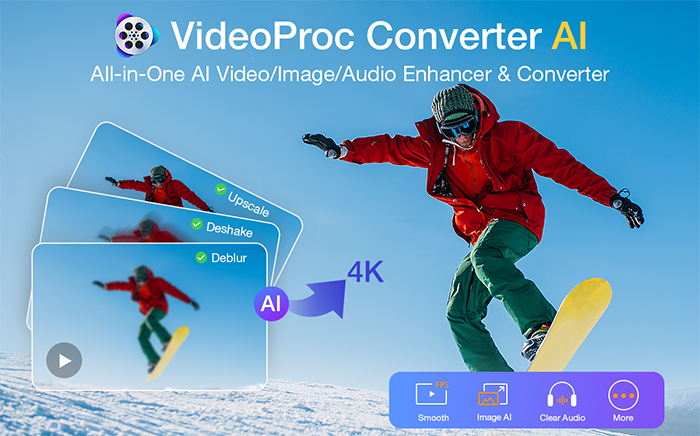
Cameras are legendary imaging powerhouses, but even great gear has limits in real-world shooting. Noise in low light, resolution drops in Super 35 crop mode, and micro jitters from handheld B-roll can make post-production challenging. Most NLEs offer tools to fix these issues, but heavy manual tweaking often delivers mixed results and strains your hardware. That’s why I use VideoProc Converter AI as a prep and enhancement tool. It cleans, deblurs, denoises, and stabilizes my clips before editing, lets me apply quick adjustments when needed, and post-processes the final output, ensuring every shot is cleaner, steadier, and fully 4K-ready before it hits the timeline or is shared.
Grab VideoProc Converter AI Lifetime License 62% Off in the Limited-Time Offer
For a limited time, the community members can secure a Lifetime License of VideoProc Converter AI at an exclusive discount. Choose the plan that’s right for you:
- Option 1. Lifetime License for 1 PC ($39.95 / 55% Off): The perfect choice for individual creators.
- Option 2. Lifetime License for 5 PCs (62% Off / Best Value): Cover all your devices or share with your team for maximum savings.
Both plans include comprehensive benefits:
- 30-Day Money-Back Guarantee.
- Pay once, own forever: eliminate annual renewals and hidden fees.
- Unlimited Updates: Access to all future AI models and feature enhancements forever.
- Lifetime Support: Continuous priority customer service.
Claim 62% off the Lifetime License – one payment, free updates forever >>
Elevate Footage Before and After Editing with AI: How VideoProc Helps
VideoProc Converter AI is a desktop kit built for AI enhancing, converting, and compressing media, while easily handling everyday tasks like downloading and recording. Its AI features, including Super Resolution, Stabilization, and Frame Interpolation, are key to transforming source footage into clean and high-fidelity files for a professional 4K timeline.
- Improving Visual Clarity: Intelligently removes visual artifacts like sensor noise and lens blur and upscales legacy 1080p clips to 4k, while keeping the textures looking natural and crystal clear.
- Reducing Camera Shake: Smartly fix micro jitters and handheld shakes in a way faster, easier than you do with the built-in stabilizers in most NLE (Nonlinear Editing) software.
- Smoothing Motion: AI generates intermediate frames to increase FPS by 2x, 3x, 4x, or 5x, transforming standard footage into smooth 60fps or 120fps sequences for better slow-motion effects.
Beyond pre-edit enhancements, VideoProc Converter AI also handles quick edits such as trimming or cutting, and post-processes final outputs for smooth playback, sharing, or delivery. With level-3 GPU acceleration and batch processing, you can prep and polish entire folders of files in minutes, ensuring every clip looks its best before and after editing.
For a deeper look at how VideoProc Converter AI elevates videos/images across the full editing workflow, visit https://www.videoproc.com/video-converting-software/feature-ai-enhancer-for-editor.htm?ttref=2602-vpc-tech-sony-ar-dxl-dhm:
AI Pre-Processing to Fix 6 Typical Footage Problems (With Real Test)
To see how this works in practice, let’s look at 6 common shooting scenarios where this workflow makes a real difference.
1) AI Denoise to Clean Noisy and Grainy Footage
Post-Production Challenges: High ISO, crop modes, and low-resolution clips introduce noise that is hard to remove in post without blurring fine details or losing texture.
VideoProc AI Denoise: Deep-trained Super Resolution uses AI to isolate luma and chroma noise while preserving critical detail, resulting in clean, sharp footage.
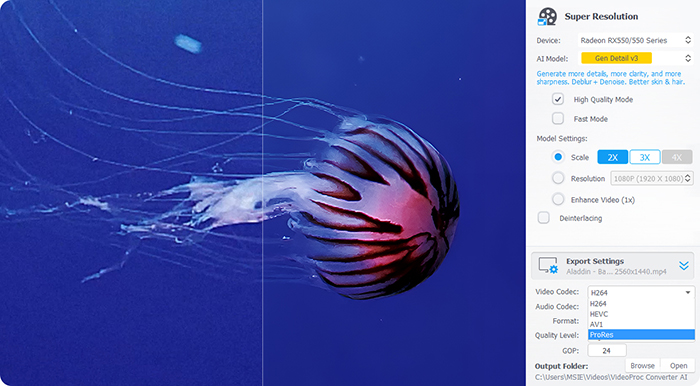
Best for cleaning noisy footage from:
- Low-light / high-ISO clips shot indoors or at night
- Handheld footage recorded in dim environments with elevated ISO
- Outdoor vlogs, conferences, and street shoots in uncontrolled lighting
2) AI De-blur & Sharpen to Recover Sharp Details
Post-Production Challenges: Sharpening filters in NLE software often rely on contrast enhancement at edges, which can cause unwanted artifacts and degrade image quality.
VideoProc AI Deblur: Its Super Resolution restores blurred pixels and naturally reconstructs details to sharpen footage while minimizing artifacts such as halos, harsh edges, and crushed shadows.
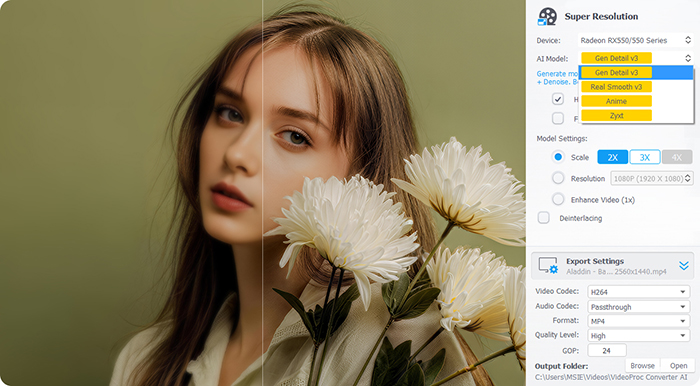
Best for restoring clarity in footage that is:
- Slightly out of focus or softened by motion blur
- Captured with lower-resolving lenses, especially long focal lengths
- Cropped (e.g., Super 35mm), where fine detail and edge sharpness drop noticeably
3) AI Super Resolution to Upscale Legacy 1080p to 4K
Post-Production Challenges: Most NLEs use simple interpolation (stretching pixels) rather than creating new detail, resulting in blurry, pixelated, or artifact-heavy, softer images.
VideoProc AI Upscale: It upscales videos up to 4K and images up to 10K with enhanced details. Its latest models, including Gen Detail v3 and Real Smooth v3, excel at predicting missing pixels and reconstructing textures while preserving natural edges.
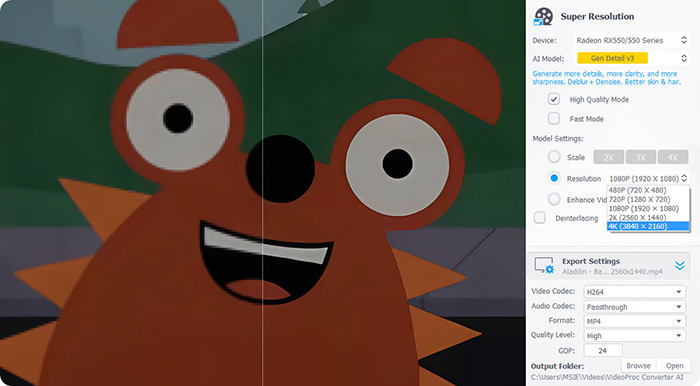
Best for upscaling footage that is:
- 1080p clips from early A7S II / A7 III cameras
- Low-bitrate crop-mode footage from newer models
- Legacy or archive content that must match a 4K timeline
4) AI Frame Interpolation to Help Create Smooth Slow-Mo from 24FP
Post-Production Challenges: Slowed-down footage often looks choppy because most video editors simply repeat or blend frames, leaving gaps where motion cannot be accurately reconstructed.
VideoProc AI Boost FPS: its Frame Interpolation feature can analyzes motion between frames to generate intermediate frames, allowing you to convert 24fps footage to 60fps/120fps for smooth, natural slow motion.
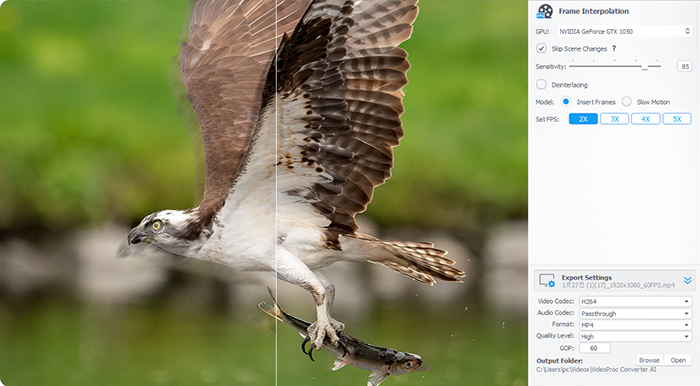
Best for low-frame-rate or slow-motion footage that:
- Was shot at 24–30fps
- Includes fast action or dynamic movement
- Needs smooth, natural slow-motion playback
AI Stabilization to Fix Micro-Jitters without Heavy Cropping
Post-Production Challenges: Stabilizing footage in Premiere can be resource-intensive, is prone to unnatural “warping” artifacts, and often requires significant cropping to hide stabilization edges.
VideoProc AI Stabilize: It detects and tracks key points within video frame, calculates a smooth camera path to reduce motion, and stabilizes footage smarter than most editing software while keeping as much of the original frame as possible.
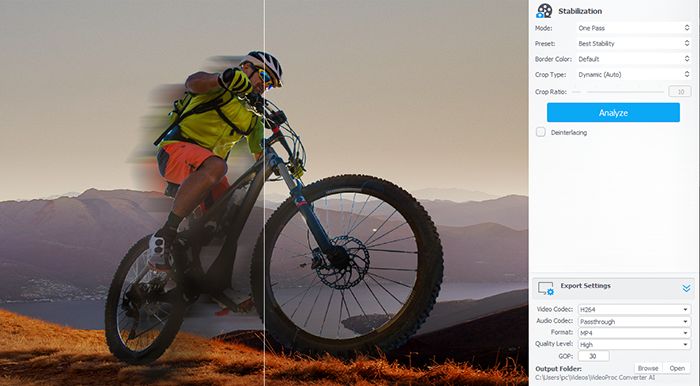
Best for footage that:
- Is handheld, walking, or shot with short tracking moves
- Uses telephoto lenses prone to subtle shakes
- Comes from fast-paced run-and-gun shoots such as weddings, street filming, or documentaries
AI Audio Isolation to Clean Dialogue from Any Background Noise
Post-Production Challenges: Noise often shares the same frequency spectrum as human speech, making it difficult to isolate without reducing voice quality.
VideoProc AI Denoise: It uses neural network–based voice separation to isolate dialogue from background noise. The result is clear, natural-sounding speech that can be used directly in editing, even when re-recording is not possible.
Best for audio with:
- Wind noise in outdoor interviews
- Ambient noise (e.g., traffic, chatter, and sirens) in street recordings
- Background noise in indoor meetings, conferences, or weddings
Beyond Pre-enhance: Full Support for Video Production
While AI features are a key advantage, VideoProc Converter AI also handles routine tasks that often slow down post-production workflows.
- Efficient Conversion: Handle 420+ video and audio formats, including XAVC and XDCAM.
- High-Fidelity Compression: Reduces video sizes by possibly 90% without noticeable quality loss.
- Direct download: Grab reference or stock footage from 1000+ sites to jump-start your projects.
- Fast: Smooth transcoding and processing even with large 10-bit 4:2:2 files with GPU acceleration.
- Streamlined Workflow: For fast-turnaround projects, the free VideoProc Vlogger pairs with VideoProc Converter AI enabling quick editing and social media-ready outputs without heavy software overhead.
Future-Proof Your Workflow for 62% Less
Get VideoProc Converter AI to clean, sharpen, and stabilize your footage, handle quick edits on the fly, and prep your final output for smooth delivery. Right now, the members can get the VideoProc Lifetime License for $39.95 (55% off) or save 62% on the 5-PC Family Pack. This exclusive offer provides permanent access to all current and future AI features with a single payment and free updates for life.
Both options include a $283.98 bonus gift pack, making it the perfect time to add serious AI power to your workflow and stop fighting your footage. Grab your deal now >>